सार्वजनिक जानकारी से बना चयन मार्गदर्शन। केवल संदर्भ हेतु।
एक बहुत अनुकूलित करने योग्य Flutter विजेट जो आसानी से QR कोड को रेंडर करता है। यह डेवलपर्स को QR कोड के दिखावट को आकार, रंग, आकृति और लोगो एकीकरण के विकल्पों के साथ ढालने की अनुमति देता है। पैकेज मल्टीप्लेटफॉर्म के लिए समर्थन प्रदान करता है, जिसमें Android, iOS, Web, macOS, Windows और Linux शामिल हैं, जो क्रॉस-प्लेटफॉर्म एप्लिकेशन के लिए आदर्श है। साफ एपीआई और बिल्ट-इन स्टाइलिंग फीचर्स के साथ, यह बाहरी निर्भरता के बिना QR कोड जनरेशन को सरल बनाता है। ब्रांडेड या इंटरैक्टिव QR कोड की आवश्यकता वाले एप्लिकेशन के लिए आदर्श है।
उपयोग
ब्रांडेड QR कोड जनरेट करना
QR कोड में लोगो जोड़ना
वेब और मोबाइल ऐप्स में QR कोड एम्बेड करना
डायनामिक QR कोड बनाना
डैशबोर्ड में QR कोड प्रदर्शित करना
मुख्य विशेषताएँ
कस्टमाइज़ की गई रंग और आकार
लोगो ओवरले एसपीओर्ट
प्लेटफॉर्म के अनुकूलता
सरल API
बहुत विन्यस्त डिज़ाइन
एम्बेडेड त्रुटि सुधार
इनके लिए उपयुक्त
मोबाइल ऐप विकासकर्ता
वेब एप्लिकेशन निर्माता
डिज़ाइन-केंद्रित परियोजनाएं
ई-कॉमर्स और मार्केटिंग ऐप्स
उपयोगकर्ता-जनित QR कोड की आवश्यकता वाले ऐप
विचार योग्य बातें
बड़े बैच के लिए प्रदर्शन अनुकूलन की आवश्यकता हो सकती है
सीमित उन्नत QR डेटा कोडिंग विकल्प
लोगो स्केलिंग पाठ की पढ़ाई को प्रभावित कर सकती है
उच्च आयतन QR उत्पादन के लिए उपयुक्त नहीं
प्लेटफॉर्म-विशिष्ट रेंडरिंग क्षमताओं पर निर्भर करता है
मूल README
संबंधित सोर्स रिपॉज़िटरी के मूल README का स्नैपशॉट। नवीनतम सामग्री के लिए रिपॉज़िटरी देखें।
Pretty QR Code
A highly customizable Flutter widget that makes it easy to render QR codes. Built on top of the qr package.
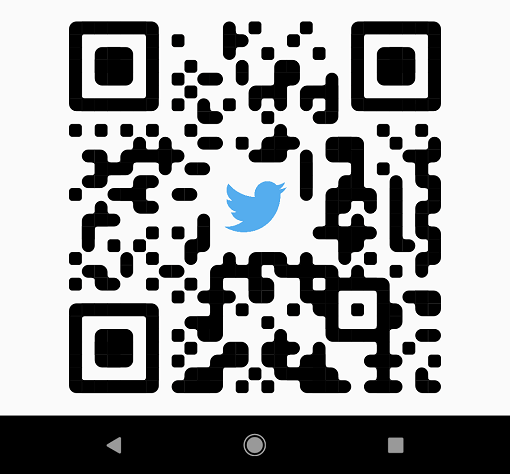
Shapes - The widget provides functionality for rendering various built-in shapes, namely smooth, squares and dots, or you can even create your patterns using the package API.
PrettyQrView.data(
data: 'lorem ipsum dolor sit amet',
decoration: constPrettyQrDecoration(
image: PrettyQrDecorationImage(
image: AssetImage('images/flutter.png'),
),
quietZone: PrettyQrQuietZone.standart,
),
)
If you want to pass non-string data or want to specify a QR version, consider using the default PrettyQrView constructor:
@protectedlateQrImage qrImage;
@overridevoidinitState() {
super.initState();
final qrCode = QrCode(
8,
QrErrorCorrectLevel.H,
)..addData('lorem ipsum dolor sit amet');
qrImage = QrImage(qrCode);
}
@overrideWidgetbuild(BuildContext context) {
returnPrettyQrView(
qrImage: qrImage,
decoration: constPrettyQrDecoration(),
);
}
Note: Do not create QrImage inside the build method; otherwise, you may have an undesired jank in the UI thread.
Combine several styles
To combine multiple styles in a single QR code, you can use PrettyQrCustomShape, as shown in the example below:
PrettyQrView.data(
data: 'lorem ipsum dolor sit amet',
decoration: constPrettyQrDecoration(
shape: PrettyQrShape.custom(
PrettyQrSquaresSymbol(),
finderPattern: PrettyQrSmoothSymbol(),
alignmentPatterns: PrettyQrDotsSymbol(),
),
),
)
Save the symbol as an image
You can save the QR code as an image using the toImage or toImageAsBytes extension methods that apply to QrImage. Optionally, the configuration parameter may be used to set additional saving options, such as pixel ratio or text direction.
final qrCode = QrCode.fromData(
data: 'lorem ipsum dolor sit amet',
errorCorrectLevel: QrErrorCorrectLevel.H,
);
final qrImage = QrImage(qrCode);
final qrImageBytes = await qrImage.toImageAsBytes(
size: 512,
format: ImageByteFormat.png,
decoration: constPrettyQrDecoration(),
);
See the example folder for more code samples of the various possibilities.
Contributing
Contributions are welcomed!
Here is a curated list of how you can help:
Fix typos/grammar mistakes
Report parts of the documentation that are unclear
Report bugs and scenarios that are difficult to implement