पैकेज, रिपॉज़िटरी और ऐप श्रेणियाँ खोजें

rolling_switch कवर
पैकेज विवरणv0.0.2

rolling_switch

आकर्षक एनीमेशन के साथ कस्टम स्विच बटन, जो आपको रंग, आइकॉन और अन्य सजावटी सामग्री को कस्टमाइज़ करने की अनुमति देता है।

AndroidiOSWebmacOSWindowsLinux
30-दिन डाउनलोड
305
लाइक
59
Pub अंक
150

पैकेज इंस्टॉल करें

flutter pub add rolling_switch

पैकेज अवलोकन

सार्वजनिक जानकारी से बना चयन मार्गदर्शन। केवल संदर्भ हेतु।

फ्लटर में एक कस्टमाइज़ेबल स्विच बटन, जिसमें चिकनी और आकर्षक एनीमेशन हैं। यह डेवलपर्स को अपने ऐप के डिज़ाइन के अनुरूप रंग, आइकन और अन्य दृश्य तत्वों को ढालने की अनुमति देता है। विभिन्न प्लेटफॉर्मों पर राज्य बदलने के लिए गतिशील और आकर्षक उपयोगकर्ता अनुभव के लिए आदर्श है। पैकेज हल्का है और आसानी से एकीकृत किया जा सकता है, जो एंड्रॉइड, आईओएस, वेब, मैकओएस, विंडोज और लिनक्स का समर्थन करता है। इसके लचीले कस्टमाइज़ेशन विकल्प इसे सरल और जटिल यूआई की आवश्यकताओं के लिए उपयुक्त बनाते हैं।

उपयोग

  • थीम टॉगल करें
  • सुविधाओं को सक्षम/अक्षम करना
  • उपयोगकर्ता प्राथमिकता सेटिंग्स
  • इंटरैक्टिव ऑनबोर्डिंग प्रवाह
  • कस्टम फॉर्म नियंत्रण

मुख्य विशेषताएँ

  • स्मूथ रोलिंग एनीमेशन
  • रंग कस्टमाइज़ेशन
  • आइकन समर्थन
  • क्रॉस-प्लेटफॉर्म संगतता
  • आसान एकीकरण
  • कॉन्फ़िगरेबल टॉगल व्यवहार

इनके लिए उपयुक्त

  • एनिमेटेड स्विच की तलाश में UI डिज़ाइनर
  • इंटरैक्टिव फॉर्म बनाने वाले डेवलपर्स
  • थीम या सेटिंग टॉगल की आवश्यकता वाले ऐप्स
  • कस्टम एस्थेटिक आवश्यकताओं वाले प्रोजेक्ट
  • बहुप्लेटफॉर्म लक्षित फ्लटर एप्प्स

विचार योग्य बातें

  • प्राप्त करने के लिए अतिरिक्त स्टाइलिंग की आवश्यकता हो सकती है एक्सेसिबिलिटी
  • एनिमेशन प्रदर्शन डिवाइस पर निर्भर करता है
  • केवल दृश्य कस्टमाइज़ेशन तक सीमित, अवस्था प्रबंधन नहीं
  • उच्च आवृत्ति अवस्था परिवर्तन के लिए उपयुक्त नहीं
  • स्पष्ट दृश्य प्रतिक्रिया के साथ सबसे अच्छा उपयोग करें
मूल README

संबंधित सोर्स रिपॉज़िटरी के मूल README का स्नैपशॉट। नवीनतम सामग्री के लिए रिपॉज़िटरी देखें।

Rolling Switch Package


Full customizable rolling switch widget for flutter apps forked from this library
Custom Switch button with attractive animation, made to allow you to customize colors, icons, custom widget and other cosmetic content.

Manage the widget states in the same way you do with the classical material's switch widget.

style: lint


Quick Start

Import this library into your project:

roling_switch: ^latest_version

Basic Implementation

Using the icon constructor

RollingSwitch.icon(
  onChanged: (bool state) {
    print('turned ${(state) ? 'on' : 'off'}');
  },
  rollingInfoRight: const RollingIconInfo(
    icon: Icons.flag,
    text: Text('Flag'),
  ),
  rollingInfoLeft: const RollingIconInfo(
    icon: Icons.check,
    backgroundColor: Colors.grey,
    text: Text('Check'),
  ),
),
More possibilities
  • Create a custom widget, use:
    const RollingWidgetInfo(icon: FlutterLogo())
    

  • Change color background between transactions left/right
    RollingSwitch.icon(    
      rollingInfoRight: const RollingIconInfo(
        backgroundColor: Colors.green,
      ),
      rollingInfoLeft: const RollingIconInfo(
        backgroundColor: Colors.grey,
      ),
    )
    

  • Change Circular color
    RollingSwitch.icon(
      ...
      circularColor: (icon: FlutterLogo())
    )
    

  • Create a custom text indicator
    RollingSwitch.icon(    
      rollingInfoRight: const RollingIconInfo(
        text: Text('Flag'),
      ),
      rollingInfoLeft: const RollingIconInfo(
        text: Text('Stack'),
      ),
    )
    

  • Enable drag switch
    RollingSwitch.icon(
      ...
      enableDrag: true
    )
    

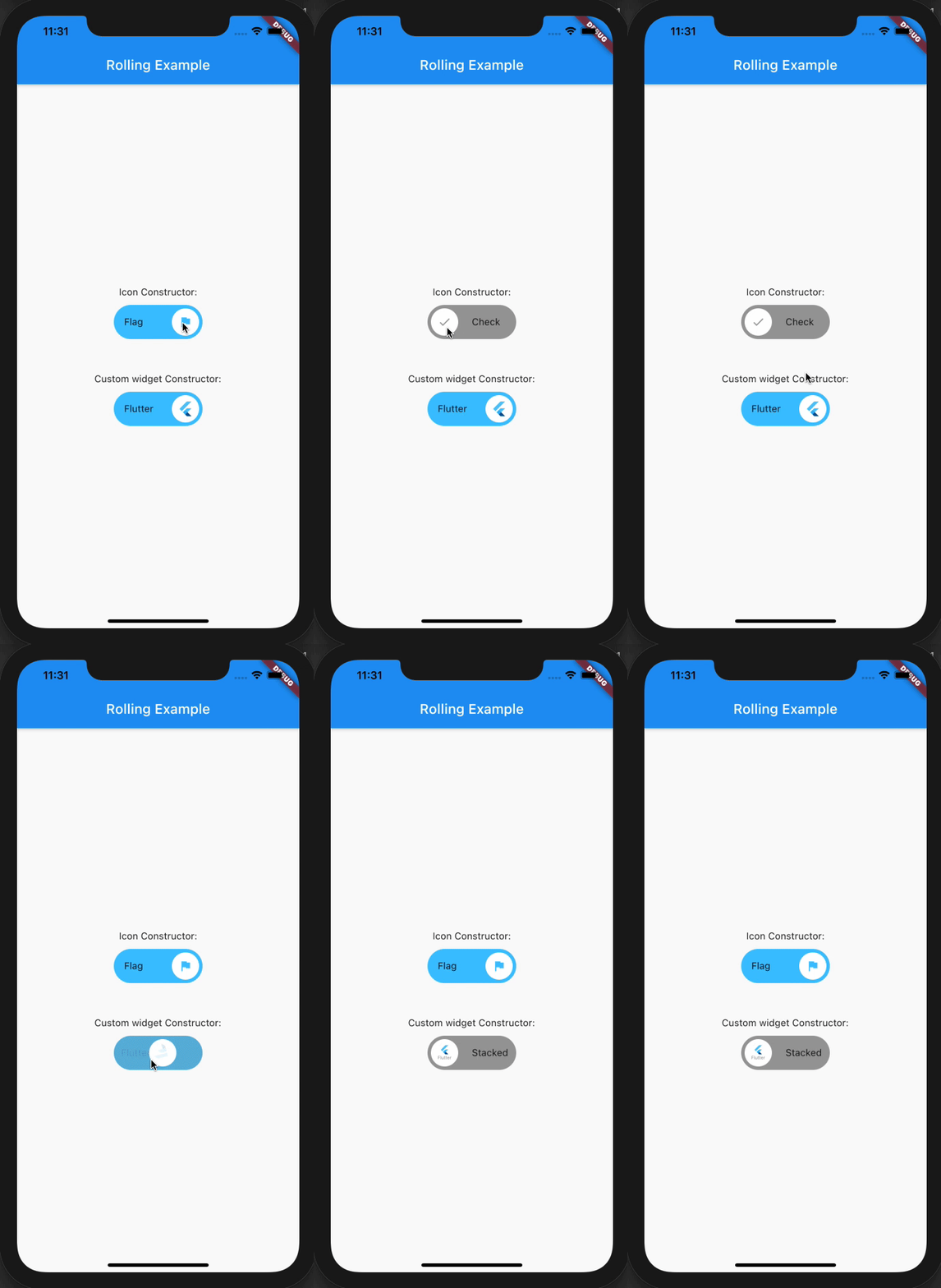
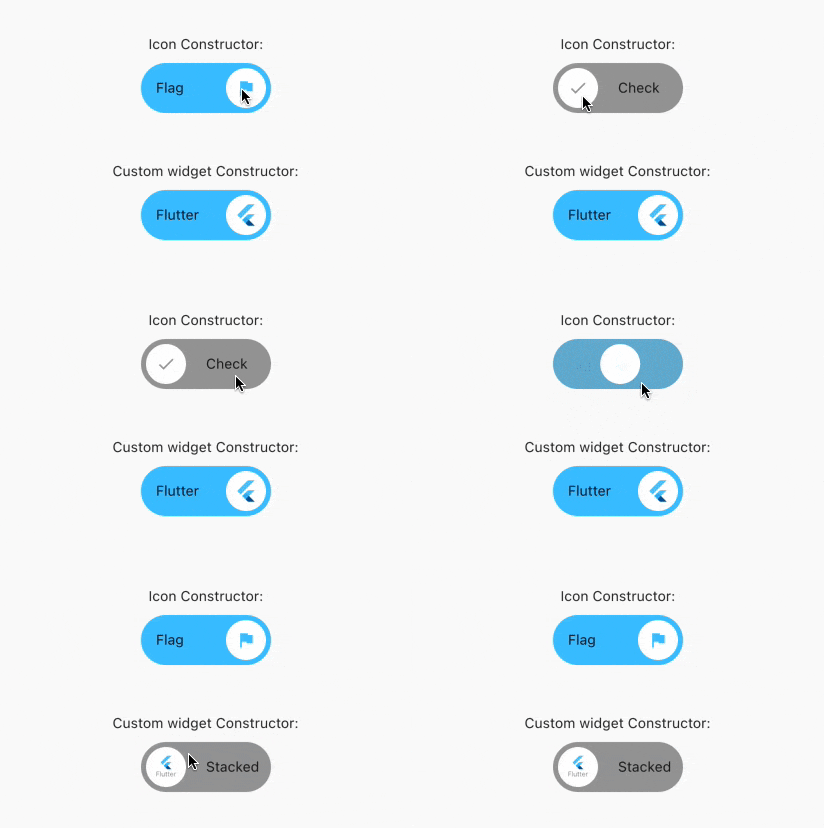
Previews

श्रेणियाँ

सोर्स रिपॉज़िटरी

इस पैकेज का उपयोग करने वाले प्रोजेक्ट

अभी कोई डेटा उपलब्ध नहीं है।