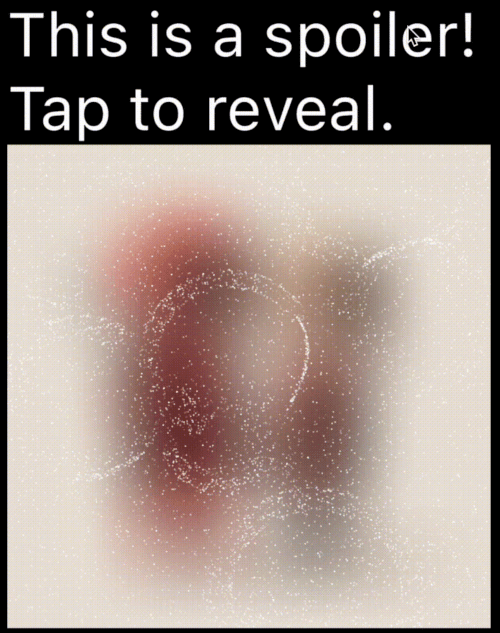
एक फ्लटर पैकेज जो टेलीग्राम में उपयोग किए जाने वाले स्पॉइलर एनीमेशन के समान बनाता है, जिससे आप संवेदनशील या स्पॉइलर भरे कंटेंट को छूने या क्लिक करने तक छिपा सकते हैं।
सार्वजनिक जानकारी से बना चयन मार्गदर्शन। केवल संदर्भ हेतु।
spoiler_widget पैकेज डेवलपर्स को Flutter में इंटरैक्टिव स्पॉइलर एनीमेशन बनाने की अनुमति देता है, जो लोकप्रिय टेलीग्राम-शैली रिवील इफेक्ट की नकल करता है। यह संवेदनशील या आश्चर्यजनक सामग्री को शुरुआत में छिपाने और उपयोगकर्ता इंटरैक्शन (जैसे टैप या क्लिक) के बाद प्रदर्शित करने की अनुमति देता है। संदेशों, छवियों या पाठ में स्पॉइलर छिपाने के लिए आदर्श, यह विभिन्न प्लेटफॉर्मों पर स्मूथ ट्रांज़िशन के साथ उपयोगकर्ता अनुभव को बढ़ाता है। पैकेज हल्का है और मौजूदा Flutter ऐप्स में बिना किसी दिक्कत के एकीकृत हो सकता है।
उपयोग
चैट ऐप्स में स्पॉइलर छिपाना
टैप करने पर छवि सामग्री प्रकट करना
इंटरैक्टिव कहानी के तत्व बनाना
UI में संवेदनशील जानकारी की रक्षा करना
खेलों में खेलने वाले खुलासे जोड़ना
मुख्य विशेषताएँ
टेलीग्राम-स्टाइल एनिमेशन
टैप-टू-रिवील इंटरैक्शन
स्मूथ ट्रांजिशन प्रभाव
प्लेटफॉर्म के अनुकूल समर्थन
मौजूदा विजेट्स के साथ आसान एकीकरण
कस्टमाइज़ किए गए प्रकटीकरण अवधि
इनके लिए उपयुक्त
चैट और संदेश ऐप्स
इंटरैक्टिव स्टोरीटेलिंग
गेमिफाइड इंटरफेस
नियंत्रित दृश्यता की आवश्यकता वाला सामग्री
सरल लेकिन प्रभावी एनीमेशन चाहने वाले डेवलपर्स
विचार योग्य बातें
बहुत से उदाहरणों के साथ प्रदर्शन पर प्रभाव पड़ सकता है
मूल एनिमेशन के आगे कस्टमाइजेशन सीमित
प्रकट करने के लिए उपयोगकर्ता की बातचीत की आवश्यकता होती है
स्थिर सामग्री के लिए उपयुक्त नहीं
सर्वोत्तम उपयोग बचाकर आश्चर्य प्रभाव बनाए रखने के लिए
मूल README
संबंधित सोर्स रिपॉज़िटरी के मूल README का स्नैपशॉट। नवीनतम सामग्री के लिए रिपॉज़िटरी देखें।
Spoiler Animation for Flutter
A Flutter package to create spoiler animations similar to the one used in Telegram, allowing you to hide sensitive or spoiler-filled content until it's tapped or clicked.
Demo
Mask Operation
Demo
Mask Operation
Demo
PathOperation.intersect
PathOperation.difference
PathOperation.union
PathOperation.xor
Features
Spoiler Animation: Blur effect to hide content until tapped or hidden
Wave Effects: Optional wave/ripple expansions with SpoilerSpotsController
Particle System: Configure particle density (0–1 coverage), size, speed, color, and shape paths/presets.
You can apply a custom-shaped mask using maskConfig in both TextSpoilerConfig and WidgetSpoilerConfig.
This allows the spoiler effect to only appear inside specific areas defined by a Path.
You can find a complete, runnable example in the example/lib/main.dart file. It demonstrates various configuration options and both text and widget-based spoilers.
Configuration
Common Fields
Table showing common config parameters for both TextSpoilerConfig and WidgetSpoilerConfig.
Field
Type
Description
isEnabled
bool
Whether the spoiler starts enabled (hidden).
enableGestureReveal
bool
Whether tap should toggle visibility.
particleConfig
ParticleConfig
Particle system parameters (density, speed, color, size, shape).
fadeConfig
FadeConfig?
Fade parameters (padding, edgeThickness).
shaderConfig
ShaderConfig?
Custom fragment shader configuration for particles.
maskConfig
SpoilerMask?
Optional mask to apply using a Path.
onSpoilerVisibilityChanged
ValueChanged?
Callback fired when spoiler becomes visible/hidden.
Legacy fields (deprecated)
These fields are kept for backward compatibility; prefer particleConfig and fadeConfig.
enableFadeAnimation
fadeRadius (maps to FadeConfig.padding)
fadeEdgeThickness
particleDensity
particleSpeed
particleColor
maxParticleSize
ParticleConfig
Field
Type
Description
density
double
Area coverage percentage in the range 0..1 (0 = 0%, 1 = 100%). Values are clamped.
speed
double
Particle speed (px/frame).
color
Color
Base particle color.
maxParticleSize
double
Particle diameter in pixels.
shapePreset
ParticlePathPreset?
Built-in shapes or ParticlePathPreset.custom(...) for your own path.
enableWaves
bool
Enables ripple waves that push particles.
maxWaveRadius
double
Wave radius limit in pixels.
maxWaveCount
int
Maximum number of simultaneous waves.
TextSpoilerConfig
Field
Type
Description
textStyle
TextStyle?
The text style applied to the spoiler text.
textSelection
TextSelection?
Range of text to apply the spoiler.
textAlign
TextAlign?
Text alignment inside the widget.
maxLines
int?
An optional maximum number of lines for the text to span, wrapping if necessary.
isEllipsis
bool?
Determines whether overflowing text should display an ellipsis ("…") at the end.
WidgetSpoilerConfig
Field
Type
Description
imageFilter
ImageFilter?
Blur filter used to hide the child.
maxActiveWaves
int
Max concurrent waves for wave-based effects.
FAQ
How can I animate the blur or wave concurrency?
Adjust the properties in your configuration object at runtime. For instance, set a new imageFilter or call methods on the wave controller to dynamically tune the effect.
Can I skip the wave logic?
Yes—by default, you get a basic spoiler with fade. Use SpoilerSpotsController only if you want wave animations.
Does this work on the web?
Yes! It’s entirely in Flutter/Dart. Just ensure you handle any platform quirks with gesture input.
Dual Rendering Modes
spoiler_widget now supports two modes of rendering particles:
Atlas Rendering (Default): Uses Flutter's drawRawAtlas. This is a CPU-driven approach that is highly efficient for most standard spoiler effects.
Shader Rendering (GPU): Uses custom fragment shaders to render particles. This is ideal for complex visual effects and leverages GPU power for smoother performance on high-end devices.
To enable Shader Rendering, simply provide a ShaderConfig to your spoiler configuration.
Particle Shapes
Pick a shape once in ParticleConfig, and it works for both atlas and shader modes. Leave shapePreset null for the default circle (fastest path).