सार्वजनिक जानकारी से बना चयन मार्गदर्शन। केवल संदर्भ हेतु।
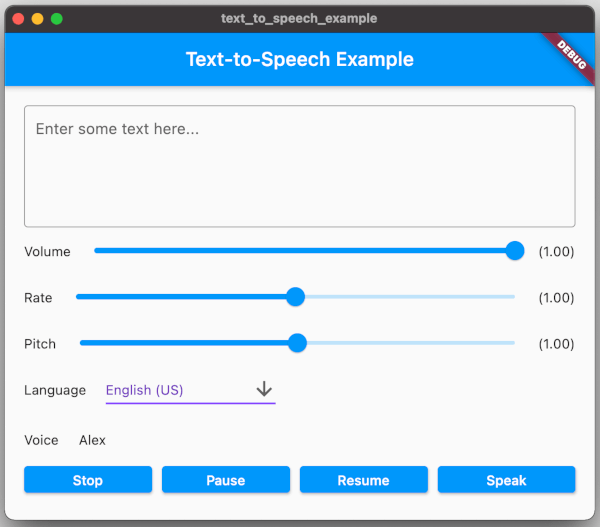
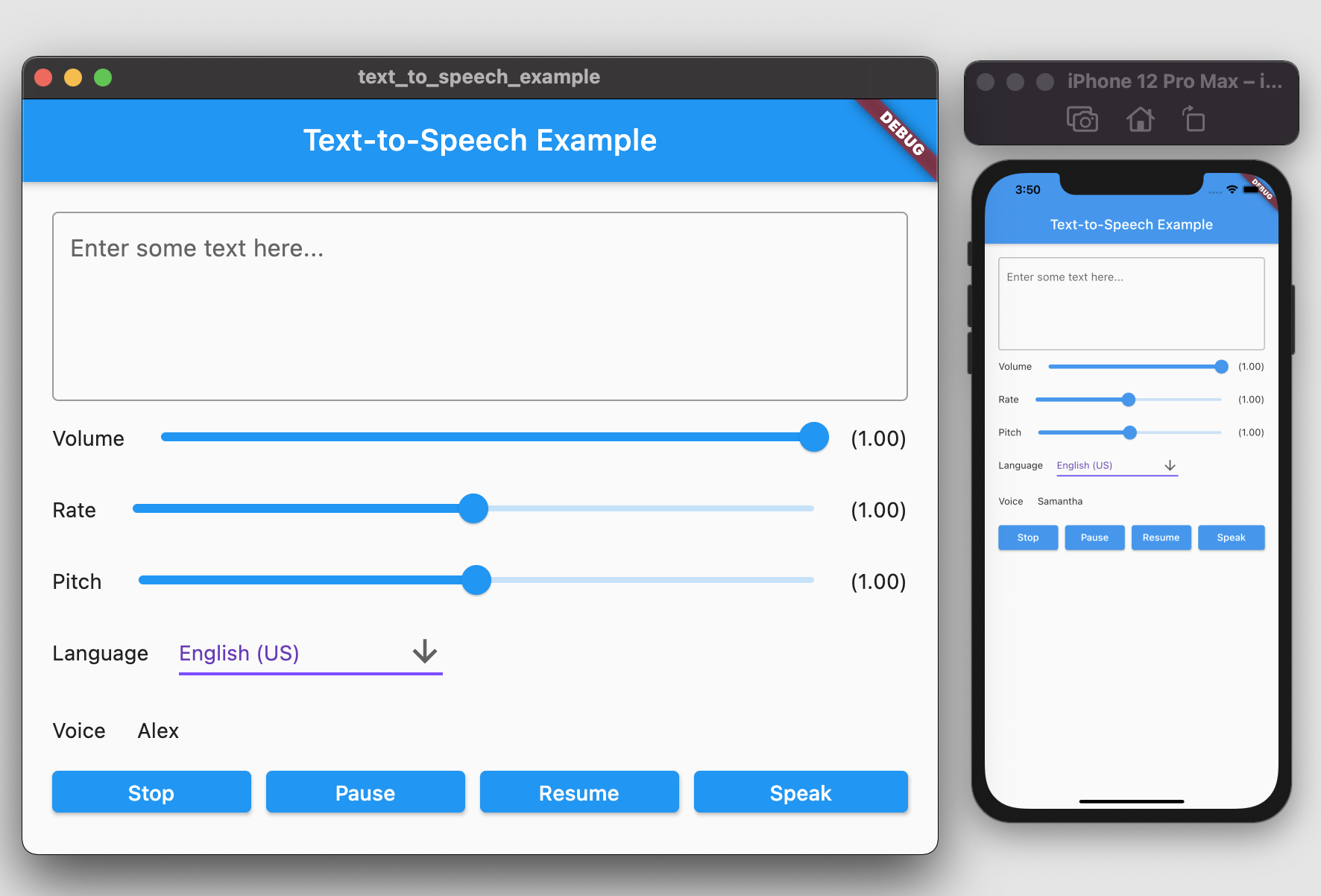
एक फ्लटर प्लगइन जो एंड्रॉयड, आईओएस, वेब और मैकओएस पर टेक्स्ट-टू-स्पीच (TTS) कार्यक्षमता सक्षम करता है। यह ऐप्स को प्राकृतिक आवाज़ में बोलने वाले टेक्स्ट में बदलने की अनुमति देता है, भाषा, ध्वनि और दर जैसे कस्टमाइज़ेबल सेटिंग्स के साथ आवाज़ प्लेबैक समर्थित है। एक्सेसिबिलिटी फीचर्स, वॉइस असिस्टेंट्स और इंटरैक्टिव लर्निंग ऐप्स के लिए आदर्श। प्लगइन फ्लटर के इकोसिस्टम के साथ बिना किसी दिक्कत के एकीकृत है और कम्युनिटी के योगदान के लिए गिटहब पर बनाए रखा गया है।
उपयोग
एक्सेसिबिलिटी फीचर्स
वॉइस-गाइडेड नेविगेशन
इंटरैक्टिव लर्निंग ऐप्स
एप्स में ऑडियो प्रतिक्रिया
पठन सहायता उपकरण
मुख्य विशेषताएँ
क्रॉस-प्लेटफ़ॉर्म समर्थन
कस्टमाइज़ेबल बोलने के पैरामीटर
सरल API एकीकरण
कई भाषाओं का समर्थन करता है
रियल-टाइम टेक्स्ट कनवर्जन
इनके लिए उपयुक्त
प्रगत एप्लिकेशन बनाने वाले डेवलपर्स
शैक्षिक ऐप निर्माता
वॉइस सहायक एंटीग्रेशन
ऑडियो फीडबैक की आवश्यकता वाले ऐप्स
विचार योग्य बातें
प्लेटफॉर्म-विशिष्ट अनुमतियों की आवश्यकता है
कुछ प्लेटफॉर्म पर सीमित आवाज़ का चयन
वेब समर्थन ब्राउज़र के आधार पर भिन्न हो सकता है
प्रदर्शन उपकरण TTS इंजन पर निर्भर करता है
भाषा उपलब्धता ओएस पर निर्भर करती है
मूल README
संबंधित सोर्स रिपॉज़िटरी के मूल README का स्नैपशॉट। नवीनतम सामग्री के लिए रिपॉज़िटरी देखें।
Text To Speech
A Flutter plugin provides TTS (Text-To-Speech) Service. This plugin aims to offer the most of TTS API feature from iOS, Android, web, and macOS.
Getting Started
To use this plugin, add text_to_speech as a dependency in your pubspec.yaml file:
dependencies:text_to_speech:^0.2.3
Installation
Android
Minimum SDK version: 21
Applications targeting SDK 30 (Android 11) need to declare TextToSpeech.Engine.INTENT_ACTION_TTS_SERVICE in the queries elements of Android Manifest (See Android documentation).
String text = "Hello, Good Morning!";
tts.speak(text);
Set Volume
Volume range: 0-1 where 0 is silence, and 1 is the maximum volume (the default behavior).
double volume = 1.0;
tts.setVolume(volume);
Set Rate
Rate range: 0-2.
1.0 is the normal and default speech rate. Lower values slow down the speech (0.5 is half the normal speech rate). Greater values accelerate it (2.0 is twice the normal speech rate).
double rate = 1.0;
tts.setRate(rate);
Set Pitch
Pitch range: 0-2.
1.0 is the normal pitch, lower values lower the tone of the synthesized voice, greater values increase it.
double pitch = 1.0;
tts.setPitch(pitch);
Set Language
Accepting locale tag name of specific language, e.g. 'en-US'. You can retrieve list of supported language using getLanguage function.
String language = 'en-US';
tts.setLanguage(language);
Get Languages
Provide list of supported language codes in locale tag name format, e.g. 'en-US'. You can get display name for specific language code
String language = 'en-US';
tts.setLanguage(language);
Get Voice
We can get all available voices or get voices of specific language. This function will returns particular voice name.