सार्वजनिक जानकारी से बना चयन मार्गदर्शन। केवल संदर्भ हेतु।
एक विविध Flutter विजेट जो किसी भी स्थान पर छोटे विजेट वृक्ष में बिना किसी असुविधा के एकीकृत किया जा सकता है। इसमें पूर्ण एनीमेशन क्षमता और एक्सेसिबिलिटी विशेषताएं हैं, जो विभिन्न परिदृश्यों में एक स्थिर और समावेशी उपयोगकर्ता अनुभव सुनिश्चित करती हैं। डायनामिक व्यवहार और स्क्रीन रीडर संगतता की आवश्यकता वाले पुनर्उपयोगी घटकों के लिए आदर्श। पैकेज विजेट लचीलेपन को बढ़ाता है बिना कार्यक्षमता या उपयोगकर्ता अनुभव को प्रभावित किए।
उपयोग
पुन: उपयोग करने योग्य UI घटक
गतिशील सामग्री निरूपण
एक्सेसिबिलिटी-संगत इंटरफेस
क्रॉस-प्लेटफ़ॉर्म विजेट एकीकरण
एनिमेटेड UI तत्व
मुख्य विशेषताएँ
पूर्ण एनीमेशन समर्थन
निर्मित एक्सेसिबिलिटी
विजेट वृक्ष में लचीला स्थान
हल्का और कारगर
विस्तारयोग्य डिज़ाइन
इनके लिए उपयुक्त
पुनर्उपयोगी विजेट बनाने वाले डेवलपर्स
प्राथमिकता देने वाली टीमें एक्सेसिबिलिटी को
एनिमेटेड UI की आवश्यकता वाले ऐप्स
जटिल विजेट हायरार्की वाले प्रोजेक्ट्स
क्रॉस-प्लेटफॉर्म Flutter एप्लिकेशन
विचार योग्य बातें
Flutter के विजेट जीवनचक्र की समझ आवश्यक है
उन्नत एनीमेशन के लिए अतिरिक्त कॉन्फ़िगरेशन की आवश्यकता हो सकती है
उच्च आवृत्ति अपडेट के लिए अनअनुकूलित
सीमित प्लेटफॉर्म-विशिष्ट कस्टमाइज़ेशन
राज्य प्रबंधन धाराओं में सही एकीकरण पर निर्भर करता है
मूल README
संबंधित सोर्स रिपॉज़िटरी के मूल README का स्नैपशॉट। नवीनतम सामग्री के लिए रिपॉज़िटरी देखें।
The Mighty UniversalWidget
I'm just so excited to introduce to you my superhero widget: UniversalWidget
You can find the package at: https://pub.dartlang.org/packages/universal_widget
With UniversalWidget, you will have full control with it in the widget tree.
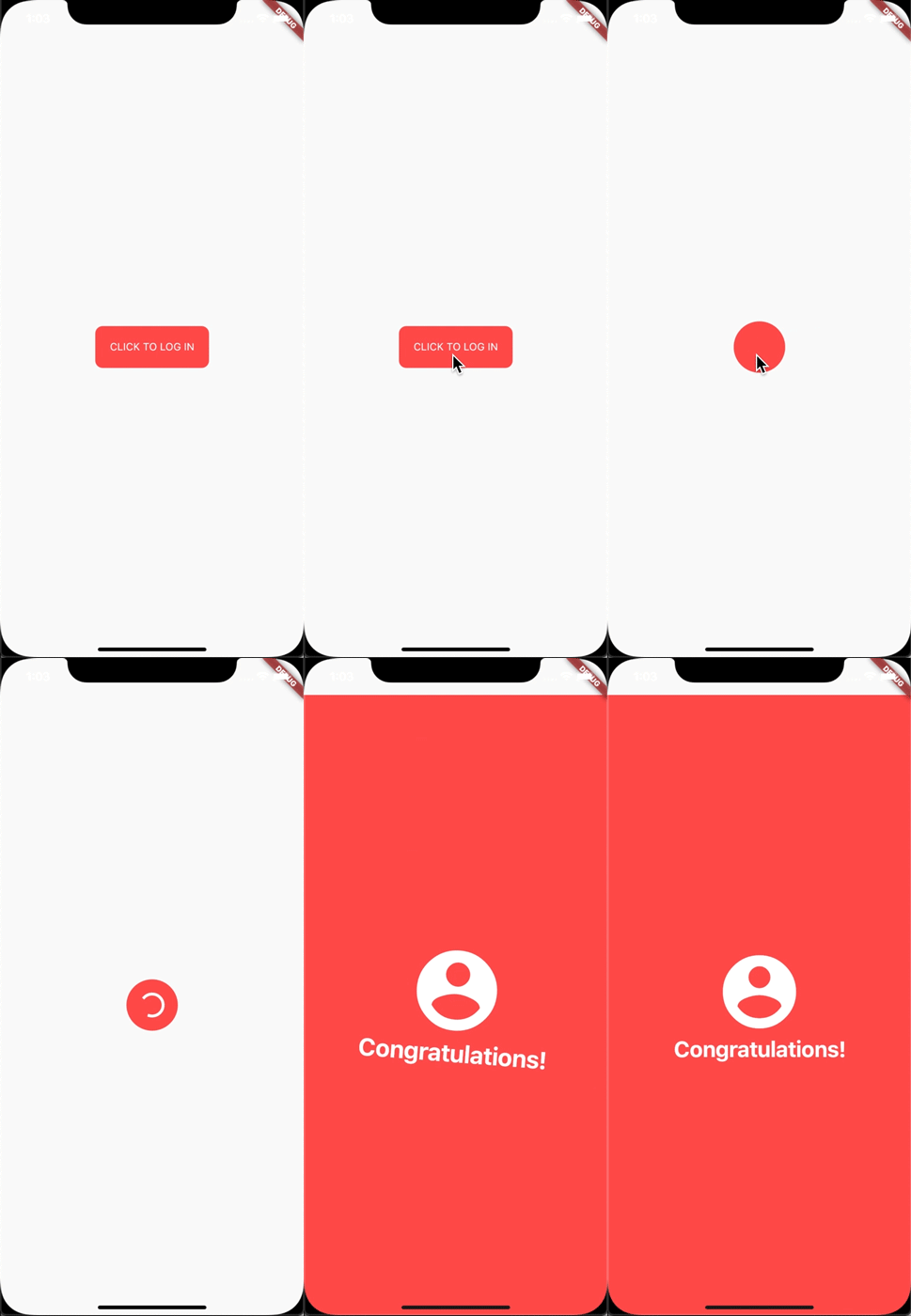
I made this login animation with UniversalWidget in only 8 lines of code. If you want to know how to do it with Flutter, see this cool tutorial: https://blog.geekyants.com/flutter-login-animation-ab3e6ed4bd19
Apply easing type to the animation, listen to the widget to see when the animation is finished, see the progress of the animation, or make the animation repeated. Here you go:
myWidget.update(
  duration: 0.5, // in seconds
  delay: 2, // in seconds - wait 2 seconds then play the animation
  height: 100,
  ease: Curve.elasticEaseOut, // or your can use Ease.elasticEaseOut, it's the same
  onComplete: (widget){
    print("I finished changing my height!");
  },
  onUpdate: (progress){
    print("Animation progress is $progress");
  }
);
If you want to repeat the animation 5 times:
myWidget.update(
  ...
  repeat: 5,
  ...
);
If you want the animation to play in reverse after it's finish: (like the way playing Yoyo in real life)
myWidget.update(
  ...
  yoyo: true,
  ...
);
If you want to repeat the animation forever:
myWidget.update(
  ...
  repeat: -1,
  ...
);
Combining "repeat" and "yoyo", you will have the animation go forward & backward forever:
myWidget.update(...repeat:-1,yoyo:true,...);
To stop the widget from animation:
myWidget.killAllTweens();
Additional Animation Easing Types
Yes, UniversalWidget has more easing type than Flutter framework, it supports:
Ease.backIn
Ease.backOut
Ease.backInOut
Ease.slowMo
Ease.sineIn
Ease.sineOut
Ease.sineInOut
Let play with it yourself! ;)
Accessibility
Let's take full control of your UniversalWidget, you can access to it everywhere, EVERYWHERE. (as long as it's still on your screen)
Notes that the given name should be unique, if you have many UniversalWidget with the same name, only the latest one in the widget tree can be accessible by a name, the others won't. So please name it wisely.
Wait, there's more. If you want to check for the size of the widget, do this:
UniversalWidget(
  child: Text("Hello World!"),
  // because the widget size can only be calculated after the widget are build, you need to listen on this event:
  onWidgetBuilt: (context){
    print("My size is ${context.size}");
  }
);
Phewwww... that's it for now. Now you guys might understand why I called it "The Mighty Widget", not too brag, eh? Hopefully it will save you a bunch of time, as it's saving me right now.
If you have any feedback, or meet any troubles while using this widget, please feel free to reach me via this Github repo.