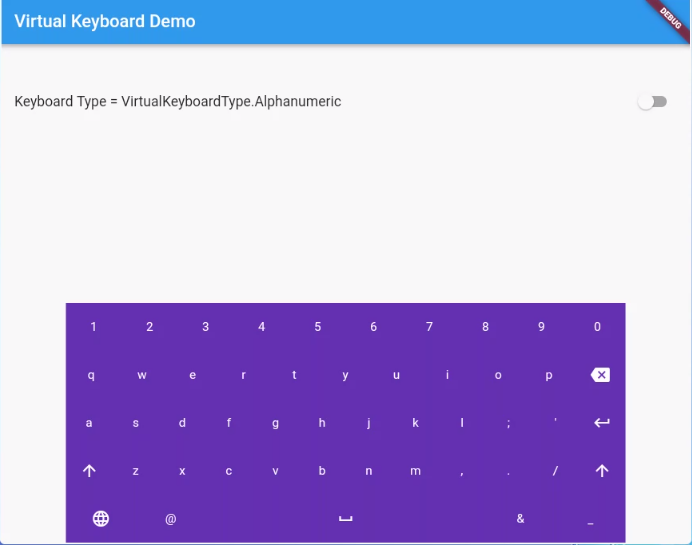
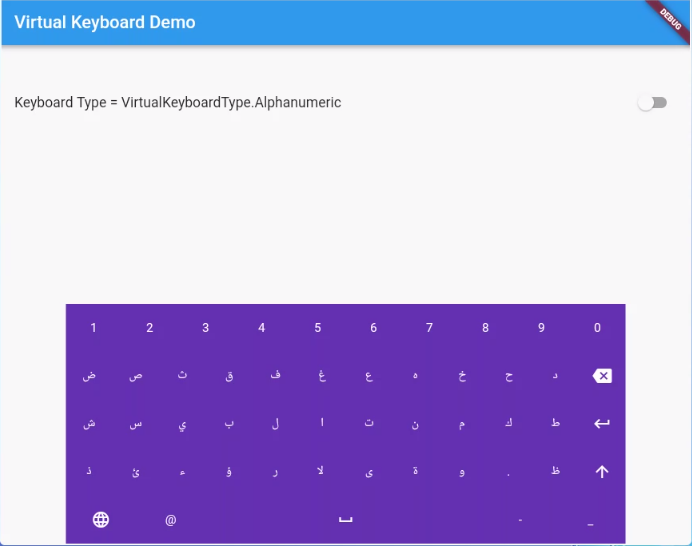
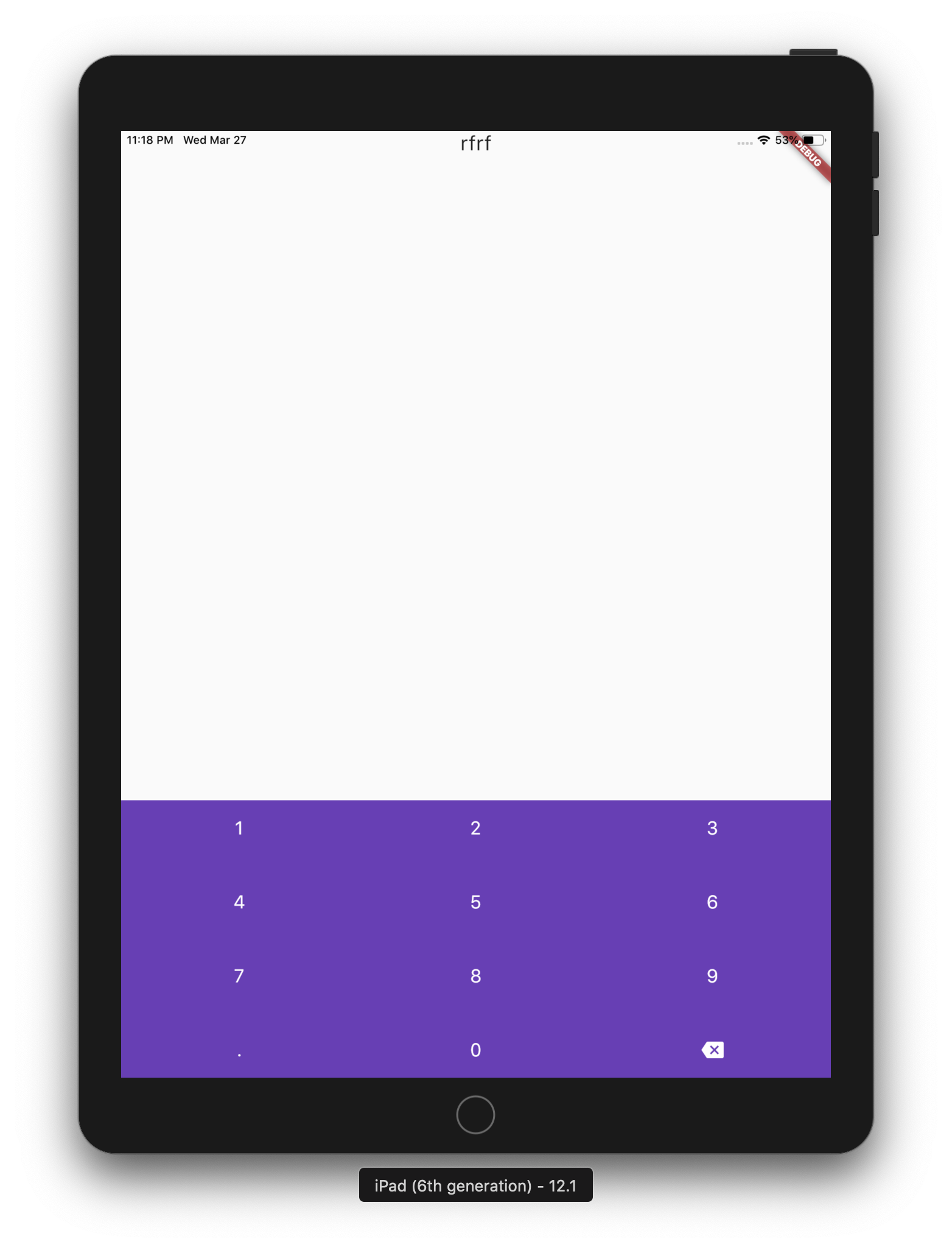
एक सरल पैकेज जो किओस्क और एटीएम जैसे उपकरणों पर वर्चुअल कीबोर्ड प्रदर्शित करने के लिए है। लाइब्रेरी डार्ट में लिखी गई है और कोई नेटिव कोड निर्भरता नहीं है।
सार्वजनिक जानकारी से बना चयन मार्गदर्शन। केवल संदर्भ हेतु।
एक हल्का, क्रॉस-प्लेटफॉर्म डार्ट पैकेज जो किओस्क और एटीएम जैसे उपकरणों पर वर्चुअल कीबोर्ड प्रदर्शित करने के लिए डिज़ाइन किया गया है। इसमें मूल कोड निर्भरता नहीं है, यह कई भाषाओं का समर्थन करता है और एंड्रॉइड, आईओएस, वेब, मैकओएस, विंडोज और लिनक्स पर बिना किसी दिक्कत के काम करता है। छूने वाले इंटरफेस के लिए जो कस्टमाइज़ेबल इनपुट समाधान की आवश्यकता होती है, यह आदर्श है। इस पैकेज के माध्यम से फ्लटर एप्लिकेशन में वर्चुअल कीबोर्ड को न्यूनतम सेटअप के साथ एकीकृत करने के लिए एक सरल API प्रदान करता है।
उपयोग
किओस्क टर्मिनल्स
ATM इंटरफेस
बहुभाषी डेटा प्रविष्टि
टचस्क्रीन बिक्री स्थल प्रणाली
स्वयं सेवा चेक-इन स्टेशन
इंटरैक्टिव सार्वजनिक प्रदर्शन
मुख्य विशेषताएँ
बहुभाषी समर्थन
कोई नेटिव कोड निर्भरता नहीं
क्रॉस-प्लेटफॉर्म संगतता
कस्टमाइज़ किए गए कीबोर्ड लेआउट
हल्का और एकीकरण में आसान
सभी प्रमुख डेस्कटॉप और मोबाइल प्लेटफॉर्म का समर्थन करता है
इनके लिए उपयुक्त
सार्वजनिक टच इंटरफेस बना रहे डेवलपर्स
बहुभाषी इनपुट की आवश्यकता वाले अनुप्रयोग
विभिन्न ऑपरेटिंग प्रणालियों पर डिप्लॉय किए गए सिस्टम
न्यूनतम बाहरी निर्भरता की आवश्यकता वाले प्रोजेक्ट
किओस्क और ATM सॉफ्टवेयर विकास
विचार योग्य बातें
गैर-मानक भाषा इनपुट के लिए कस्टम लेआउट डिज़ाइन की आवश्यकता हो सकती है
मूल टेक्स्ट इनपुट कार्यक्षमता तक सीमित
कम क्षमता वाले उपकरणों पर प्रदर्शन में भिन्नता हो सकती है
पूर्वानुमानित पाठ या ध्वनि इनपुट जैसी उन्नत विशेषताओं को शामिल नहीं करता है
पूर्वानुमान योग्य उपयोगकर्ता व्यवहार वाले नियंत्रित परिवेश के लिए उपयुक्त
मूल README
संबंधित सोर्स रिपॉज़िटरी के मूल README का स्नैपशॉट। नवीनतम सामग्री के लिए रिपॉज़िटरी देखें।
virtual_keyboard_multi_language
About
A simple package for dispaying virtual keyboards on a devices like kiosks and ATMs. The library is written in Dart and has no native code dependancy.
This project has forked from virtual_keyboard project because the virtual_keyboard project built to only display a buttons on the screen with single language. However, this project will handel the events and aill supports multi-languages.
(ToDo) Option to make a popup floating keyboard/keyNum.
(ToDo) Adding input result viewer and handel the events.
Reference
VirtualKeyboard
Flutter widget to show virtual keyboards.
// Keyboard Type: Can be Numeric or Alphanumeric.VirtualKeyboardType type
// Callback for Key press event. Called with pressed `Key` object.// will fire before adding pressed key text to controller, if a controller existsFunction preKeyPress;
// Callback for Key press event. Called with pressed `Key` object.// will fire after adding pressed key text to controller, if a controller existsFunction postKeyPress;
// Virtual keyboard height. Default is 300.double height;
/// Virtual keyboard height. Default is full screen widthdouble width;
// Color for key texts and icons.Color textColor;
// Font size for keyboard keys.double fontSize;;
// Only Caps letters enabled.bool alwaysCaps;;
/// the custom layout for multi or single languageVirtualKeyboardLayoutKeys customLayoutKeys;
/// used for multi-languages with default layouts, the default is English only/// will be ignored if customLayoutKeys is not nullList<VirtualKeyboardDefaultLayouts> defaultLayouts;
/// inverse the layout to fix the issues with right to left languages, default is false.bool reverseLayout;
// Just local variable. Use Text widget or similar to show in UI.String text;
/// Fired when the virtual keyboard key is pressed._onKeyPress(VirtualKeyboardKey key) {
if (key.keyType == VirtualKeyboardKeyType.String) {
text = text + (shiftEnabled ? key.capsText : key.text);
} elseif (key.keyType == VirtualKeyboardKeyType.Action) {
switch (key.action) {
caseVirtualKeyboardKeyAction.Backspace:
if (text.length == 0) return;
text = text.substring(0, text.length - 1);
break;
caseVirtualKeyboardKeyAction.Return:
text = text + '\n';
break;
caseVirtualKeyboardKeyAction.Space:
text = text + key.text;
break;
caseVirtualKeyboardKeyAction.Shift:
shiftEnabled = !shiftEnabled;
break;
default:
}
}
// Update the screensetState(() {});
}