पैकेज, रिपॉज़िटरी और ऐप श्रेणियाँ खोजें

yoda कवर
पैकेज विवरणv1.0.1

yoda

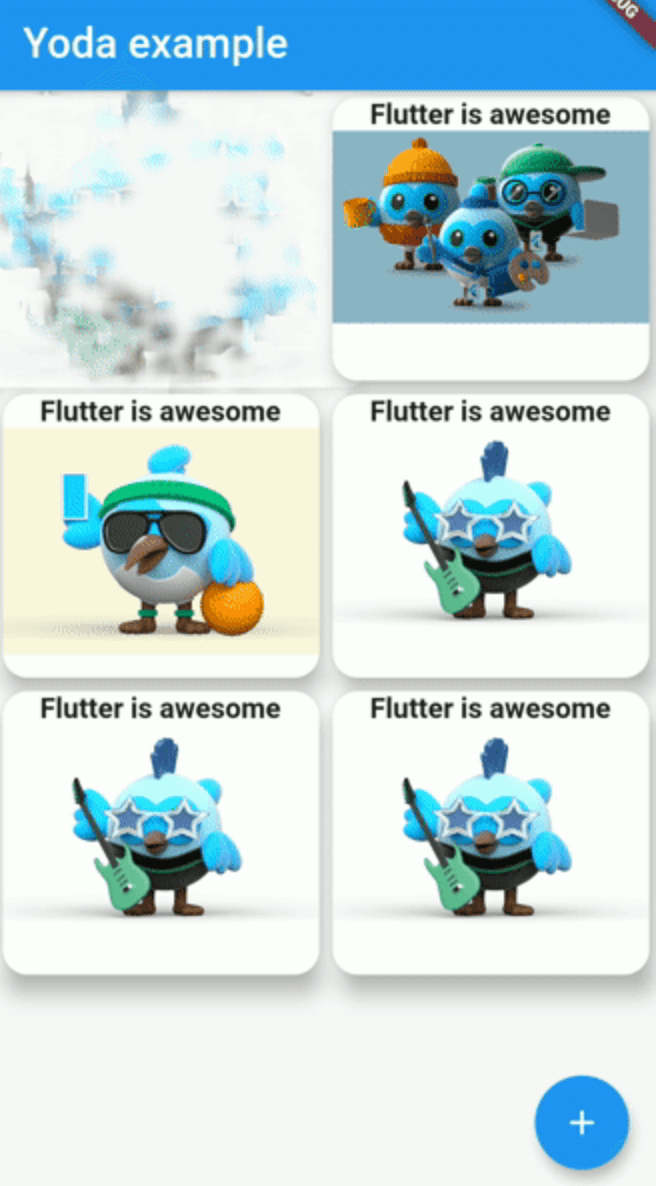
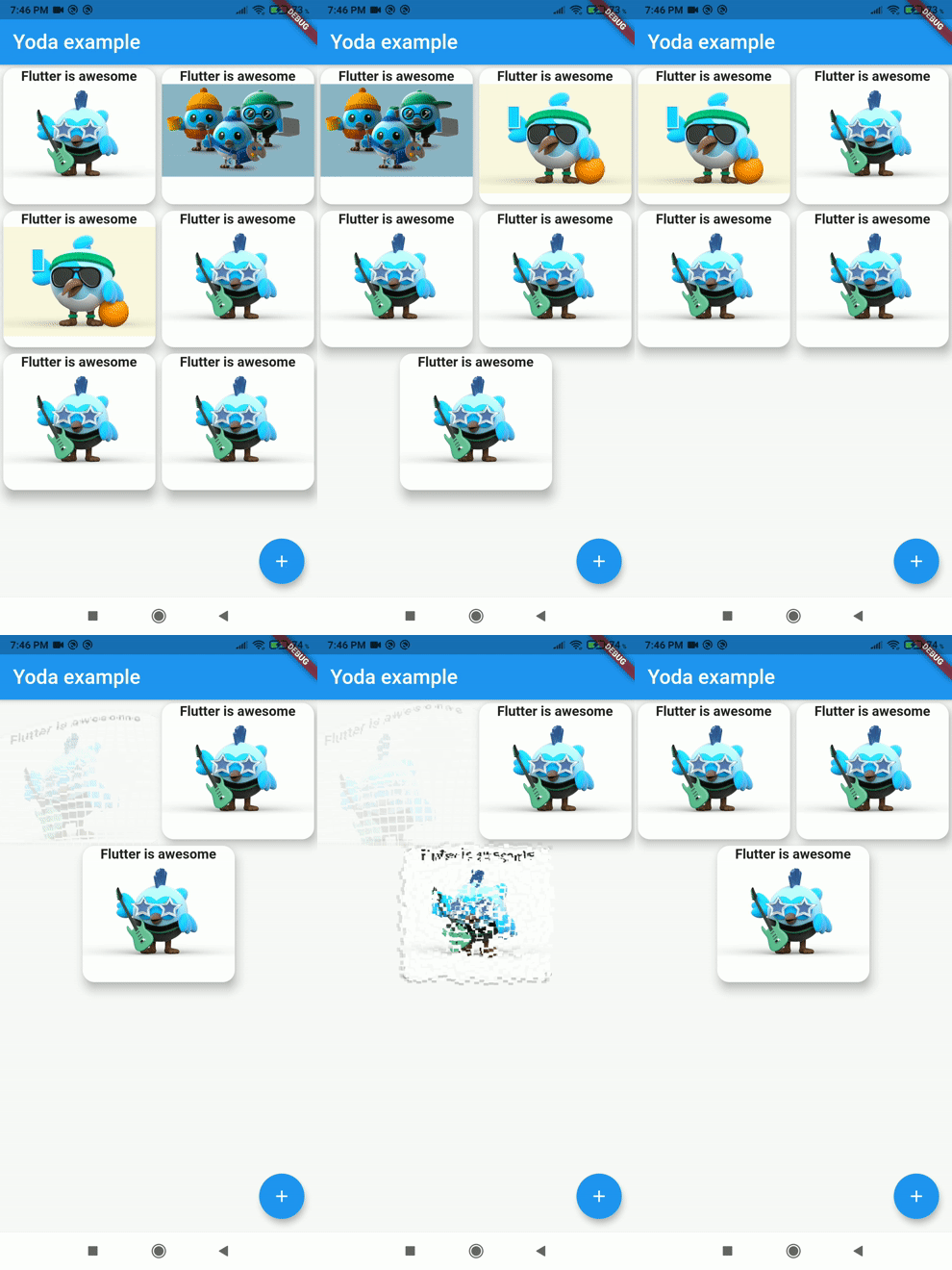
Flutter विजेट जो किसी भी प्रकार के बच्चे विजेट को टाइल के मैट्रिक्स में काटता है और विभिन्न तरीकों से उन्हें एनिमेट करता है। वर्तमान में एक्सप्लोड, वॉर्टेक्स और फ्लेक्स के साथ।

AndroidiOSWebmacOSWindowsLinux
30-दिन डाउनलोड
70
लाइक
57
Pub अंक
130

पैकेज इंस्टॉल करें

flutter pub add yoda

पैकेज अवलोकन

सार्वजनिक जानकारी से बना चयन मार्गदर्शन। केवल संदर्भ हेतु।

योडा एक फ्लटर विजेट है जो विकासकर्ताओं को किसी भी बच्चे विजेट को टाइल्स के ग्रिड में विभाजित करने और विभिन्न प्रभावों जैसे एक्सप्लोड, वॉर्टेक्स और फ्लेक्स का उपयोग करके उन्हें एनिमेट करने की अनुमति देता है। यह ऐप में डायनामिक, दृश्य रूप से आकर्षक संक्रमण बनाने के लिए डिज़ाइन किया गया है। पैकेज कई प्लेटफॉर्मों का समर्थन करता है जैसे Android, iOS, Web, macOS, Windows और Linux, जिससे यह क्रॉस-प्लेटफॉर्म विकास के लिए लचीला बनता है। pub add के माध्यम से सरल एकीकरण के साथ, योडा कस्टमाइज़ेबल एनिमेशन के माध्यम से UI इंटरैक्टिविटी को बढ़ाता है।

उपयोग

  • एनिमेटेड स्प्लैश स्क्रीन बनाएं
  • पृष्ठों के बीच इंटरैक्टिव ट्रांज़िशन डिज़ाइन करना
  • बटन टैप पर दृश्य आकर्षण जोड़ना
  • प्रदर्शित करने वाली छवि या सामग्री का एनिमेट करना
  • ऑनबोर्डिंग अनुभवों को बेहतर बनाना

मुख्य विशेषताएँ

  • टाइल-आधारित एनिमेशन स्लाइसिंग
  • कई एनीमेशन प्रकार (एक्सप्लोड, वॉर्टेक्स, फ्लेक्स)
  • क्रॉस-प्लेटफॉर्म संगतता
  • pub के साथ आसान एकीकरण
  • कस्टमाइज़ किए गए एनीमेशन पैरामीटर
  • उपकरणों के माध्यम से चिकना प्रदर्शन

इनके लिए उपयुक्त

  • रचनात्मक एनीमेशन खोज रहे UI डिजाइनर
  • इंटरैक्टिव ऐप इंटरफेस बनाने वाले डेवलपर्स
  • गतिशील सामग्री परिवर्तन की आवश्यकता वाले प्रोजेक्ट
  • आकर्षक उपयोगकर्ता अनुभव के प्रोटोटाइपिंग
  • ताकतवर दृश्य कथा कहने वाले ऐप्स

विचार योग्य बातें

  • बड़ी टाइल संख्या के साथ प्रदर्शन प्रभावित हो सकता है
  • चिकनी एनिमेशन के लिए सावधानी से ट्यूनिंग की आवश्यकता होती है
  • केवल स्थिर बच्चा तत्वों तक सीमित, अन्यथा अवस्था प्रबंधन के साथ संयुक्त करना आवश्यक है
  • सरल, न्यूनतम डिजाइन के लिए उपयुक्त नहीं
  • एनिमेशन की जटिलता बिल्ड समय बढ़ा सकती है
मूल README

संबंधित सोर्स रिपॉज़िटरी के मूल README का स्नैपशॉट। नवीनतम सामग्री के लिए रिपॉज़िटरी देखें।

Yoda Flutter plugin

Flutter widget that let's you slice any kind of child widget in a matrix of tiles and animate them with different kind of ways. Currently with Explode, Vortex and Flakes. Works on all platforms.

Screenshot

Yoda Widget Properties

Yoda widget
  • [yodaEffect] Animation effect to use (see below).
  • [controller] Animation controller.
  • [duration] Animation duration.
  • [startWhenTapped] Enable tap gesture to start animation.
  • [animParameters] Parameters used to animate tiles (see below).
  • [child] Whatever widget to slice.
YodaEffect enum
  • [Explosion]
  • [Vortex]
  • [Flakes]
AnimParameters properties
  • [yodaBarrier] Define which edges are barraged (see below).
  • [hTiles] Number of horizontal tiles to divide the child widget.
  • [vTiles] Number of vertical tiles to divide the child widget.
  • [fractionalCenter] Default center where force is given when not tapping on it.
  • [gravity] Vertical force.
  • [effectPower] Effect strength.
  • [blurPower] Blur strength.
  • [randomness] Random strength.
YodaBarrier properties
  • [left] Block tiles moving over the left edge.
  • [right] Block tiles moving over the right edge.
  • [top] Block tiles moving over the top edge.
  • [bottom] Block tiles moving over the bottom edge.

How to use

If you need to control the animation status:

late YodaController _yodaControllerExplode;
  
@override
  void initState() {
    super.initState();
    _yodaControllerExplode = YodaController()
    ..addStatusListener((status) {
      if (status == AnimationStatus.completed) {
        _yodaControllerExplode.reset();
      }
    });
  }

YodaController accepts start() and reset() methods. Note: calling those methods will not work when a setState() is called at the same time.

Yoda(
  yodaEffect: YodaEffect.Explosion,
  controller: _yodaControllerExplode,
  duration: Duration(milliseconds: 2500),
  animParameters: AnimParameters(
    yodaBarrier: YodaBarrier(bottom: true, left: true, right: true),
    fractionalCenter: Offset(0.5, 1.0),
    hTiles: 20,
    vTiles: 20,
    effectPower: 0.2,
    blurPower: 5,
    gravity: 0.1,
    randomness: 30,
  ),
  startWhenTapped: true,
  child: SizedBox(
    width: 250,
    height: 180,
    child: Image.asset('assets/dash.png', fit: BoxFit.fill)
  )
)

TODO
  • Find a better way to capture the widget
  • When changing Yoda widget parameters, 2 hot reloads are needed to make it to work!

श्रेणियाँ

सोर्स रिपॉज़िटरी

इस पैकेज का उपयोग करने वाले प्रोजेक्ट

अभी कोई डेटा उपलब्ध नहीं है।