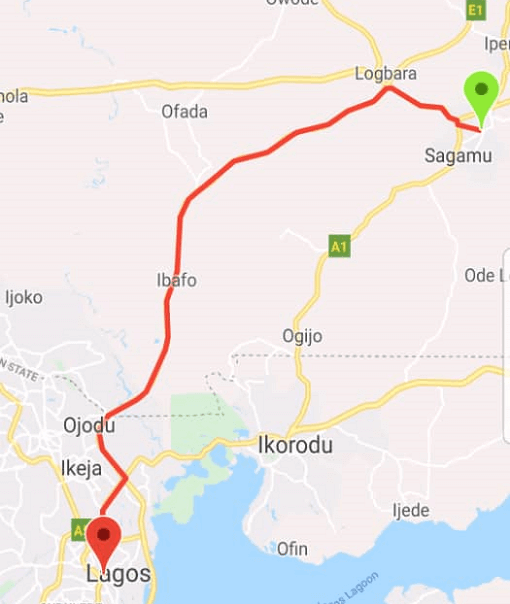
Flutter Polyline Points
A Flutter package for decoding polyline points from Google Maps Directions API and the new Google Routes API. This package provides a unified interface supporting both legacy Directions API and the enhanced Google Routes API.
🚀 Version 3.0 - Simplified Routes API Integration
Version 3.0 introduces a simplified and unified approach to Google's routing services:
Single PolylinePoints class for both APIsSimplified Routes API integration with essential featuresEnhanced request/response models with better type safetyCustom body parameters for advanced use casesComprehensive test coverage for reliabilityBackward compatibility maintained for existing code
📦 Installation
Add this to your package's pubspec.yaml file:
dependencies:
  flutter_polyline_points: ^3.0.1
Then run:
flutter pub get
🔑 API Key Setup
Go to the Google Cloud Console
Enable the Directions API and/or Routes API
Create an API key
Configure API key restrictions as needed
Note : The Routes API may have different pricing than the Directions API. Check the Google Routes API documentation for details.
📱 Basic Usage
Legacy Directions API (Backward Compatibility)
import 'package:flutter_polyline_points/flutter_polyline_points.dart' ;
PolylinePoints polylinePoints = PolylinePoints (apiKey: "YOUR_API_KEY" );
PolylineResult result = await polylinePoints.getRouteBetweenCoordinates (
request: PolylineRequest (
origin: PointLatLng (37.7749 , -122.4194 ),
destination: PointLatLng (37.3382 , -121.8863 ),
mode: TravelMode .driving,
),
);
if (result.points.isNotEmpty) {
List <LatLng > polylineCoordinates = result.points
.map ((point) => LatLng (point.latitude, point.longitude))
.toList ();
}
Routes API (Enhanced Features)
import 'package:flutter_polyline_points/flutter_polyline_points.dart' ;
PolylinePoints polylinePoints = PolylinePoints (apiKey: "YOUR_API_KEY" );
RoutesApiRequest request = RoutesApiRequest (
origin: PointLatLng (37.7749 , -122.4194 ),
destination: PointLatLng (37.3382 , -121.8863 ),
travelMode: TravelMode .driving,
routingPreference: RoutingPreference .trafficAware,
);
RoutesApiResponse response = await polylinePoints.getRouteBetweenCoordinatesV2 (
request: request,
);
if (response.routes.isNotEmpty) {
Route route = response.routes.first;
print ('Duration: ${route.durationMinutes} minutes' );
print ('Distance: ${route.distanceKm} km' );
List <PointLatLng > points = route.polylinePoints ?? [];
}
🏍️ Two-Wheeler Routing
RoutesApiRequest request = RoutesApiRequest (
origin: PointLatLng (37.7749 , -122.4194 ),
destination: PointLatLng (37.3382 , -121.8863 ),
travelMode: TravelMode .twoWheeler,
routeModifiers: RouteModifiers (
avoidHighways: true ,
avoidTolls: false ,
),
);
RoutesApiResponse response = await polylinePoints.getRouteBetweenCoordinatesV2 (
request: request,
);
🛣️ Alternative Routes
RoutesApiRequest request = RoutesApiRequest (
origin: PointLatLng (37.7749 , -122.4194 ),
destination: PointLatLng (37.3382 , -121.8863 ),
computeAlternativeRoutes: true ,
intermediates: [
PolylineWayPoint (location: "37.4419,-122.1430" ),
],
);
RoutesApiResponse response = await polylinePoints.getRouteBetweenCoordinatesV2 (
request: request,
);
for (int i = 0 ; i < response.routes.length; i++) {
Route route = response.routes[i];
print ('Route ${i + 1 } : ${route.durationMinutes} min, ${route.distanceKm} km' );
}
⚙️ Advanced Configuration
Route Modifiers
RoutesApiRequest request = RoutesApiRequest (
origin: PointLatLng (37.7749 , -122.4194 ),
destination: PointLatLng (37.3382 , -121.8863 ),
travelMode: TravelMode .driving,
routeModifiers: RouteModifiers (
avoidTolls: true ,
avoidHighways: false ,
avoidFerries: true ,
avoidIndoor: false ,
),
routingPreference: RoutingPreference .trafficAware,
units: Units .metric,
polylineQuality: PolylineQuality .highQuality,
);
RoutesApiResponse response = await polylinePoints.getRouteBetweenCoordinatesV2 (
request: request,
);
Custom Body Parameters
RoutesApiRequest request = RoutesApiRequest (
origin: PointLatLng (37.7749 , -122.4194 ),
destination: PointLatLng (37.3382 , -121.8863 ),
customBodyParameters: {
'extraComputations' : ['TRAFFIC_ON_POLYLINE' ],
'requestedReferenceTime' : DateTime .now ().toIso8601String (),
},
);
Timing Preferences
RoutesApiRequest request = RoutesApiRequest (
origin: PointLatLng (37.7749 , -122.4194 ),
destination: PointLatLng (37.3382 , -121.8863 ),
travelMode: TravelMode .driving,
routingPreference: RoutingPreference .trafficAware,
departureTime: DateTime .now ().add (Duration (hours: 1 )),
);
Custom Headers
You can pass custom HTTP headers with your Routes API requests. This is particularly useful for Android-restricted API keys:
RoutesApiRequest request = RoutesApiRequest (
origin: PointLatLng (37.7749 , -122.4194 ),
destination: PointLatLng (37.3382 , -121.8863 ),
travelMode: TravelMode .driving,
headers: {
'X-Android-Package' : 'com.example.myapp' ,
'X-Android-Cert' : 'YOUR_SHA1_FINGERPRINT' ,
},
);
Using with google_api_headers Package
For easier Android header management, you can use the google_api_headers
dependencies:
  flutter_polyline_points: ^3.0.0
  google_api_headers: ^4.0.0
import 'package:google_api_headers/google_api_headers.dart' ;
Map <String , String > headers = await const GoogleApiHeaders ().getHeaders ();
RoutesApiRequest request = RoutesApiRequest (
origin: PointLatLng (37.7749 , -122.4194 ),
destination: PointLatLng (37.3382 , -121.8863 ),
travelMode: TravelMode .driving,
headers: headers,
);
RoutesApiResponse response = await polylinePoints.getRouteBetweenCoordinatesV2 (
request: request,
);
Note : Custom headers are only supported with the Routes API (getRouteBetweenCoordinatesV2). The legacy Directions API uses GET requests and doesn't support custom headers.
🔄 Migration Guide
From v2.x to v3.0
Version 3.0 simplifies the API while maintaining backward compatibility:
PolylinePoints polylinePoints = PolylinePoints ();
PolylineResult result = await polylinePoints.getRouteBetweenCoordinates (
googleApiKey: "YOUR_API_KEY" ,
request: request,
);
PolylinePoints polylinePoints = PolylinePoints (apiKey: "YOUR_API_KEY" );
PolylineResult result = await polylinePoints.getRouteBetweenCoordinates (
request: request,
);
Converting Between APIs
RoutesApiResponse routesResponse = await polylinePoints.getRouteBetweenCoordinatesV2 (
request: routesRequest,
);
PolylineResult legacyResult = polylinePoints.convertToLegacyResult (routesResponse);
Factory Constructors
PolylinePoints legacyPoints = PolylinePoints .legacy ("YOUR_API_KEY" );
PolylinePoints enhancedPoints = PolylinePoints .enhanced ("YOUR_API_KEY" );
PolylinePoints customPoints = PolylinePoints .custom (
apiKey: "YOUR_API_KEY" ,
timeout: Duration (seconds: 60 ),
preferRoutesApi: true ,
);
📊 Response Data
Legacy API Response
class PolylineResult List <PointLatLng > points;
String ? errorMessage;
String ? status;
}
Routes API Response
class RoutesApiResponse List <Route > routes;
String ? status;
String ? errorMessage;
}
class Route int? duration;
int? staticDuration;
int? distanceMeters;
String ? polylineEncoded;
List <PointLatLng >? polylinePoints;
double? get durationMinutes => duration != null ? duration! / 60.0 : null ;
double? get staticDurationMinutes => staticDuration != null ? staticDuration! / 60.0 : null ;
double? get distanceKm => distanceMeters != null ? distanceMeters! / 1000.0 : null ;
}
🎯 Features Comparison
Feature
Legacy Directions API
Routes API
Basic routing
✅
✅
Waypoints
✅
✅
Travel modes
Driving, Walking, Bicycling, Transit
+ Two-Wheeler
Alternative routes
✅
✅
Route modifiers
Basic
Enhanced
Polyline quality
Standard
High-quality, Overview
Request format
GET with query params
POST with JSON
Custom parameters
❌
✅
Timing preferences
❌
✅
Field mask support
❌
✅
🔧 Troubleshooting
Common Issues
API Key Issues
Ensure your API key has the correct APIs enabled
Check API key restrictions and quotas
Verify billing is enabled for your Google Cloud project
Routes API Errors
Migration Issues
Update constructor calls to include apiKey parameter
Use convertToLegacyResult() for compatibility
Check method signatures for parameter changes
Error Handling
try {
RoutesApiResponse response = await polylinePoints.getRouteBetweenCoordinatesV2 (
request: RoutesApiRequest (
origin: PointLatLng (37.7749 , -122.4194 ),
destination: PointLatLng (37.3382 , -121.8863 ),
),
);
if (response.routes.isNotEmpty) {
Route route = response.routes.first;
} else {
print ('Error: ${response.errorMessage ?? "No routes found" } ' );
}
} catch (e) {
print ('Exception: $e ' );
}
📚 Examples
Check out the /example folder for comprehensive examples:
Legacy API Example : Basic routing with backward compatibilityRoutes API Example : Enhanced features and custom parametersTwo-Wheeler Example : Motorcycle/scooter optimized routingAdvanced Configuration : Custom body parameters and timing preferences
🤝 Contributing
Contributions are welcome! Please read our contributing guidelines and submit pull requests to our repository.
📄 License
This project is licensed under the MIT License - see the LICENSE file for details.
🔗 Links
📈 Changelog
Version 3.0.0
🔄 BREAKING : Simplified API with unified PolylinePoints class
🔄 BREAKING : Constructor now requires apiKey parameter
✨ Enhanced Routes API integration with RoutesApiRequest/RoutesApiResponse
🛠️ Added custom body parameters support
🏍️ Added two-wheeler routing mode
⏰ Added timing preferences (departure/arrival time)
🎯 Added field mask support for response optimization
🧪 Comprehensive test coverage added
📊 Improved response models with convenience getters
🔧 Better error handling and type safety
🛠️ Maintained backward compatibility for legacy API
Previous Versions
See CHANGELOG.md for complete version history.