パッケージ、リポジトリ、アプリカテゴリを検索

flutter_quill のカバー
パッケージ詳細v11.6.0

flutter_quill

Android、iOS、Web、デスクトッププラットフォーム用に構築されたリッチテキストエディタです。Flutter用のWYSIWYGエディタおよびQuillコンポーネントです。

AndroidiOSmacOSWindowsLinux
30日間ダウンロード
33.1万
いいね数
2160
Pub ポイント
150

パッケージをインストール

flutter pub add flutter_quill

パッケージ概要

公開情報に基づく選定ガイドです。参考としてご利用ください。

Flutter Quill は、Android、iOS、Web、macOS、Windows、Linux をサポートする Flutter 向けのクロスプラットフォーム富テキストエディタです。WYSIWYG インターフェースを提供し、Quill エディタエンジンを統合することで、太字、イタリック、リスト、画像などの形式付きテキストの作成・編集が可能になります。Markdown および HTML 出力に対応しており、ノートアプリ、コンテンツ管理システム、共同編集ツールに最適です。積極的にメンテナンスされており、Flutter アプリケーションへのシームレスな統合を目的としています。

用途

  • ノートアプリ
  • コンテンツ管理システム
  • 共同編集ツール
  • ブログ投稿エディタ
  • リッチテキストメッセージ

主な機能

  • WYSIWYG 編集
  • クロスプラットフォーム対応
  • Markdown および HTML のエクスポート
  • 画像とリンクの挿入
  • カスタマイズ可能なツールバー

適している対象

  • 豊富なテキスト機能を構築する開発者
  • 書式付きテキスト入力が必要なアプリ
  • 複数のプラットフォーム間で一貫したUIを必要とするチーム
  • 教育または生産性アプリケーション

注意事項

  • HTML/Markdownのパースを慎重に扱う必要があります
  • 大きなドキュメントではパフォーマンスのオーバーヘッドが発生する可能性があります
  • カスタムスタイルには追加の構成が必要です
  • 限定された組み込みのスペルチェック
  • Quillの下位エンジンの安定性に依存する

元の README

関連するソースリポジトリの README 原文のスナップショットです。最新の内容はリポジトリをご覧ください。

Flutter Quill

Flutter Quill

A rich text editor for Flutter

MIT License PRs Welcome Watch on GitHub Star on GitHub Watch on GitHub


Flutter Quill is a rich text editor and a Quill component for Flutter.

This library is a WYSIWYG (What You See Is What You Get) editor built for the modern Android, iOS, web and desktop platforms.

Check out our Youtube Playlist or Code Introduction to take a detailed walkthrough of the code base. You can join our Slack Group for discussion.

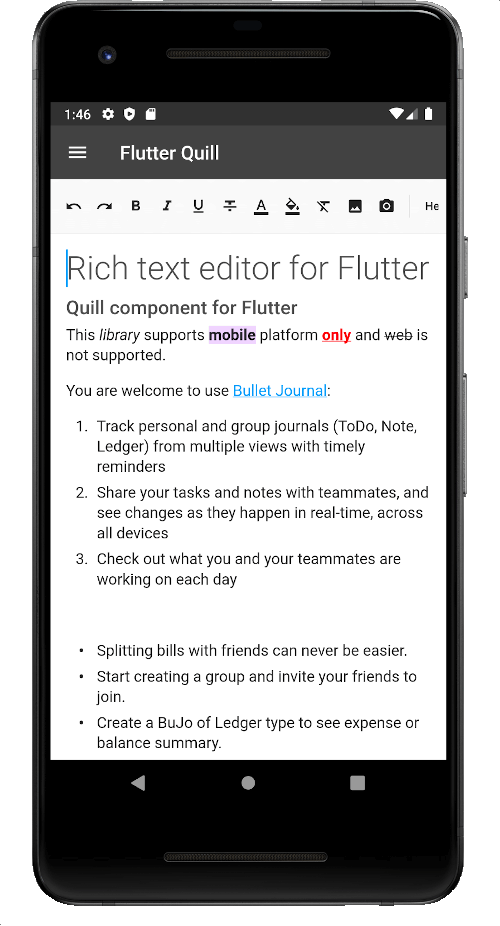
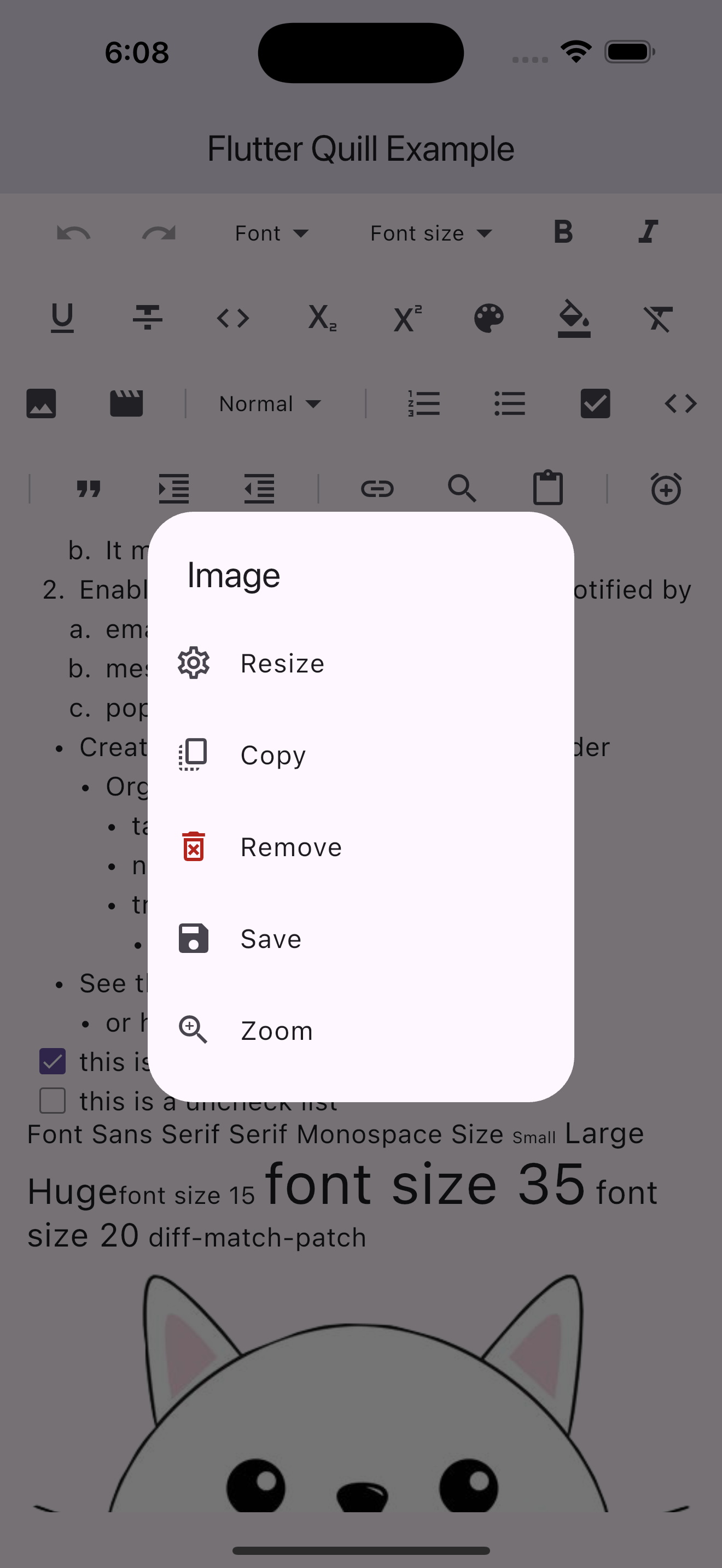
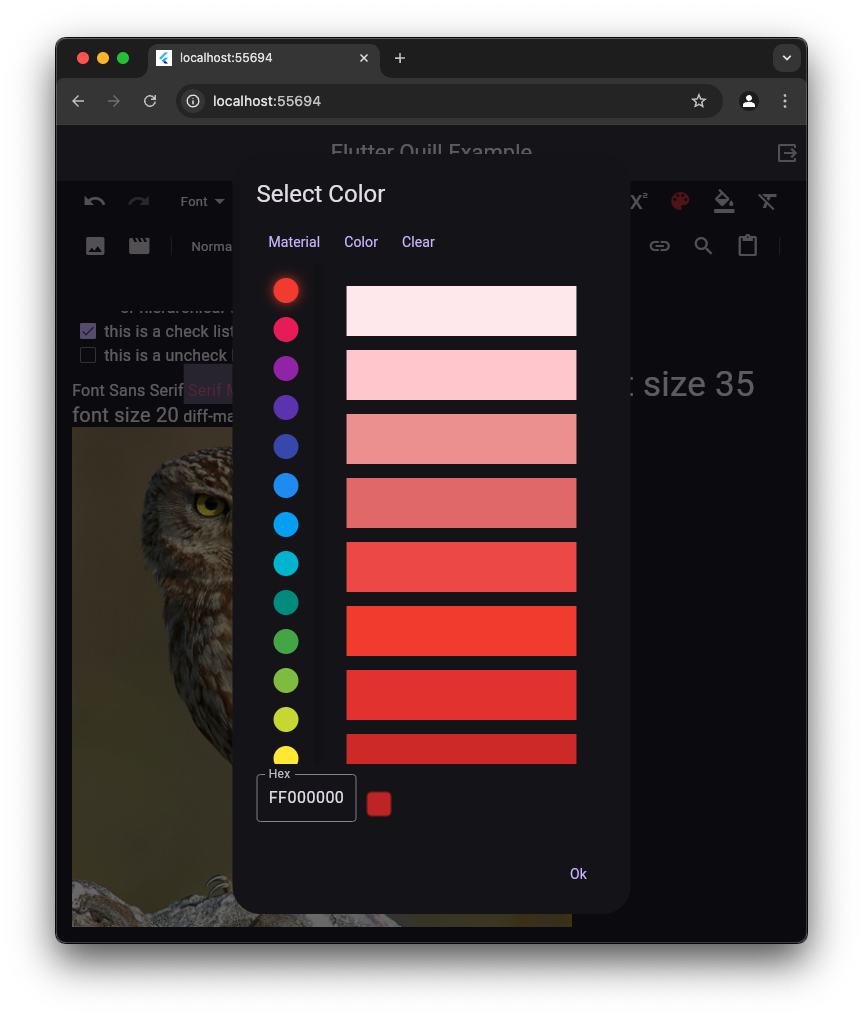
A screenshot of the iOS example app      A screenshot of the web example app

📚 Table of contents

📦 Installation

flutter pub add flutter_quill

OR

dependencies:
  flutter_quill:
    git:
      url: https://github.com/singerdmx/flutter-quill.git
      ref: v<latest-version-here>

[!TIP] If you're using version 10.0.0, see the migration guide to migrate to 11.0.0.

🛠 Platform Setup

The flutter_quill package uses the following plugins:

  1. url_launcher: to open links.
  2. quill_native_bridge: to access platform-specific APIs for the editor.
  3. flutter_keyboard_visibility_temp_fork to listen for keyboard visibility changes.
Android Configuration for quill_native_bridge

To support copying images to the clipboard to be accessed by other apps, you need to configure your Android project. If not set up, a warning will appear in the log during debug mode only.

[!TIP] This is only required on Android for this optional feature. You should be able to copy images and paste them inside the editor without any additional configuration.

1. Update AndroidManifest.xml

Open android/app/src/main/AndroidManifest.xml and add the following inside the <application> tag:

<manifest>
    <application>
        ...
        <provider
            android:name="androidx.core.content.FileProvider"
            android:authorities="${applicationId}.fileprovider"
            android:exported="false"
            android:grantUriPermissions="true" >
            <meta-data
                android:name="android.support.FILE_PROVIDER_PATHS"
                android:resource="@xml/file_paths" />
        </provider>
        ...
    </application>
</manifest>

2. Create file_paths.xml

Create the file android/app/src/main/res/xml/file_paths.xml with the following content:

<paths>
    <cache-path name="cache" path="." />
</paths>

[!NOTE] Starting with Flutter Quill 10.8.4, super_clipboard is no longer required in flutter_quill or flutter_quill_extensions. The new default is an internal plugin quill_native_bridge. If you want to continue using super_clipboard, you can use the quill_super_clipboard package (support may be discontinued).

🚀 Usage

Add the localization delegate to your app widget:

import 'package:flutter_quill/flutter_quill.dart';
import 'package:flutter_localizations/flutter_localizations.dart';

MaterialApp(
  localizationsDelegates: const [
    GlobalMaterialLocalizations.delegate,
    GlobalCupertinoLocalizations.delegate,
    GlobalWidgetsLocalizations.delegate,
    FlutterQuillLocalizations.delegate,
  ],
);

Instantiate a controller:

QuillController _controller = QuillController.basic();

Use the QuillEditor and QuillSimpleToolbar widgets, and attach the QuillController to them:

QuillSimpleToolbar(
  controller: _controller,
  config: const QuillSimpleToolbarConfig(),
),
Expanded(
  child: QuillEditor.basic(
    controller: _controller,
    config: const QuillEditorConfig(),
  ),
)

Dispose of the QuillController in the dispose method:

@override
void dispose() {
  _controller.dispose();
  super.dispose();
}

Check out Sample Page for more advanced usage.

🔤 Input / Output

This library utilizes Quill Delta to represent document content. The Delta format is a compact and versatile method for describing document changes through a series of operations that denote insertions, deletions, or formatting changes.

  • Use _controller.document.toDelta() to extract the deltas.
  • Use _controller.document.toPlainText() to extract plain text.

To save the document:

final String json = jsonEncode(_controller.document.toDelta().toJson());
// Stores the JSON Quill Delta

To load the document:

final String json = ...; // Load the previously stored JSON Quill Delta

_controller.document = Document.fromJson(jsonDecode(json));

To change the read-only mode:

_controller.readOnly = true; // Or false to allow edit
🔗 Links

⚙️ Configurations

The QuillSimpleToolbar and QuillEditor widgets are both customizable. Sample Page provides sample code for advanced usage and configuration.

🔗 Links
🖋 Font Family

To use your own fonts, update your Assets directory and pass in items to QuillToolbarFontFamilyButton's options. More details on this commit, this article and this.

📦 Embed Blocks

The flutter_quill package provides an interface for all the users to provide their own implementations for embed blocks.

Refer to the Custom Embed Blocks for more details.

🛠️ Using the embed blocks from flutter_quill_extensions

The flutter_quill_extensions package provide implementations for image and video embed blocks.

🔄 Delta Conversion

[!CAUTION] Storing the Delta as HTML in the database to convert it back to Delta when loading the document is not recommended due to the structural and functional differences between HTML and Delta (see this comment). We recommend storing the Document as Delta JSON instead of other formats (e.g., HTML, Markdown, PDF, Microsoft Word, Google Docs, Apple Pages, XML).

Converting Delta from/to HTML is not a standard feature in Quill JS or Flutter Quill.

Available Packages for Conversion

Package Description
vsc_quill_delta_to_html Converts Delta to HTML.
flutter_quill_delta_from_html Converts HTML to Delta.
flutter_quill_to_pdf Converts Delta to PDF.
markdown_quill Converts Markdown to Delta and vice versa.
flutter_quill_delta_easy_parser Converts Quill Delta into a simplified document format, making it easier to manage and manipulate text attributes.

[!TIP] You might want to convert between HTML and Delta for some use cases:

  1. Migration: If you're using an existing system that stores the data in HTML and want to convert the document data to Delta.
  2. Sharing: For example, if you want to share the Document Delta somewhere or send it as an email.
  3. Save as: If your app has a feature that allows converting Documents to other formats.
  4. Rich text pasting: If you copy some content from websites or apps, and want to paste it into the app.
  5. SEO: In case you want to use HTML for SEO support.

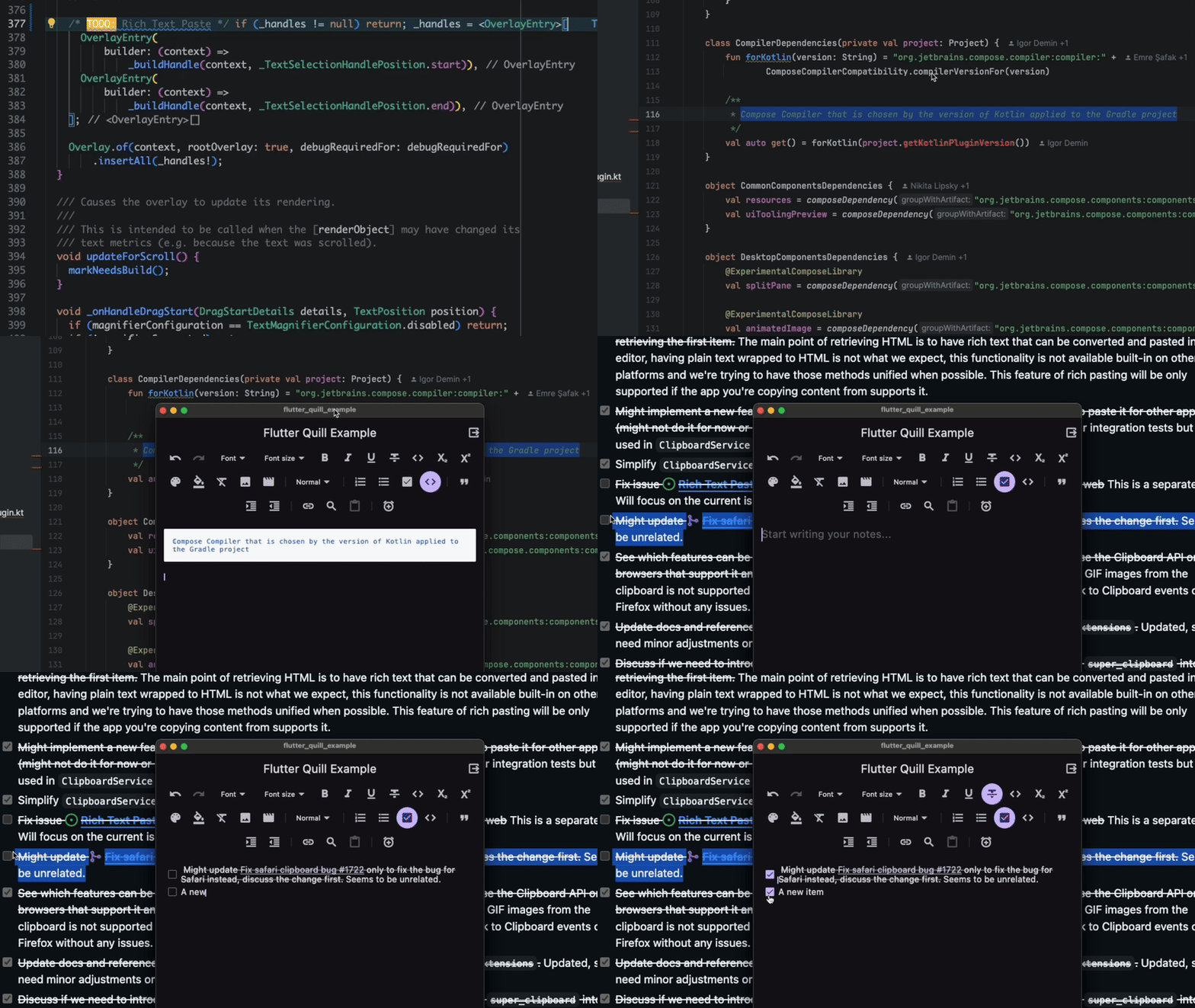
📝 Rich Text Paste

This feature allows the user to paste the content copied from other apps into the editor as rich text. The plugin quill_native_bridge provides access to the system Clipboard.

An animated image of the rich text paste on macOS

[!IMPORTANT] Currently this feature is unsupported on the web. See issue #1998 and issue #2220 for more details.

🌐 Translation

The package offers translations for the toolbar and editor widgets, it will follow the system locale unless you set your own locale.

See the translation page for more info.

🧪 Testing

Take a look at flutter_quill_test for testing.

Currently, the support for testing is limited.

🤝 Contributing

[!IMPORTANT] At this time, we prioritize bug fixes and code quality improvements over new features. Please refrain from submitting large changes to add new features, as they might not be merged, and exceptions may made. We encourage you to create an issue or reach out beforehand, explaining your proposed changes and their rationale for a higher chance of acceptance. Thank you!

We greatly appreciate your time and effort.

To keep the project consistent and maintainable, we have a few guidelines that we ask all contributors to follow. These guidelines help ensure that everyone can understand and work with the code easier.

See Contributing for more details.

📜 Acknowledgments

  • Special thanks to everyone who has contributed to this project...

    Contributors


    Made with contrib.rocks.

  • Thanks to the welcoming community, the volunteers who helped along the journey, developers, contributors and contributors who put time and effort into everything including making all the libraries, tools, and the information we rely on

  • We are incredibly grateful to many individuals and organizations who have played a role in the project. This includes the welcoming community, dedicated volunteers, talented developers and contributors, and the creators of the open-source tools we rely on.

カテゴリー

依存関係

依存関係一覧 13 件

ソースリポジトリ

このパッケージを使用しているプロジェクト