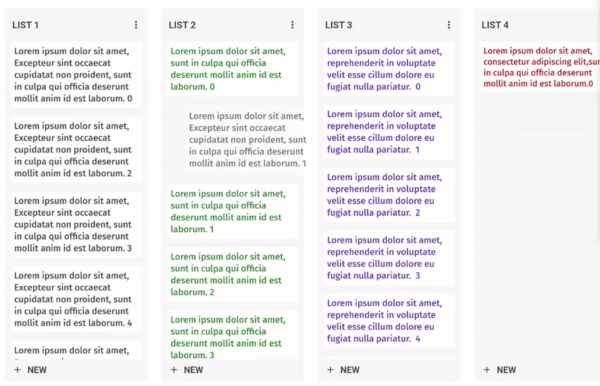
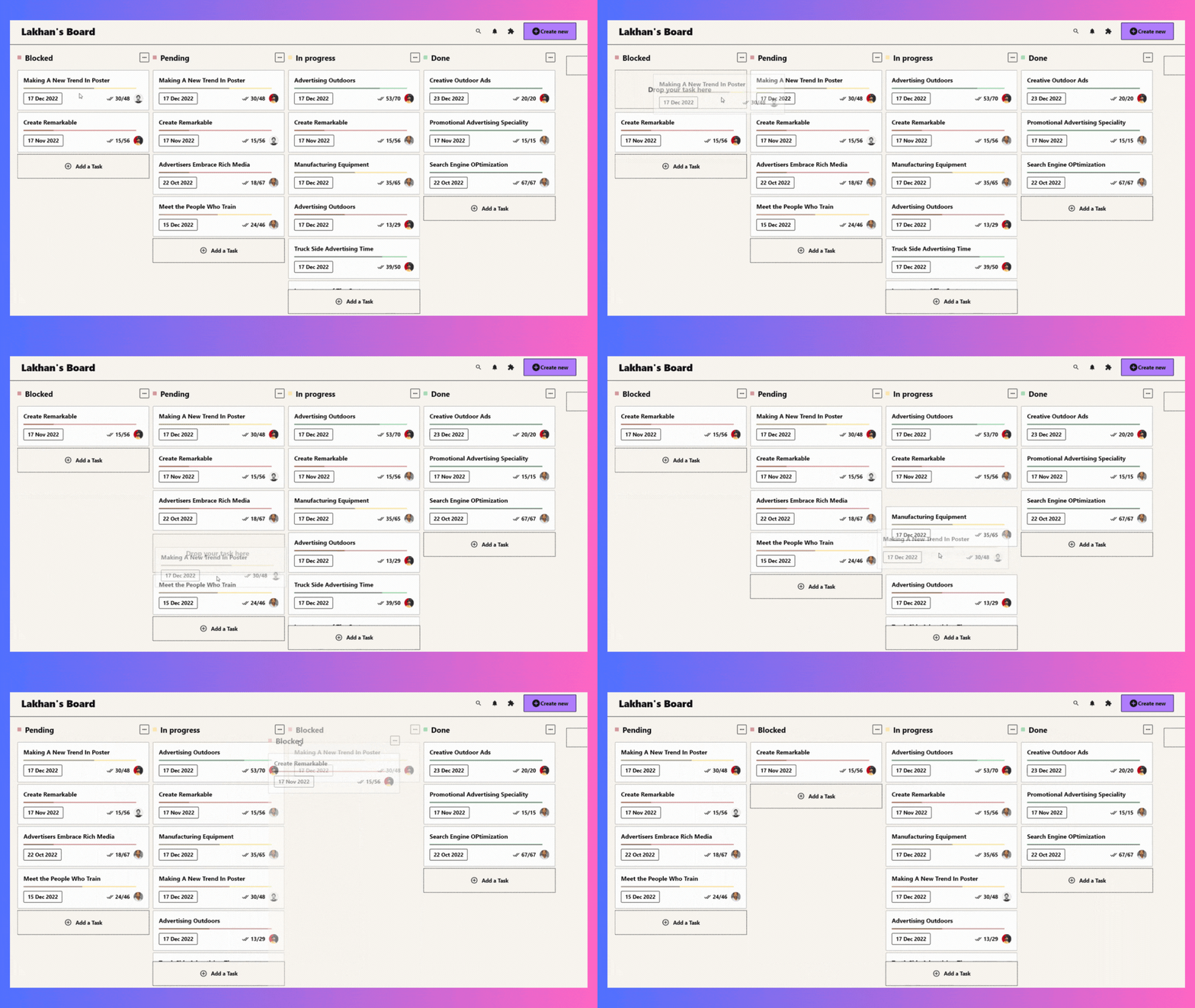
Flutter용 사용자 정의가 가능하고 드래그 가능한 칸반 보드 위젯으로, 부드러운 드래그 앤 드롭 기능을 통해 티렐로 유사한 작업 보드를 만들 수 있습니다. 열 간에 유연한 작업 관리를 지원하여 프로젝트 추적 및 워크플로 시각화에 적합합니다. 성능과 사용성에 중점을 두어 다양한 플랫폼에서 Flutter 앱에 원활하게 통합됩니다.
사용 사례
프로젝트 관리 대시보드
작업 추적 애플리케이션
워크플로 시각화 도구
애자일 개발 보드
팀 협업 인터페이스
주요 기능
드래그 앤 드롭을 통한 작업 재정렬
사용자 지정 가능한 열 레이아웃
모든 플랫폼용 반응형 디자인
전환을 위한 내장 애니메이션
확장 가능한 작업 카드 사용자 정의
적합한 대상
생산성 앱을 개발하는 개발자
애자일 또는 칸반 방법론을 사용하는 팀
인터랙티브 보드가 필요한 UI 디자이너
시각적 작업 관리를 필요로 하는 Flutter 앱
고려 사항
복잡한 워크플로우를 위해 신중한 상태 관리가 필요합니다
브랜드 일치를 위해 추가적인 스타일링이 필요할 수 있습니다
매우 큰 데이터 세트 사용 시 성능 영향
제한된 내장 필터링 또는 검색 기능
고급 데이터 지속성을 위해 외부 패키지에 의존합니다
원본 README
연결된 소스 저장소의 README 원문 스냅샷입니다. 최신 내용은 저장소에서 확인하세요.
Flutter KanbanBoard
A fully customizable and draggable Kanban Board widget for Flutter. Perfect for building Kanban tools like Trello, it offers smooth drag-and-drop interactions and flexible task management for an intuitive workflow experience.
Installation
Just add kanban_board to the pubspec.yaml file.
🚀 Create Your First Board
Let's define our KanbanGroupItem which can hold custom properties, and can be done by extending KanbanBoardGroupItem.
Make it uniquely yours with extensive customization options by exploring range of customization properties in KanbanBoard, including:
⚡ Fine-tune Board Scrolling Dynamics
Tailor the scrolling experience to match your application's feel:
KanbanBoard(
   ...
   boardScrollConfig: BoardScrollConfig(
        curve: // The animation curve
        farBoundary: Boundary(
          boundary: // The distance from the edge of the board at which auto-scrolling starts when dragging near the edge.
          offset: // The amount of scroll movement when the draggable reaches this boundary.
          duration: // The time duration for each scroll step when within this boundary.
        ),
        midBoundary: Boundary( ... ), // A middle-range boundary that triggers auto-scrolling at a moderate speed.
        nearBoundary: Boundary( ... ), // The closest range to the edge, where scrolling is most responsive.
   ),
   ...
);
📱 See It In Action
Check out the example app to see all features in action.
🤝 Your Contribution Is Welcome!
Join our community of developers:
Fork the repository
Create your feature branch: git checkout -b amazing-feature
Commit your changes: git commit -m 'Add some amazing feature'
Push to the branch: git push origin amazing-feature
Open a pull request
📄 License
This project is licensed under the MIT License - see the LICENSE file for details.