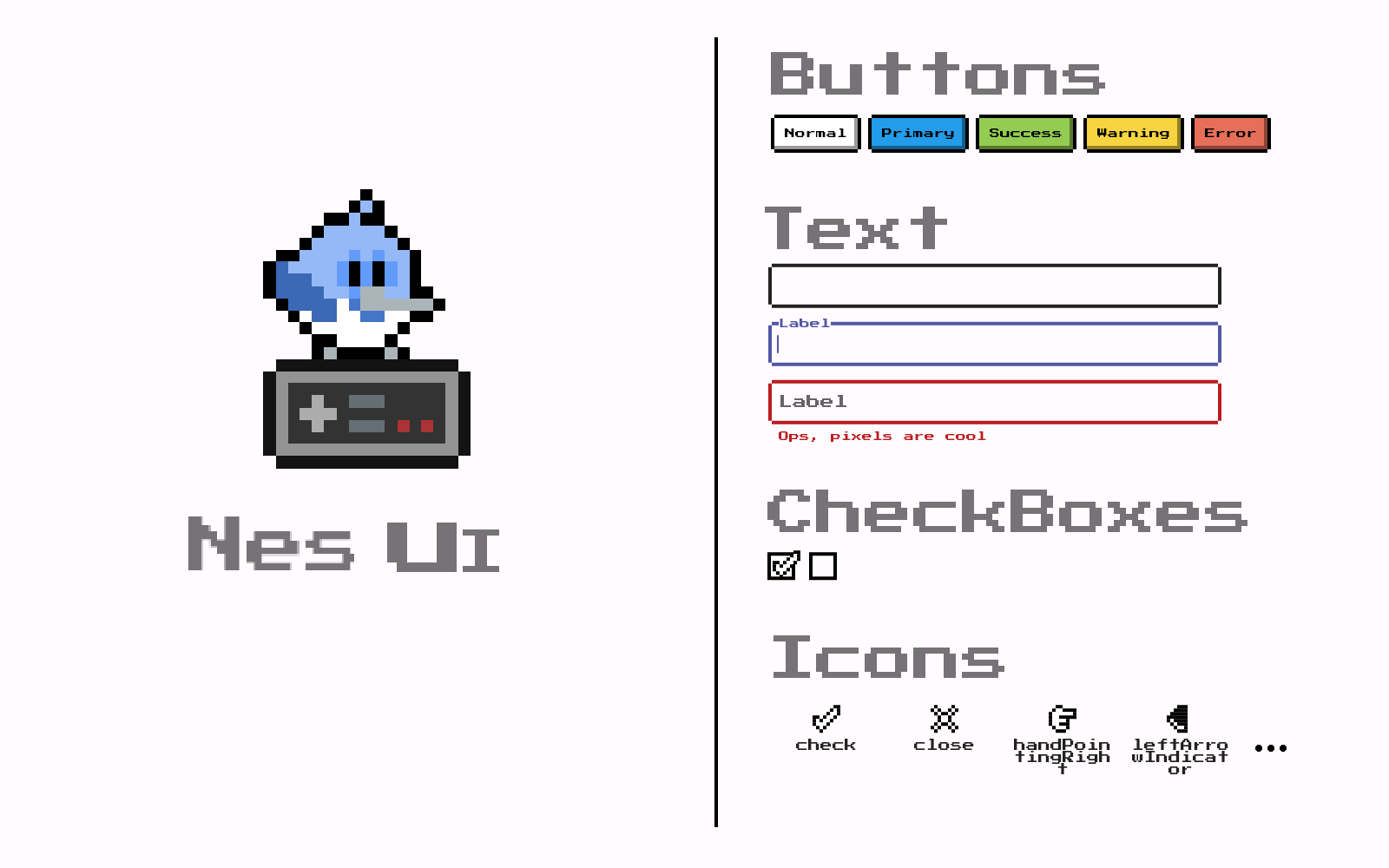
클래식한 NES 스타일 디자인에서 영감을 받은 현대 앱에 레트로 비디오 게임 콘솔의 미학을 가져오는 플러터 위젯 라이브러리입니다. 픽셀 폰트, 빈티지 색상 팔레트, 스캔라인 및 CRT 화면 왜곡과 같은 낭만적인 시각 효과를 갖춘 사용자 정의 가능한 UI 컴포넌트 모음이 제공됩니다. 게임, 테마 앱 또는 복고풍 느낌을 원하는 창작 프로젝트에 적합합니다. 이 패키지는 모든 주요 플랫폼을 지원하여 장치 간 일관된 레트로 스타일을 보장합니다.
사용 사례
레트로 테마 모바일 게임
빈티지 스타일의 앱 인터페이스
상호작용 디지털 예술 설치물
노스탈지크 디자인을 가진 교육 앱
픽셀 아트 미학을 가진 창의적인 프로토타입
주요 기능
NES 영향을 받은 시각 스타일
픽셀 정밀도의 UI 컴포넌트
스캔라인 및 CRT 효과
크로스 플랫폼 호환성
사용자 정의 가능한 레트로 색상 테마
반응형 레트로 레이아웃 지원
적합한 대상
레트로 게임 경험을 만드는 개발자
디자이너들이 낭만적인 UI 트렌드 탐색 중
독특한 시각적 정체성을 원하는 앱 제작자
Flutter 초보자가 위젯 사용자 지정 배우기
재미있고 로우파이 미학을 추구하는 프로젝트
고려 사항
전문적 또는 미니멀리스트 디자인 요구에 맞지 않을 수 있습니다
오래된 장치에서 시각 효과의 성능 영향
레트로 스타일에서 제한된 접근성 기능
가독성을 위해 조심스럽게 대비 조정이 필요합니다
콘텐츠가 많거나 데이터 중심 애플리케이션에는 적합하지 않습니다
원본 README
연결된 소스 저장소의 README 원문 스냅샷입니다. 최신 내용은 저장소에서 확인하세요.
Nes
UI library inspired by old retro video game console
Our top sponsors
Check out these amazing sponsors that support my work!
Google fonts will fetch the files in runtime over http. To keep that behaviour and ensure that it works,
be sure to call WidgetsFlutterBinding.ensureInitialized(); at your main method.
If you need any help or have suggestions, join our Discord.
Material Customized Widgets
Nes UI tries to use the most out of material that it can, customizing its looks to fit
the package's desired look, for example, here is a list of some of the widgets that Nes ui customizes:
Text
TextField/TextFormField
Divider
...
Custom Widgets
Some widgets are too different from the Material look and structure, making the customization of the material widget not really possible, so many widgets are built from scratch, here is a list of some of the widgets that Nes UI
provides:
NesButton
NesCheckbox
NesContainer
NesConfirmDialog
NesIcon
NesSelectionList
NesIterableOptions
...
Custom Extension
Nes UI is built taking advantage of the Theme Extensions and custom extensions can also be provided.
In order to provide your own extension, you need to create it, and provide it to the flutterNesTheme: