패키지, 저장소 및 앱 카테고리 검색

stickereditor 표지
패키지 상세v0.0.8

stickereditor

경계에 따라 텍스트와 이미지를 수정하고 이동할 수 있는 위젯입니다.

30일 다운로드
27
좋아요
58
Pub 점수
60

패키지 설치

flutter pub add stickereditor

패키지 개요

공개 정보를 바탕으로 생성한 선택 가이드입니다.

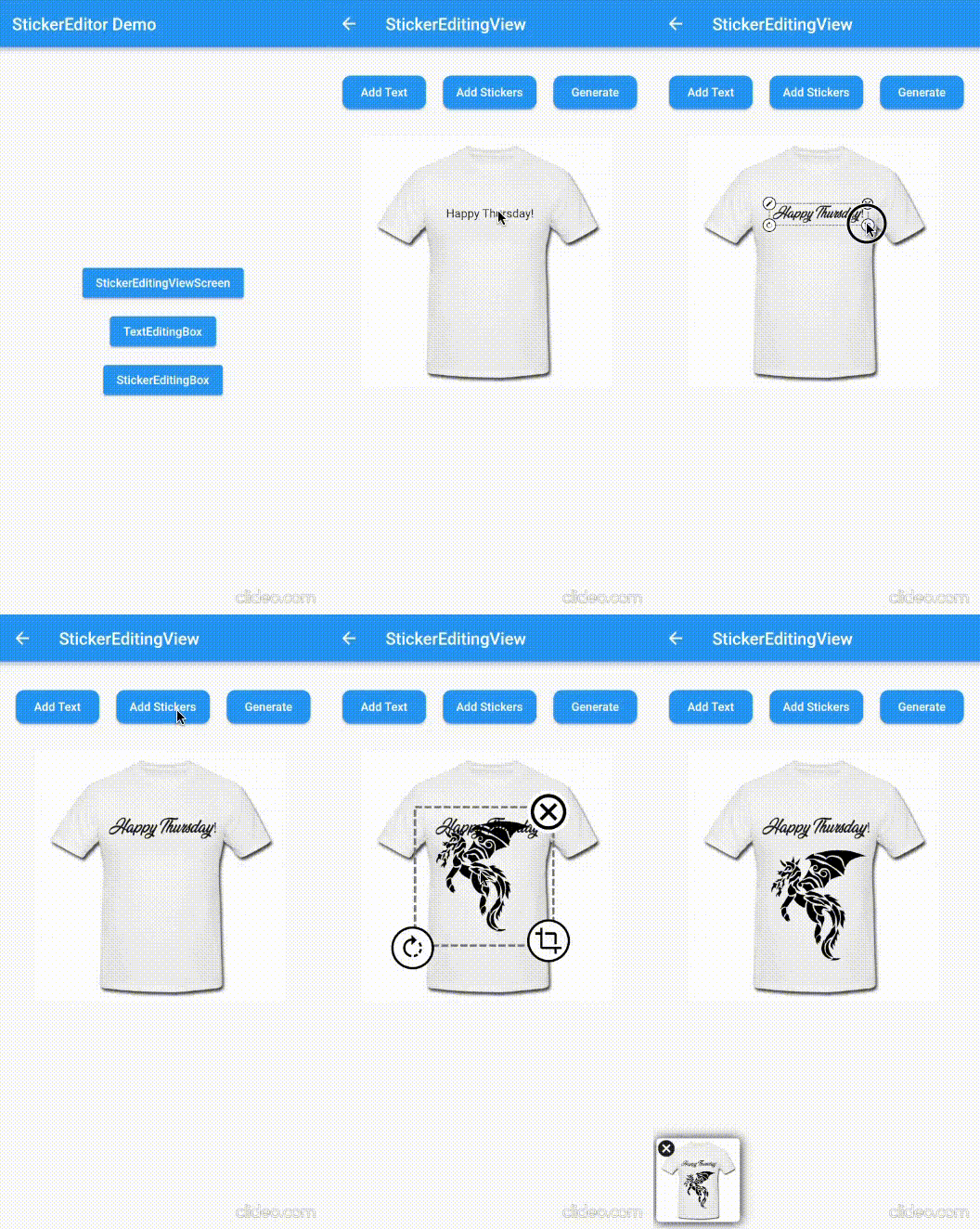
StickerEditor는 정의된 경계 내에서 텍스트와 이미지를 자유롭게 수정하고 이동하며 위치 지정할 수 있도록 설계된 Flutter 위젯입니다. 동적 콘텐츠 오버레이가 필요한 애플리케이션에 적합한 인터랙티브한 스티커 편집 인터페이스를 제공합니다. 직관적인 드래그 앤 드롭 기능과 경계 제약을 지원하여 요소가 원하는 영역 내에 머무르도록 보장합니다. 간단함과 성능을 고려해 개발되었으며, 커스텀 스티커나 주석을 생성하기 위한 멀티미디어 앱에 원활하게 통합됩니다.

사용 사례

  • 소셜 미디어 앱에서 맞춤 스티커 만들기
  • 이미지에 편집 가능한 텍스트 오버레이 추가
  • 이동 가능한 요소를 가진 사용자 생성 콘텐츠 설계
  • 인터랙티브 사진 편집 도구 구축
  • 메시징 앱에서 실시간 스티커 조작 활성화

주요 기능

  • 드래그 앤 드롭을 통한 텍스트 및 이미지 위치 지정
  • 경계 제약 강제
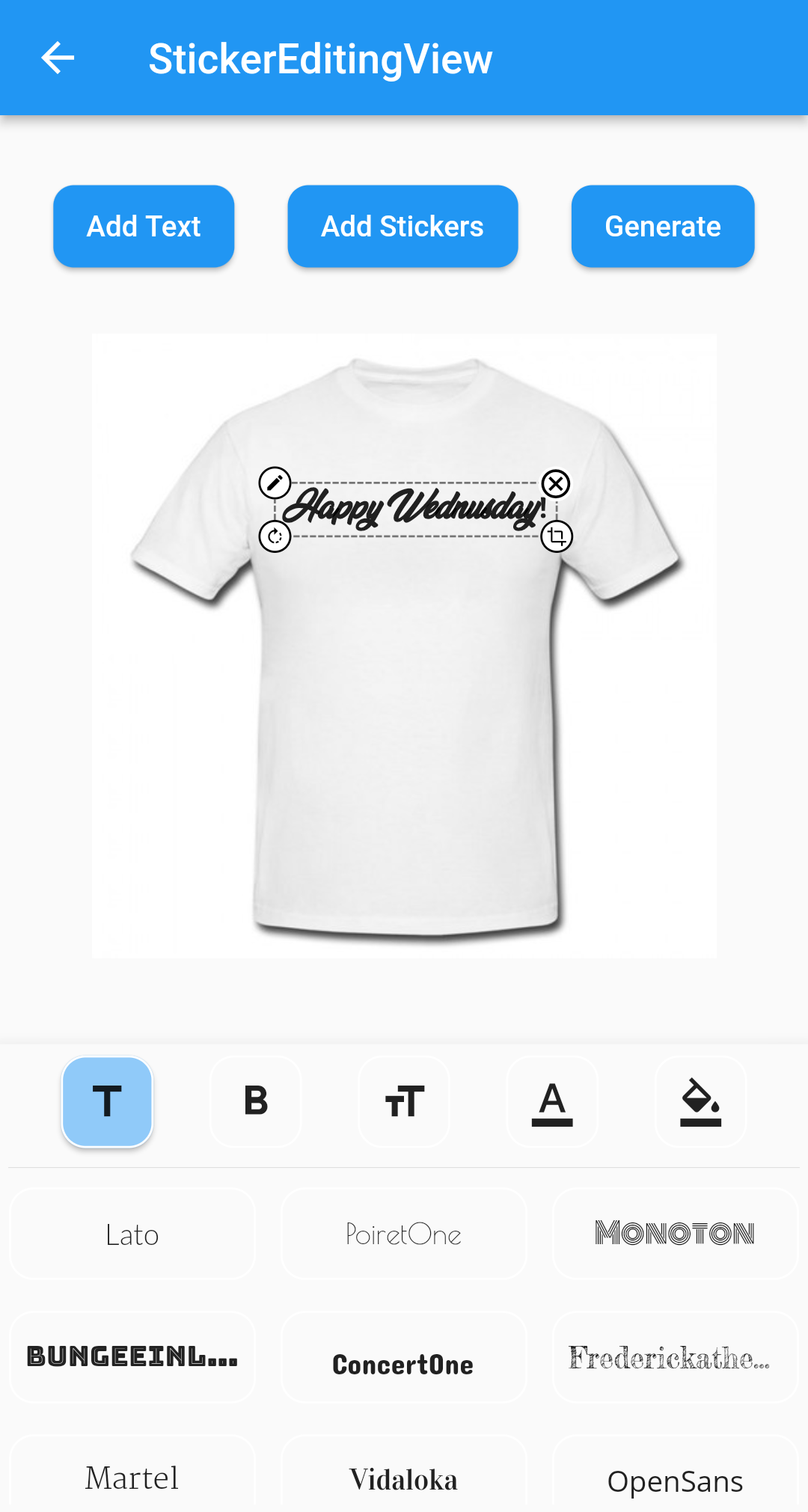
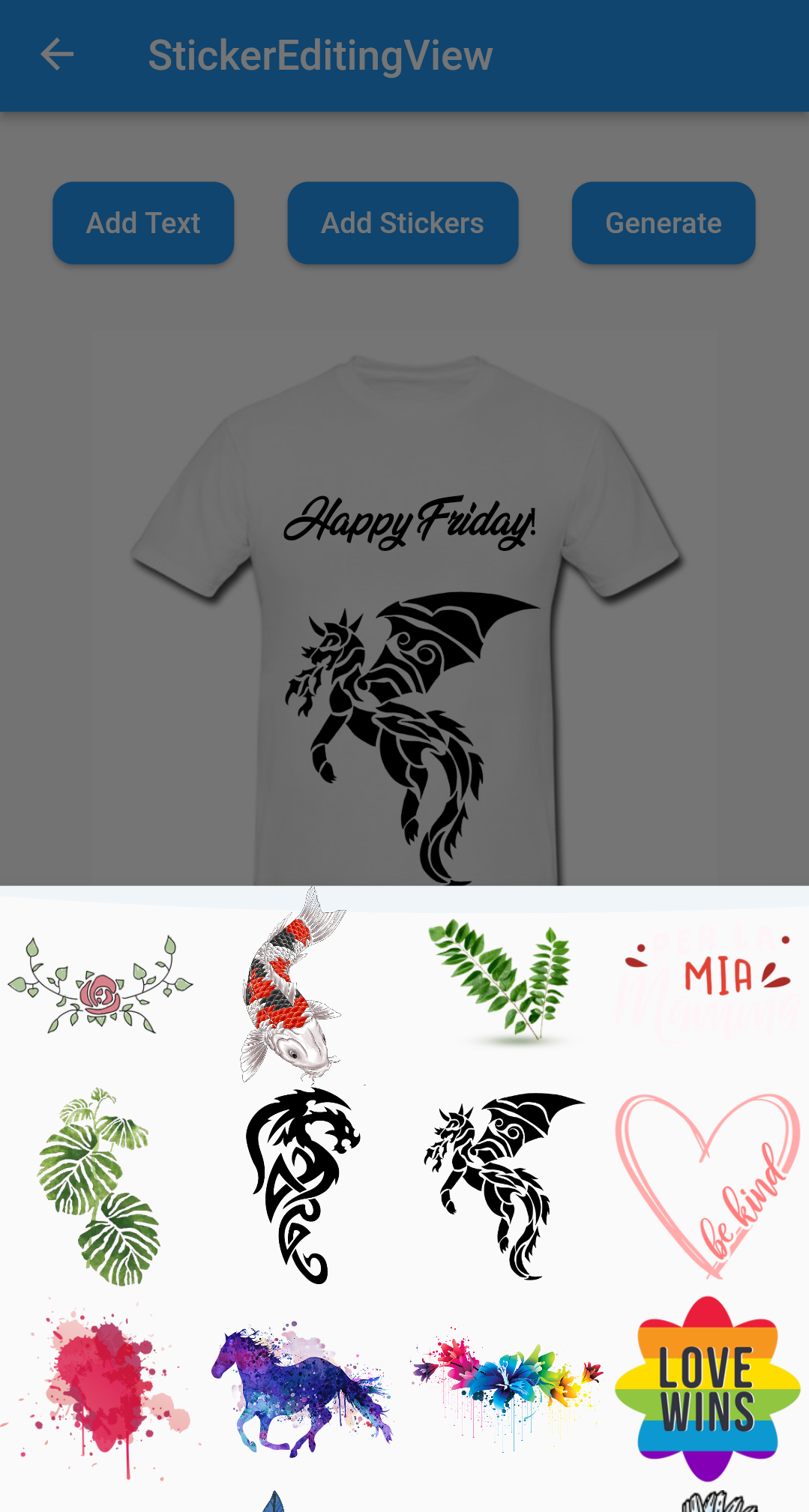
  • 스티커 콘텐츠의 인터랙티브 편집
  • 기존 Flutter 프로젝트와의 간단한 통합
  • 동적 크기 조정 및 재배치 지원

적합한 대상

  • 사진 편집 기능을 구축하는 개발자
  • 사용자 생성 스티커 생성이 필요한 앱
  • 상호작용 콘텐츠를 갖춘 소셜 미디어 플랫폼
  • 시각적 주석이 있는 교육 도구
  • 사용자 정의 스티커가 있는 메시징 앱

고려 사항

  • 기본 텍스트 및 이미지 조작에 제한됨
  • 내장된 내보내기 또는 저장 기능이 없습니다
  • 저장 로직의 수동 구현이 필요합니다
  • 복잡한 다중 레이어 디자인에 최적화되지 않음
  • 고급 이미지 처리를 위해 외부 라이브러리에 의존

원본 README

연결된 소스 저장소의 README 원문 스냅샷입니다. 최신 내용은 저장소에서 확인하세요.

Sticker Editor

A flutter plugin for iOS, Android and Mac for Rotate, Scaling, Moving and Editing Text, Photo, Stickers


Sticker Editor


Only Text Only Photo

A flutter package Sticker Editor which will help you to create editable and scalable text or sticker widget that can be dragged around the area you given in screen.

License: MIT

Features 💚

  • Manually Control the position of the widget along with drags.
  • You can bound the dragarea of your widget using boundHeight and boundWidth parameters
  • onTap and onCancel function where user's can use there own function
  • You can resizes widget using scaling function
  • Highly customizable
  • You can use whole sticker view or particular widgets

Installation

First, add stickereditor as a dependency in your pubspec.yaml file.

MacOs

Fore NetworkImage, macOS needs you to request a specific entitlement in order to access the network. To do that open macos/Runner/DebugProfile.entitlements and add the following key-value pair.

<key>com.apple.security.network.client</key>
<true/>

How to use

  • Sticker View
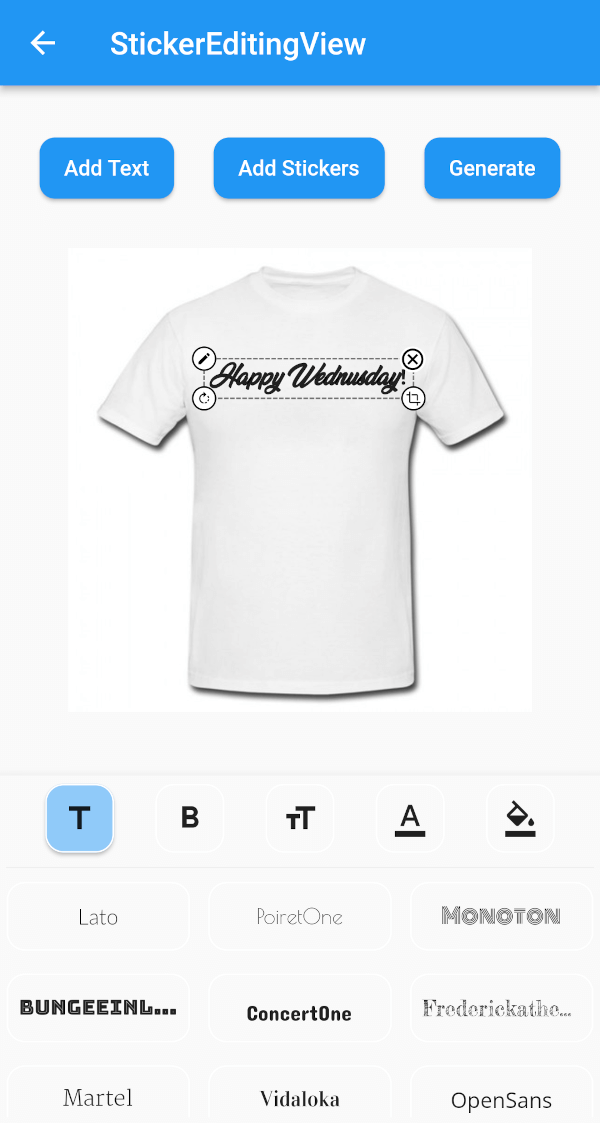
StickerEditingView(
  isnetwork: false,
  height: 300,
  width: 300,
  imgUrl: backgroundImageUrl,
  fonts: fonts,
  palletColor: colorPallet,
  assetList: stickerList,
),
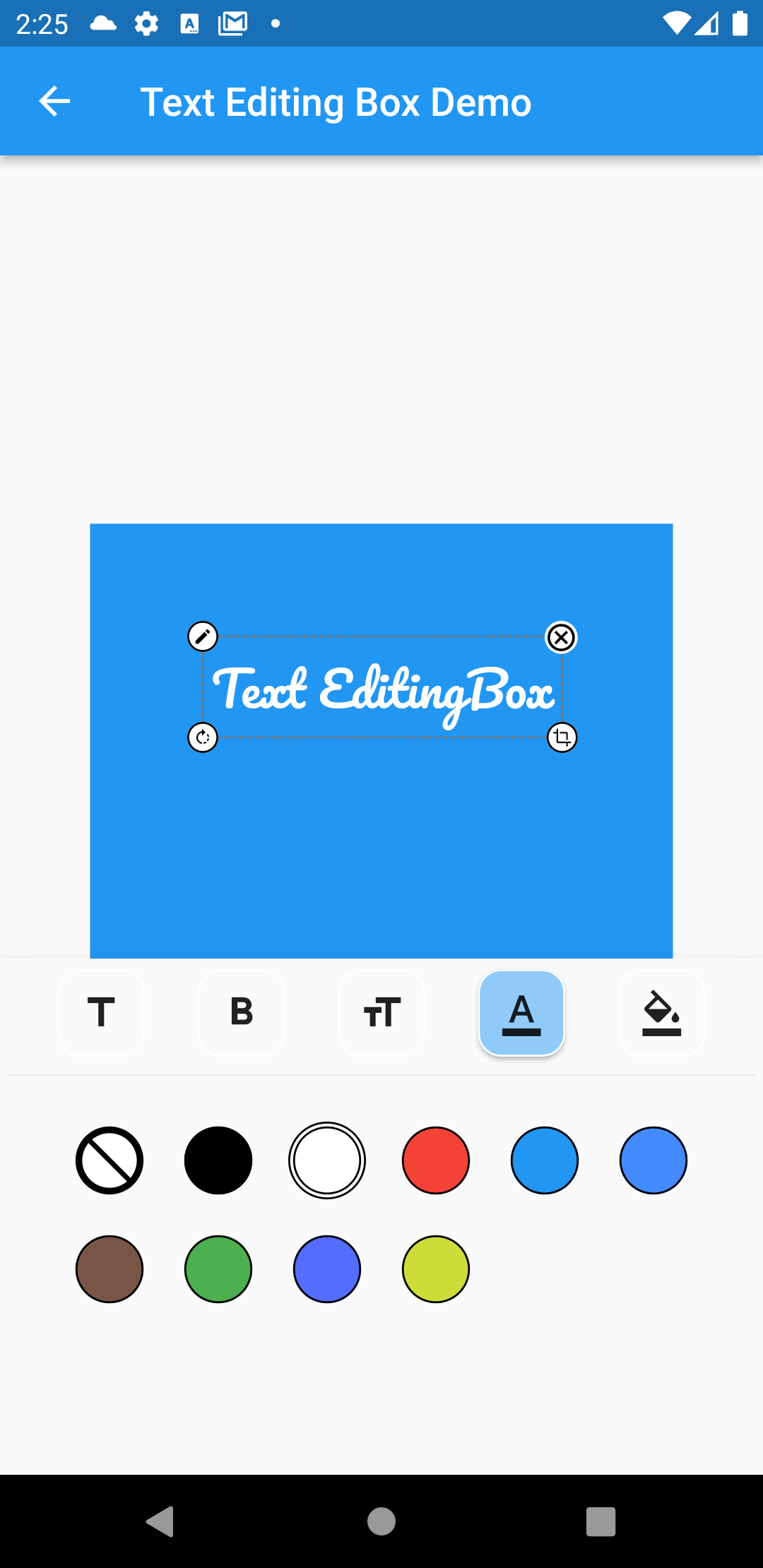
  • Text Editing Box
Container(
  height: 300,
  width: 300,
  color: Colors.blue,
  child: Stack(
    children: [
      TextEditingBox(
        fonts: fonts,
        boundHeight: 200,
        boundWidth: 100,
        isSelected: true,
        palletColor: colorPallet,
        newText: TextModel(
            name: 'Text EditingBox',
            textStyle:
                GoogleFonts.pacifico(fontSize: 25, color: Colwhite),
            top: top,
            isSelected: true,
            textAlign: TextAlign.center,
            scale: 1,
            left: left),
      ),
    ],
  ),
),
  • Picture Editing Box
Container(
  height: 300,
  width: 300,
  color: Colors.blue,
  child: Stack(
    children: [
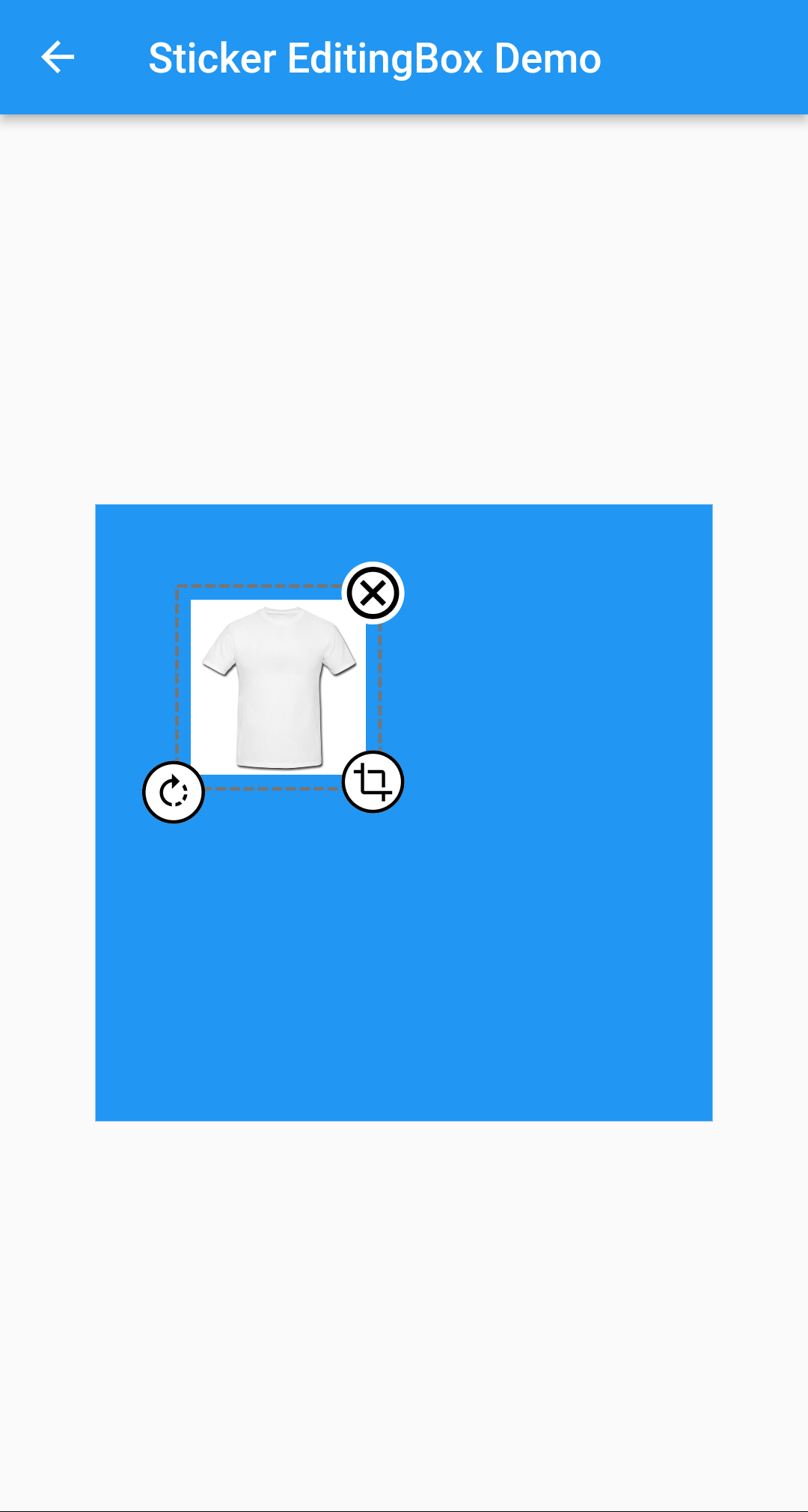
      StickerEditingBox(
          boundHeight: 200,
          boundWidth: 200,
          pictureModel: PictureModel(
            isNetwork: true,
            isSelected: false,
            left: 50,
            top: 50,
            scale: 1,
            stringUrl:
                'https://raw.githubusercontent.com/Harsh-Radadiya/sticker_editor/master/assets/t-shirt.jpeg',
          )),
    ],
  ),
)

Run the example app in the exmaple folder to find out more about how to use it.

카테고리

의존성

의존성 목록 4 개

소스 저장소

이 패키지를 사용하는 프로젝트

아직 데이터가 없습니다.