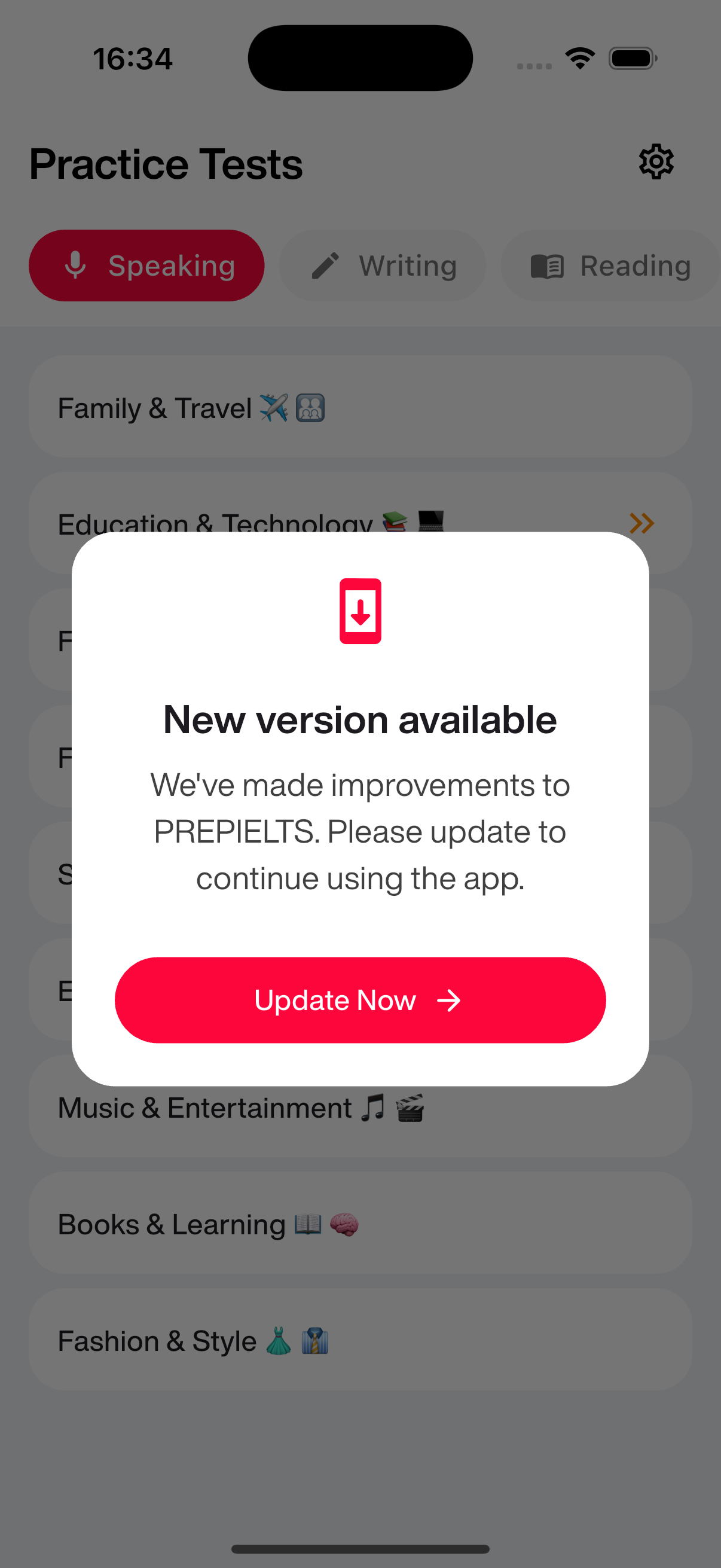
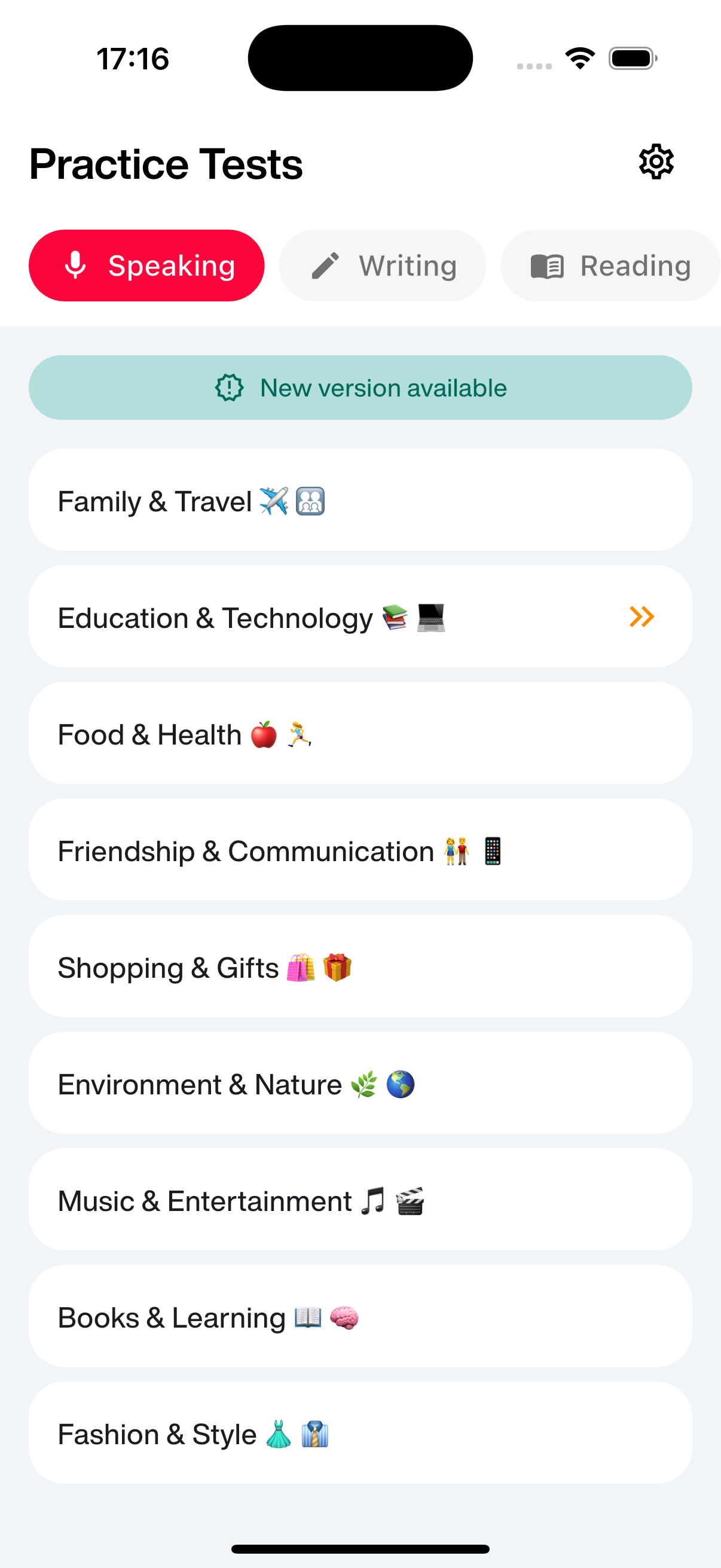
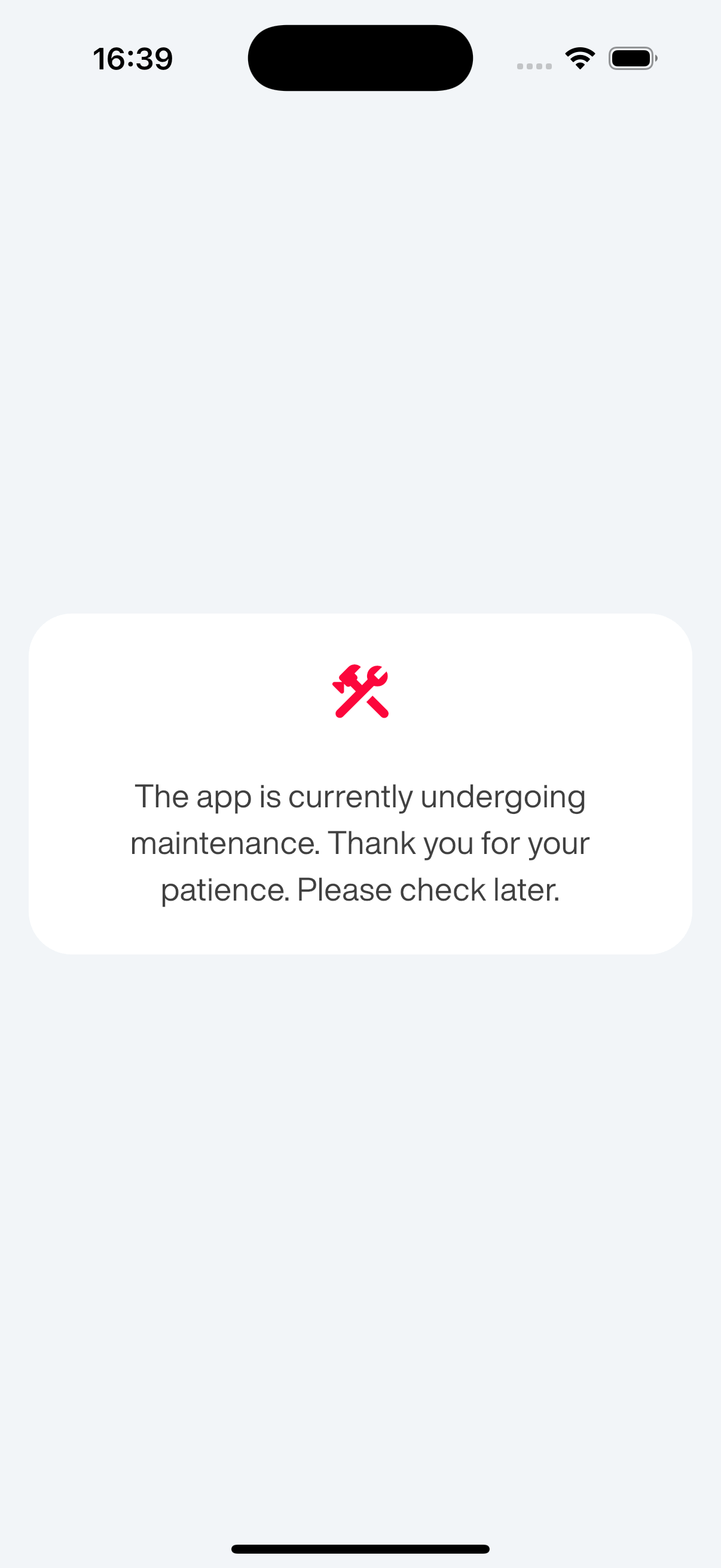
Versionarte는 개발자가 앱 업데이트를 강제하고 사용자 정의 업데이트 표시기를 표시하며 유지보수 중에 앱을 일시적으로 비활성화할 수 있도록 해주는 Flutter 패키지입니다. 업데이트 프롬프트 및 유지보수 화면의 UI에 대한 완전한 제어를 제공하여 사용자가 항상 최신 버전을 사용하거나 다운타임을 인지하도록 보장합니다. 크로스플랫폼 앱을 위해 설계되었으며 Android, iOS, Web, macOS, Windows에서 원활하게 작동합니다. pub add를 통해 쉽게 통합되며, 버전 확인 및 업데이트 중 사용자 경험 처리에 유연성을 제공합니다.
사용 사례
필수 앱 업데이트 강제 적용
사용자 지정 업데이트 배너 표시
유지보수 모드 화면 표시
버전 호환성 관리
다운타임 중 사용자 액세스 관리
플랫폼별로 업데이트 UI 맞춤 설정
주요 기능
업데이트 화면을 위한 완전한 UI 사용자 정의
다중 플랫폼 지원
유연한 버전 확인 로직
유지보수 모드 강제 적용
pub와의 간편한 통합
사용자 정의 가능한 업데이트 트리거
적합한 대상
엄격한 버전 제어가 필요한 앱
맞춤형 업데이트 UX가 필요한 개발자
크로스 플랫폼 애플리케이션
자주 출시를 관리하는 팀
예약된 유지보수 시간이 있는 앱
업데이트 중 사용자 경험을 우선시하는 프로젝트
고려 사항
버전 확인을 수동으로 구성해야 합니다
UI 컴포넌트는 개발자가 구현해야 합니다
버전 검증을 위해 백엔드 지원이 필요할 수 있습니다
업데이트 정책이 없는 앱에는 적합하지 않습니다
제한된 내장 분석
정확한 버전 추적에 의존합니다
원본 README
연결된 소스 저장소의 README 원문 스냅샷입니다. 최신 내용은 저장소에서 확인하세요.
versionarte
Force update, show update indicator and disable the app for maintenance with total freedom over the UI.
😎 Benefits
✋ Force users to update to the latest version
💆🏻♂️ Have separate values for each platform
🚧 Disable app for maintenance with custom informative text
🆕 Inform users about an optional update availability
🔗 Launch the App Store on iOS and Play Store on Android
Use the status value to determine what action to take:
if (result.status == VersionarteStatus.inactive) {
// App is in maintenance modefinalString message = result.getMessageForLanguage('en');
showMaintenanceDialog(message);
} elseif (result.status == VersionarteStatus.forcedUpdate) {
// User must update to continueshowForceUpdateDialog(
onUpdate: () {
Versionarte.launchDownloadUrl(result.downloadUrls);
},
);
} elseif (result.status == VersionarteStatus.outdated) {
// Update available but optionalshowOptionalUpdateDialog(
onUpdate: () {
Versionarte.launchDownloadUrl(result.downloadUrls);
},
);
}
Tip: You can also show different widgets based on status. For example, when the app is outdated, you might want to show an update indicator anywhere in your app (for example in home page):
Widgetbuild(BuildContext context) {
returnColumn(
children: [
// other widgets if (result.status == VersionarteStatus.outdated)
// A custom widget to show "Update available"NewVersionAvailableIndicator(
onUpdate: () {
Versionarte.launchDownloadUrl(result.downloadUrls);
}
),
// other widgets
],
);
}
🔗 Launching the Store
To open the appropriate store for the current platform:
Note: Add "download_url" in your configuration JSON for each platform. The correct store opens automatically based on the current platform.
See the example directory for a complete sample app.
🖋️ Configuration JSON
The configuration JSON contains versioning and status information for each platform. Only configure platforms that your app supports.
{
"android": {
"version": {
"minimum": "2.7.0", // Minimum required version"latest": "2.8.0"// Latest available version
},
"download_url": "https://play.google.com/store/apps/details?id=app.example",
"status": {
"active": true, // Whether app is currently active"message": { // Only needed if active is false"en": "App is in maintenance mode, please come back later.",
"es": "La aplicación está en modo de mantenimiento, vuelva más tarde."
}
}
},
"iOS": {
// Same structure as Android
},
// Optional: Include other platforms if needed (macOS, windows, linux)
}
🐞 Need help?
If you encounter any problems or need a feature, please raise a ticket on GitHub.