Pakete, Repositories und App-Kategorien suchen

Cover von animated_icon_button
Paketdetailsv1.0.2

animated_icon_button

Flutter-Paket zum Erstellen eines benutzerdefinierten animierten IconButton. Enthält alle verfügbaren Symbole. Basierend auf dem nativen IconButton.

AndroidiOSWebmacOSWindowsLinux
30-Tage-Downloads
14.700
Likes
295
Pub-Punkte
160

Paket installieren

flutter pub add animated_icon_button

Paketübersicht

Aus öffentlichen Paketdaten erstellte Orientierung.

Ein Flutter-Paket, das den nativen IconButton mit fließenden, anpassbaren Animationen verbessert. Es unterstützt alle verfügbaren Symbole und ermöglicht Entwicklern, visuell ansprechende Button-Interaktionen mit minimalem Code zu erstellen. Auf dem nativen IconButton von Flutter aufgebaut, behält es Kompatibilität bei und fügt dynamische Effekte wie Skalierung, Rotation und Farbübergänge hinzu. Ideal für moderne Benutzeroberflächen, bei denen Benutzerfeedback und visuelle Attraktivität entscheidend sind.

Anwendungsfälle

  • Interaktive App-Buttons erstellen
  • Verbesserung der Benutzerfeedback in Formularen
  • Micro-Interaktionen in Dashboards hinzufügen
  • Entwurf animierter Navigationselemente
  • Verbesserung der Barrierefreiheit durch visuelle Hinweise
  • Engagierende Onboarding-Bildschirme erstellen

Hauptmerkmale

  • vorgefertigte Animationsvorlagen
  • Unterstützung für alle Flutter-Symbole
  • Anpassbare Animationsdauer und Kurve
  • Einfache Integration in bestehenden Code
  • Leichtgewichtig und leistungsstark
  • Plattformübergreifende Kompatibilität

Geeignet für

  • UI/UX-Designer, die dynamische Komponenten suchen
  • Entwickler interaktiver Apps
  • Projekte, die subtile, aber effektive Animationen erfordern
  • Anwendungen, die auf Benutzerengagement ausgerichtet sind
  • Teams, die Flutter für die Multiplattformbereitstellung verwenden

Hinweise

  • Kann die Bundle-Größe leicht erhöhen
  • Animationen sollten sparsam verwendet werden, um die Leistung zu gewährleisten
  • Nicht geeignet für häufige Button-Drücke
  • Kenntnis des Animationsystems von Flutter erforderlich
  • Am besten mit semantischen Buttonbezeichnungen für Barrierefreiheit kombinierbar

Original-README

Originaler README-Schnappschuss aus dem verknüpften Quell-Repository. Aktuelle Inhalte finden Sie im Repository.

animated_icon_button

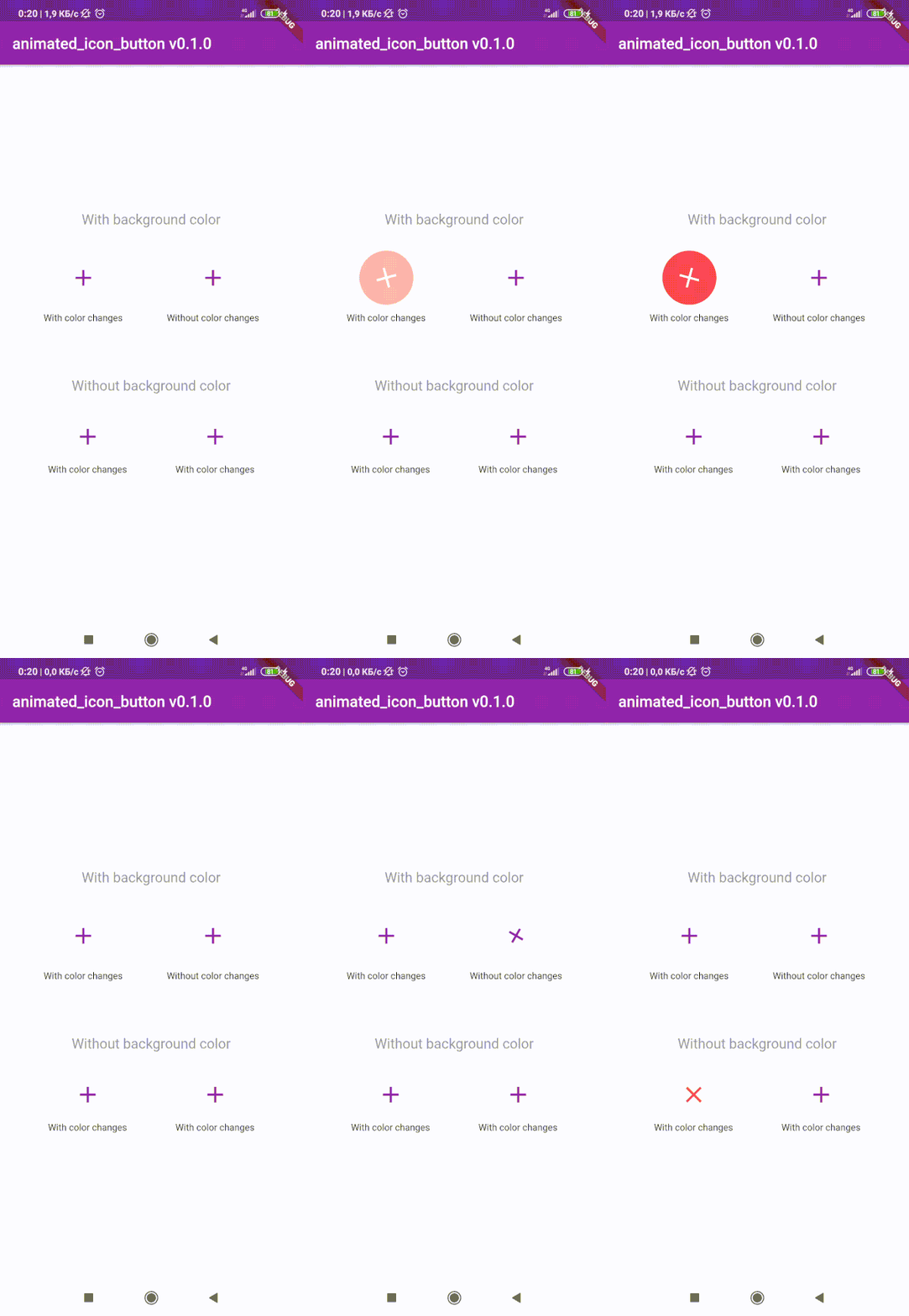
😊 Flutter package to create custom animated IconButton.

😵 Includes all available icons. Based on native IconButton.


Breaking Change

After 1.0.2 version you can use multiple icons.

Getting Started

Follow these steps to use this library

Add dependency
dependencies:
  animated_icon_button: ^1.0.2 #latest version
Add import package
import 'package:animated_icon_button/animated_icon_button.dart';
Easy to use

Simple example of use AnimatedIconButton
Put this code in your project at an screen and wait for magic 😊

    AnimatedIconButton(
        onPressed: () => print('all icons pressed'),
        icons: [
            AnimatedIconButtonEntry(
                icon: Icon(Icons.add),
                onPressed: () => print('add pressed'),
            ),
            AnimatedIconButtonEntry(
                icon: Icon(Icons.close),
            ),
        ],
    ),
More icons

Now you can use more than 2 icons Add new icons to your list and they will change one by one

    AnimatedIconButton(
        size: 35,
        onPressed: () {
            print('all icons pressed');
        },
        duration: const Duration(milliseconds: 200),
        icons: <AnimatedIconButtonEntry>[
            AnimatedIconButtonEntry(
                icon: Icon(
                    Icons.mic,
                    color: Colors.purple,
                ),
                onPressed: () => print('mic pressed'),
                backgroundColor: Colors.white,
            ),
            AnimatedIconButtonEntry(
                icon: Icon(
                    Icons.g_translate,
                    color: Colors.purple,
                ),
                backgroundColor: Colors.white,
            ),
            AnimatedIconButtonEntry(
                icon: Icon(
                    Icons.collections_sharp,
                    color: Colors.purple,
                ),
                backgroundColor: Colors.white,
            ),
        ],
    ),
Custom animation controller

In order to animate your icons in a custom way, like on text changed or when pressing a button, just use the animationController property as follows.

    var animationController = AnimationController(
        vsync: this,
        duration: Duration(milliseconds: 200),
        reverseDuration: Duration(milliseconds: 200),
    );

    AnimatedIconButton(
        animationController: animationController,
        size: 35,
        onPressed: () {
            print('all icons pressed');
        },
        duration: const Duration(milliseconds: 200),
        icons: <AnimatedIconButtonEntry>[
            AnimatedIconButtonEntry(
                icon: Icon(
                    Icons.mic,
                    color: Colors.purple,
                ),
                onPressed: () => print('mic pressed'),
                backgroundColor: Colors.white,
            ),
            AnimatedIconButtonEntry(
                icon: Icon(
                    Icons.g_translate,
                    color: Colors.purple,
                ),
                backgroundColor: Colors.white,
            ),
            AnimatedIconButtonEntry(
                icon: Icon(
                    Icons.collections_sharp,
                    color: Colors.purple,
                ),
                backgroundColor: Colors.white,
            ),
        ],
    ),

Then, whenever you want, execute your animationController.forward() and animationController.reverse() methods to get your icons animated.

Don't forget when you use this property duration is not used, so it can be emitted.

Kategorien

Abhängigkeiten

Abhängigkeiten 1 Einträge

Quell-Repository

Projekte, die dieses Paket verwenden