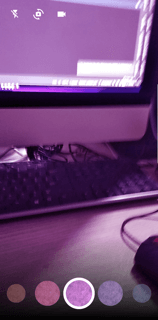
Dieses Paket wird die Kamera mit einer dynamischen Liste von Filterfarben verwenden, Ihr Bild zuschneiden, Text auf das Bild hinzufügen und die Textfarbe ändern.
Aus öffentlichen Paketdaten erstellte Orientierung.
Das camera_filters-Paket ermöglicht Flutter-Entwicklern die Integration einer Kamera-Oberfläche mit Echtzeit-Filterseffekten, Bildausschnitten und Textüberlagerungen. Es unterstützt dynamische farbbasierte Filter, erlaubt Benutzern das Ausschneiden aufgenommener Bilder und bietet Optionen zum Hinzufügen und Anpassen von Text mit anpassbaren Farben. Für Android und iOS entwickelt, vereinfacht es die Implementierung fortgeschrittener Kamerafunktionen in mobilen Apps. Das Paket ist ideal für soziale Medien-, Fotobearbeitungs- oder Content-Erstellungs-Anwendungen, die interaktive visuelle Verbesserungen erfordern.
Benötigt Kameraberechtigungen unter Android und iOS
Beschränkt auf grundlegende Textformatierung
Kann die Leistung auf Low-End-Geräten beeinträchtigen
Keine integrierten Speicher- oder Freigabefunktionen
Abhängig von externem GitHub-Repository für Updates
Original-README
Originaler README-Schnappschuss aus dem verknüpften Quell-Repository. Aktuelle Inhalte finden Sie im Repository.
Camera Filters
Realtime Camera Filters
Description
This package will use camera with dynamic color list of filters, crop your image, text on image , change the text color and you can also use emojis. You can use your own custom color list to change filters. In the end it will provide you an edited image in onDone listener
Features
Realtime Camera Filters.
Draw, add text change filters in camera.
Filters on video.
TextOverlay on video.
IOS
The camera_filters plugin compiles for any version of iOS, but its functionality requires iOS 10 or higher. If compiling for iOS 9, make sure to programmatically check the version of iOS running on the device before using any camera_filters plugin features.
Add two rows to the ios/Runner/Info.plist:
one with the key Privacy - Camera Usage Description and a usage description.
and one with the key Privacy - Microphone Usage Description and a usage description.
If editing Info.plist as text, add:
    import 'package:camera_filters/camera_filters.dart';
    import 'package:flutter/material.dart';

    void main() {
      WidgetsFlutterBinding.ensureInitialized();
      runApp(MyApp());
    }

    class MyApp extends StatefulWidget {
      @override
      _MyAppState createState() => _MyAppState();
    }

    class _MyAppState extends State<MyApp> {
      @override
      Widget build(BuildContext context) {
        return MaterialApp(
          home: Scaffold(
            body: CameraScreenPlugin(onDone: (value) {
              /// value returns the picture path you can save here or navigate to some screen
              print(value);
            },


                /// time limit for video in seconds
                videoTimeLimit: 10,


                /// value returns the video path you can save here or navigate to some screen
                onVideoDone: (value) {
              print(value);
            }

                /// profileIconWidget: , if you want to add profile icon on camera you can your widget here

                ///filterColor: ValueNotifier<Color>(Colors.transparent),  your first filter color when you open camera

                /// filters: [],
                ///you can pass your own list of colors like this List<Color> colors = [Colors.blue, Colors.blue, Colors.blue ..... Colors.blue]
                ///make sure to pass transparent color to first index so the first index of list has no filter effect
                ),
          ),
        );
      }
    }