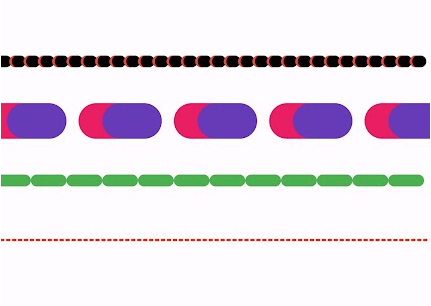
Aus öffentlichen Paketdaten erstellte Orientierung.
Das dotted_line_flutter-Paket ermöglicht Entwicklern das einfache Zeichnen anpassbarer gestrichelter Linien in Flutter-Anwendungen. Es bietet eine einfache und effiziente Möglichkeit, dekorative oder funktionale gestrichelte Linien über verschiedene Benutzeroberflächenelemente hinzuzufügen. Mit Unterstützung für verschiedene Punktgrößen, Abstände und Farben verbessert es die visuelle Gestaltung ohne komplexes benutzerdefiniertes Malen. Das Paket ist leichtgewichtig und lässt sich nahtlos in Flutter-Projekte auf mehreren Plattformen integrieren.
Anwendungsfälle
Dekorative Trennwände in Layouts hinzufügen
Gestrichelte Rahmen für Karten oder Container erstellen
Fortschrittsanzeiger mit gepunkteten Pfaden gestalten
Formularfelder durch visuelle Trennung verbessern
Benutzerdefinierte UI-Komponenten mit punktierten Akzenten erstellen
Hauptmerkmale
Anpassbare Punktgröße und -abstand
Unterschiedliche Linienfarben werden unterstützt
Einfache Integration mit bestehenden Widgets
Plattformübergreifende Kompatibilität
Leichtgewichtig und leistungsstark
Flexible Ausrichtungsoptionen
Geeignet für
UI-Designer, die visuelle Verbesserungen suchen
Entwickler, die Formulare oder Dashboards erstellen
Projekte, die subtile visuelle Hinweise erfordern
Apps mit minimalistischer oder moderner Designästhetik
Originaler README-Schnappschuss aus dem verknüpften Quell-Repository. Aktuelle Inhalte finden Sie im Repository.
Dotted Line Flutter Package
A highly customizable Flutter package for drawing dotted, dashed, and gradient lines in both horizontal and vertical directions. It also supports shadow effects and multiple shapes.
✨ Features
✅ Dotted and Dashed Lines
✅ Gradient Color Support
✅ Customizable Dash Width & Gap
✅ Horizontal & Vertical Orientation
✅ Shadow Effect for Depth
✅ More Shapes (Star, Circle, etc.)
✅ Star Shape
✅ Circle Dotted Line
✅ Custom Dash Shapes
✅ Patterned Dashes (Short-Long)
The direction of the dotted line (horizontal/vertical).
shadowColor
Colors.black54
The color of the shadow.
shadowBlurRadius
4.0
The blur radius of the shadow.
Example
Here's how you can use DottedLine inside a Column or Row widget:
Column(
  children: [
    Text("Above the line"),
    DottedLine(
      colors: [Colors.red, Colors.orange],
      dashWidth: 6.0,
      dashGap: 4.0,
    ),
    Text("Below the line"),
  ],
)
This will create a colorful dotted line between two text widgets.
DottedStar Widget
Overview
DottedStar is a customizable Flutter widget that renders a star shape with a dotted outline using a gradient color effect. It is built using CustomPaint and provides various customization options.
The DottedStar widget uses a CustomPainter class (StarPainter) to draw the dotted outline of a star. It follows these steps:
Creates a star shape using _createStarPath.
Applies a radial gradient to the dots.
Iterates over the path using PathMetrics to place dots at equal intervals.
Draws each dot on the canvas at calculated positions.
DottedText Widget
The DottedText widget is a custom Flutter widget that renders text using dots instead of solid strokes. It provides customization options for dot size, spacing, colors, and text styling.
Features
Render text with a dotted effect
Customizable dot size and spacing
Supports gradient colors
Uses Flutter's CustomPainter for efficient rendering
Installation
To use DottedText, simply add the Dart file to your Flutter project and import it.
DottedWidget is a Flutter custom widget that allows you to create a widget with a customizable dotted border. It supports different shapes, colors, and shadow effects, making it a versatile component for UI design.