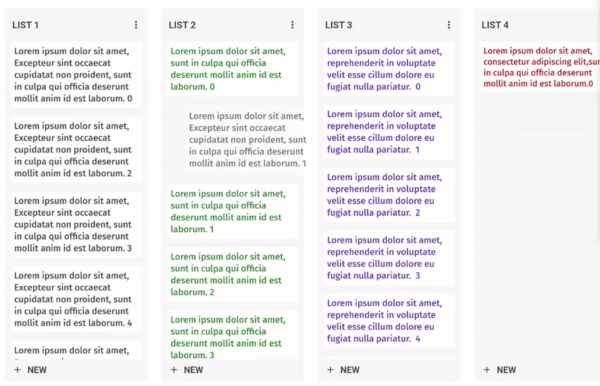
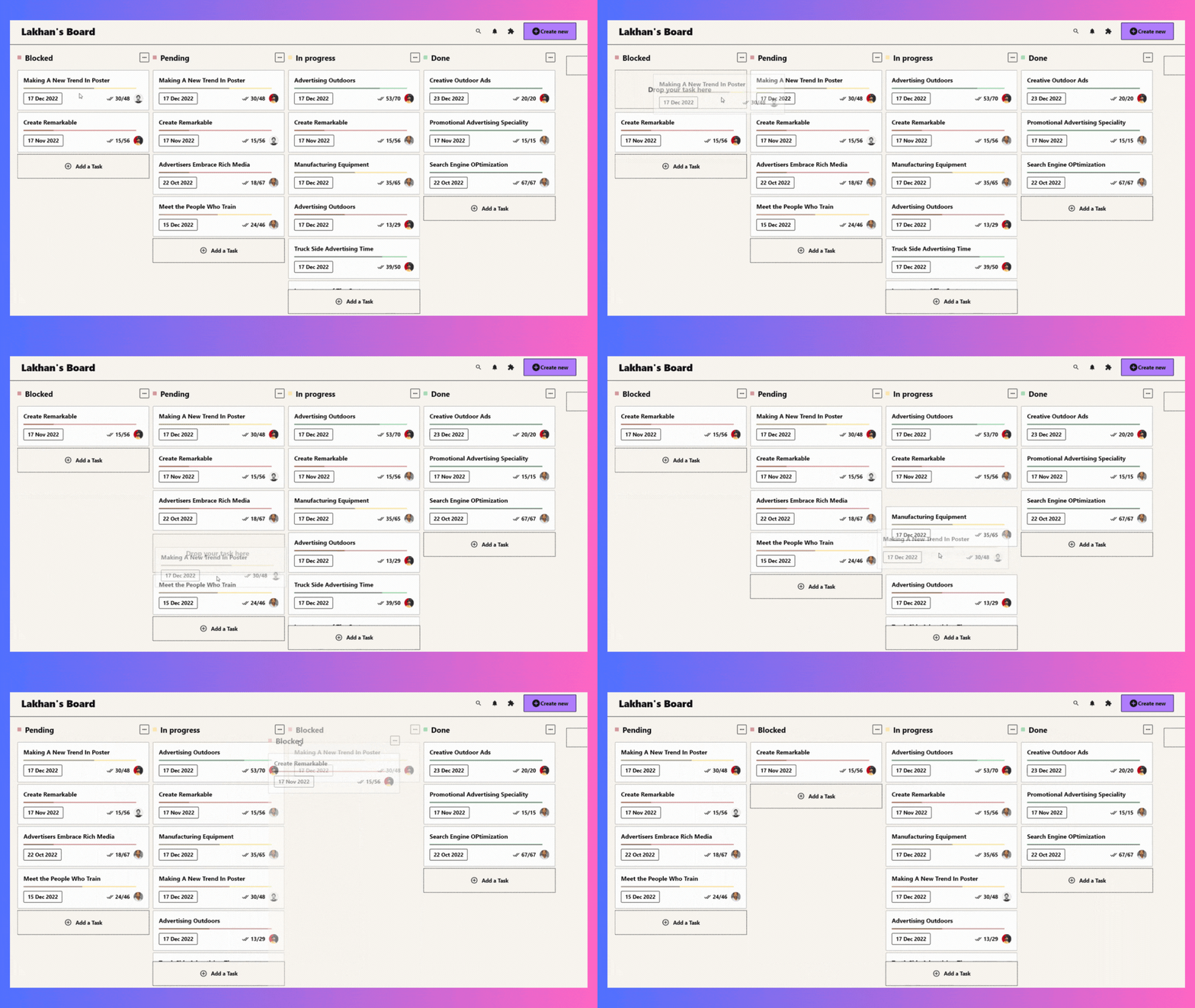
Anpassbarer und drag-and-drop-fähiger Kanban-Board-Widget für Flutter. Erstellen Sie Trello-ähnliche Aufgabenboards mit reibungslosem Drag-and-Drop und flexibler Aufgabenverwaltung.
Aus öffentlichen Paketdaten erstellte Orientierung.
Ein anpassbarer und ziehbarer Kanban-Board-Widget für Flutter, der die Erstellung von Trello-ähnlichen Aufgabenboards mit reibungslosem Drag-and-Drop-Funktionalität ermöglicht. Es unterstützt flexible Aufgabenverwaltung über Spalten hinweg und ist ideal für Projektverfolgung und Workflow-Visualisierung. Entwickelt mit Fokus auf Leistung und Benutzerfreundlichkeit, integriert sich nahtlos in Flutter-Anwendungen auf mehreren Plattformen.
Anwendungsfälle
Projektmanagement-Dashboards
Aufgabenverfolgungsanwendungen
Workflow-Visualisierungstools
Agile Entwicklungsbretter
Team-Kollaborations-Schnittstellen
Hauptmerkmale
Aufgabenreihenfolge per Drag-and-Drop neu anordnen
Anpassbare Spaltenlayouts
Reaktive Gestaltung für alle Plattformen
Eingebaute Animation für Übergänge
Erweiterbare Aufgabenkartenanpassung
Geeignet für
Entwickler von Produktivitätsanwendungen
Teams, die agile oder Kanban-Methodologien verwenden
UI-Designer, die interaktive Boards benötigen
Flutter-Anwendungen, die visuelle Aufgabenverwaltung erfordern
Hinweise
Erfordert sorgfältige Zustandsverwaltung für komplexe Workflows
Kann zusätzliche Stilisierung zur Markenorientierung benötigen
Leistungseinbußen bei sehr großen Datensätzen
Eingeschränkte integrierte Filter- oder Suchfunktionen
Abhängig von externen Paketen für erweiterte Datenpersistenz
Original-README
Originaler README-Schnappschuss aus dem verknüpften Quell-Repository. Aktuelle Inhalte finden Sie im Repository.
Flutter KanbanBoard
A fully customizable and draggable Kanban Board widget for Flutter. Perfect for building Kanban tools like Trello, it offers smooth drag-and-drop interactions and flexible task management for an intuitive workflow experience.
Installation
Just add kanban_board to the pubspec.yaml file.
🚀 Create Your First Board
Let's define our KanbanGroupItem which can hold custom properties, and can be done by extending KanbanBoardGroupItem.
Make it uniquely yours with extensive customization options by exploring range of customization properties in KanbanBoard, including:
⚡ Fine-tune Board Scrolling Dynamics
Tailor the scrolling experience to match your application's feel:
KanbanBoard(
   ...
   boardScrollConfig: BoardScrollConfig(
        curve: // The animation curve
        farBoundary: Boundary(
          boundary: // The distance from the edge of the board at which auto-scrolling starts when dragging near the edge.
          offset: // The amount of scroll movement when the draggable reaches this boundary.
          duration: // The time duration for each scroll step when within this boundary.
        ),
        midBoundary: Boundary( ... ), // A middle-range boundary that triggers auto-scrolling at a moderate speed.
        nearBoundary: Boundary( ... ), // The closest range to the edge, where scrolling is most responsive.
   ),
   ...
);
📱 See It In Action
Check out the example app to see all features in action.
🤝 Your Contribution Is Welcome!
Join our community of developers:
Fork the repository
Create your feature branch: git checkout -b amazing-feature
Commit your changes: git commit -m 'Add some amazing feature'
Push to the branch: git push origin amazing-feature
Open a pull request
📄 License
This project is licensed under the MIT License - see the LICENSE file for details.