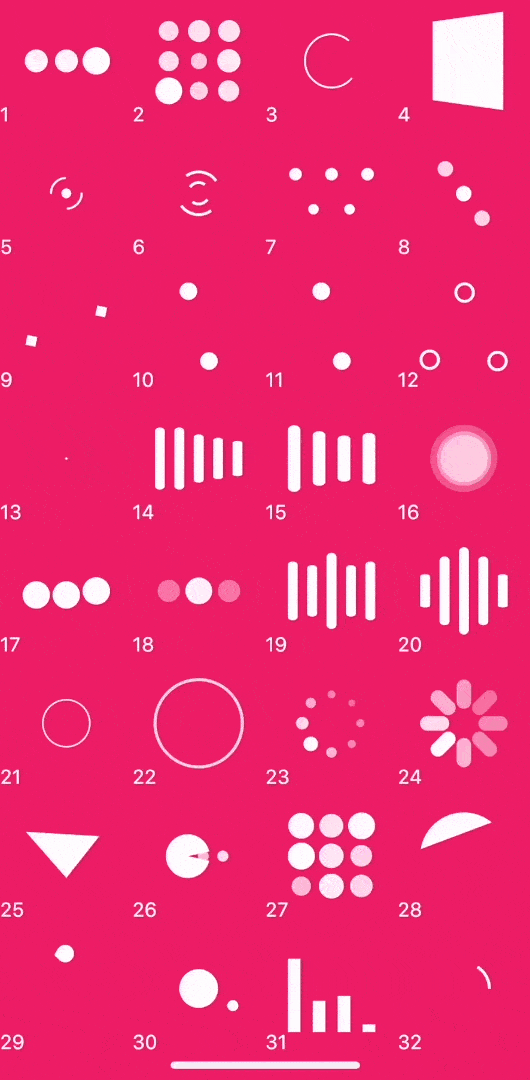
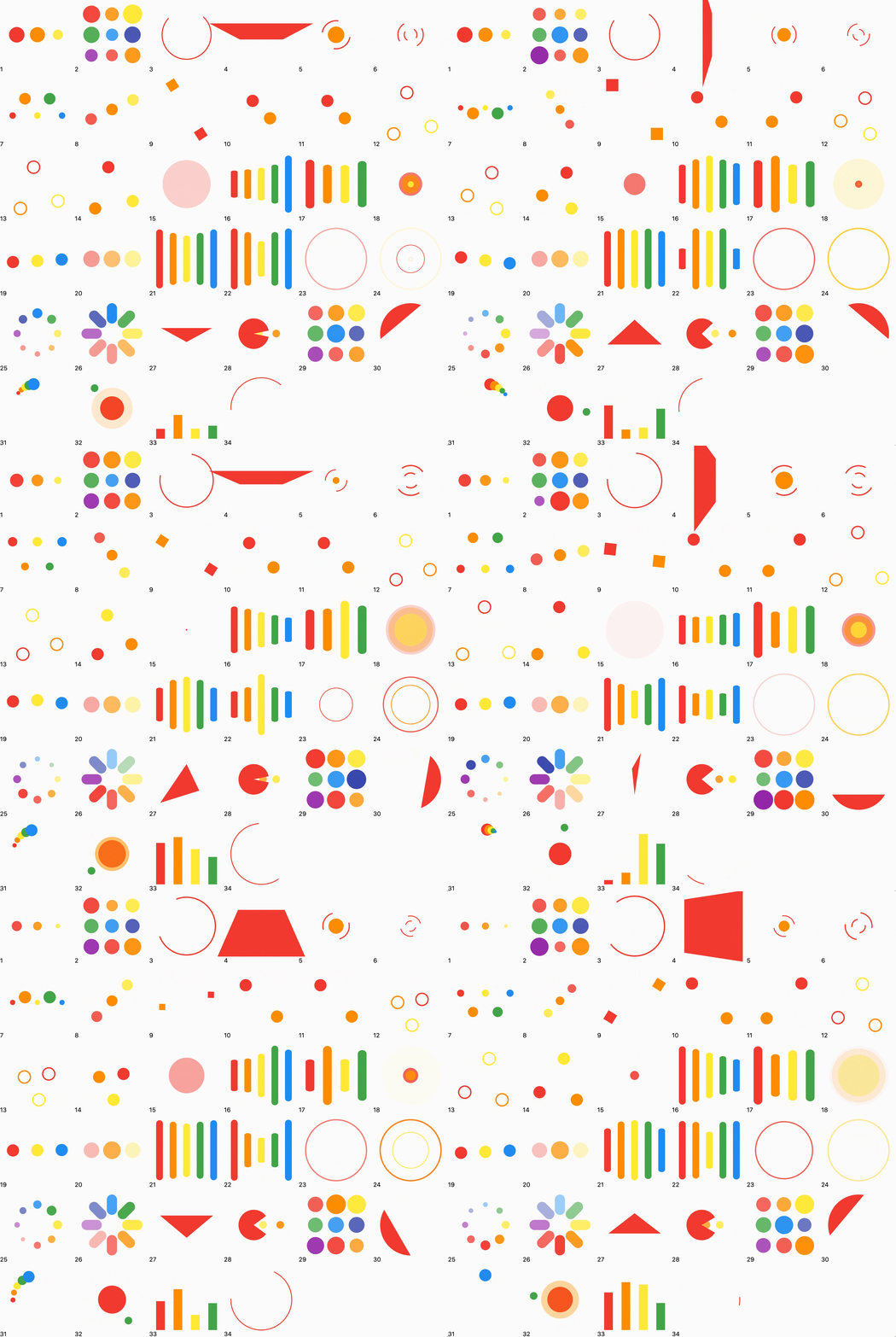
Aus öffentlichen Paketdaten erstellte Orientierung.
Ein leichtgewichtiger Flutter-Paket, das eine Vielzahl von Ladeanimationen bietet, die vollständig in Dart implementiert sind. Es liefert reibungslose, anpassbare Ladeindikatoren, ohne externe Abhängigkeiten zu erfordern. Ideal zum Anzeigen von Ladezuständen in Apps über mehrere Plattformen hinweg, unterstützt es Android, iOS, Web, macOS, Windows und Linux. Das Paket ist einfach zu integrieren und zu verwenden, wodurch es perfekt für die Verbesserung der Benutzererfahrung bei asynchronen Operationen ist.
Anwendungsfälle
Ladezustände in Formularen anzeigen
Fortschritt während des Abrufs von Daten anzeigen
Verbesserung der Benutzeroberfläche während Seitenübergängen
Visuelle Rückmeldung bei Hintergrundaufgaben
Benutzerdefinierte Ladebildschirme erstellen
Hauptmerkmale
Reine Dart-Implementierung
Keine zusätzlichen Abhängigkeiten
Plattformübergreifende Unterstützung
Mehrere Animationsstile
Leicht anpassbar
Leichtes Format
Geeignet für
Einfache Lade-Oberflächen
Apps für mehrere Plattformen
Entwickler, die externe Bibliotheken vermeiden
Benutzeroberflächenverbesserungen in mobilen und Web-Anwendungen
Schnelle Integration in bestehende Projekte
Hinweise
Beschränkt auf grundlegende Ladeanimationen
Keine erweiterten Anpassungsoptionen außer Farbe und Größe
Animationen können auf Low-End-Geräten möglicherweise nicht so leistungsstark sein
Nicht geeignet für komplexe Lade-Logik
Fehlende integrierte Fehler- oder Erfolgszustände
Original-README
Originaler README-Schnappschuss aus dem verknüpften Quell-Repository. Aktuelle Inhalte finden Sie im Repository.
LoadingIndicator
A collection of out of the box loading animations written in pure dart, no extra dependency, inspired by loaders.css and NVActivityIndicatorView.
Demo
Now, you can click this site to preview.3D effect will be invalid in web.
Use the release helper from the latest master checkout to calculate the next
version from the existing stable tags and update the root pubspec.yaml and
CHANGELOG.md:
patch, minor, and major are supported, as well as an explicit version
such as 4.0.2. The helper refreshes tags from origin and ignores local tags
that no longer exist remotely. It accepts a release tag that is either in the
current history or fully represented by cherry-picked commits, and refuses to
continue when the latest tag cannot be matched to the current history. For an
automatic patch, it asks GitHub for notes before changing files and copies the
returned Markdown into the dated changelog entry. A real patch
run (not --dry-run) requires a clean master matching origin/master,
updates only the root pubspec.yaml and CHANGELOG.md, commits them, pushes
master, creates and pushes the next version tag, and invokes gh release create with
the generated notes. It does not modify
example/pubspec.yaml. gh must be installed and authenticated. The existing
tag-triggered workflow safely skips release creation when the script has
already created it. minor, major, and explicit versions update the local
root pubspec.yaml and CHANGELOG.md with a placeholder, then print the
release-notes command.
Usage
Simple but powerful parameters
LoadingIndicator(
  indicatorType: Indicator.ballPulse, // Required: animation type
  colors: const [Colors.white],        // Optional: color collection
  strokeWidth: 2,                      // Optional: stroke and line width
  backgroundColor: Colors.black,       // Optional: widget background
  pathBackgroundColor: Colors.black,   // Optional: stroke background
)
strokeWidth controls the bar width of lineScale, lineScaleParty,
lineScalePulseOut, lineScalePulseOutRapid, and lineSpinFadeLoader.
When omitted, these indicators keep their original size-derived bar width.
Without a controller, every indicator plays continuously. To control playback,
create and dispose a LoadingIndicatorController with your widget:
_controller.pause(); // Freeze the current frame immediately.await _controller.pauseAt(0.5); // Pause the next time progress reaches 50%.await _controller.pauseAt(
1.0,
behavior: LoadingIndicatorPauseBehavior.jumpToTarget,
); // Advance the complete animation group to the target and pause now.
_controller.resume();
progress is the normalized position (0.0 to 1.0) of an indicator's
reference animation track: 0.0 is the start of a loop and 1.0 is its final
frame before reset. pauseAt completes only after the indicator has paused.
Replacing a pending command or disposing the controller completes that Future
with LoadingIndicatorCommandCanceled. One controller can be attached to only
one LoadingIndicator at a time; the last command sent while detached is
applied on the next attachment.
Migrating from 3.x
Version 4.0 removes the pause widget parameter. Replace it with a controller:
Copyright 2019 Tino Guo.

Licensed under the Apache License, Version 2.0 (the "License");
you may not use this file except in compliance with the License.
You may obtain a copy of the License at

   http://www.apache.org/licenses/LICENSE-2.0

Unless required by applicable law or agreed to in writing, software
distributed under the License is distributed on an "AS IS" BASIS,
WITHOUT WARRANTIES OR CONDITIONS OF ANY KIND, either express or implied.
See the License for the specific language governing permissions and
limitations under the License.