Pakete, Repositories und App-Kategorien suchen

Cover von requests_inspector
Paketdetailsv5.5.1

requests_inspector

Ein Flutter-Paket zum Protokollieren von REST-APIs und GraphQL-Anfragen, das über das Schütteln des Telefons auf dem Bildschirm das RequestsInspector-Widget anzeigt.

AndroidiOS
30-Tage-Downloads
8320
Likes
167
Pub-Punkte
130

Paket installieren

flutter pub add requests_inspector

Paketübersicht

Aus öffentlichen Paketdaten erstellte Orientierung.

RequestsInspector ist ein Flutter-Paket, das zur Debugging von HTTP- und GraphQL-Anfragen während der Entwicklung entwickelt wurde. Es protokolliert alle ausgehenden API-Aufrufe und bietet über das Schütteln des Geräts einen Echtzeit-Zugriff auf Anfrage-/Antwortdaten durch die Anzeige eines speziellen Inspektors. Ideal für Entwickler, die eine schnelle Sichtbarkeit der Netzwerkaktivität benötigen, ohne den Code ändern zu müssen. Das Paket unterstützt sowohl Android als auch iOS und integriert sich nahtlos mit bestehenden HTTP-Clients wie dio oder http. Sein leichtgewichtiges Design sorgt für minimalen Leistungseinfluss.

Anwendungsfälle

  • Debugging von API-Endpunkten
  • Überwachung von GraphQL-Abfragen
  • Anforderungsheader und -body überprüfen
  • Echtzeit-Netzwerkprotokollierung während der Entwicklung
  • Problembehebung bei fehlgeschlagenen Anfragen

Hauptmerkmale

  • Schütteln, um den Inspektor zu öffnen
  • Unterstützt HTTP und GraphQL
  • Plattformübergreifend (Android & iOS)
  • Minimale Einrichtung erforderlich
  • Live-Anfrage/Antwort-Ansicht

Geeignet für

  • Flutter-Entwickler im Debug-Modus
  • Teams testen API-Integrationen
  • Frontend-Entwickler beheben Netzwerkprobleme
  • Mobile App-Entwickler, die REST/GraphQL verwenden
  • Jeder, der eine schnelle Netzwerküberprüfung benötigt

Hinweise

  • Nicht für den Produktiveinsatz vorgesehen
  • Benötigt physisches Gerät für Schüttelgeste
  • Beschränkt auf Debug-Builds
  • Keine dauerhafte Speicherung von Protokollen
  • Kann auf einigen Geräten Berechtigungen erfordern

Original-README

Originaler README-Schnappschuss aus dem verknüpften Quell-Repository. Aktuelle Inhalte finden Sie im Repository.

Stand With Palestine

requests_inspector 🕵

pub package

A Flutter package for logging API requests (Http Requests & GraphQL) requests.

Main Features:
  1. Log your Http request, GraphQL and WebSockets.
  2. Intercept your requests and responses for testing.
  3. Share request details as json, cURL, or HAR file to re-run it again (ex. Postman).

And more and more

To get the RequestsInspector widget on your screen:
  1. 📱💃 : Shake your phone.

  2. 📱👈 : Long-Press on any free space on the screen.

Also you can share the request details as (Log, cURL command, or HAR file) with your team to help them debug the API requests.

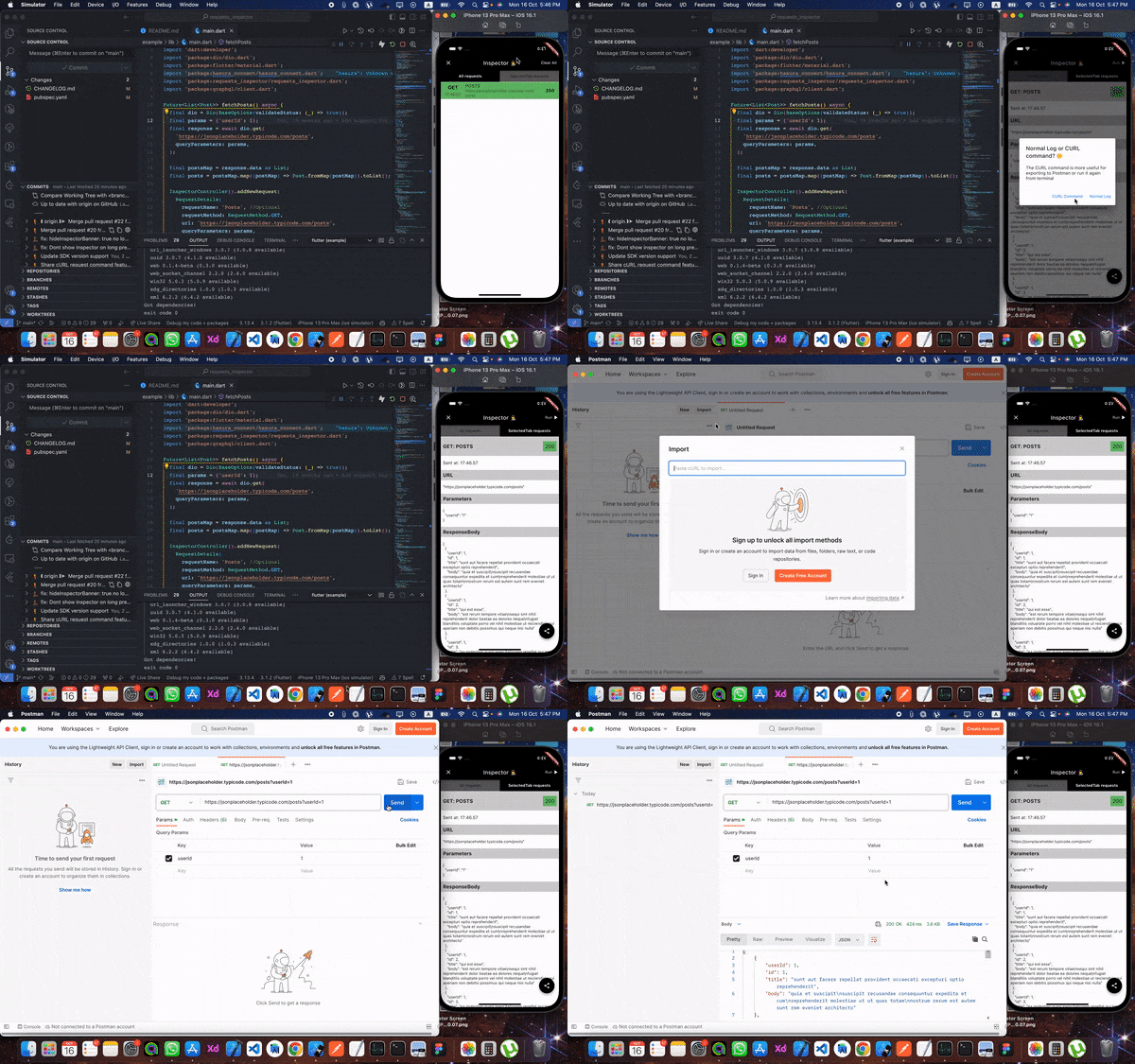
From Inspector to Postman 🧡 🎉️ Now you can extract cURL command from the inspector to send the request again from your terminal or Postman 💪💪

HAR File Support 📦 🎉️ You can now share requests as HAR (HTTP Archive) files! HAR files are a standard format that can be imported into various tools like Postman, Proxyman, or any HAR-compatible tool for debugging and analysis. You can share HAR files in two formats:

  • HAR text: Copy the HAR content as text
  • HAR file (.har): Share as a downloadable .har file

The HAR format includes complete request/response details, headers, timing information, and more, making it perfect for comprehensive API debugging and sharing with your team.


Setup

First, add it at the top of your MaterialApp with enabled: true.

void main() {
  runApp(const RequestsInspector(
    child: MyApp(),
  ));
}
1. RESTful API:
Using Dio, pass by RequestsInspectorInterceptor() to Dio.interceptors and we are good to go 🎉️🎉️.
final dio = Dio()..interceptors.add(RequestsInspectorInterceptor());
If you don't use Dio then don't worry

In your API request just add a new RequestDetails using RequestInspectorController filled with the API data.

InspectorController().addNewRequest(
    RequestDetails(
        requestName: requestName,
        requestMethod: RequestMethod.GET,
        url: apiUrl,
        queryParameters: params,
        statusCode: responseStatusCode,
        responseBody: responseData,
        ),
    );
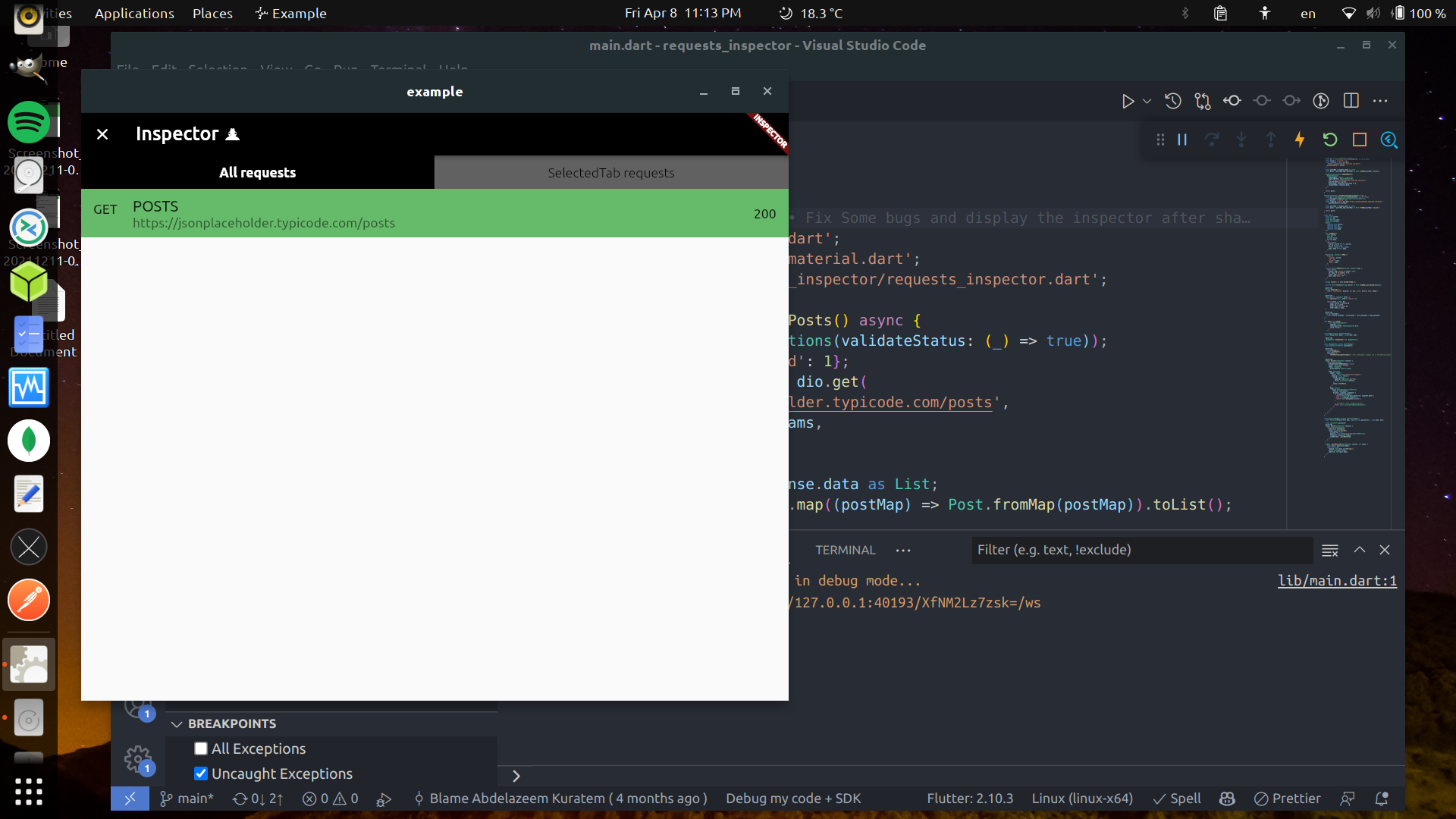
Real Restful example

a. Normal InspectorController().addNewRequest.

Future<List<Post>> fetchPosts() async {
  final dio = Dio();
  final params = {'userId': 1};

  final response = await dio.get(
    '[https://jsonplaceholder.typicode.com/posts](https://jsonplaceholder.typicode.com/posts)',
    queryParameters: params,
  );

  final postsMap = response.data as List;
  final posts = postsMap.map((postMap) => Post.fromMap(postMap)).toList();

  InspectorController().addNewRequest(
    RequestDetails(
      requestName: 'Posts',
      requestMethod: RequestMethod.GET,
      url: '[https://jsonplaceholder.typicode.com/posts](https://jsonplaceholder.typicode.com/posts)',
      queryParameters: params,
      statusCode: response.statusCode ?? 0,
      responseBody: response.data,
    ),
  );

  return posts;
}

b. Using RequestsInspectorInterceptor.

Future<List<Post>> fetchPosts() async {
  final dio = Dio()..interceptors.add(RequestsInspectorInterceptor());
  final response = await dio.get('[https://jsonplaceholder.typicode.com/posts](https://jsonplaceholder.typicode.com/posts)');

  final postsMap = response.data as List;
  final posts = postsMap.map((postMap) => Post.fromMap(postMap)).toList();

  return posts;
}
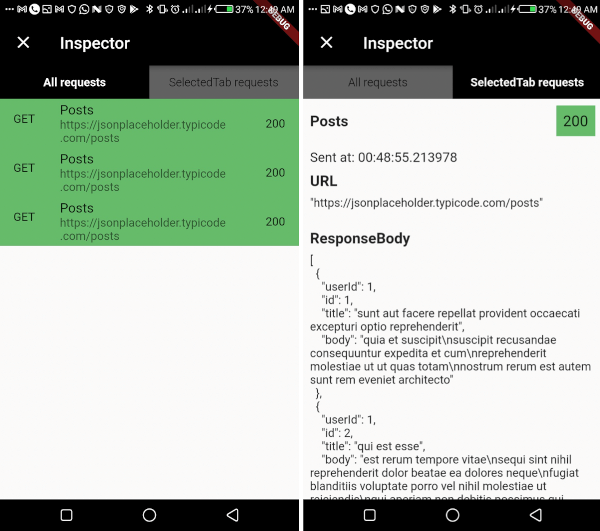
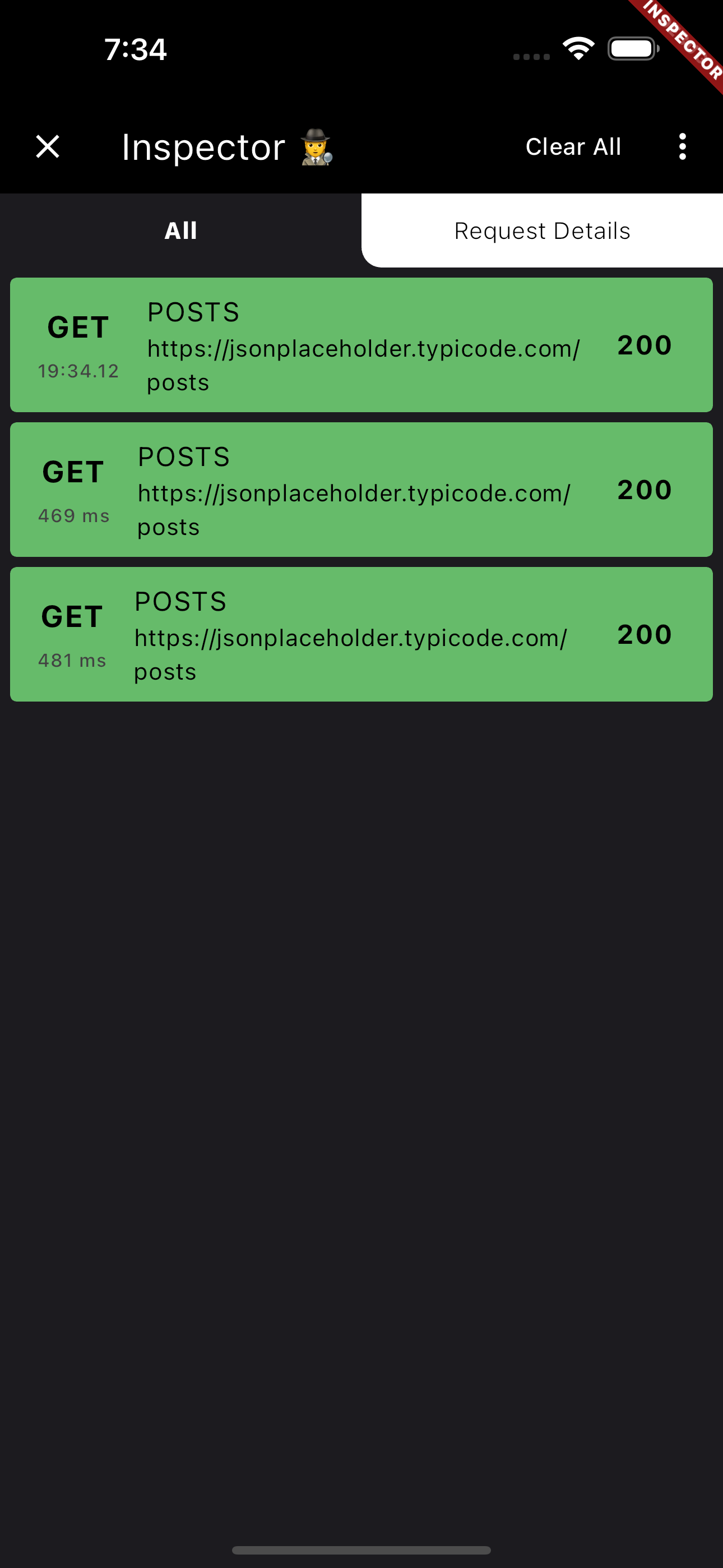
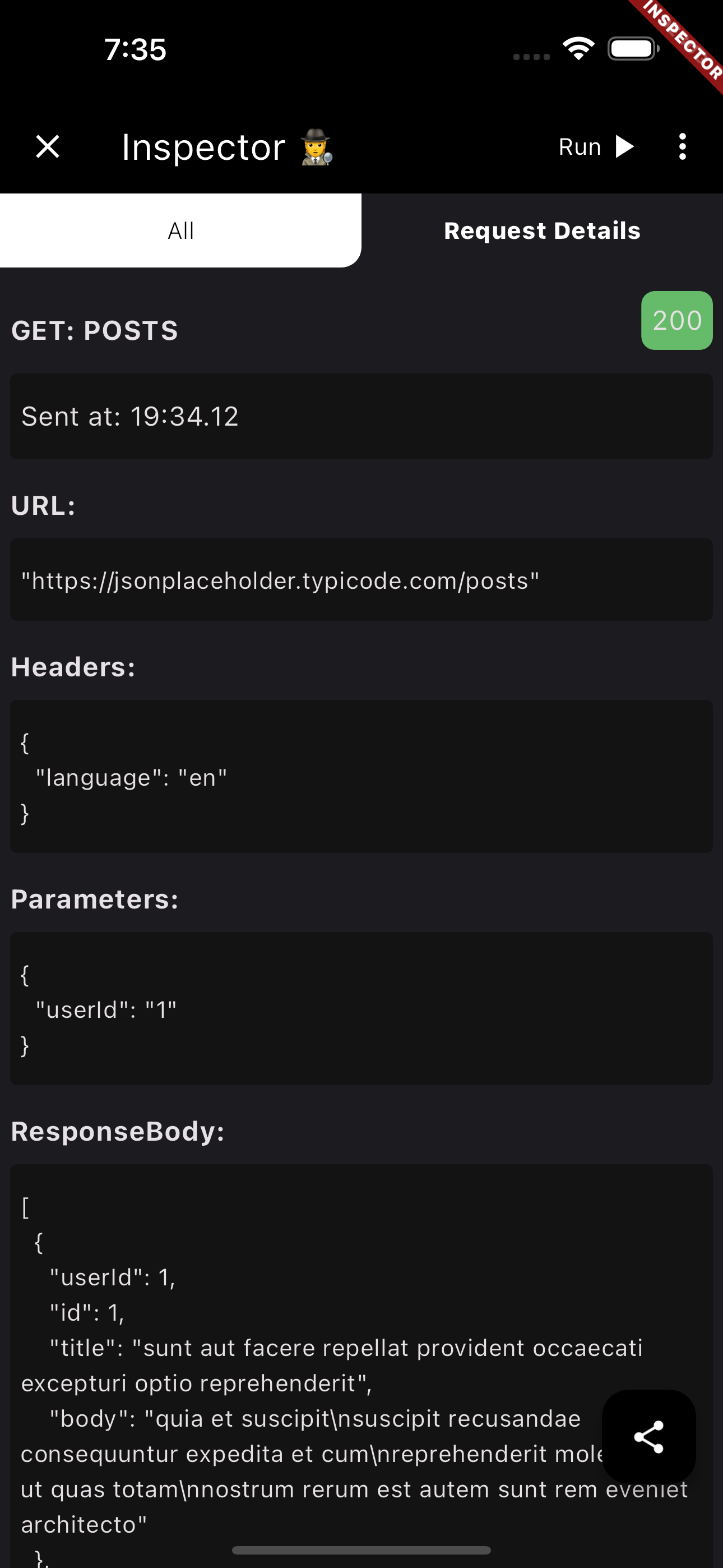
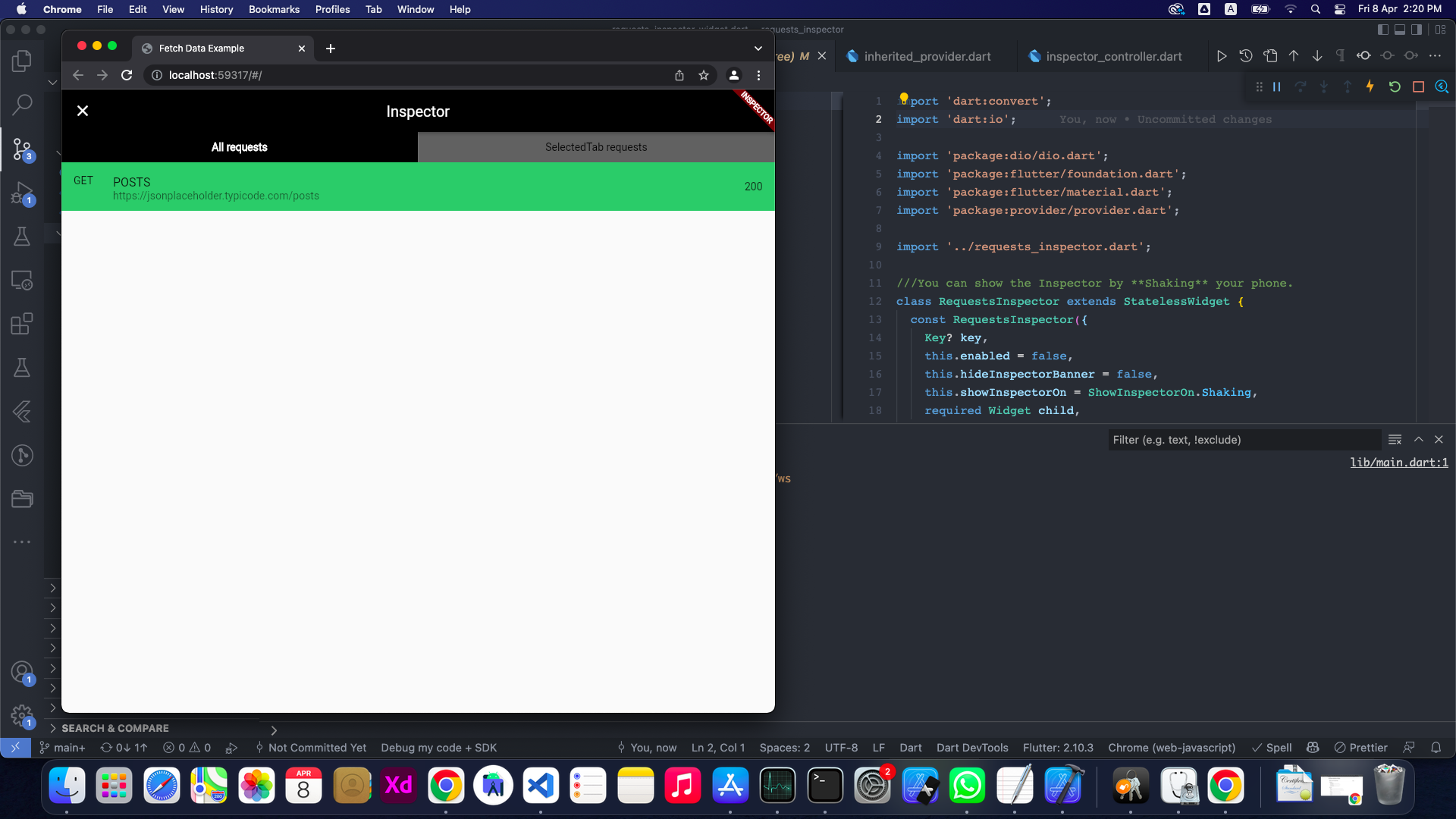
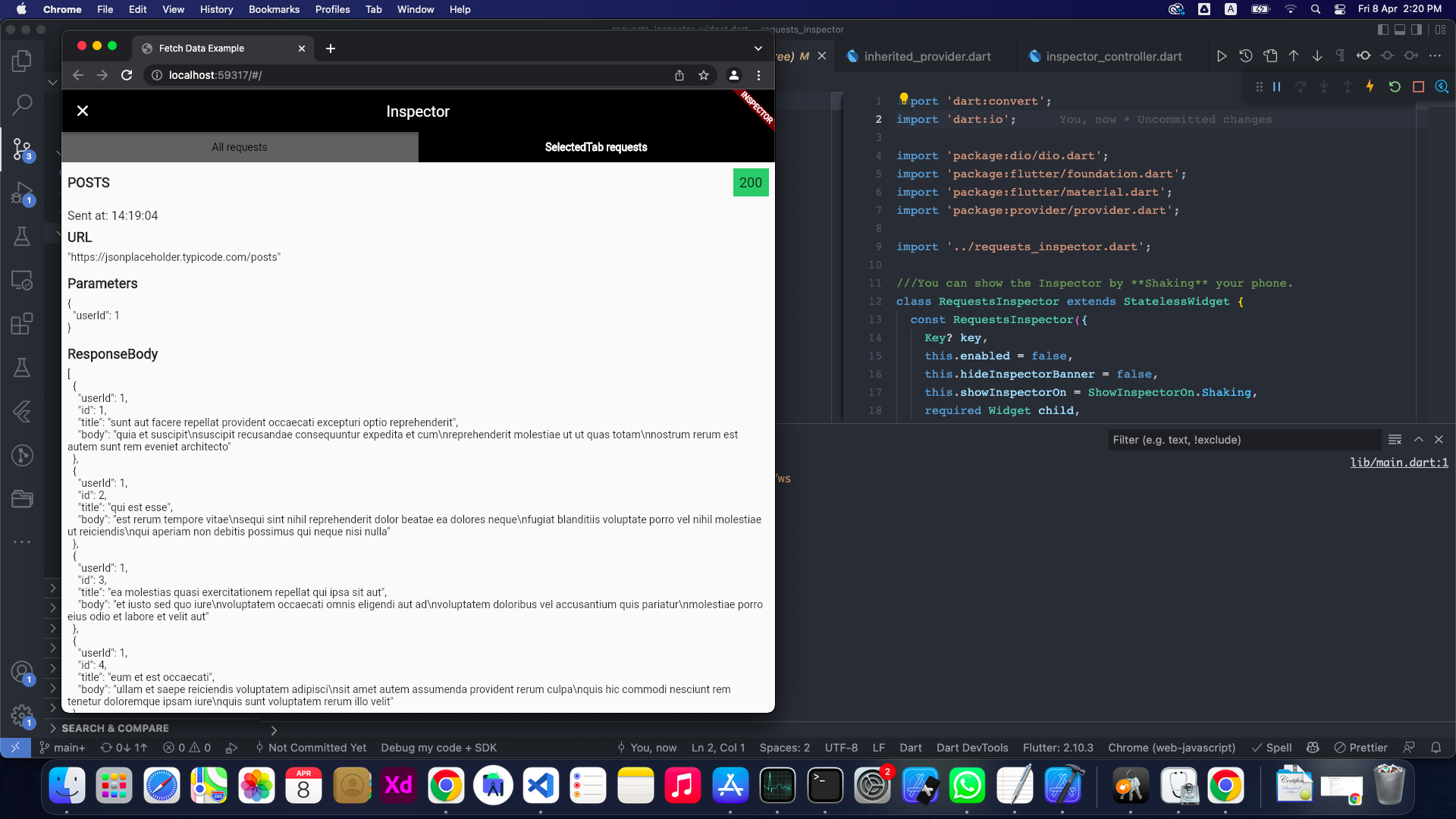
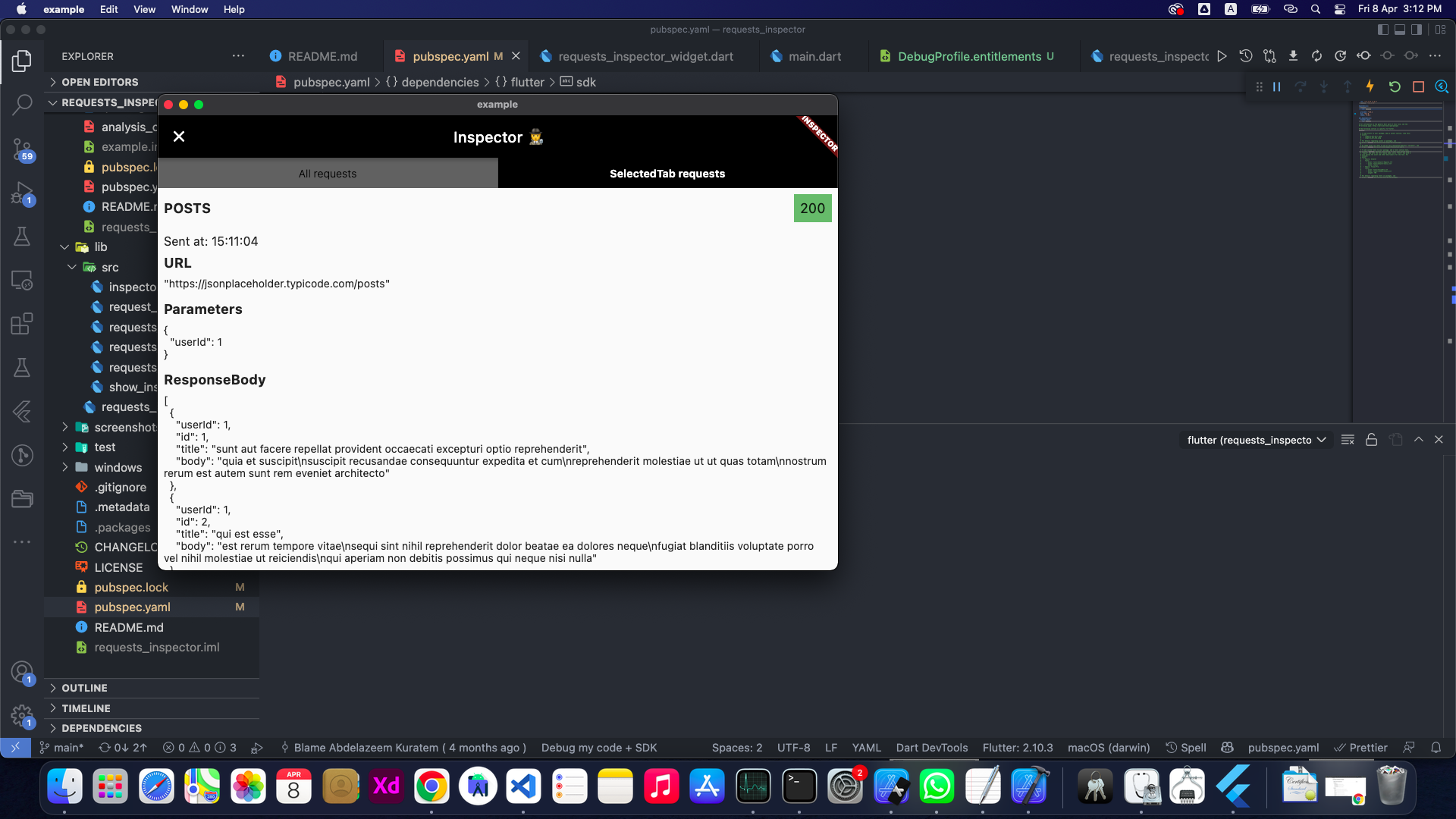
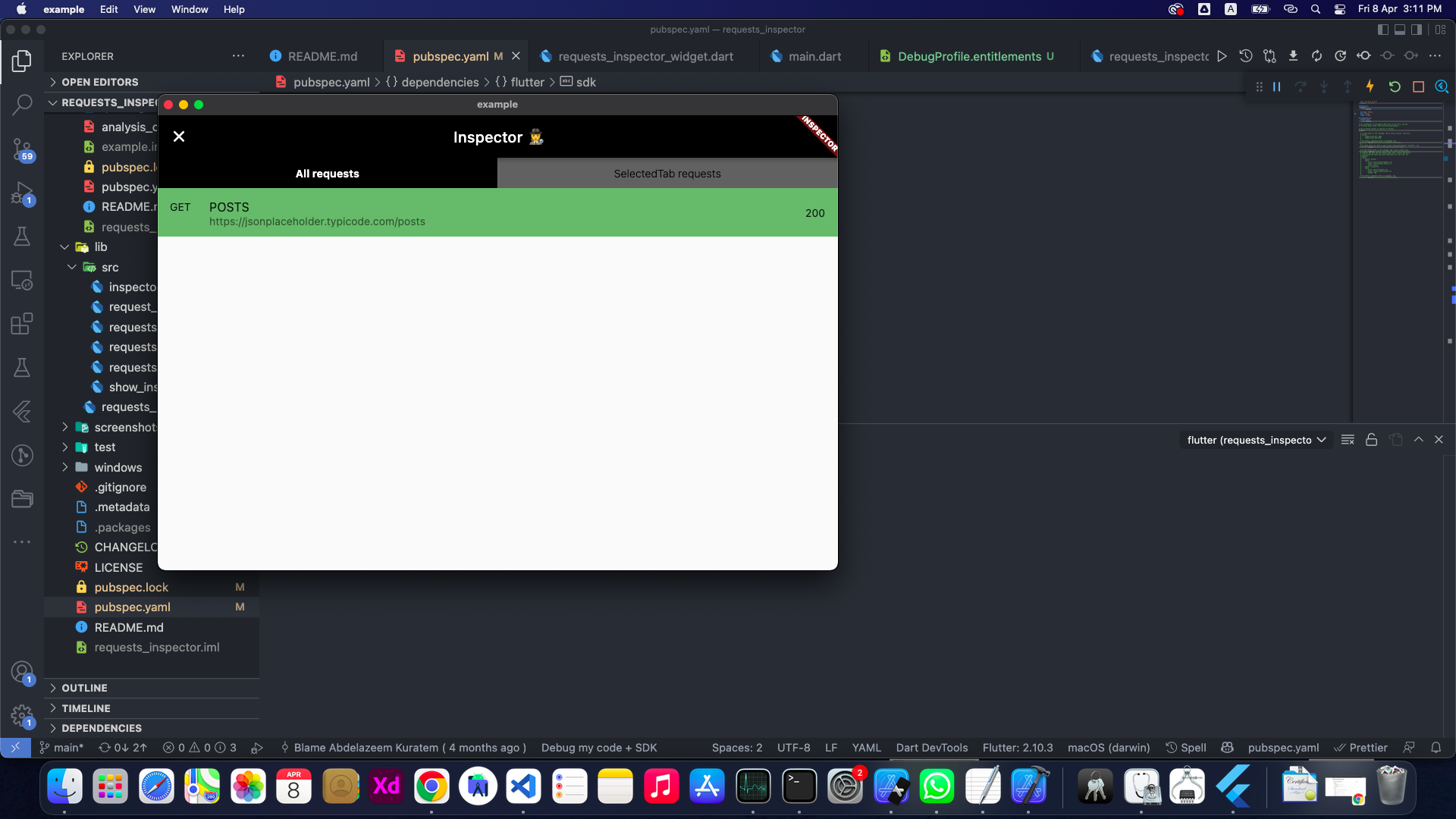
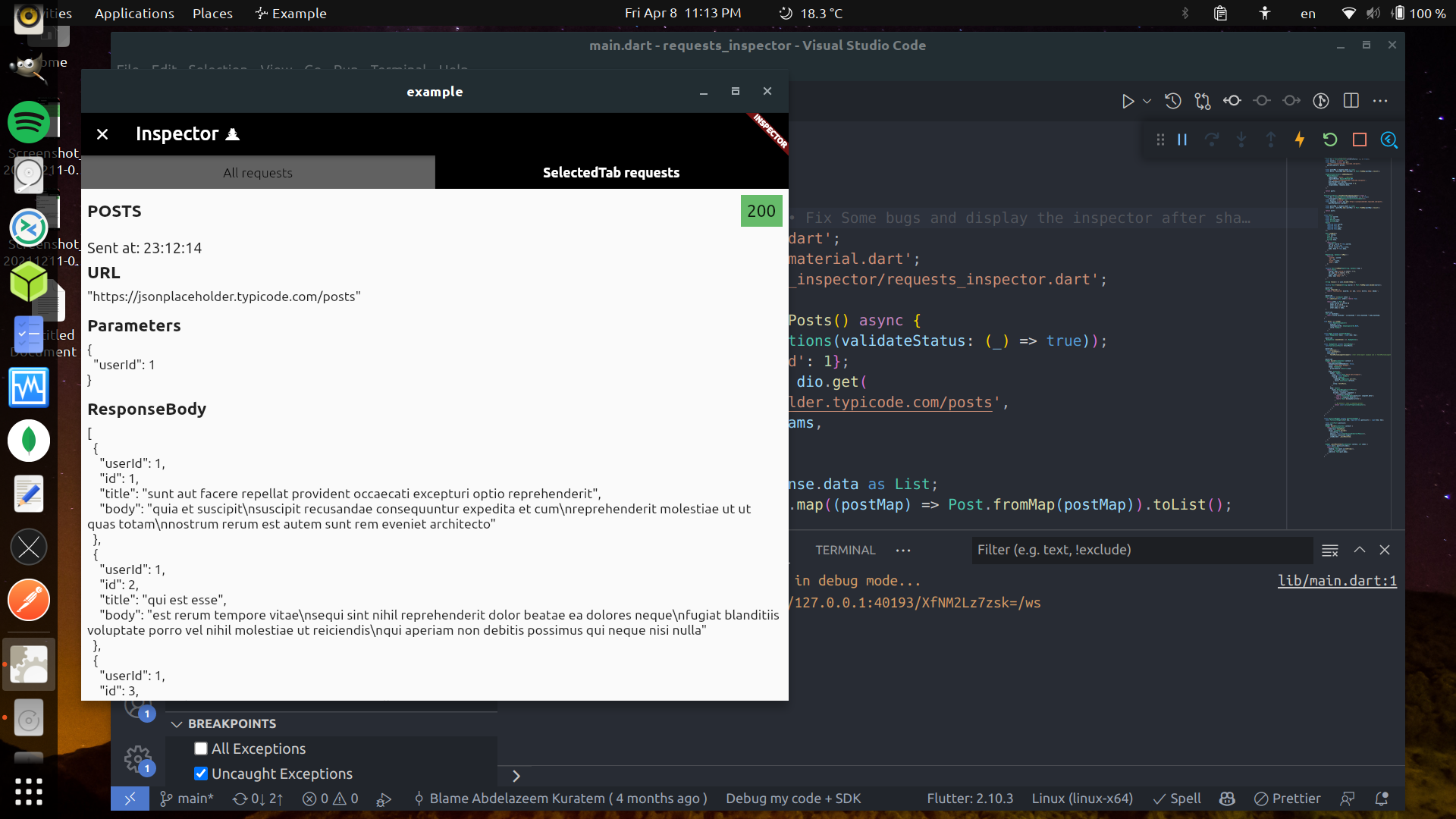
Finaly, Shake your phone to get the Inspector

<img src = "https://raw.githubusercontent.com/Abdelazeem777/requests_inspector/main/images/mobile_list.jpg" width ="280" /> <img src = "https://raw.githubusercontent.com/Abdelazeem777/requests_inspector/main/images/mobile_request.jpg" width ="280" />


2. GraphQl:

To use requests_inspector with graphql_flutter library. you jus need to wrap your normal HttpLink with our GraphQLInspectorLink and we are done.

Example:

 Future<List<Post>> fetchPostsGraphQlUsingGraphQLFlutterInterceptor() async {
 Future<List<Post>> fetchPostsGraphQlUsingGraphQLFlutterInterceptor() async {
  final client = GraphQLClient(
    cache: GraphQLCache(),
    link: Link.split(
      (request) => request.isSubscription,
      GraphQLInspectorLink(WebSocketLink('ws://graphqlzero.almansi.me/api')),
      GraphQLInspectorLink(HttpLink('[https://graphqlzero.almansi.me/api](https://graphqlzero.almansi.me/api)')),
    ),
  );
  const query = r'''query {
    post(id: 1) {
      id
      title
      body
    }
    }''';

  final options = QueryOptions(document: gql(query));
  final result = await client.query(options);
  if (result.hasException) {
    log(result.exception.toString());
  } else {
    log(result.data.toString());
  }
  var post = Post.fromMap(result.data?['post']);
  return [post];
}

Stopper (Requests & Responses)

requests_inspector (Stopper) enables your to stop and edit requests (before sending it to server) and responses (before receiving it inside the app).

  • First, you need to add navigatorKey to your MaterialApp then pass it to RequestsInspector to show Stopper dialogs.
final navigatorKey = GlobalKey<NavigatorState>();

void main() => runApp(
  RequestsInspector(
    // Add your `navigatorKey` to enable `Stopper` feature
    navigatorKey: navigatorKey,
    child: const MyApp(),
  ),
);

// ...

@override
Widget build(BuildContext context) {
  return MaterialApp(
    navigatorKey: navigatorKey, // <== Here!
    // ...
  • Second, just enable it from Inspector and it will stop all your requests and responses.

<img src="https://raw.githubusercontent.com/Abdelazeem777/requests_inspector/main/images/stopper_feature.gif" width="280"/>


For Web, Windows, MacOS and Linux

Obviously, The shaking won't be good enough for those platforms 😅

So you can specify showInspectorOn with ShowInspectorOn.LongPress.

void main() {
  runApp(const RequestsInspector(
    enabled: true,
    showInspectorOn: ShowInspectorOn.LongPress
    child: MyApp(),
  ));
}

OR, you can just pass ShowInspectorOn.Both to open the Inspector with Shaking or with LongPress.

void main() {
  runApp(const RequestsInspector(
    enabled: true,
    showInspectorOn: ShowInspectorOn.Both,
    child: MyApp(),
  ));
}

Some images

🤝 Contributors

Contributors helping improve requests_inspector: 💻🎨📖🚧


Abdelazeem

Belal

Mostafa

Abdelrahman

Anthony

M Hussein

Vadym

M Gawdat

Anas

Moaz

Michelle

Abdullah

Ahmed

Nourhan

Anthony
How to Contribute

We welcome contributions from everyone! Here's how you can help:

  1. Report Issues: Found a bug or have a feature request? Open an issue
  2. Submit Pull Requests: Have a fix or improvement? We'd love to review your PR!
  3. Improve Documentation: Help us make the docs clearer and more comprehensive
  4. Share Feedback: Let us know how you're using the package and what could be better

To add yourself as a contributor, simply follow the contribution guidelines and your efforts will be recognized here!


Future plans:

  • [x] Add support for GraphQL.
  • [x] Enhance the GraphQL request and response displaying structure.
  • [x] Improve the request tab UI and add expand/collapse for each data block.
  • [x] Better UI.
  • [x] Support Dark/Light Modes.
  • [x] Powerful JSON Tree View.
  • [x] Collapsable separated sections.
  • [x] Click to Copy Content of each section.
  • [ ] Add search inside the request details page.
  • [ ] Add Http Interceptor.
  • [ ] 'WillPopScope' is deprecated and shouldn't be used. Use PopScope instead. The Android predictive back feature will not work with WillPopScope.

📃 License

This project is licensed under the MIT License - see the LICENSE file for details.

🎉 Thank you for using Requests Inspector!

Kategorien

Abhängigkeiten

Abhängigkeiten 9 Einträge

Quell-Repository

Projekte, die dieses Paket verwenden

Noch keine Daten verfügbar.