Pakete, Repositories und App-Kategorien suchen

Paketdetailsv1.0.8

smooth_scroll_multiplatform

Ein Wrapper für scrollbare Widgets, der eine reibungslose Scrollfunktion mit der Maus auf allen Plattformen ermöglicht.

AndroidiOSWebmacOSWindowsLinux
30-Tage-Downloads
1320
Likes
30
Pub-Punkte
130

Paket installieren

flutter pub add smooth_scroll_multiplatform

Paketübersicht

Aus öffentlichen Paketdaten erstellte Orientierung.

Ein Flutter-Paket, das scrollbare Widgets mit einer fließenden, mausgesteuerten Scrollfunktion auf allen Plattformen erweitert. Es umschließt bestehende scrollbare Komponenten wie ListView oder ScrollViewController, um bei der Mausnutzung ein reibungsloses, kontinuierliches Scroll-Erlebnis zu bieten und die Benutzerfreundlichkeit auf Desktop- und Webplattformen zu verbessern. Das Paket gewährleistet konsistentes Verhalten unabhängig von der Zielplattform und ist daher ideal für Anwendungen, die präzise Navigation erfordern. Es nutzt native Eingabehandlung, um reaktionsfreudige und natürliche Scrollbewegungen bereitzustellen.

Anwendungsfälle

  • Desktop-Anwendungsnavigation
  • Glatte Scrollfunktion für Web-Anwendungen
  • Plattformübergreifende Konsistenz der Benutzeroberfläche
  • Verbesserte Benutzererfahrung bei Mauseingabe
  • Scrollen in datenintensiven Schnittstellen

Hauptmerkmale

  • plattformunabhängige glatte Scrollfunktion
  • Mauszentrierte Scrolloptimierung
  • Nahtlose Integration mit bestehenden Scrollables
  • Unterstützt alle wichtigen Plattformen
  • Minimale Konfiguration erforderlich

Geeignet für

  • Entwickler, die mehrere Plattformen ansprechen
  • Apps mit umfangreichem scrollbarem Inhalt
  • Flutter-Projekte mit Fokus auf Desktop und Web
  • nutzerzentriertes Schnittstellen-Design
  • Projekte mit verfeinertem Scrollverhalten

Hinweise

  • Kann die berührungsbasierte Scrollfunktion nicht beeinflussen
  • Benötigt Maus-Eingabe für volle Wirkung
  • Begrenkter Einfluss auf mobile Plattformen
  • Am besten geeignet für nicht-mobile Anwendungsfälle
  • Mögliche Leistungseinbußen bei großen Listen
Original-README

Originaler README-Schnappschuss aus dem verknüpften Quell-Repository. Aktuelle Inhalte finden Sie im Repository.

Multiplatform Smooth Scroll

A fork of the dyn_mouse_scroll package, including Wizzel1's fixes and my own fixes; Provides wrapper for scrollable widgets that enables smooth scrolling with a mouse wheel, trackpad or touch screen on all platforms; This fork fixes all issues regarding trackpad, mouse/trackpad switching and animations, fixing the slippery effect when changing scroll direction; The fork also changes the default mouse scroll animation to look smoother; Additionally, it allows to change the scroll speed, on top of the duration and animation curve.

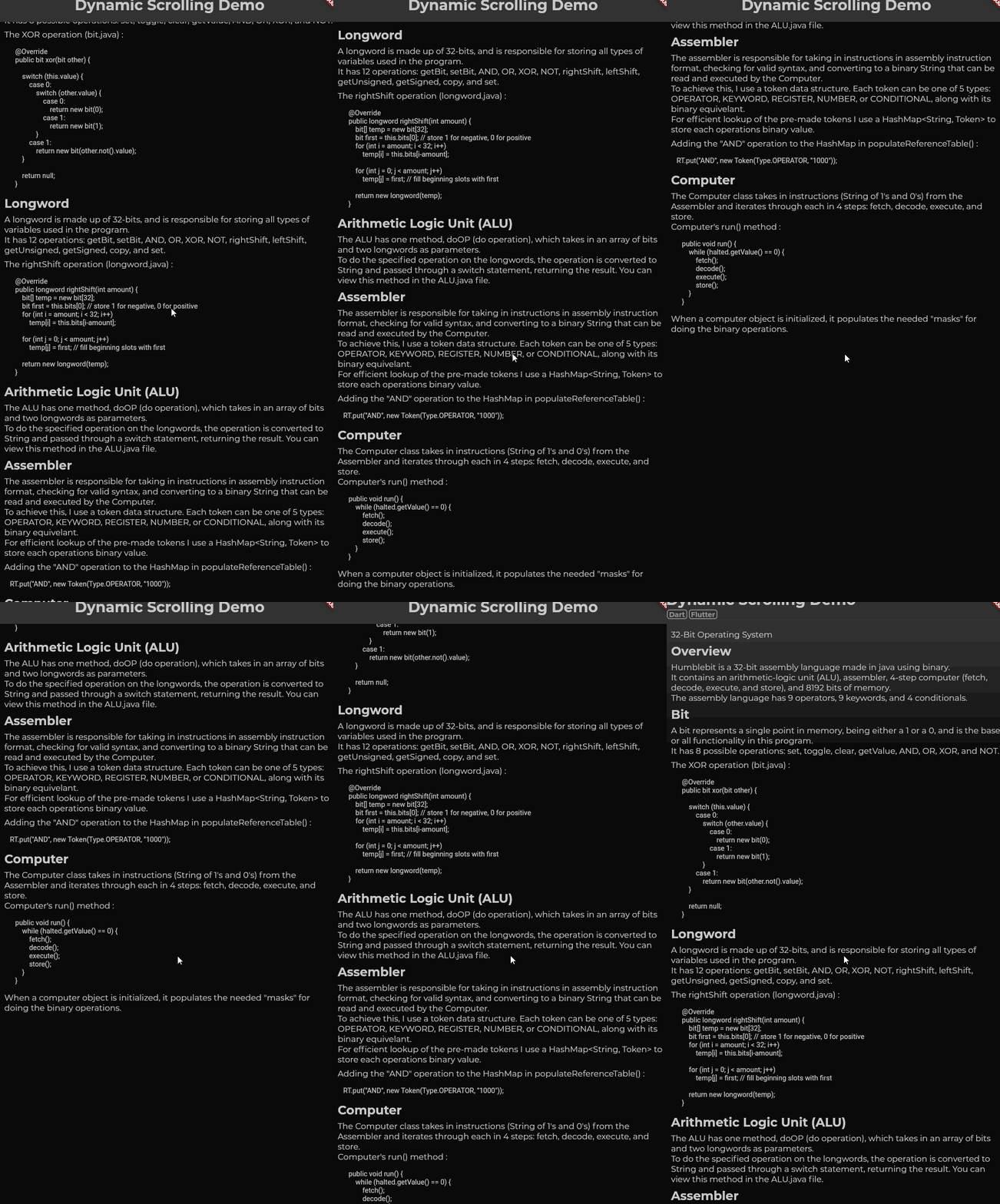
First gif: Scrolling slowly.
Second gif: Scrolling quickly (flick scroll).
Third gif: Mobile drag scroll detected, physics change.

Features

  • Animate smooth scroll based on speed of user's scroll.
  • Automatically detect if the wrong ScrollPhysics is being used and update using provider.
  • Adjust the duration of your scroll events.
  • Choose what mobile physics you would like to use.

Basic Usage

DynMouseScroll(
  builder: (context, controller, physics) => ListView(
    controller: controller,
    physics: physics,
    children: ...
    )
)

With additional settings:

DynMouseScroll(
  durationMS: 500,
  scrollSpeed: 4.4,
  animationCurve: Curves.easeOutQuart,
  builder: (context, controller, physics) => ListView(
    controller: controller,
    physics: physics,
    children: ...
    )
)

Problem:

Flutter does not animate smooth scrolls for pointers, causing choppy experiences for the end user. One package, web_smooth_scroll, attempts to fix this problem by disabling default scrolling entirely (mobile can't drag now) and listening for pointer events to animate the scroll controller that can only move at one speed.

Solution:

To allow mobile default scrolling to still be accessible I detect the user's platform and automatically update if the detection was wrong. When the user scrolls, the 'futurePosition' variable is updated and the animation is started I set the mobile scroll physics as the default one, switching to desktop scroll physics as the mouse wheel scroll is initiated and only starting the animation after the widget is rebuilt; the desktop scroll physics then takes priority over mobile physics, switching back to mobile physics only after the last scroll animation has ended, only if no new scroll wheel action had been initiated in the meantime.

Kategorien

Abhängigkeiten

Abhängigkeiten 1 Einträge

Quell-Repository

Projekte, die dieses Paket verwenden