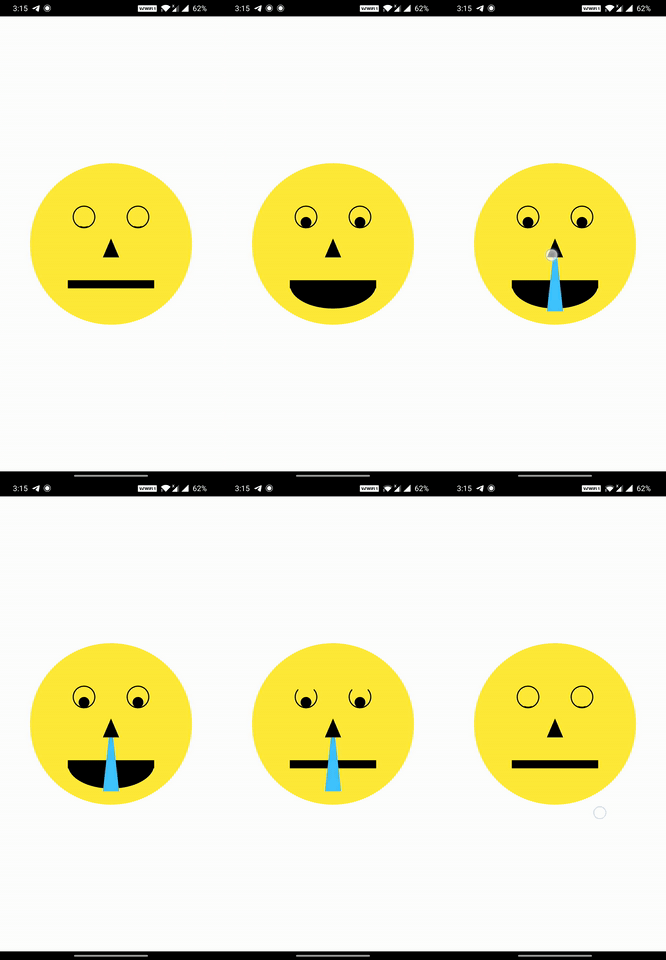
Aus öffentlichen Paketdaten erstellte Orientierung.
Eine Flutter-Bibliothek, die die Gestenerkennung für einzelne Formen ermöglicht, die innerhalb eines CustomPainter gezeichnet wurden. Sie ermöglicht Entwicklern, verschiedene Touch-Callbacks – wie onTap, onLongPress und onPan – an spezifische Formen auf der Zeichenfläche anzuhängen und so die Interaktivität in Zeichen-, Mal- und Unterschrift-Anwendungen zu verbessern. Ideal für interaktive Leinwände, bei denen Benutzer einzelne Elemente anklicken oder bearbeiten können.
Anwendungsfälle
Interaktive Zeichen-Apps
Canvas-basierte Signaturwerkzeuge
gestenbasierte Diagramme
Benutzerdefinierter Pinsel mit Interaktivität auf Formebene
Edukativen Zeichenoberflächen
Hauptmerkmale
Gestenerkennung auf Formebene
Unterstützung für onTap, onLongPress, onPan
Einfache Integration mit CustomPainter
Funktioniert auf allen Flutter-Plattformen
Leichte und fokussierte API
Geeignet für
Entwickler, die interaktive Canvas-Funktionen erstellen
Apps, die Touchfeedback bei gezeichneten Formen erfordern
Benutzer-Schnittstellen mit komplexer Gestenlogik bei benutzerdefinierten Zeichnungen
Hinweise
Beschränkt auf Formen innerhalb von CustomPainter
Überlappende Formen werden standardmäßig nicht behandelt
Erfordert sorgfältige Handhabung der Trefferprüfung bei komplexen Layouts
Original-README
Originaler README-Schnappschuss aus dem verknüpften Quell-Repository. Aktuelle Inhalte finden Sie im Repository.
Flutter library to bring your CustomPainter 🎨 to Life ✨⚡️
touchable library gives you the ability to add various gestures and animations to each Shape you draw on your canvas in the CustomPainter
The CustomPainter lets you only draw shapes on the canvas. But most would want to let user interact with the drawings.
Add all kinds of gesture callbacks to each drawing to give interaction capability to the shapes you draw on the canvas.
Animating individual shapes has never been this easy.
Auto Handles the painting style (filled ▮ , stroke ▯) and detects touch accordingly.
Handles Painting stroke width. So if your shapes are painted thick , we still got it covered ✓
Supports clipping and different clipping modes for the drawings.
Supports HitTestBehavior for each shape.
Simple and Easy API. Just wrap your CustomPaint with CanvasTouchDetector and use the TouchyCanvas in your painter.
With touchable , you get what the normal canvas always missed : touchability 😉
Installation
Add the touchable package as dependency in your pubspec.yaml
dependencies:
  touchable:
Usage
Just Wrap your CustomPaint widget with CanvasTouchDetector. It takes a builder function as argument that expects your CustomPaint widget as shown below.
Inside your CustomPainter class's paint method , create and use the TouchyCanvas object (using the context obtained from the CanvasTouchDetector and canvas) to draw any shape with different gesture callbacks.
var myCanvas = TouchyCanvas(context,canvas);
myCanvas.drawRect( rect , Paint() , onTapDown: (tapDetail){
    //Do stuff here. Probably change your state and animate
});
MyPainter example :
classMyPainterextendsCustomPainter{
finalBuildContext context ;
MyPainter(this.context); // context from CanvasTouchDetector@overridevoidpaint(Canvas canvas, Size size) {
var myCanvas = TouchyCanvas(context,canvas);
myCanvas.drawCircle(Offset(10, 10), 60, Paint()..color=Colors.orange ,
onTapDown: (tapdetail) {
print("orange Circle touched");
},
onPanDown:(tapdetail){
print("orange circle swiped");
}
);
myCanvas.drawLine(
Offset(0, 0),
Offset(size.width - 100, size.height - 100),
Paint()
..color = Colors.black
..strokeWidth = 50,
onPanUpdate: (detail) {
print('Black line Swiped'); //do cooler things here. Probably change app state or animate
});
}
}
When you draw shapes on the canvas (TouchyCanvas) , it keeps track of the dimensions of each shape you draw and their painting style , stroke , order , clippings etc.
When user performs any gesture on the screen , based on the location of the gesture , the appropriate shape is selected from the lot taking clipping regions , paint , hitTest behaviour etc into account in an optimized way. Callbacks of the corresponding shapes (one or more depending on the hitTest behavior) are executed.