पैकेज, रिपॉज़िटरी और ऐप श्रेणियाँ खोजें

animated_bottom_navigation_bar कवर
पैकेज विवरणv1.4.1

animated_bottom_navigation_bar

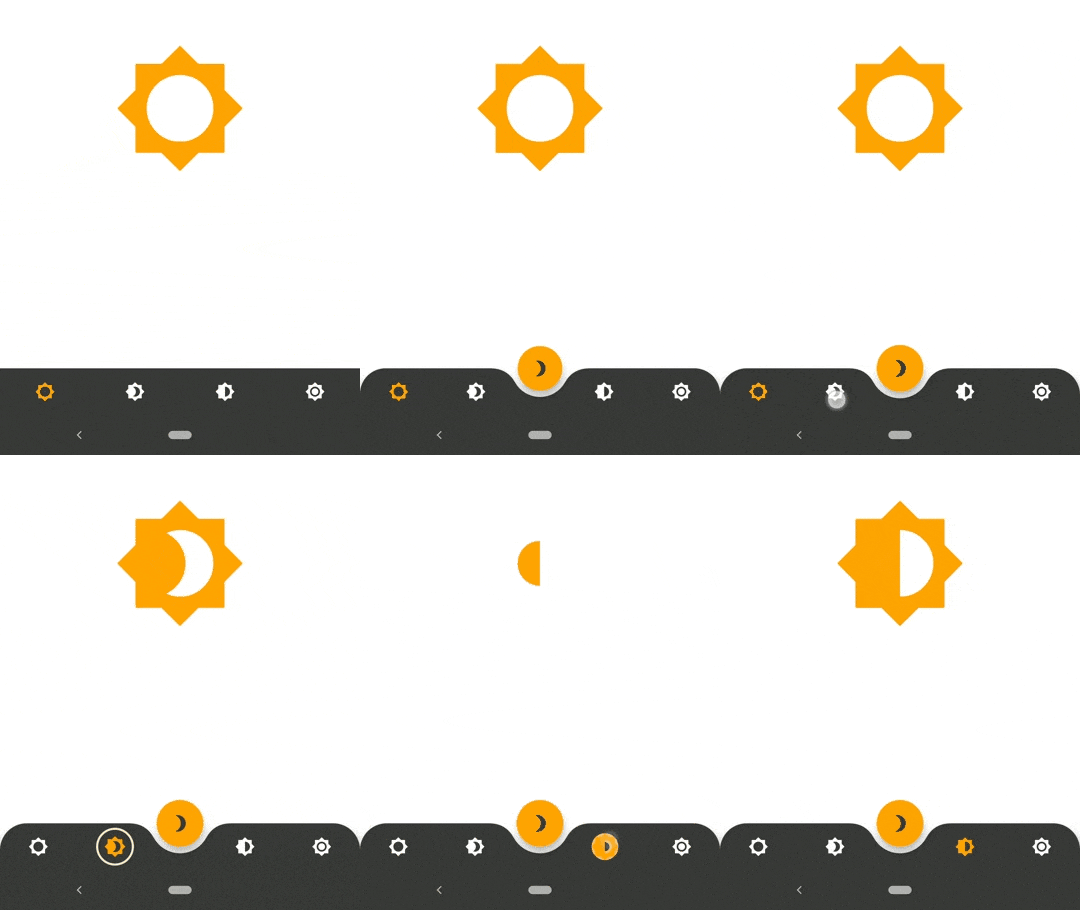
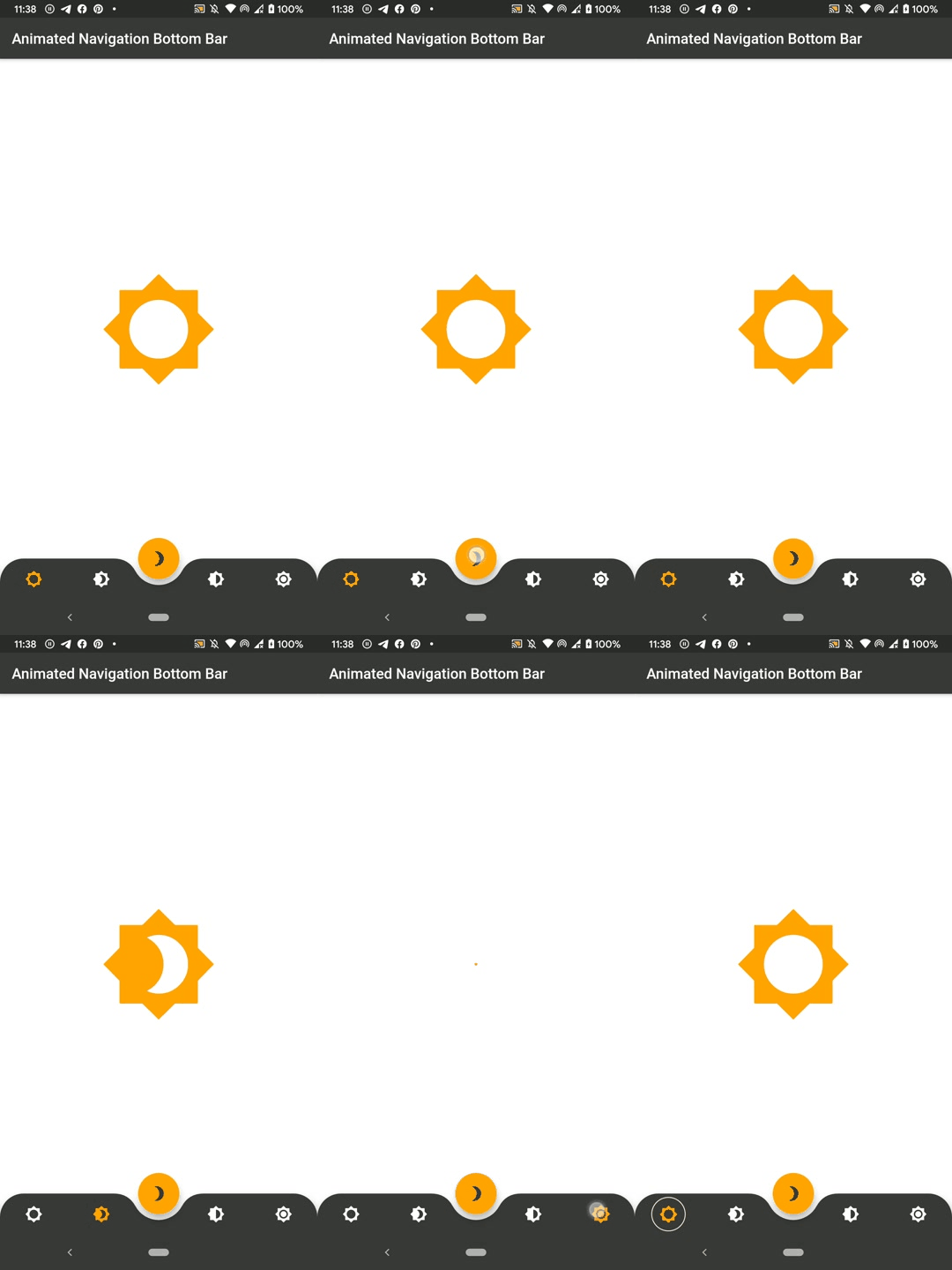
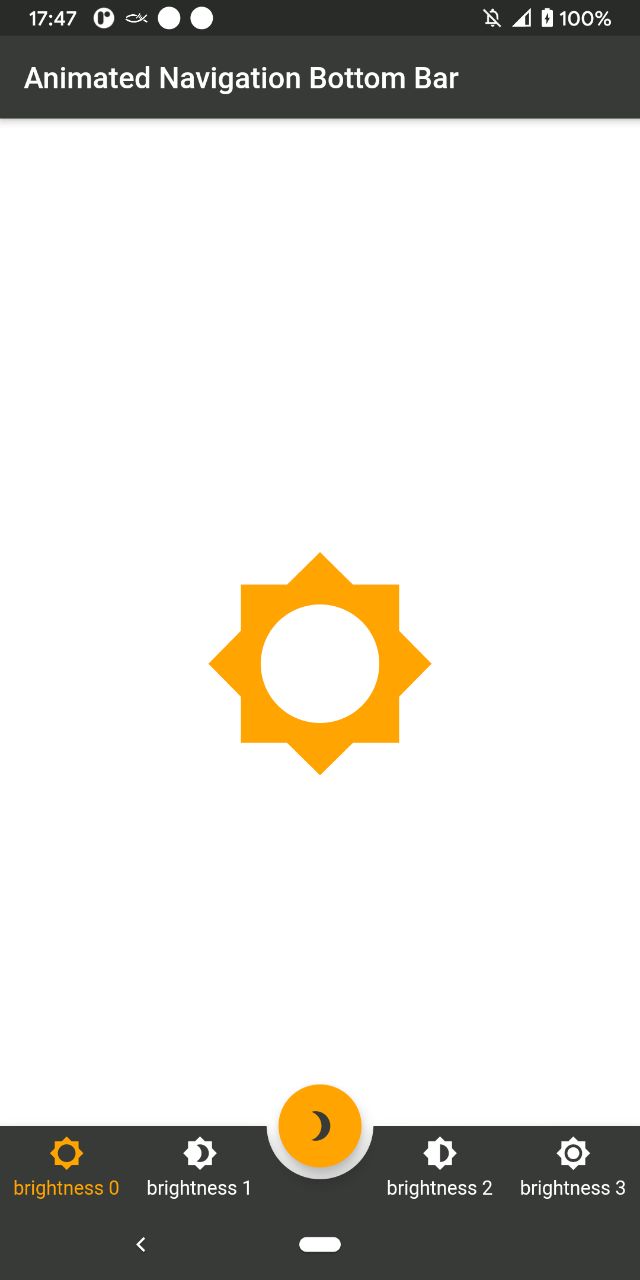
https://dribbble.com/shots/7134849-Simple-Tab-Bar-Animation से प्रेरित एनीमेटेड बॉटम नेविगेशन बार विजेट का कार्यान्वयन

AndroidiOSWebmacOSWindowsLinux
30-दिन डाउनलोड
19.5 हज़ार
लाइक
1.5 हज़ार
Pub अंक
150

पैकेज इंस्टॉल करें

flutter pub add animated_bottom_navigation_bar

पैकेज अवलोकन

सार्वजनिक जानकारी से बना चयन मार्गदर्शन। केवल संदर्भ हेतु।

एक ऐसा फ्लटर पैकेज जो एनिमेटेड बॉटम नेविगेशन बार विजेट प्रदान करता है, जिसकी प्रेरणा Dribbble डिज़ाइन से ली गई है। यह टैब्स के बीच सुचारू, दृश्य रूप से आकर्षक संक्रमण प्रदान करता है, जिसमें कस्टमाइज़ करने योग्य एनिमेशन, रंग और आइकन होते हैं। विजेट हल्का है और किसी भी फ्लटर ऐप में आसानी से एकीकृत किया जा सकता है, जो एंड्रॉइड, आईओएस, वेब, मैकओएस, विंडोज और लिनक्स सहित कई प्लेटफॉर्मों को सपोर्ट करता है। डायनामिक नेविगेशन इंटरफेस के साथ उपयोगकर्ता अनुभव को बढ़ाने के लिए आदर्श है।

उपयोग

  • मोबाइल ऐप नेविगेशन
  • वेब एप्लिकेशन डैशबोर्ड
  • क्रॉस-प्लेटफॉर्म UI सुधार
  • इंटरैक्टिव टैब स्विचिंग
  • आधुनिक ऐप डिज़ाइन

मुख्य विशेषताएँ

  • स्मूथ एनिमेशन संक्रमण
  • कस्टमाइज़ेबल रंग और आइकन
  • प्लेटफॉर्म के आसपास प्रतिक्रियाशील डिज़ाइन
  • मौजूदा Flutter प्रोजेक्ट्स के साथ आसान एकीकरण
  • बहुत अनुकूल प्लेटफ़ॉर्म लक्ष्यों का समर्थन

इनके लिए उपयुक्त

  • आधुनिक UI घटकों की तलाश करने वाले विकासकर्ता
  • डिज़ाइन-केंद्रित फ्लटर एप्लिकेशन
  • आकर्षक नेविगेशन अनुभव की आवश्यकता वाले ऐप्स
  • क्रॉस-प्लेटफॉर्म मोबाइल और वेब ऐप्स
  • इंटरैक्टिव तत्वों का कार्यान्वयन करने वाले UI/UX डिजाइनर

विचार योग्य बातें

  • जटिल लेआउट के लिए अतिरिक्त स्टाइलिंग की आवश्यकता हो सकती है
  • कम-स्तर के उपकरणों पर एनिमेशन प्रदर्शन का परीक्षण किया जाना चाहिए
  • मूल गुणों के आगे सीमित कस्टमाइजेशन
  • 3-5 नेविगेशन आइटम वाले ऐप्स के लिए सबसे उपयुक्त
  • अत्यधिक जटिल नेविगेशन संरचनाओं के लिए सुझाव नहीं है

मूल README

संबंधित सोर्स रिपॉज़िटरी के मूल README का स्नैपशॉट। नवीनतम सामग्री के लिए रिपॉज़िटरी देखें।

SWUbanner

AnimatedBottomNavigationBar is a customizable widget inspired by dribble shot.

pub package

"Buy Me A Coffee"

With AnimatedBottomNavigationBar.builder you are able to customize tab view however you need. In this case you are responsible to handle an active(inactive) state of tabs.

Getting Started

To get started, place your AnimatedBottomNavigationBar or AnimatedBottomNavigationBar.builder in the bottomNavigationBar slot of a Scaffold. The AnimatedBottomNavigationBar respects FloatingActionButton location. For example:

Scaffold(
   body: Container(), //destination screen
   floatingActionButton: FloatingActionButton(
      //params
   ),
   floatingActionButtonLocation: FloatingActionButtonLocation.centerDocked,
   bottomNavigationBar: AnimatedBottomNavigationBar(
      icons: iconList,
      activeIndex: _bottomNavIndex,
      gapLocation: GapLocation.center,
      notchSmoothness: NotchSmoothness.verySmoothEdge,
      leftCornerRadius: 32,
      rightCornerRadius: 32,
      onTap: (index) => setState(() => _bottomNavIndex = index),
      //other params
   ),
);

There is also a more flexible way to build bottomNavigationBar with Builder (see example for more insights):

Scaffold(
   body: Container(), //destination screen
   floatingActionButton: FloatingActionButton(
      //params
   ),
   floatingActionButtonLocation: FloatingActionButtonLocation.centerDocked,
   bottomNavigationBar: AnimatedBottomNavigationBar.builder(
      itemCount: iconList.length,
      tabBuilder: (int index, bool isActive) {
        return Icon(
          iconList[index],
          size: 24,
          color: isActive ? colors.activeNavigationBarColor : colors.notActiveNavigationBarColor,
        );
      activeIndex: _bottomNavIndex,
      gapLocation: GapLocation.center,
      notchSmoothness: NotchSmoothness.verySmoothEdge,
      leftCornerRadius: 32,
      rightCornerRadius: 32,
      onTap: (index) => setState(() => _bottomNavIndex = index),
      //other params
   ),
);

Customization

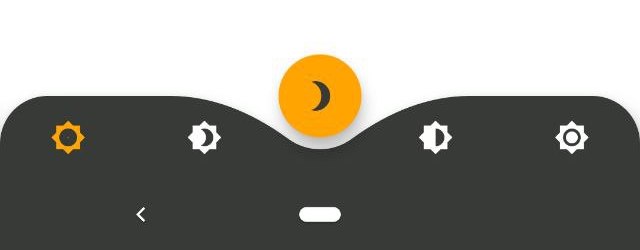
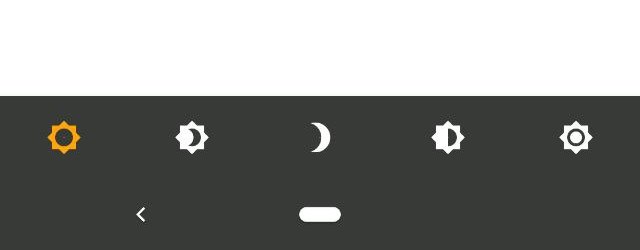
AnimatedBottomNavigationBar is customizable and works with 2, 3, 4, or 5 navigation elements.

Scaffold(
   bottomNavigationBar: AnimatedBottomNavigationBar(
      icons: iconList,
      activeIndex: _bottomNavIndex,
      onTap: (index) => setState(() => _bottomNavIndex = index),
      //other params
   ),
);
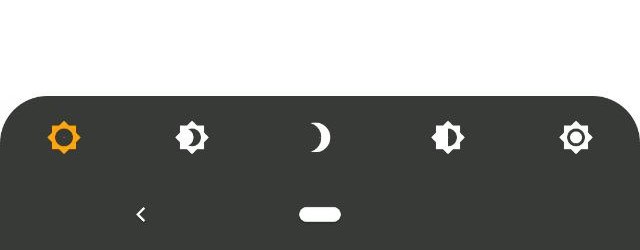
Scaffold(
   bottomNavigationBar: AnimatedBottomNavigationBar(
      icons: iconList,
      activeIndex: _bottomNavIndex,
      leftCornerRadius: 32,
      rightCornerRadius: 32,
      onTap: (index) => setState(() => _bottomNavIndex = index),
      //other params
   ),
);
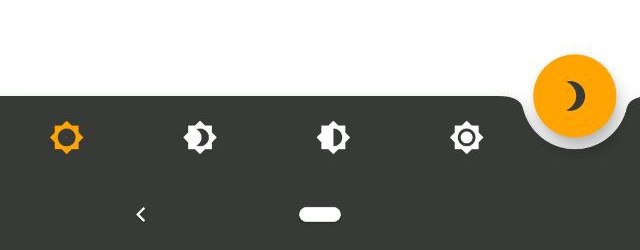
Scaffold(
   floatingActionButton: FloatingActionButton(
      //params
   ),
   floatingActionButtonLocation: FloatingActionButtonLocation.endDocked,
   bottomNavigationBar: AnimatedBottomNavigationBar(
      icons: iconList,
      activeIndex: _bottomNavIndex,
      gapLocation: GapLocation.end,
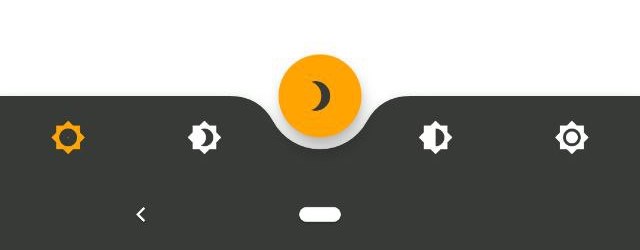
      notchSmoothness: NotchSmoothness.defaultEdge,
      onTap: (index) => setState(() => _bottomNavIndex = index),
      //other params
   ),
);
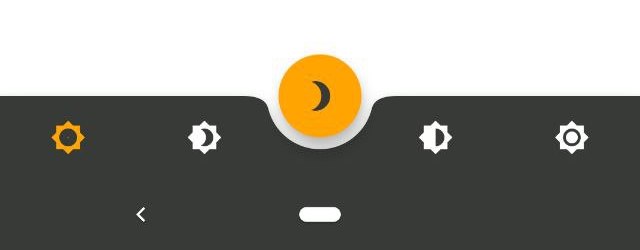
Scaffold(
   floatingActionButton: FloatingActionButton(
      //params
   ),
   floatingActionButtonLocation: FloatingActionButtonLocation.centerDocked,
   bottomNavigationBar: AnimatedBottomNavigationBar(
      icons: iconList,
      activeIndex: _bottomNavIndex,
      gapLocation: GapLocation.center,
      notchSmoothness: NotchSmoothness.defaultEdge,
      onTap: (index) => setState(() => _bottomNavIndex = index),
      //other params
   ),
);
Scaffold(
   floatingActionButton: FloatingActionButton(
      //params
   ),
   floatingActionButtonLocation: FloatingActionButtonLocation.centerDocked,
   bottomNavigationBar: AnimatedBottomNavigationBar(
      icons: iconList,
      activeIndex: _bottomNavIndex,
      gapLocation: GapLocation.center,
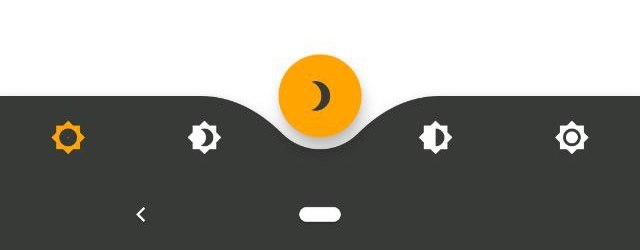
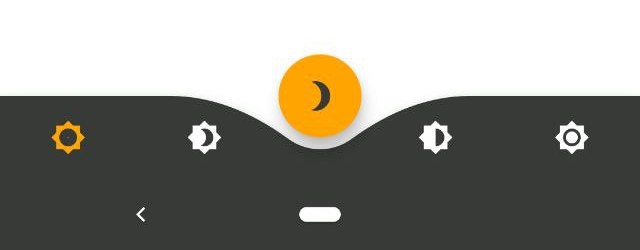
      notchSmoothness: NotchSmoothness.softEdge,
      onTap: (index) => setState(() => _bottomNavIndex = index),
      //other params
   ),
);
Scaffold(
   floatingActionButton: FloatingActionButton(
      //params
   ),
   floatingActionButtonLocation: FloatingActionButtonLocation.centerDocked,
   bottomNavigationBar: AnimatedBottomNavigationBar(
      icons: iconList,
      activeIndex: _bottomNavIndex,
      gapLocation: GapLocation.center,
      notchSmoothness: NotchSmoothness.smoothEdge,
      onTap: (index) => setState(() => _bottomNavIndex = index),
      //other params
   ),
);
Scaffold(
   floatingActionButton: FloatingActionButton(
      //params
   ),
   floatingActionButtonLocation: FloatingActionButtonLocation.centerDocked,
   bottomNavigationBar: AnimatedBottomNavigationBar(
      icons: iconList,
      activeIndex: _bottomNavIndex,
      gapLocation: GapLocation.center,
      notchSmoothness: NotchSmoothness.verySmoothEdge,
      onTap: (index) => setState(() => _bottomNavIndex = index),
      //other params
   ),
);

Driving Navigation Bar Changes

You have to change the active navigation bar tab programmatically by passing a new activeIndex to the AnimatedBottomNavigationBar widget.

class _MyAppState extends State<MyApp> {
  int activeIndex;

  /// Handler for when you want to programmatically change
  /// the active index. Calling `setState()` here causes
  /// Flutter to re-render the tree, which `AnimatedBottomNavigationBar`
  /// responds to by running its normal animation.
  void _onTap(int index) {
    setState((){
      activeIndex = index;
    });
  }

  Widget build(BuildContext context) {
    return AnimatedBottomNavigationBar(
      activeIndex: activeIndex,
      onTap: _onTap,
      //other params
    );
  }
}

श्रेणियाँ

सोर्स रिपॉज़िटरी

इस पैकेज का उपयोग करने वाले प्रोजेक्ट