पैकेज, रिपॉज़िटरी और ऐप श्रेणियाँ खोजें

drag_and_drop_lists कवर
पैकेज विवरणv0.4.2

drag_and_drop_lists

एक फ्लटर पैकेज जो दो-स्तरीय सूचियों के ड्रैग-एंड-ड्रॉप पुनर्व्यवस्था की अनुमति देता है।

AndroidiOSWebmacOSWindowsLinux
30-दिन डाउनलोड
20.6 हज़ार
लाइक
457
Pub अंक
150

पैकेज इंस्टॉल करें

flutter pub add drag_and_drop_lists

पैकेज अवलोकन

सार्वजनिक जानकारी से बना चयन मार्गदर्शन। केवल संदर्भ हेतु।

एक फ्लटर पैकेज जो दो-स्तरीय नेस्टेड सूचियों में ड्रैग-एंड-ड्रॉप पुनर्क्रमण की अनुमति देता है। यह बहु-स्तरों के बीच आइटम को पुनर्व्यवस्थित करने के लिए सहज उपयोगकर्ता अंतरक्रिया का समर्थन करता है, जिससे यह हायरार्किकल डेटा को व्यवस्थित करने के लिए आदर्श है। यह पैकेज सभी प्रमुख प्लेटफॉर्म्स जैसे Android, iOS, Web, macOS, Windows और Linux के साथ संगत है। सरलता और प्रदर्शन के लिए डिज़ाइन किया गया, यह मौजूदा फ्लटर ऐप्स में बिना जटिल सेटअप के बिल्कुल भी एकीकृत हो सकता है। विकासकर्ता न्यूनतम कोड के साथ बातचीत वाली सूची संरचनाओं को आसानी से लागू कर सकते हैं। स्रोत कोड लेखन के लिए GitHub पर सार्वजनिक रूप से उपलब्ध है, जिससे पारदर्शिता और योगदान को सुनिश्चित किया जाता है।

उपयोग

  • नेस्टेड टास्क सूचियों को पुनर्व्यवस्थित करना
  • कस्टमाइज़ करने योग्य डैशबोर्ड बनाना
  • क्रमबद्ध श्रेणी-उपश्रेणी संरचना बनाना
  • इंटरैक्टिव टो-डू एप्लिकेशन डिज़ाइन करना
  • ड्रैग और ड्रॉप फ़ाइल या आइटम संगठन को लागू करना

मुख्य विशेषताएँ

  • दो-स्तरीय सूची समर्थन
  • क्रॉस-लेवल ड्रैग-एंड-ड्रॉप
  • प्लेटफॉर्म-अनुकूल वास्तविकीकरण
  • आवश्यक बॉयलरप्लेट कम है
  • निर्मित एनीमेशन हैंडलिंग
  • सार्वजनिक गिटहब भंडार

इनके लिए उपयुक्त

  • हायरार्किकल UI बना रहे डेवलपर्स
  • गतिशील सूची पुनर्व्यवस्था की आवश्यकता वाले ऐप्स
  • नेस्टेड डेटा संरचनाओं वाले प्रोजेक्ट्स
  • UI-भारी उत्पादकता उपकरण
  • ओपन-सोर्स, बनाए रखने योग्य समाधान चाहने वाली टीमें

विचार योग्य बातें

  • दो-स्तरीय निर्माण तक सीमित
  • जटिल लेआउट के लिए कस्टम स्टाइलिंग की आवश्यकता हो सकती है
  • बहुत बड़ी सूचियों के साथ प्रदर्शन में कमी आ सकती है
  • बेसिक ड्रैगिंग के अलावा टच गेस्चर के लिए अनअप्टाइमाइज़्ड
  • ड्रॉप लक्ष्यों के लिए कोई निर्मित वैधता नहीं है

मूल README

संबंधित सोर्स रिपॉज़िटरी के मूल README का स्नैपशॉट। नवीनतम सामग्री के लिए रिपॉज़िटरी देखें।

drag_and_drop_lists

Two-level drag and drop reorderable lists.

"Buy Me A Coffee"

Features

  • Reorder elements between multiple lists
  • Reorder lists
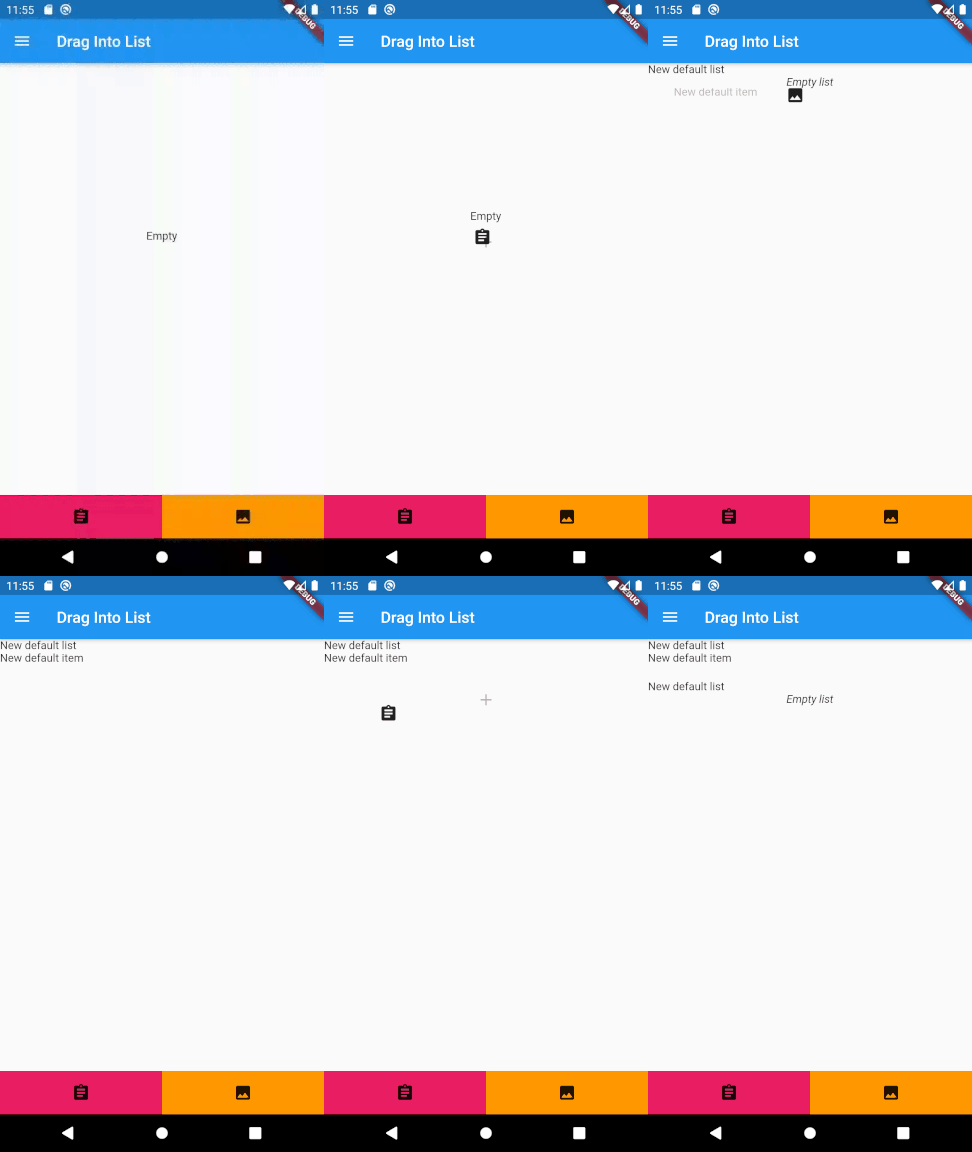
  • Drag and drop new elements from outside of the lists
  • Vertical or horizontal layout
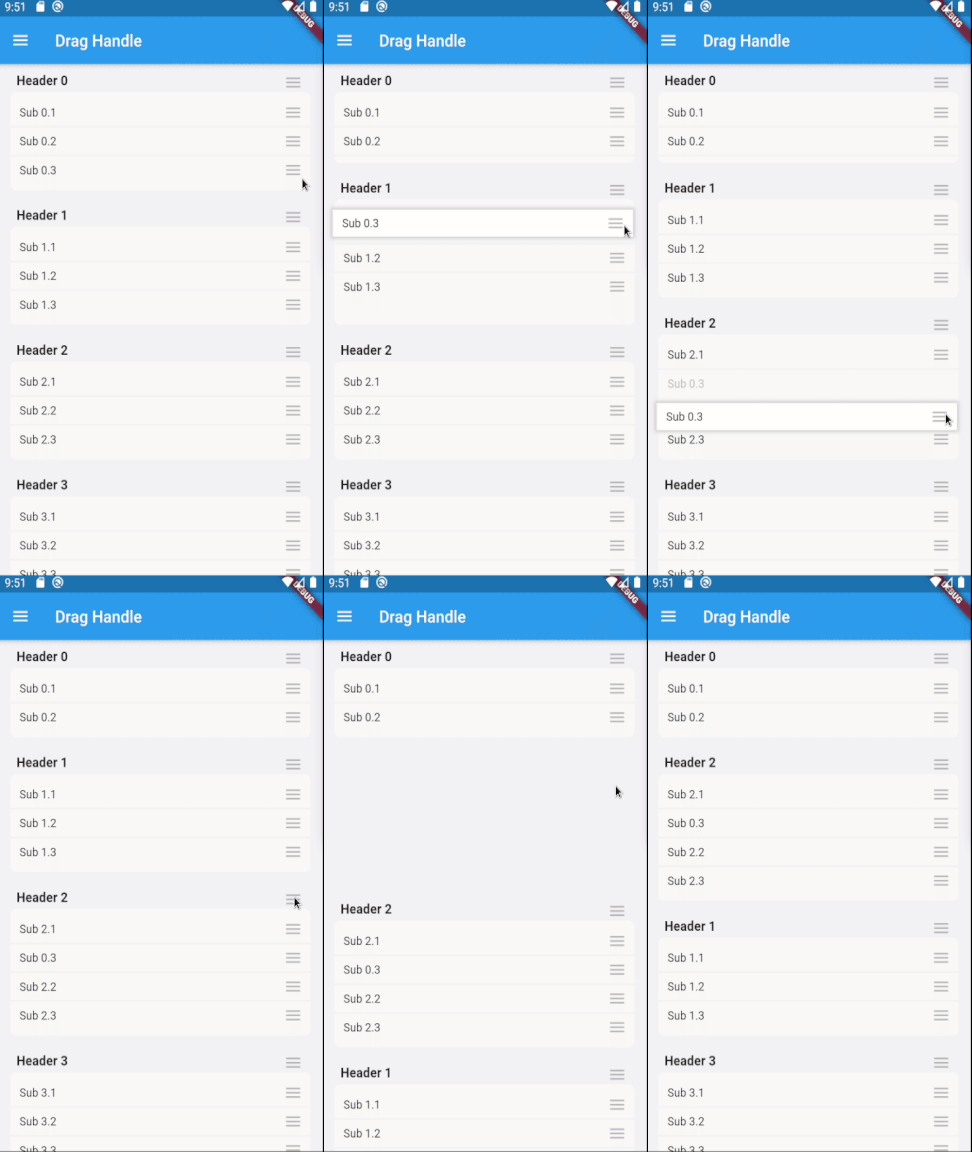
  • Use with drag handles, long presses, or short presses
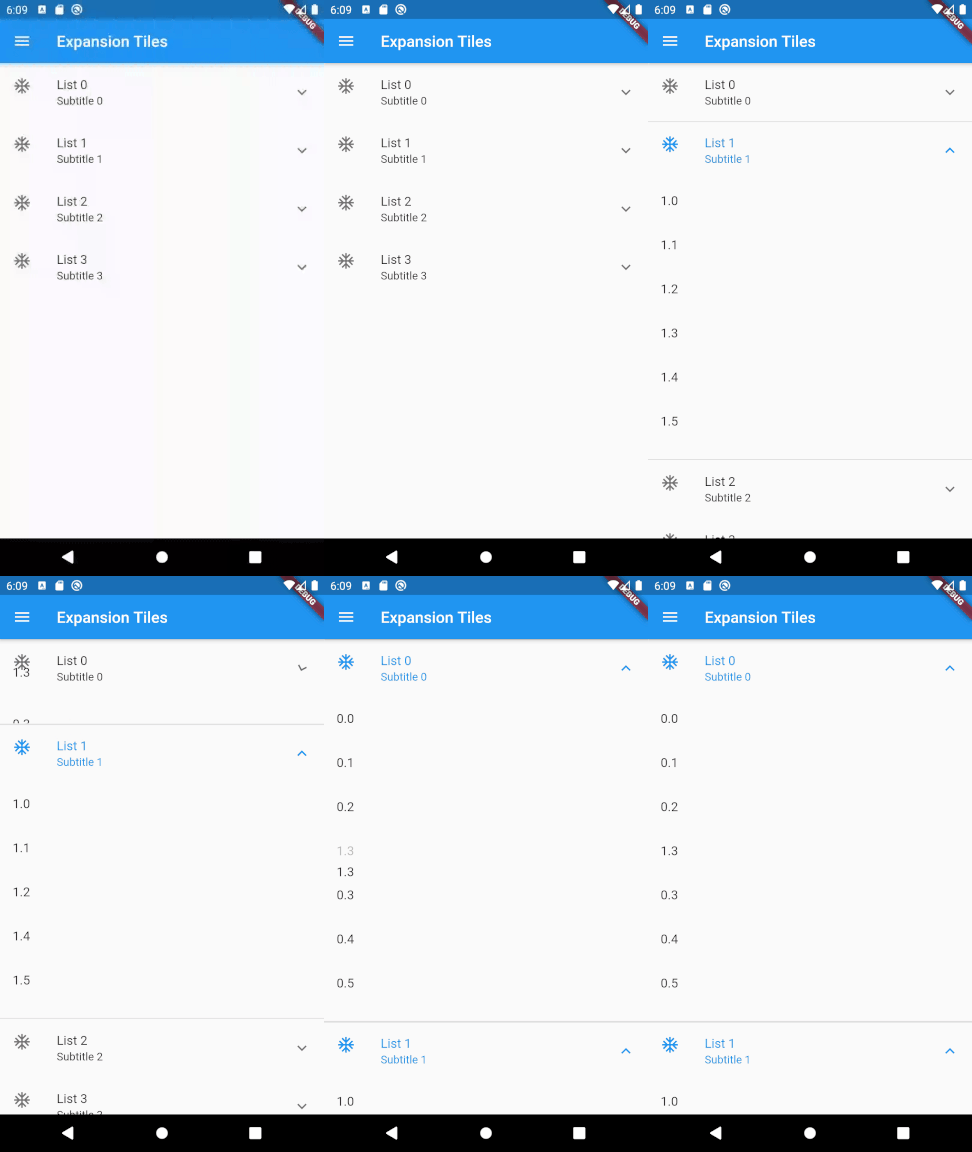
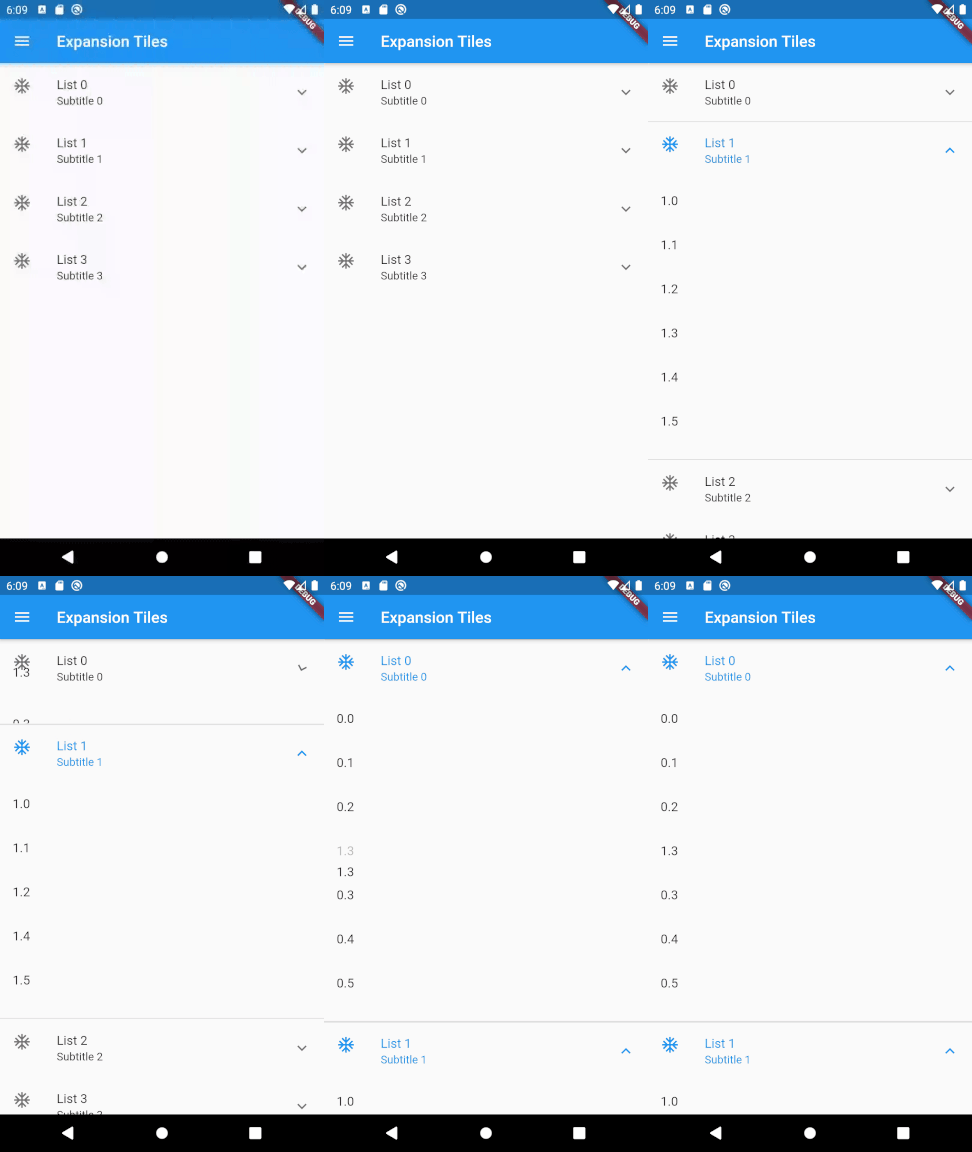
  • Expandable lists
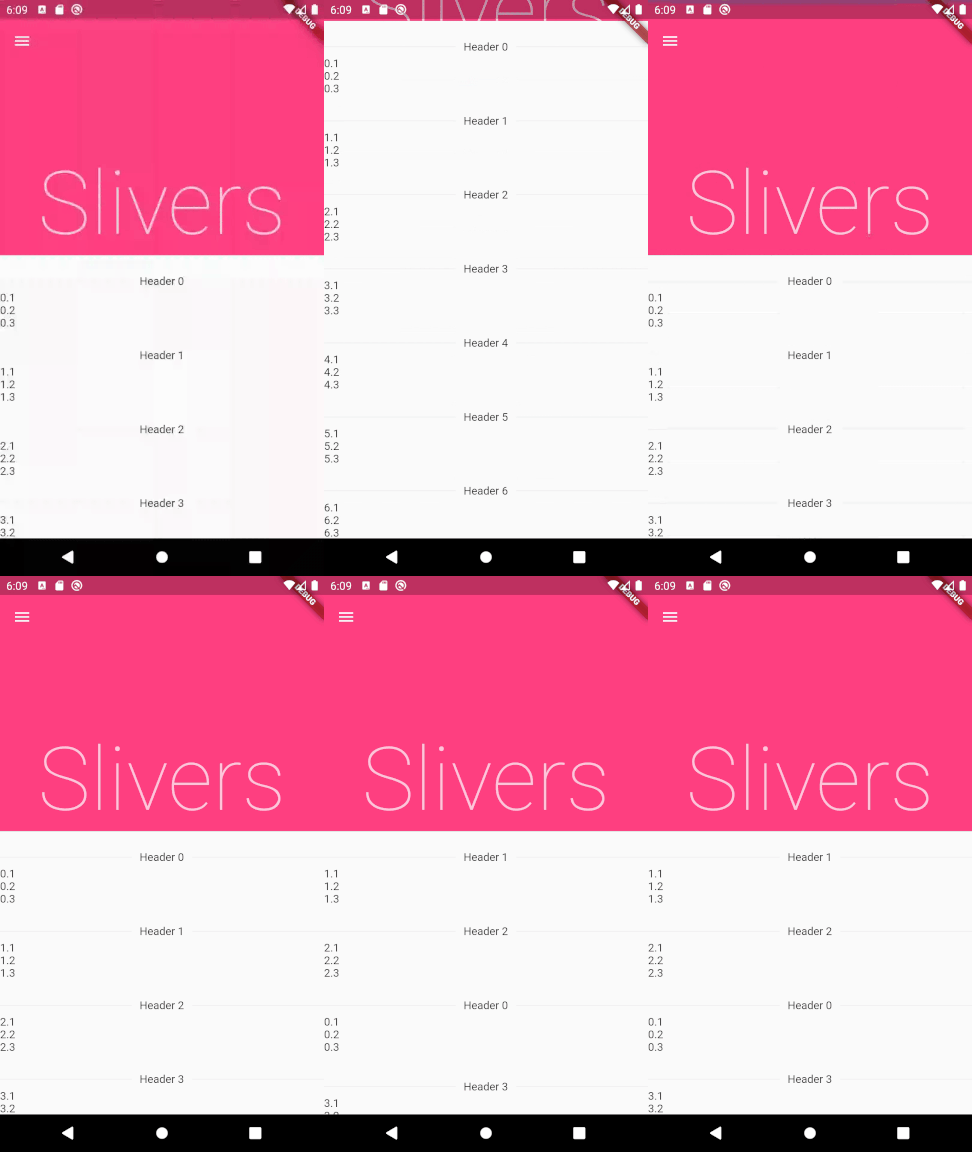
  • Can be used in slivers
  • Prevent individual lists/elements from being able to be dragged
  • Easy to extend with custom layouts

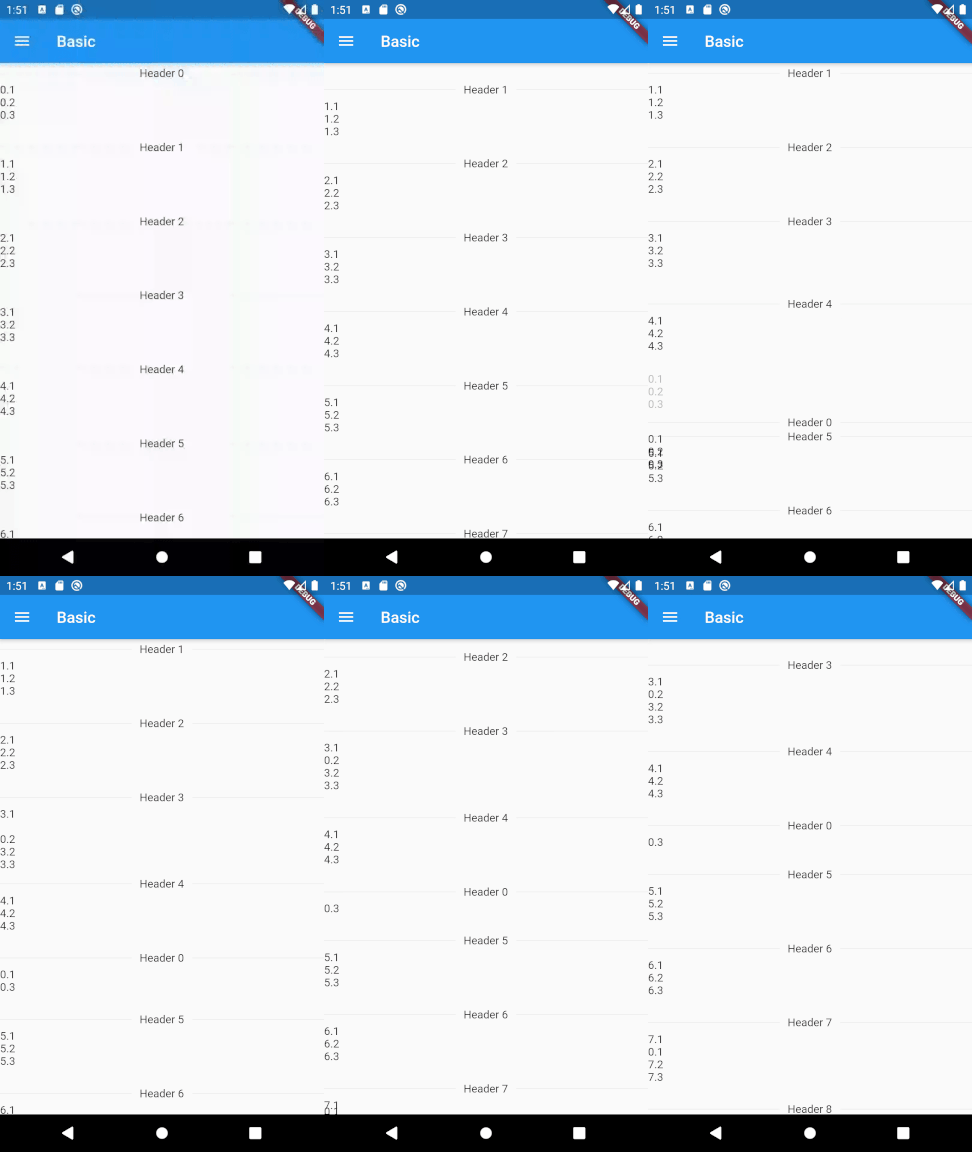
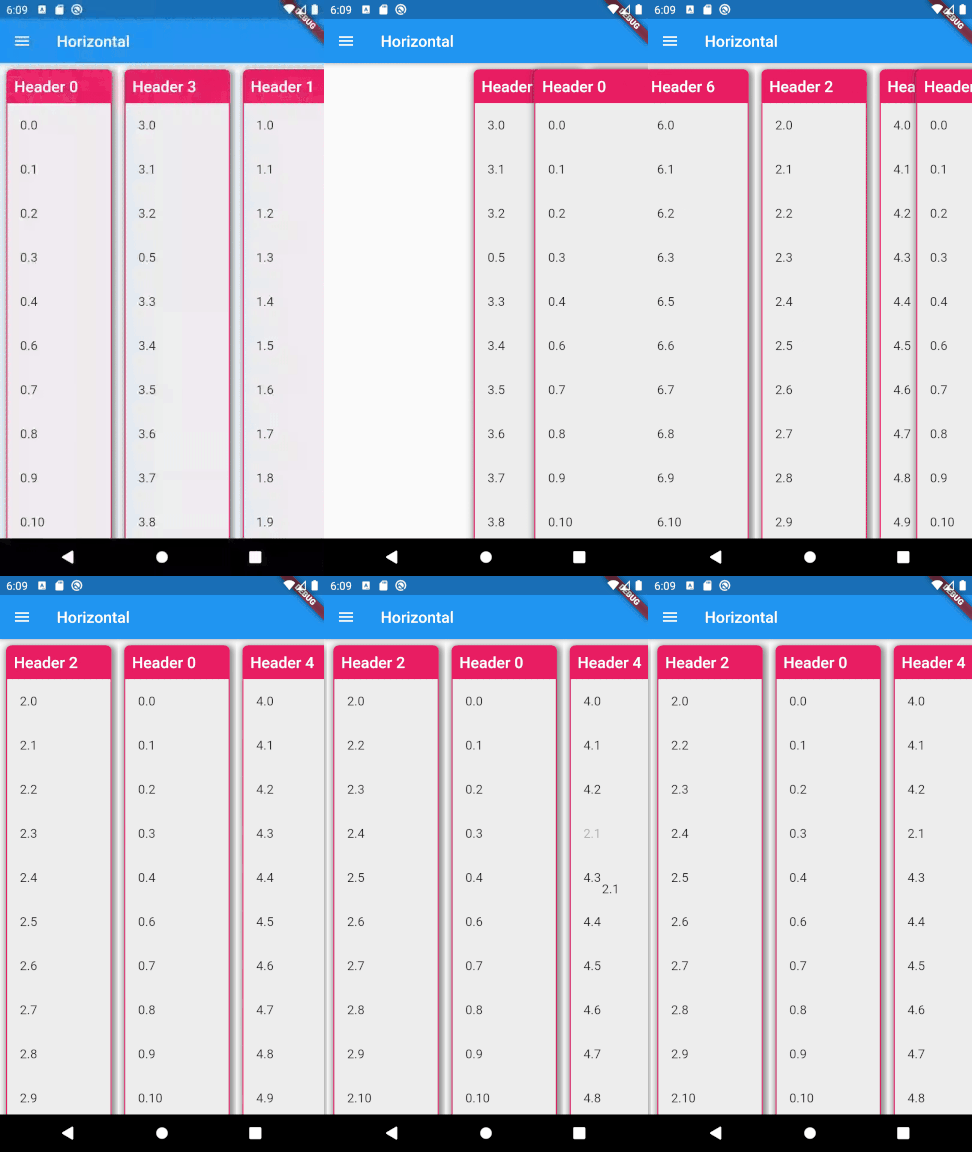
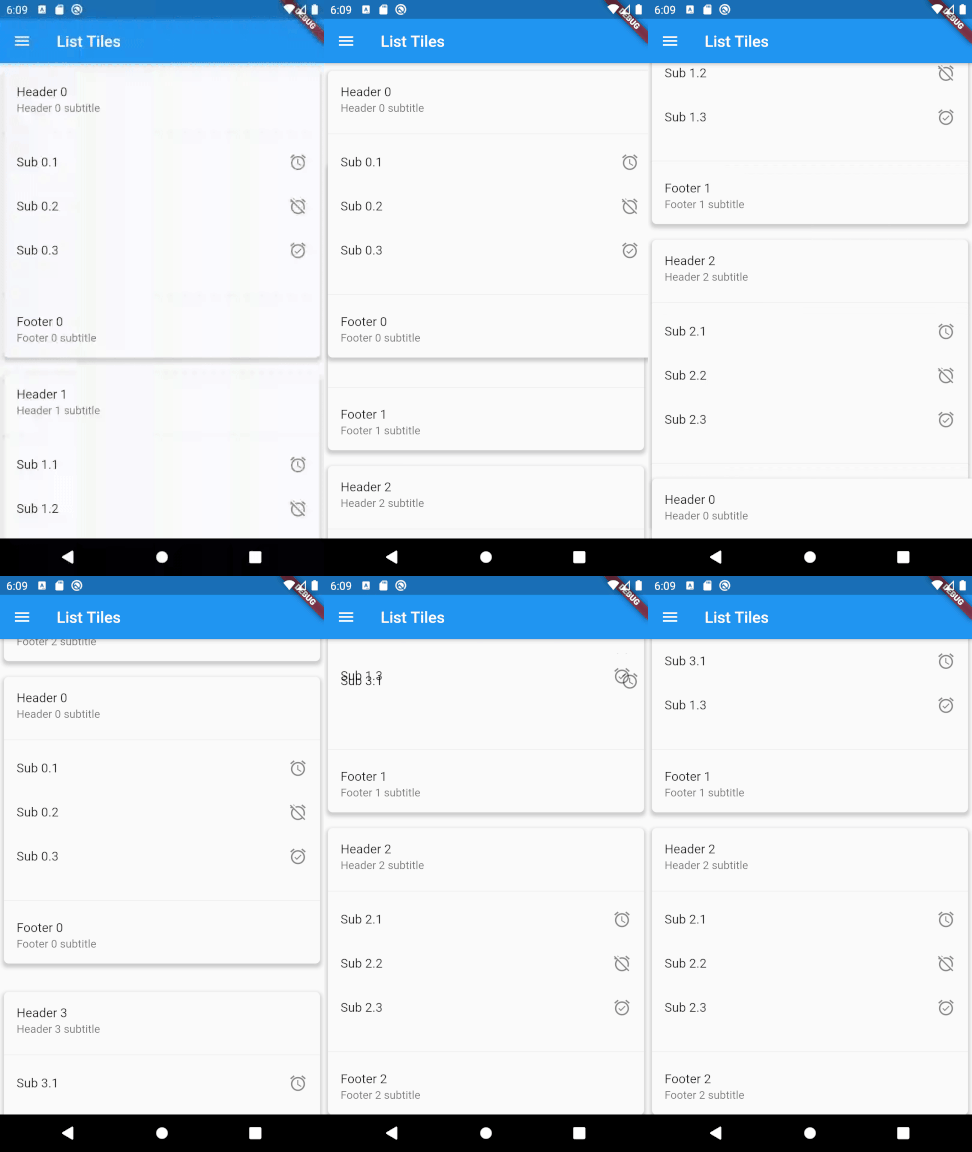
Basic list Drag and drop expansion tiles Drag and drop using drag handles Drag and drop new lists and new items Drag and drop horizontal lists Drag and drop list tiles Drag and drop lists using slivers

Usage

To use this plugin, add drag_and_drop_lists as a dependency in your pubspec.yaml file. For example:

dependencies:
  drag_and_drop_lists: ^0.4.0

Now in your Dart code, you can use: import 'package:drag_and_drop_lists/drag_and_drop_lists.dart';

To add the lists, add a DragAndDropLists widget. Set its children to a list of DragAndDropList. Likewise, set the children of DragAndDropList to a list of DragAndDropItem. For example:

  // Outer list
  List<DragAndDropList> _contents;

  @override
  void initState() {
    super.initState();

    // Generate a list
    _contents = List.generate(10, (index) {
      return DragAndDropList(
        header: Text('Header $index'),
        children: <DragAndDropItem>[
          DragAndDropItem(
            child: Text('$index.1'),
          ),
          DragAndDropItem(
            child: Text('$index.2'),
          ),
          DragAndDropItem(
            child: Text('$index.3'),
          ),
        ],
      );
    });
  }

  @override
  Widget build(BuildContext context) {
    // Add a DragAndDropLists. The only required parameters are children,
    // onItemReorder, and onListReorder. All other parameters are used for
    // styling the lists and changing its behaviour. See the samples in the
    // example app for many more ways to configure this.
    return DragAndDropLists(
      children: _contents,
      onItemReorder: _onItemReorder,
      onListReorder: _onListReorder,
    );
  }

  _onItemReorder(int oldItemIndex, int oldListIndex, int newItemIndex, int newListIndex) {
    setState(() {
      var movedItem = _contents[oldListIndex].children.removeAt(oldItemIndex);
      _contents[newListIndex].children.insert(newItemIndex, movedItem);
    });
  }

  _onListReorder(int oldListIndex, int newListIndex) {
    setState(() {
      var movedList = _contents.removeAt(oldListIndex);
      _contents.insert(newListIndex, movedList);
    });
  }

For further examples, see the example app or view the example code directly.

श्रेणियाँ

सोर्स रिपॉज़िटरी

इस पैकेज का उपयोग करने वाले प्रोजेक्ट