पैकेज, रिपॉज़िटरी और ऐप श्रेणियाँ खोजें

easy_dynamic_theme कवर
पैकेज विवरणv2.3.1

easy_dynamic_theme

ऑपरेटिंग सिस्टम द्वारा परिभाषित थीम (डायनामिक) को स्वचालित रूप से प्राप्त करें, अपने पसंदीदा थीम (हल्का / गहरा) को बल दें और चयन को डिवाइस में स्थायी रूप से संग्रहीत करें।

AndroidiOSWebmacOSWindowsLinux
30-दिन डाउनलोड
1.5 हज़ार
लाइक
125
Pub अंक
150

पैकेज इंस्टॉल करें

flutter pub add easy_dynamic_theme

पैकेज अवलोकन

सार्वजनिक जानकारी से बना चयन मार्गदर्शन। केवल संदर्भ हेतु।

EasyDynamicTheme एक Flutter पैकेज है जो सिस्टम के प्राथमिक थीम (हल्का या डार्क मोड) का स्वचालित रूप से निर्धारण करके थीम प्रबंधन को सरल बनाता है, विकासकर्ताओं को एक विशिष्ट थीम को लागू करने की अनुमति देता है, और ऐप रीस्टार्ट के बाद उपयोगकर्ता की पसंद को स्थायी रूप से बनाए रखता है। यह Android, iOS, Web, macOS, Windows और Linux सहित सभी प्रमुख प्लेटफॉर्म का समर्थन करता है। पैकेज Flutter के थीम सिस्टम के साथ बिना किसी बाधा के एकीकृत होता है, बॉइलरप्लेट को कम करता है और एडेप्टिव डिज़ाइन के माध्यम से उपयोगकर्ता अनुभव को बढ़ाता है। यह उपयोगकर्ता सेटिंग्स और डिवाइस के व्यवहार के आधार पर एक सुसंगत और व्यक्तिगत UI प्रदान करने के लक्ष्य वाले ऐप्स के लिए आदर्श है।

उपयोग

  • प्रणाली थीम के आधार पर एडेप्टिव UI
  • उपयोगकर्ता थीम प्र préferance को संरक्षित करना
  • हल्के या गहरे मोड को लागू करना
  • प्लेटफॉर्म के बीच विषय सुसंगतता
  • बड़े ऐप्स में थीम लॉजिक को सरल बनाना
  • प्रवेश विशेषताओं का समर्थन करना

मुख्य विशेषताएँ

  • स्वचालित ओएस थीम डिटेक्शन
  • स्थायी थीम स्टोरेज
  • आसान थीम स्विचिंग
  • सभी फ्लटर प्लेटफॉर्म के लिए समर्थन
  • आवश्यक सेटअप न्यूनतम
  • एम्बेडेड थीम प्रदाता

इनके लिए उपयुक्त

  • सरल थीम प्रबंधन की तलाश में विकासकर्ता
  • डार्क/लाइट मोड समर्थन की आवश्यकता वाले ऐप्स
  • कई प्लेटफॉर्म के लक्षित प्रोजेक्ट्स
  • कम बॉयलरप्लेट कोड चाहने वाली टीमें
  • उपयोगकर्ता अनुभव पर केंद्रित ऐप्स
  • प्राप्त करने योग्य अनुप्रयोग

विचार योग्य बातें

  • थीम रीबिल्ड के लिए हस्तचालित संभाल की आवश्यकता होती है
  • मूल थीम के आगे सीमित कस्टमाइजेशन
  • समय के दौरान डायनामिक थीम अपडेट समर्थित नहीं है
  • स्थिर थीम विकल्प वाले ऐप्स के लिए सबसे उपयुक्त
  • जटिल थीम स्थितियों के लिए अतिरिक्त तर्क की आवश्यकता हो सकती है
  • स्थायीकरण के लिए shared_preferences पर निर्भर है

मूल README

संबंधित सोर्स रिपॉज़िटरी के मूल README का स्नैपशॉट। नवीनतम सामग्री के लिए रिपॉज़िटरी देखें।

Easy Dynamic Theme

This is a new and easy approach on Flutter Themes.

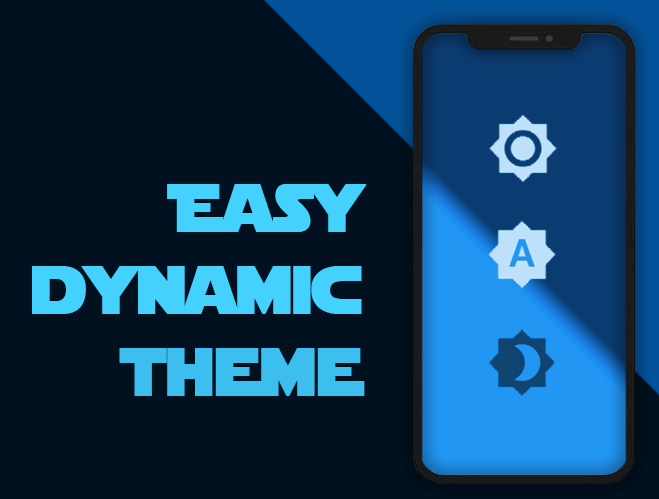
Automatically get your OS defined Theme (Dynamic), force your prefered one (Light / Dark) and persist your choice in the device.

Pub Version flutter tests Codacy Badge codecov GitHub BuyMeACoffee

Easy peasy, don't you think? ;)

Demo

Getting Started

For help getting started with Flutter, view our online documentation, which offers tutorials, samples, guidance on mobile development, and a full API reference.

Minimum Requirements

  • Dart SDK: >=2.12.0 <3.0.0
  • Flutter: >= 1.20.0

Installation and Usage

Once you're familiar with Flutter you may install this package adding easy_dynamic_theme to the dependencies list
of the pubspec.yaml file as follow:

dependencies:  
  flutter: 
    sdk: flutter  
 easy_dynamic_theme: ^2.2.0

Then run the command flutter packages get on the console.

Examples of use

All magic occurs in your main.dart file

import 'package:flutter/material.dart';
import 'package:easy_dynamic_theme/easy_dynamic_theme.dart';
import 'home.dart';

void main() async { 
  runApp( 
    EasyDynamicThemeWidget( 
      child: MyApp(), 
    ), 
  );
}  
  
class MyApp extends StatelessWidget {  
  final String title = 'EDT - Example'; 
   
  @override 
  Widget build(BuildContext context) { 
    return MaterialApp( 
      title: title, 
      theme: ThemeData.light(), 
      darkTheme: ThemeData.dark(), 
      themeMode: EasyDynamicTheme.of(context).themeMode, 
      home: new MyHomePage(title: title,) 
    ); 
  }
}  
How to use predefined Themes

You can use your own themes as follows:

In the file themes.dart define your Themes

  import 'package:flutter/material.dart';
  
  var lightThemeData = new ThemeData(
      primaryColor: Colors.blue,
      textTheme: new TextTheme(button: TextStyle(color: Colors.white70)),
      brightness: Brightness.light,
      accentColor: Colors.blue);
  
  var darkThemeData = ThemeData(
      primaryColor: Colors.blue,
      textTheme: new TextTheme(button: TextStyle(color: Colors.black54)),
      brightness: Brightness.dark,
      accentColor: Colors.blue);

And then in your main.dart file import your themes file and use them on MaterialApp attributes theme and darkTheme

import 'package:flutter/material.dart';
import 'package:easy_dynamic_theme/easy_dynamic_theme.dart';
import 'theme.dart';
import 'home.dart';

void main() async { 
  runApp( 
    EasyDynamicThemeWidget( 
      child: MyApp(), 
    ), 
  );
}  
  
class MyApp extends StatelessWidget {  
  final String title = 'EDT - Example'; 
   
  @override
  Widget build(BuildContext context) { 
    return MaterialApp( 
      title: title, 
      theme: lightThemeData, 
      darkTheme: darkThemeData, 
      themeMode: EasyDynamicTheme.of(context).themeMode, 
      home: new MyHomePage(title: title,) 
    ); 
  }
}  
How to change the ThemeMode in your app

You can use the function changeTheme from anywhere in your app.

This function have two optional parameters: dynamic and dark. If the value of dynamic is true, it takes precedence over dark.

  EasyDynamicTheme.of(context).changeTheme();
How to get your app current theme
Current app ThemeMode
ThemeMode themeMode = EasyDynamicTheme.of(context).themeMode;  

The above example will return a value of the enum used by MaterialApp's ThemeMode with one of the following values:

system - Use either the light or dark theme based on what the user has selected in the system settings.

light - Always use the light mode regardless of system preference.

dark - Always use the dark mode (if available) regardless of system preference.

Current Context brightness
Brightness brightness = Theme.of(context).brightness;  

Or if you want to know if your widget is dark mode based, you can achieve it with:

bool isDarkModeOn = Theme.of(context).brightness == Brightness.dark;  
What about some out-of-the-box widgets?
Right now we have
  • EasyDynamicThemeBtn, which is (kind of) a FlatButton that displays the icon according to the current theme of your app and allows you to switch between them.
  • EasyDynamicThemeSwitch, which is a Switch widget, based on the current theme's brightness of your context and allows you to switch between light/dark them.
  • EasyDynamicThemeAutoSwitch, which is a Switch widget, based on the current theme of your app and allows you to prioritize (or not) your OS defined brightness.

श्रेणियाँ

निर्भरताएँ

निर्भरता सूची 1 आइटम

सोर्स रिपॉज़िटरी

इस पैकेज का उपयोग करने वाले प्रोजेक्ट
