सार्वजनिक जानकारी से बना चयन मार्गदर्शन। केवल संदर्भ हेतु।
flutter_tags एक Flutter पैकेज है जो चयन करने योग्य और आवेदन-आधारित टैग के निर्माण को सरल बनाता है, जिसमें उपलब्ध और उपयोगकर्ता द्वारा दर्ज किए गए टैग दोनों के लिए कार्यक्षमता शामिल है। इसमें टैग जोड़ने, हटाने और चयन करने के लिए एक सुगम इंटरफेस और आंतरिक समर्थन है, जो फॉर्म, फ़िल्टर या टैगिंग प्रणाली के लिए आदर्श है। पैकेज डायनामिक इनपुट के लिए TextField के साथ बिना किसी बाधा के एकीकृत है और शैली और कॉलबैक के माध्यम से कस्टमाइज़ करने के लिए समर्थन प्रदान करता है। यह हल्का है और जटिल सेटअप के बिना उपयोग में आसान बनाने के लिए डिज़ाइन किया गया है।
उपयोग
टैग चयन के साथ फॉर्म इनपुट
उपयोगकर्ता-उत्पादित सामग्री टैगिंग
डायनामिक टैग के साथ इंटरफेस फ़िल्टर करना
टैग-आधारित खोज कार्यक्षमता
वास्तविक समय प्रतिक्रिया के साथ इंटरैक्टिव फॉर्म तत्व
मुख्य विशेषताएँ
चयन योग्य और संपाद्य टैग
निर्मित टेक्स्टफील्ड एकीकरण
कस्टमाइज़ किए गए दिखावट और व्यवहार
आसान टैग जोड़ना/हटाना संचालन
पूर्वनिर्धारित और डायनामिक टैग दोनों का समर्थन करता है
इनके लिए उपयुक्त
इंटरैक्टिव फॉर्म बनाने वाले डेवलपर्स
टैग-आधारित फ़िल्टरिंग की आवश्यकता वाले ऐप्स
गतिशील टैग प्रबंधन की आवश्यकता वाले UI घटक
स्पष्ट, निर्मल टैग इंटरफेस पर केंद्रित परियोजनाएँ
टैग-भारी फीचर्स के लिए त्वरित प्रोटोटाइपिंग
विचार योग्य बातें
सीमित प्लेटफॉर्म-विशिष्ट कस्टमाइजेशन
इनपुट टैग के लिए कोई निर्मित वैधता नहीं है
जटिल लेआउट के लिए अतिरिक्त स्टाइलिंग की आवश्यकता हो सकती है
बहुत बड़ी टैग सूचियों के लिए अनअनुकूलित
उन्नत विशेषताओं के लिए बाहरी निर्भरताओं पर निर्भर करता है
मूल README
संबंधित सोर्स रिपॉज़िटरी के मूल README का स्नैपशॉट। नवीनतम सामग्री के लिए रिपॉज़िटरी देखें।
flutter_tags
Create beautiful tags quickly and easily.
Installing
Add this to your package's pubspec.yaml file:
dependencies:
  flutter_tags: "^0.4.9+1"
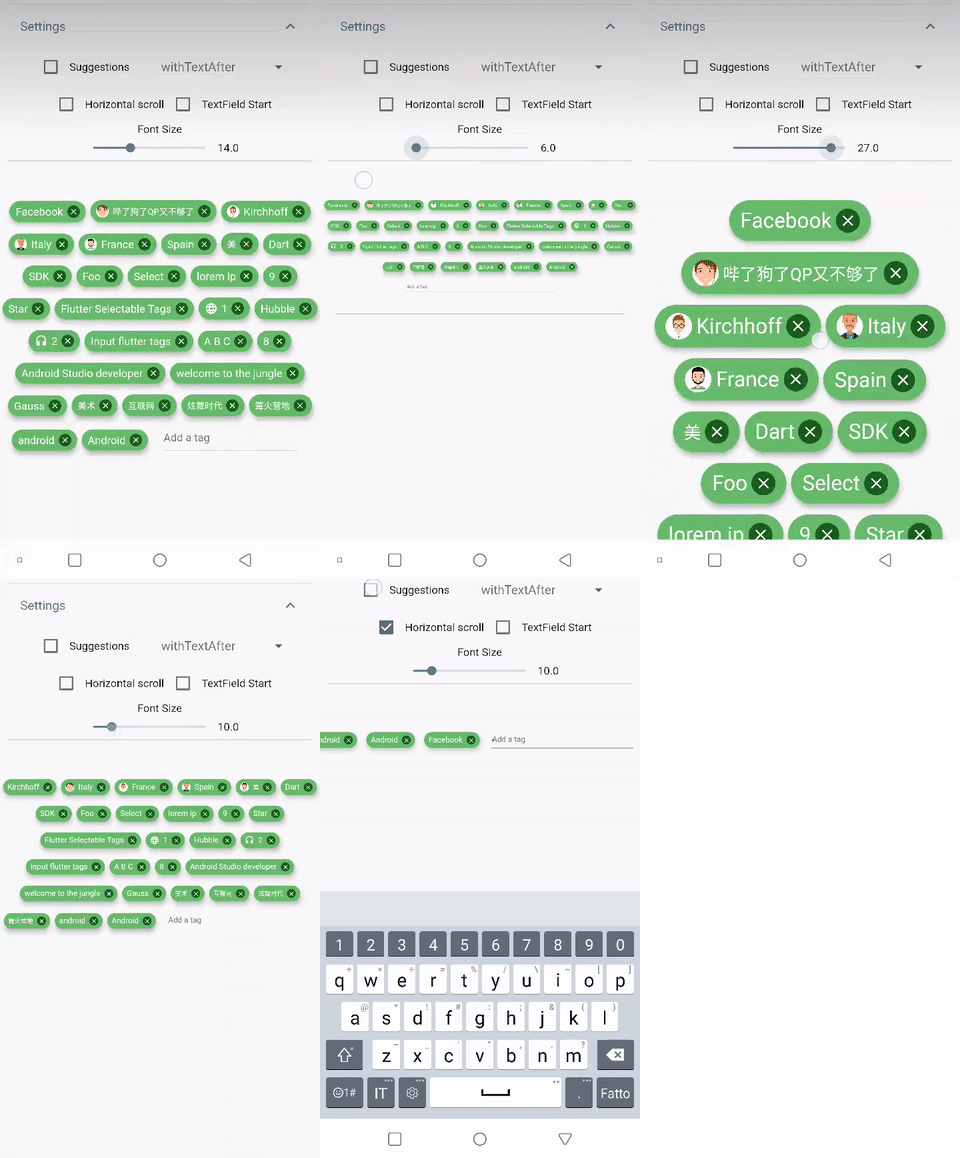
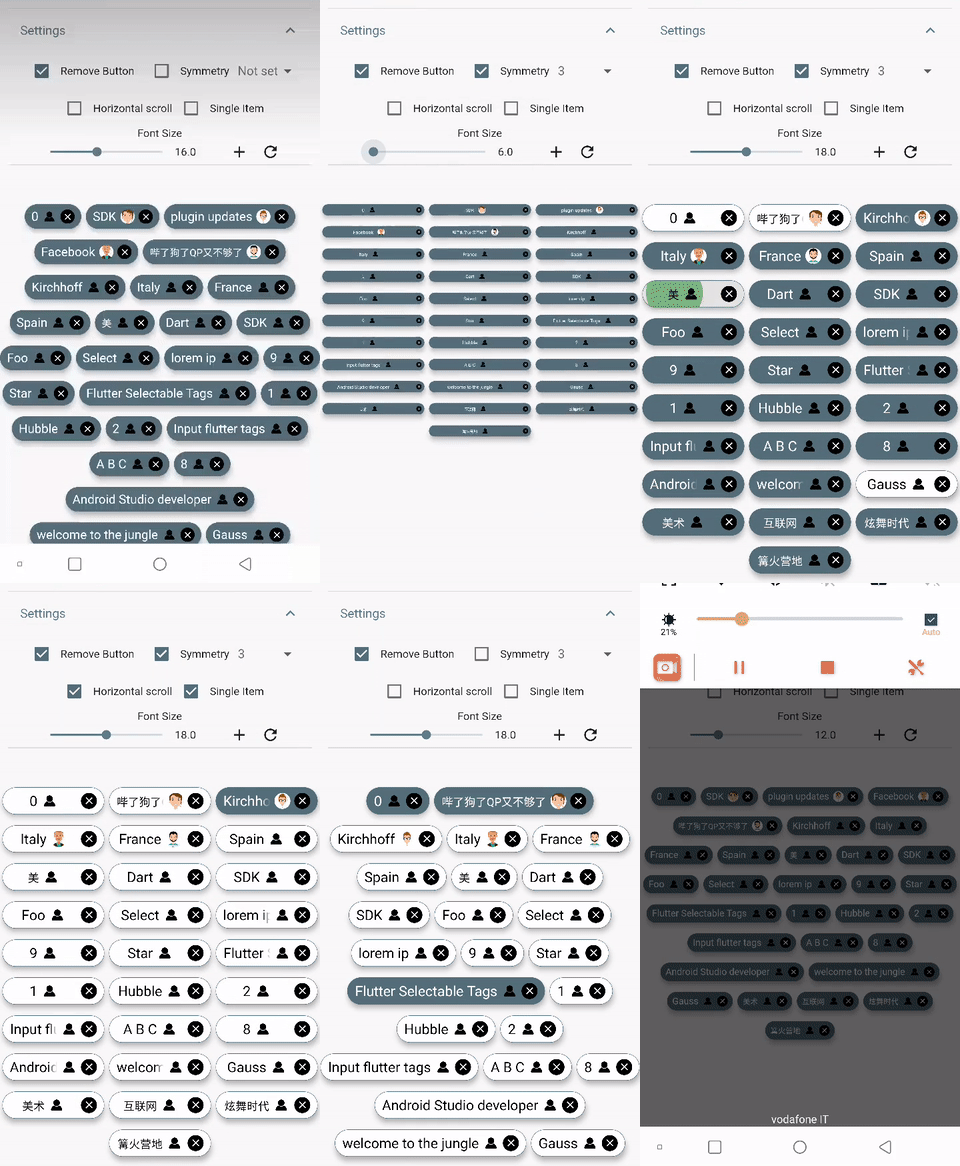
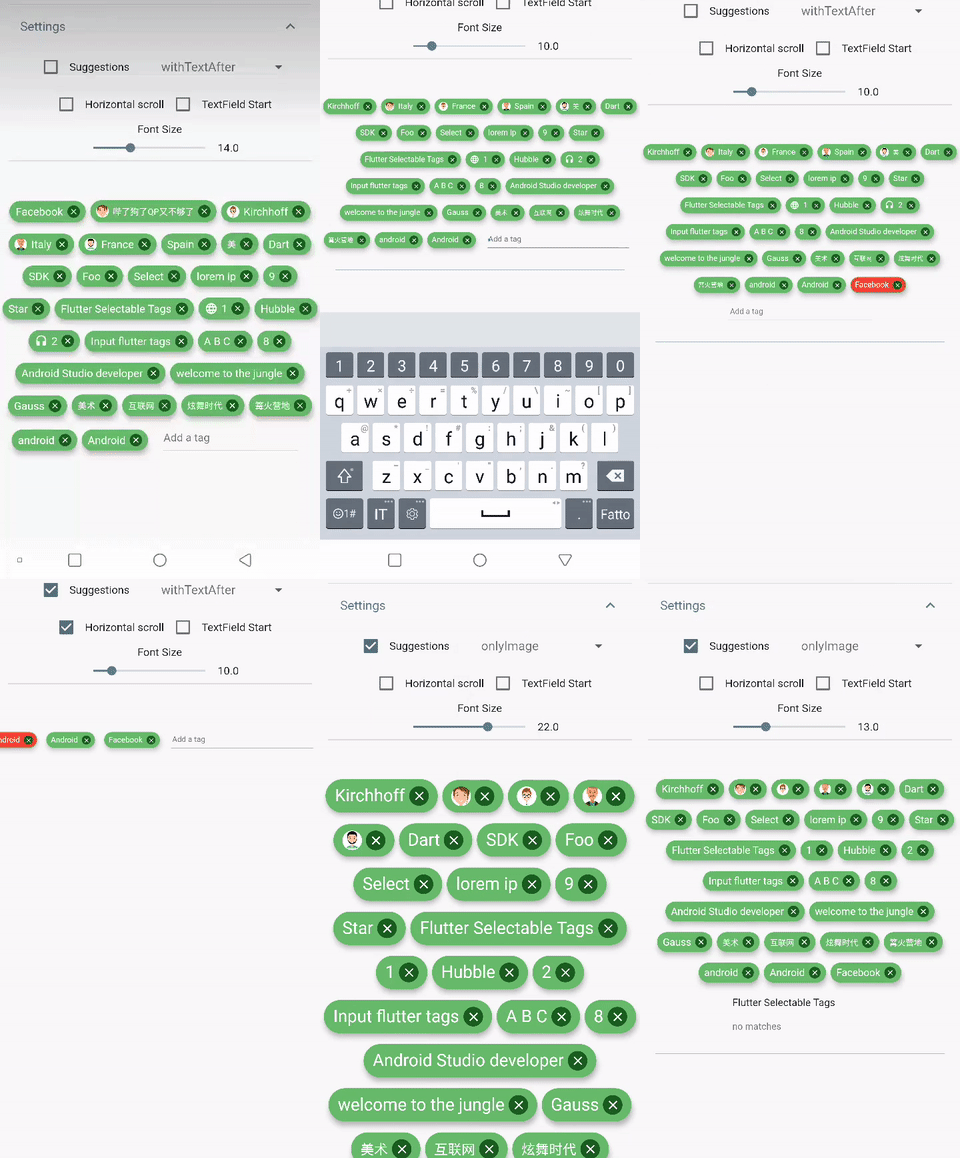
DEMO
Simple usage
import'package:flutter_tags/flutter_tags.dart';
.
.
.
List _items;
double _fontSize = 14;
@overridevoidinitState(){
super.initState();
// if you store data on a local database (sqflite), then you could do something like thisModel().getItems().then((items){
_items = items;
});
}
@overrideWidgetbuild(BuildContext context) {
returnTags(
key:_tagStateKey,
textField: TagsTextField(
textStyle: TextStyle(fontSize: _fontSize),
constraintSuggestion: true, suggestions: [],
//width: double.infinity, padding: EdgeInsets.symmetric(horizontal: 10),
onSubmitted: (String str) {
// Add item to the data source.setState(() {
// required
_items.add(str);
});
},
),
itemCount: _items.length, // required
itemBuilder: (int index){
final item = _items[index];
returnItemTags(
// Each ItemTags must contain a Key. Keys allow Flutter to// uniquely identify widgets.
key: Key(index.toString()),
index: index, // required
title: item.title,
active: item.active,
customData: item.customData,
textStyle: TextStyle( fontSize: _fontSize, ),
combine: ItemTagsCombine.withTextBefore,
image: ItemTagsImage(
image: AssetImage("img.jpg") // OR NetworkImage("https://...image.png")
), // OR null,
icon: ItemTagsIcon(
icon: Icons.add,
), // OR null,
removeButton: ItemTagsRemoveButton(
onRemoved: (){
// Remove the item from the data source.setState(() {
// required
_items.removeAt(index);
});
//requiredreturntrue;
},
), // OR null,
onPressed: (item) => print(item),
onLongPressed: (item) => print(item),
);
},
);
}
finalGlobalKey<TagsState> _tagStateKey = GlobalKey<TagsState>();
// Allows you to get a list of all the ItemTags_getAllItem(){
List<Item> lst = _tagStateKey.currentState?.getAllItem;
if(lst!=null)
lst.where((a) => a.active==true).forEach( ( a) => print(a.title));
}
Wrapped widget example
You are free to wrap ItemTags () inside another widget
Possibility to set number of columns when necessary
null
itemCount
Tag number to display
required
symmetry
Ability to view and scroll tags horizontally
false
horizontalScroll
Offset drawer width
0.4
heightHorizontalScroll
height for HorizontalScroll to set to display tags correctly
60
spacing
Horizontal space between the tags
6
runSpacing
Vertical space between the tags
14
alignment
Horizontal WrapAlignment
WrapAlignment.center
runAlignment
Vertical WrapAlignment
WrapAlignment.center
direction
Direction of the ItemTags
Axis.horizontal
verticalDirection
Iterate Item from the lower to the upper direction or vice versa
VerticalDirection.down
textDirection
Text direction of the ItemTags
TextDirection.ltr
itemBuilder
tag generator
textField
add textField
TagsTextFiled()
ItemTags() parameters
index - required
title - required
textScaleFactor - custom textScaleFactor
active - bool value (default true)
pressEnabled - active onPress tag ( default true)
customData - Possibility to add any custom value in customData field, you can retrieve this later. A good example: store an id from Firestore document.
It takes time to carry on this project. If you found it useful or learned something from the source code please consider the idea of donating 5, 20, 50 € or whatever you can to support the project.
Issues
If you encounter problems, open an issue. Pull request are also welcome.