सार्वजनिक जानकारी से बना चयन मार्गदर्शन। केवल संदर्भ हेतु।
फ्लटर के लिए हल्का 3D रेंडरिंग पैकेज जो कैमरा, प्रकाश और दुनिया के वातावरण के समर्थन के साथ मूल 3D दृश्य निर्माण की अनुमति देता है। यह टैप के माध्यम से उपयोगकर्ता बातचीत की अनुमति देता है और विभिन्न प्लेटफॉर्मों पर सरल 3D विज़ुअलाइज़ेशन के लिए डिज़ाइन किया गया है। न्यूनतम सेटअप और सीधे 3D रेंडरिंग क्षमता की आवश्यकता वाले प्रोटोटाइप या शैक्षिक ऐप्स के लिए आदर्श।
उपयोग
इंटरैक्टिव 3D प्रोटोटाइप
शैक्षिक 3D दृश्याकरण
सरल गेम परिवेश
बेसिक 3D मॉडल व्यूअर
क्रॉस-प्लेटफॉर्म 3D डेमो
मुख्य विशेषताएँ
एम्बेडेड कैमरा और प्रकाश
टैप-आधारित उपयोगकर्ता इंटरैक्शन
बहुप्लेटफॉर्म समर्थन
सरल सीन प्रबंधन
हल्का 3D रेंडरिंग इंजन
इनके लिए उपयुक्त
3D ग्राफिक्स में शुरुआती
त्वरित 3D एकीकरण की तलाश में Flutter विकासकर्ता
शैक्षिक प्रोजेक्ट्स
न्यूनतम 3D जटिलता वाले प्रोटोटाइप
विचार योग्य बातें
सीमित उन्नत 3D विशेषताएं
जटिल एनीमेशन या उच्च प्रदर्शन वाले खेल के लिए उपयुक्त नहीं
अपडेट के लिए बाहरी स्रोत कोड पर निर्भर है
निर्मित मॉडल लोडिंग समर्थन नहीं है
मूल README
संबंधित सोर्स रिपॉज़िटरी के मूल README का स्नैपशॉट। नवीनतम सामग्री के लिए रिपॉज़िटरी देखें।
This package is for rendering Sp3dObj.
Sp3dObj is an implementation of the Simple 3D Format created for science.
It is created mainly for use by scientists.
Please refer to the following for the packages to be used together.
If you want to implement Undo/Redo functionality in an app that directly edits Sp3dObj,
you can use the following package. file_state_manager
For examples of using this package, see the following package: sakura_blizzard
Although this is a very experimental project, there are also packages for converting from other 3D formats.
However, Sp3dObj is intended for scientific use and has significant differences in functionality, so only minimal compatibility is supported. convert_simple_3d
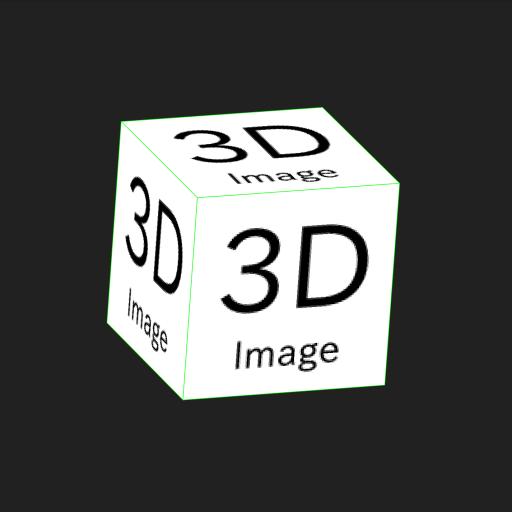
For example, rewrite sample code as follows.(*Note that some unnecessary parameters remain for simplicity)
sample_image.png
// Change Cube of initState().Sp3dObj obj = UtilSp3dGeometry.cube(200,200,200,1,1,1);
--------------------------------------------------------------------
// Change functionvoidloadImage() async {
this.objs[0].fragments[0].faces[0].materialIndex=1;
this.objs[0].fragments[0].faces[1].materialIndex=1;
this.objs[0].fragments[0].faces[2].materialIndex=1;
this.objs[0].fragments[0].faces[3].materialIndex=1;
this.objs[0].materials[1].imageIndex = 0;
// You can use images by creating an assets/images folder under your project, adding images, and adding the asset path to pubspec.yaml.// For Flutter Web, you also need to copy it to your web folder.this.objs[0].images.add(await_readFileBytes("./assets/images/sample_image.png"));
this.world = Sp3dWorld(objs);
this.world.initImages().then(
(List<Sp3dObj> errorObjs){
setState(() {
this.isLoaded = true;
});
}
);
}
// Add functionFuture<Uint8List> _readFileBytes(String filePath) async {
ByteData bd = await rootBundle.load(filePath);
return bd.buffer.asUint8List(bd.offsetInBytes,bd.lengthInBytes);
}
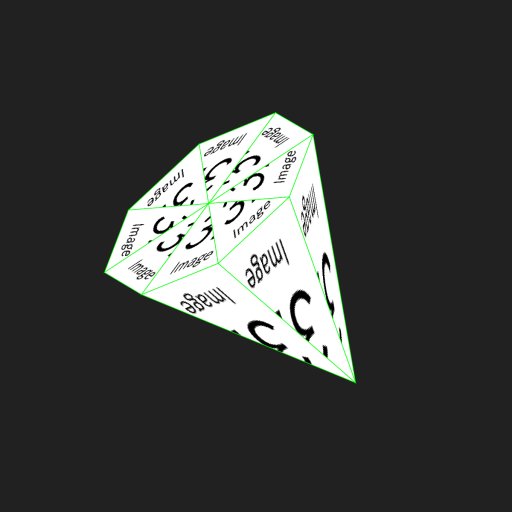
Triangle mesh
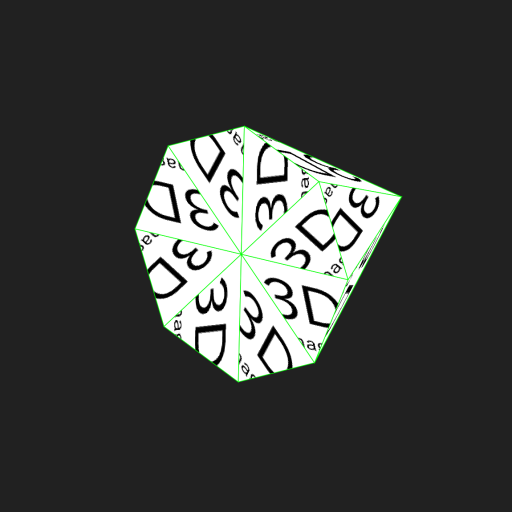
If the drawing destination of the image is a triangular mesh, the image is automatically divided into triangles with the vertices at the upper left, lower left, and lower right, and displayed.
You can also use the Sp3dMaterial parameters to control the cutout position with respect to the triangular mesh.
*Note that the size of the image of paste to cone is (width, height) = (128, 128).
Since textureCoordinates specifies the position where you want to cut out the image, it indicate the points on the image.
And this image is (0,0) in the upper left and (128,128) in the lower right.
For example, the following sample is cut out at the upper left, the middle of the lower side, and the upper right.
In the case of a square mesh, it is necessary to specify two triangles, so six vertices are required.
For example, rewrite sample code as follows.
The return value Sp3dFaceObj in onPanDown is a class that contains information about the touched surface.
The sample uses this information to move the object touched by the user.
If you want to save / restore multiple Sp3dObj along with their location, Sp3dWorld also has toDict and fromDict methods.
The extension when saving is recommended to be .s3dw to avoid confusion.
Support
If you need paid support for any reason, please contact my company.
This package is developed by me personally, but may be supported via the company. SimpleAppli Inc.
Rendering Speed (300 paint average)
When using CPU Ryzen5 5600, it is a consideration of the time it takes to draw in debug mode and on a web browser.
There are some speed issues, such as running on a CPU and being single-threaded.
In the case of real-time rendering, the limit is about 1000 cubes (8000 vertices), and anything higher than that is heavy.
Note: Not all objects will perform equally well due to acceleration logic.
For models such as spheres with many vertices, the amount you can comfortably manipulate is much smaller.