पैकेज, रिपॉज़िटरी और ऐप श्रेणियाँ खोजें

stickereditor कवर
पैकेज विवरणv0.0.8

stickereditor

एक विशेष उपकरण जो आपके सीमाओं के अनुसार आपके पाठ और छवि को संशोधित और हटाने की अनुमति देता है।

30-दिन डाउनलोड
27
लाइक
58
Pub अंक
60

पैकेज इंस्टॉल करें

flutter pub add stickereditor

पैकेज अवलोकन

सार्वजनिक जानकारी से बना चयन मार्गदर्शन। केवल संदर्भ हेतु।

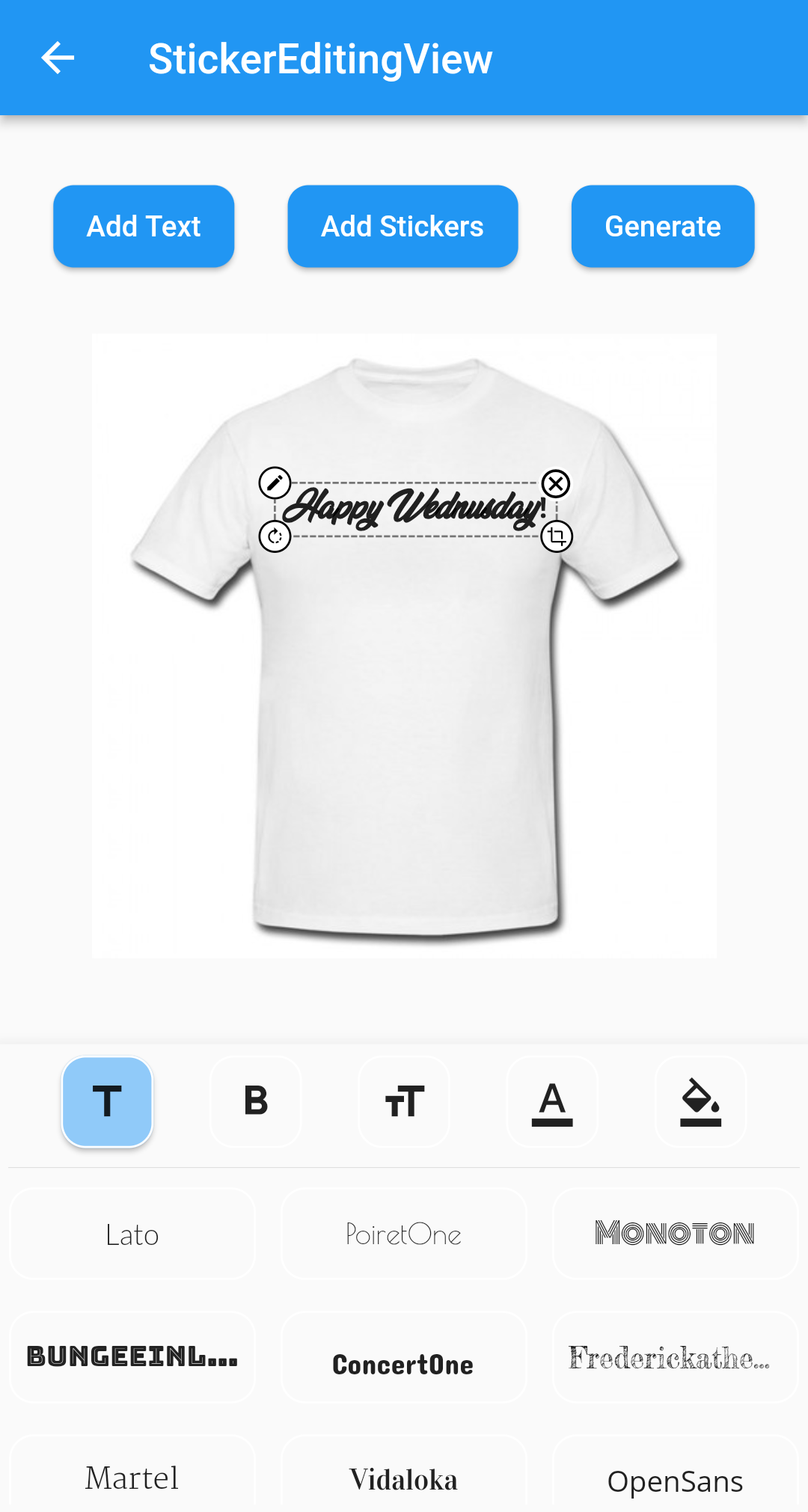
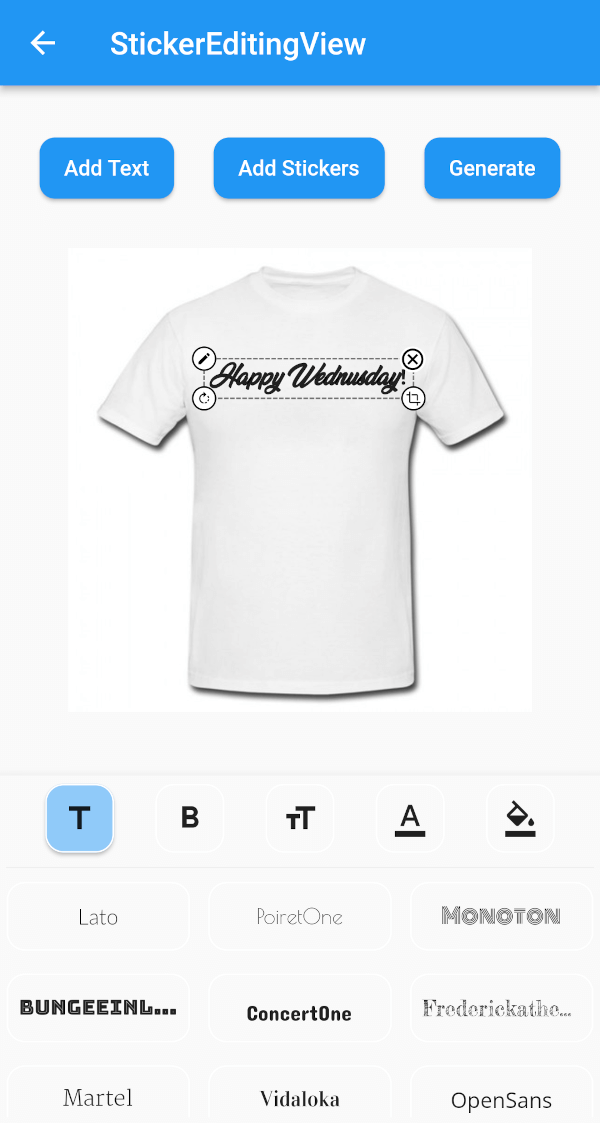
StickerEditor एक Flutter विजेट है जो उपयोगकर्ताओं को परिभाषित सीमाओं के भीतर पाठ और छवियों को मुक्त रूप से संशोधित, ले जाने और स्थिति देने की अनुमति देता है। यह चिपकने वाले टिकट को संपादित करने के लिए एक इंटरैक्टिव इंटरफ़ेस प्रदान करता है, जो गतिशील सामग्री ओवरले की आवश्यकता वाले एप्लिकेशन के लिए आदर्श है। इस पैकेज में बुद्धिमान ड्रैग-एंड-ड्रॉप कार्यक्षमता और सीमा सीमाओं का समर्थन है, जिससे तत्व आवश्यक क्षेत्रों के भीतर रहते हैं। सरलता और प्रदर्शन को ध्यान में रखते हुए बनाया गया, यह मल्टीमीडिया एप्लिकेशन में कस्टम स्टिकर या टिप्पणियाँ बनाने के लिए बेहतरीन ढंग से एकीकृत होता है।

उपयोग

  • सोशल मीडिया ऐप्स में कस्टम स्टिकर बनाना
  • चित्रों में संपाद्य पाठ ओवरले जोड़ना
  • हलचल वाले तत्वों के साथ उपयोगकर्ता-उत्पन्न सामग्री का डिज़ाइन
  • इंटरैक्टिव फोटो एडिटिंग टूल्स बनाना
  • संदेश ऐप में रियल-टाइम स्टिकर संशोधन सक्षम करना

मुख्य विशेषताएँ

  • ड्रैग एंड ड्रॉप पाठ और छवि स्थिति
  • सीमा सीमा बल प्रवर्तन
  • स्टिकर सामग्री का इंटरैक्टिव संपादन
  • मौजूदा Flutter प्रोजेक्ट्स के साथ सरल एकीकरण
  • डायनामिक आकार और पुनर्स्थापन के लिए समर्थन

इनके लिए उपयुक्त

  • फोटो एडिटिंग फीचर्स बना रहे डेवलपर्स
  • उपयोगकर्ता-उत्पादित स्टिकर बनाने की आवश्यकता वाले ऐप्स
  • इंटरैक्टिव कंटेंट वाले सोशल मीडिया प्लेटफॉर्म
  • दृश्य अनुमान के साथ शैक्षिक उपकरण
  • कस्टमाइज़ किए गए स्टिकर वाले मैसेजिंग ऐप्स

विचार योग्य बातें

  • मूलभूत पाठ और छवि संपादन तक सीमित
  • कोई निर्मित निर्यात या सहेजने की क्षमता नहीं है
  • सहेजने के लिए हाथ से कोड लिखना आवश्यक है
  • जटिल बहु-परत डिजाइन के लिए अनअनुकूलित
  • उन्नत छवि प्रसंस्करण के लिए बाहरी पुस्तकालयों पर निर्भर
मूल README

संबंधित सोर्स रिपॉज़िटरी के मूल README का स्नैपशॉट। नवीनतम सामग्री के लिए रिपॉज़िटरी देखें।

Sticker Editor

A flutter plugin for iOS, Android and Mac for Rotate, Scaling, Moving and Editing Text, Photo, Stickers


Sticker Editor


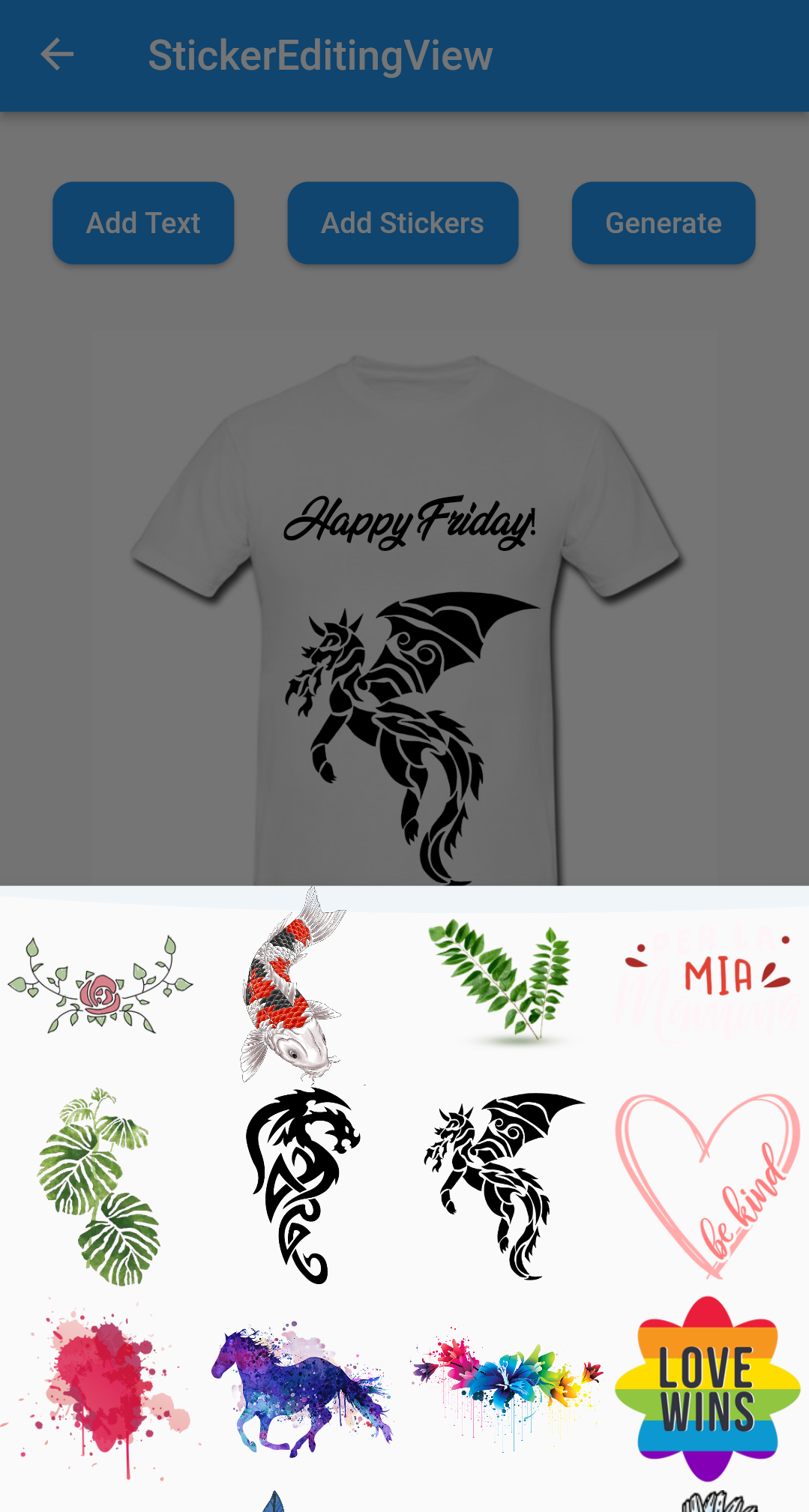
Only Text Only Photo

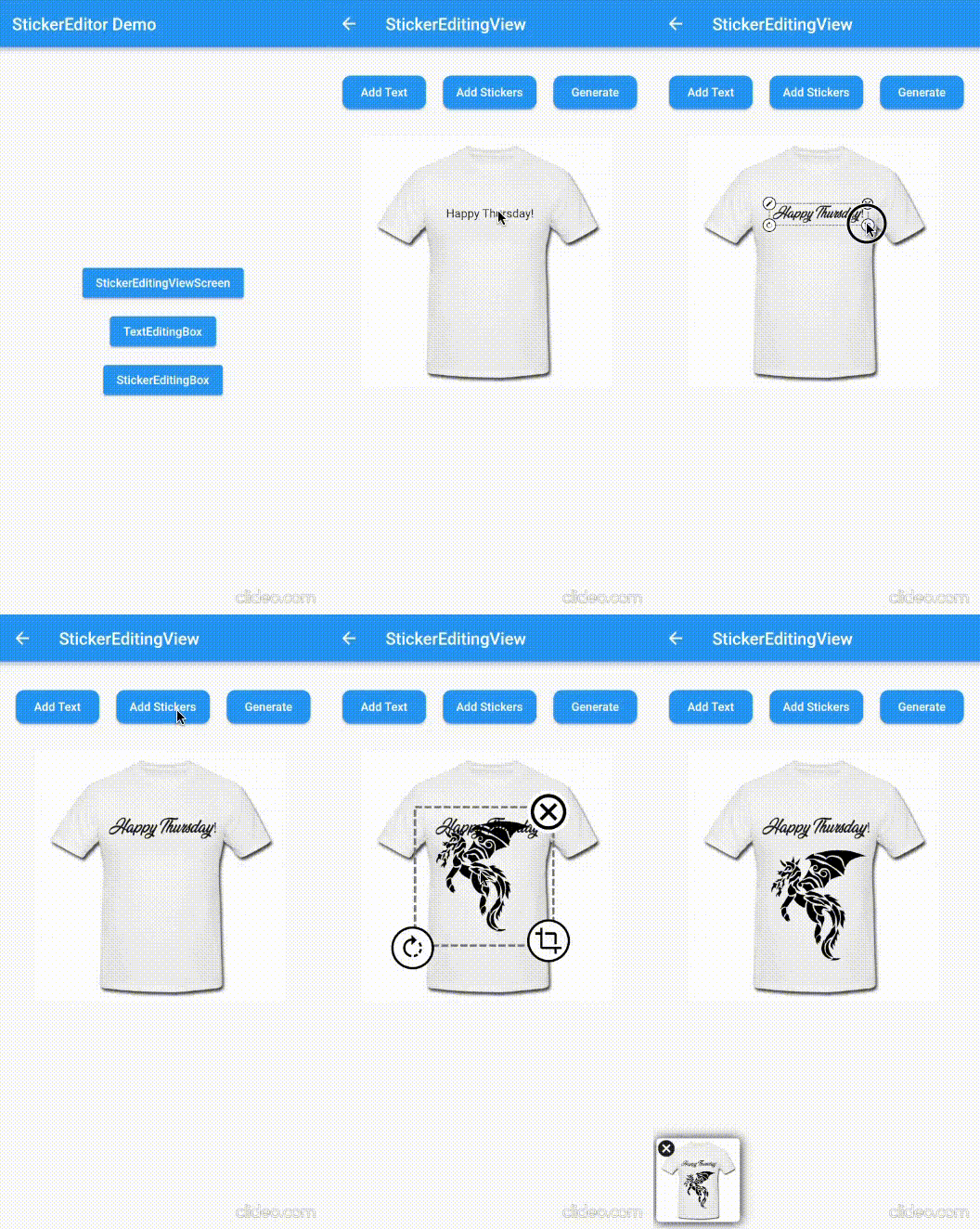
A flutter package Sticker Editor which will help you to create editable and scalable text or sticker widget that can be dragged around the area you given in screen.

License: MIT

Features 💚

  • Manually Control the position of the widget along with drags.
  • You can bound the dragarea of your widget using boundHeight and boundWidth parameters
  • onTap and onCancel function where user's can use there own function
  • You can resizes widget using scaling function
  • Highly customizable
  • You can use whole sticker view or particular widgets

Installation

First, add stickereditor as a dependency in your pubspec.yaml file.

MacOs

Fore NetworkImage, macOS needs you to request a specific entitlement in order to access the network. To do that open macos/Runner/DebugProfile.entitlements and add the following key-value pair.

<key>com.apple.security.network.client</key>
<true/>

How to use

  • Sticker View
StickerEditingView(
  isnetwork: false,
  height: 300,
  width: 300,
  imgUrl: backgroundImageUrl,
  fonts: fonts,
  palletColor: colorPallet,
  assetList: stickerList,
),
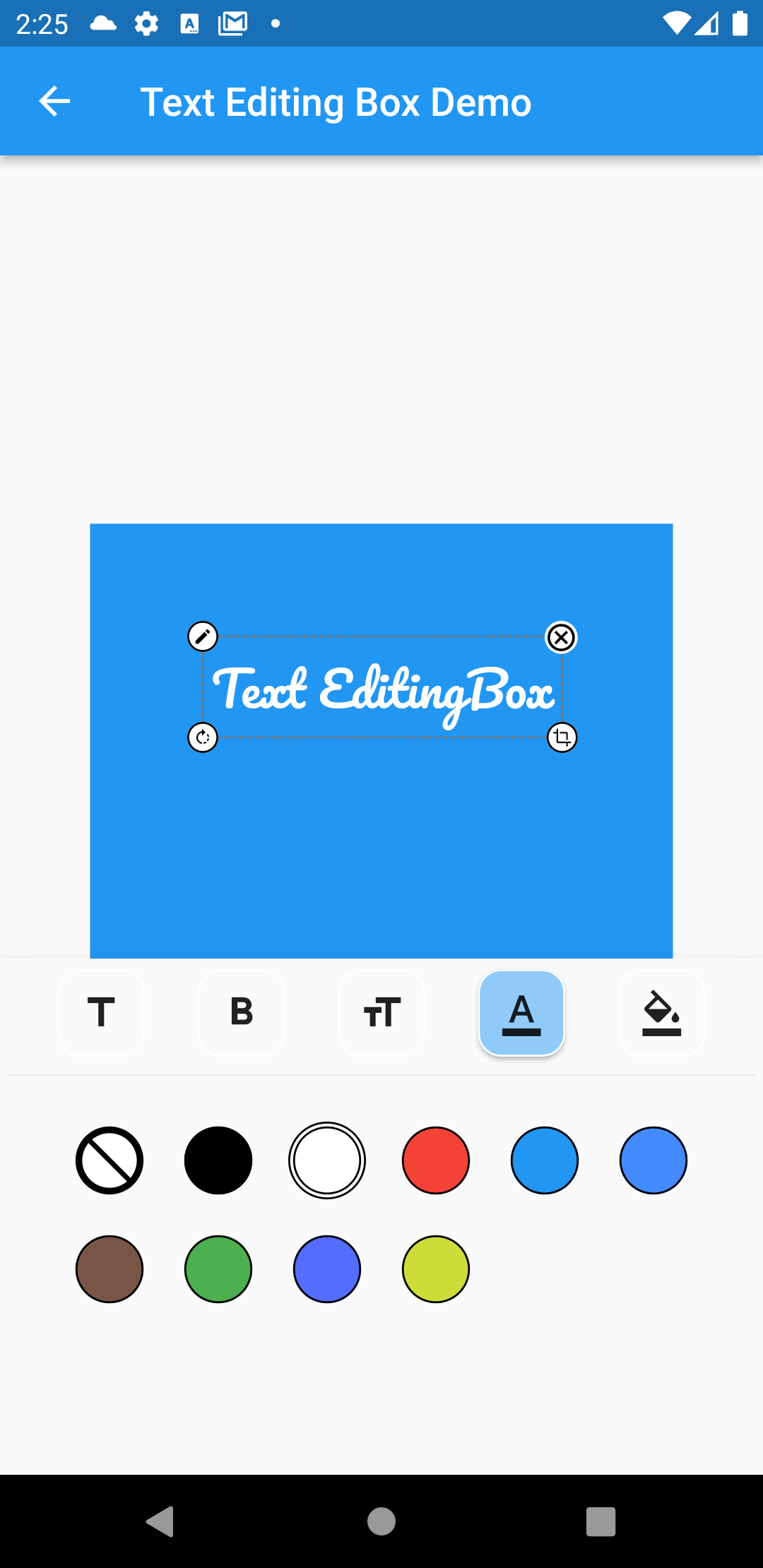
  • Text Editing Box
Container(
  height: 300,
  width: 300,
  color: Colors.blue,
  child: Stack(
    children: [
      TextEditingBox(
        fonts: fonts,
        boundHeight: 200,
        boundWidth: 100,
        isSelected: true,
        palletColor: colorPallet,
        newText: TextModel(
            name: 'Text EditingBox',
            textStyle:
                GoogleFonts.pacifico(fontSize: 25, color: Colwhite),
            top: top,
            isSelected: true,
            textAlign: TextAlign.center,
            scale: 1,
            left: left),
      ),
    ],
  ),
),
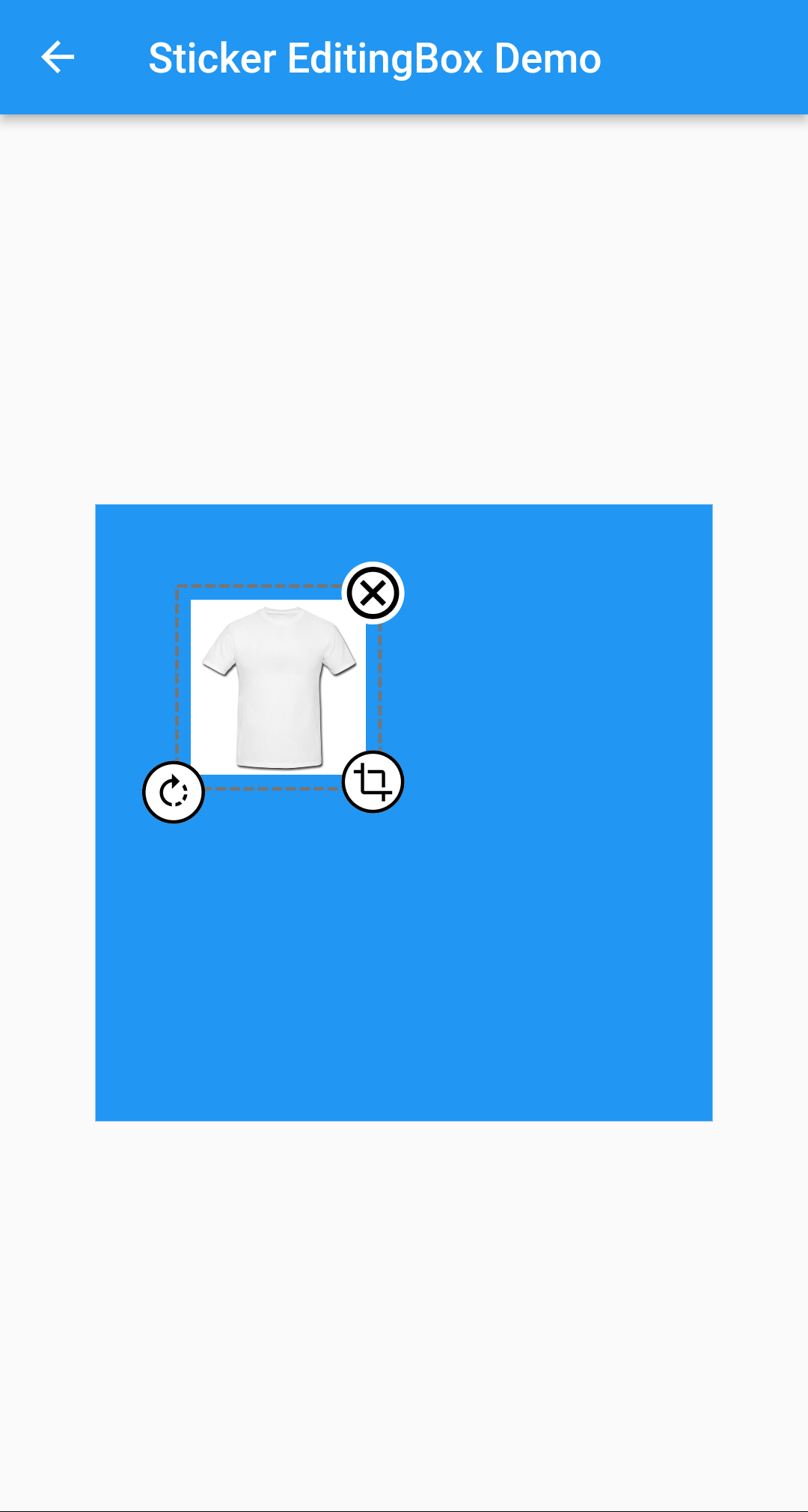
  • Picture Editing Box
Container(
  height: 300,
  width: 300,
  color: Colors.blue,
  child: Stack(
    children: [
      StickerEditingBox(
          boundHeight: 200,
          boundWidth: 200,
          pictureModel: PictureModel(
            isNetwork: true,
            isSelected: false,
            left: 50,
            top: 50,
            scale: 1,
            stringUrl:
                'https://raw.githubusercontent.com/Harsh-Radadiya/sticker_editor/master/assets/t-shirt.jpeg',
          )),
    ],
  ),
)

Run the example app in the exmaple folder to find out more about how to use it.

श्रेणियाँ

निर्भरताएँ

निर्भरता सूची 4 आइटम

सोर्स रिपॉज़िटरी

इस पैकेज का उपयोग करने वाले प्रोजेक्ट

अभी कोई डेटा उपलब्ध नहीं है।