पैकेज, रिपॉज़िटरी और ऐप श्रेणियाँ खोजें

पैकेज विवरणv0.1.3

videos_player

चीवी और वीडियो प्लेयर की मदद से वीडियो की सूची प्रदर्शित करने के लिए एक फ्लटर पैकेज

30-दिन डाउनलोड
40
लाइक
50
Pub अंक
40

पैकेज इंस्टॉल करें

flutter pub add videos_player

पैकेज अवलोकन

सार्वजनिक जानकारी से बना चयन मार्गदर्शन। केवल संदर्भ हेतु।

videos_player पैकेज एफ्लटर में सूची में वीडियो सामग्री को प्रदर्शित करने का एक समाधान है, जो chewie और video_player पैकेज की क्षमताओं का उपयोग करता है। यह आंतरिक नियंत्रण, प्रगति ट्रैकिंग और प्रस्तुति कस्टमाइज़ेशन के साथ वीडियो को खेलने के लिए एक सुविधाजनक इंटरफेस प्रदान करता है। फ्लटर ऐप में वीडियो एकीकरण को सरल बनाने के लिए डिज़ाइन किया गया है, यह स्थानीय और नेटवर्क-आधारित वीडियो स्रोतों के लिए सुचारू प्रस्तुति और प्रतिक्रियाशील UI का समर्थन करता है। यह पैकेज शक्तिशाली नीचे के लाइब्रेरी को एक एकीकृत, आसान उपयोग के घटक में जोड़कर कार्यान्वयन को सरल बनाता है।

उपयोग

  • मीडिया ऐप में वीडियो सूचियाँ प्रदर्शित करना
  • शैक्षिक प्लेटफॉर्म में वीडियो प्लेबैक का एकीकरण
  • सामग्री-समृद्ध मोबाइल अनुभव को बढ़ाना
  • एम्बेडिंग ट्यूटोरियल या वाकथ्रोड
  • सोशल ऐप्स में स्ट्रीमिंग वीडियो कंटेंट

मुख्य विशेषताएँ

  • video_player और chewie पर आधारित
  • स्थानीय और दूरस्थ वीडियो स्रोत का समर्थन करता है
  • कस्टमाइज़ किए गए नियंत्रण के साथ चिकनी प्लेबैक
  • सूची-मित्र वीडियो प्रदर्शन
  • मोबाइल उपकरणों के लिए प्रतिक्रियाशील यूआई

इनके लिए उपयुक्त

  • मीडिया-भारी Flutter ऐप्स बनाने वाले डेवलपर्स
  • शैक्षिक या सहायता-केंद्रित एप्लिकेशन
  • वीडियो एकीकरण की आवश्यकता वाले सामग्री प्लेटफॉर्म
  • वीडियो गैलरी वाले मोबाइल एप्स
  • विश्वसनीय वीडियो प्ले बैक समाधान खोज रहे टीमें

विचार योग्य बातें

  • उन्नत विशेषताओं के लिए अतिरिक्त सेटअप की आवश्यकता होती है
  • सीमित प्लेटफॉर्म-विशिष्ट अनुकूलन
  • बाहरी पैकेजों (chewie, video_player) पर निर्भर है
  • अद्वितीय यूजर इंटरफेस की आवश्यकताओं के लिए कस्टम स्टाइलिंग की आवश्यकता हो सकती है
  • उच्च आवृत्ति वीडियो स्ट्रीमिंग के लिए अनअनुकूलित
मूल README

संबंधित सोर्स रिपॉज़िटरी के मूल README का स्नैपशॉट। नवीनतम सामग्री के लिए रिपॉज़िटरी देखें।

videos_player

The videos player for Flutter which uses chewie and video_player behind the scenes to play list of videos to be displayed and switched when needed without any complicating configurations.

The video_player plugin provides low-level access to video playback. The chewie plugin uses the video_player under the hood and wraps it in a friendly Material or Cupertino UI!

Videos Player handles both configurations in a single package.

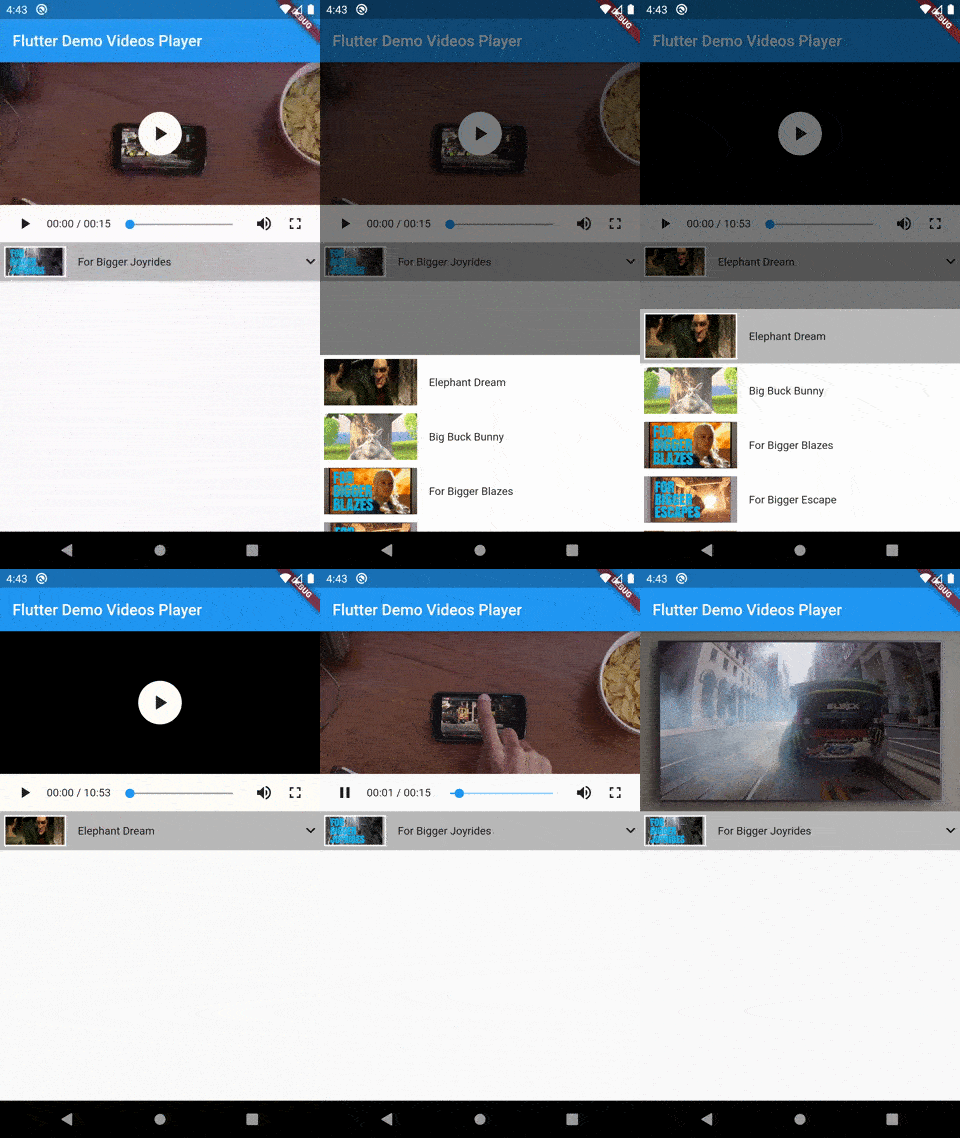
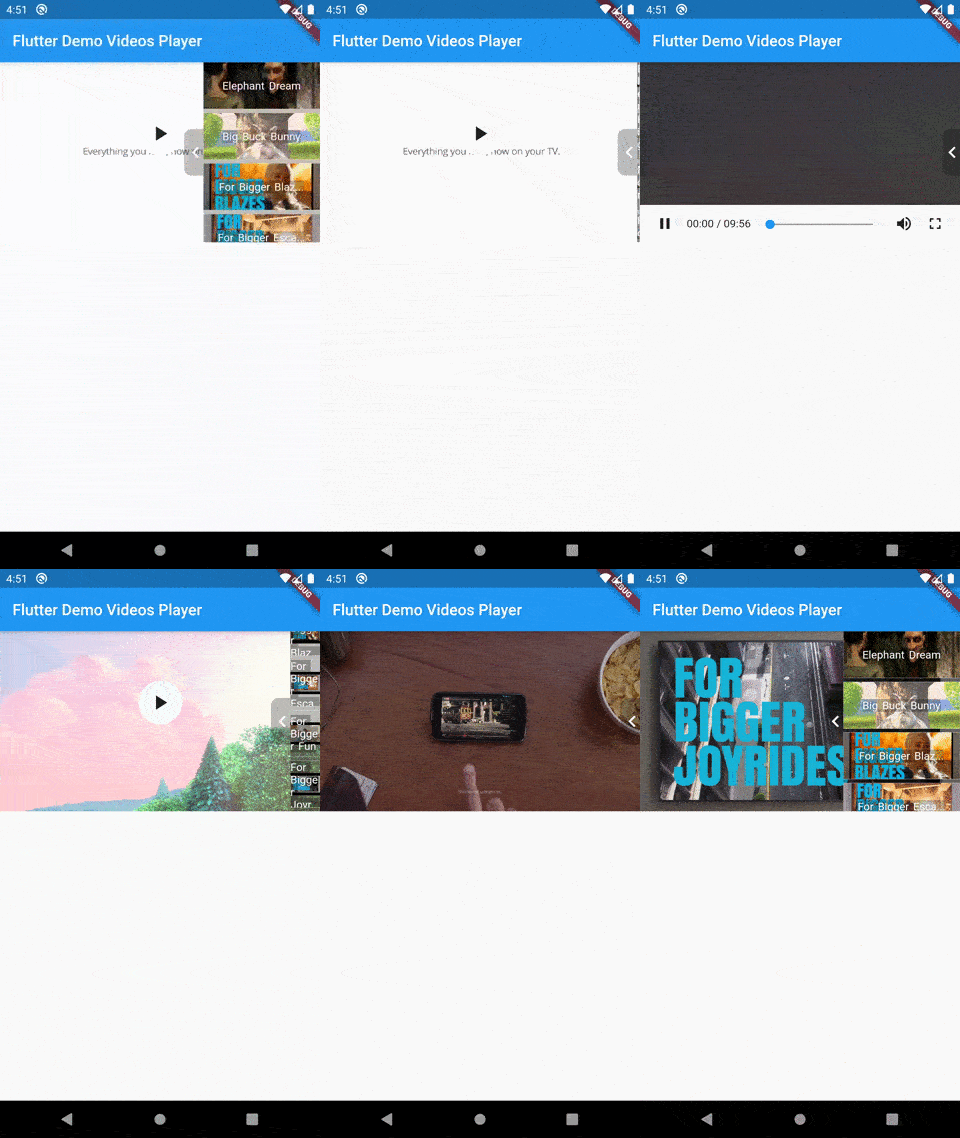
Demo

Demo Demo
Style 1 Style 2

Installation

In your pubspec.yaml file within your Flutter Project:

dependencies:
  videos_player: <latest_version>

Use it

import 'package:videos_player/model/video.model.dart';
import 'package:videos_player/videos_player.dart';
import 'package:videos_player/model/control.model.dart';

final widget = VideosPlayer(
                       networkVideos: [
                         new NetworkVideo(
                             id: "2",
                             name: "Elephant Dream",
                             videoUrl:
                                 "https://commondatastorage.googleapis.com/gtv-videos-bucket/sample/ElephantsDream.mp4",
                             thumbnailUrl:
                                 "https://commondatastorage.googleapis.com/gtv-videos-bucket/sample/images/ElephantsDream.jpg",
                             videoControl: new NetworkVideoControl(
                               fullScreenByDefault: true,
                             )),
                         new NetworkVideo(
                             id: "3",
                             name: "Big Buck Bunny",
                             videoUrl:
                                 "https://commondatastorage.googleapis.com/gtv-videos-bucket/sample/BigBuckBunny.mp4",
                             thumbnailUrl:
                                 "https://commondatastorage.googleapis.com/gtv-videos-bucket/sample/images/BigBuckBunny.jpg",
                             videoControl: new NetworkVideoControl(autoPlay: true)),
                         new NetworkVideo(
                             id: "4",
                             name: "For Bigger Blazes",
                             videoUrl:
                                 "https://commondatastorage.googleapis.com/gtv-videos-bucket/sample/ForBiggerBlazes.mp4",
                             thumbnailUrl:
                                 "https://commondatastorage.googleapis.com/gtv-videos-bucket/sample/images/ForBiggerBlazes.jpg"),
                         new NetworkVideo(
                             id: "5",
                             name: "For Bigger Escape",
                             videoUrl:
                                 "https://commondatastorage.googleapis.com/gtv-videos-bucket/sample/ForBiggerEscapes.mp4",
                             thumbnailUrl:
                                 "https://commondatastorage.googleapis.com/gtv-videos-bucket/sample/images/ForBiggerEscapes.jpg"),
                         new NetworkVideo(
                             id: "6",
                             name: "For Bigger Fun",
                             videoUrl:
                                 "https://commondatastorage.googleapis.com/gtv-videos-bucket/sample/ForBiggerFun.mp4",
                             thumbnailUrl:
                                 "https://commondatastorage.googleapis.com/gtv-videos-bucket/sample/images/ForBiggerFun.jpg"),
                         new NetworkVideo(
                             id: "7",
                             name: "For Bigger Joyrides",
                             videoUrl:
                                 "https://commondatastorage.googleapis.com/gtv-videos-bucket/sample/ForBiggerJoyrides.mp4",
                             thumbnailUrl:
                                 "https://commondatastorage.googleapis.com/gtv-videos-bucket/sample/images/ForBiggerJoyrides.jpg"),
                       ],
                       playlistStyle: Style.Style2,
                     );

Video Controls

Video controls support is added according to each video.

Example

Please run the app in the example/ folder to start playing!

iOS warning

The video player plugin is not functional on iOS simulators. An iOS device must be used during development/testing. Please refer to this issue.

श्रेणियाँ

निर्भरताएँ

निर्भरता सूची 2 आइटम

सोर्स रिपॉज़िटरी

इस पैकेज का उपयोग करने वाले प्रोजेक्ट

अभी कोई डेटा उपलब्ध नहीं है।