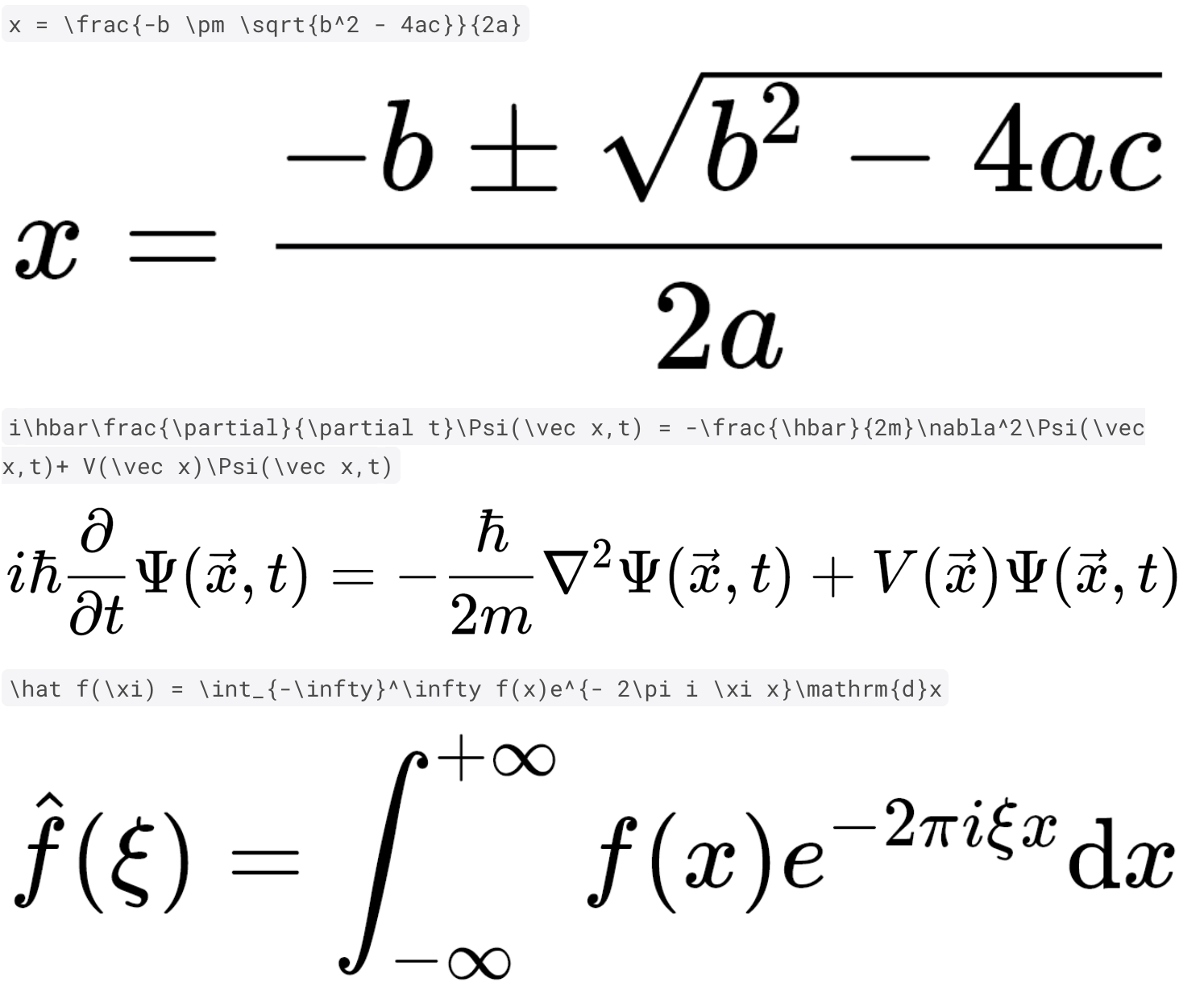
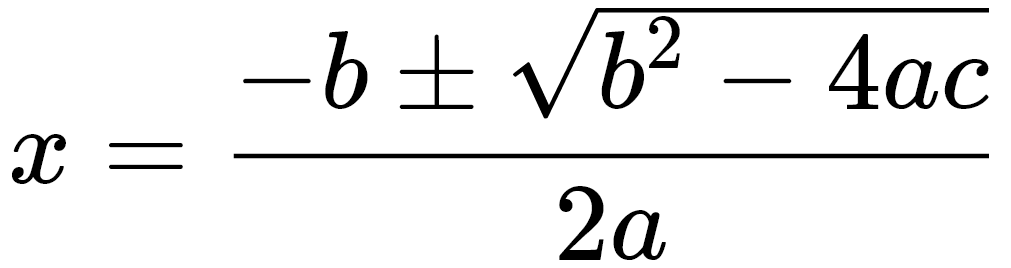
정밀도와 속도를 갖춘 고성능 Dart 및 Flutter 패키지로 TeX 수학 방정식을 렌더링합니다. flutter_math의 포크로 개발되어 순수 Dart로 구현된 상태에서 Flutter 앱에 수학적 표현을 원활하게 통합할 수 있으며, Android, iOS, Web, macOS, Windows, Linux 등 모든 주요 플랫폼과 호환됩니다. 교육용 앱, 과학 도구 및 정확한 식 표시가 필요한 모든 애플리케이션에 적합합니다.
사용 사례
교육 앱
과학 계산기
수학적 콘텐츠 렌더링
인터랙티브 학습 플랫폼
문서 뷰어
주요 기능
순수 Dart 구현
고속 렌더링
크로스 플랫폼 지원
TeX 문법 호환성
사용자 지정 스타일
적합한 대상
수학적으로 부담이 큰 앱을 개발하는 개발자
교육 기술 프로젝트
정확한 방정식 표시가 필요한 앱
경량 수학 렌더링을 찾는 플러터 개발자
고려 사항
기본 TeX 기능에 제한됨
고급 LaTeX 패키지 지원 없음
렌더링 품질은 폰트의 사용 가능 여부에 따라 달라집니다
복잡한 방정식에 맞게 조정이 필요할 수 있습니다
원본 README
연결된 소스 저장소의 README 원문 스냅샷입니다. 최신 내용은 저장소에서 확인하세요.
Flutter Math
⚠ fork
This is a fork of flutter_math addressing compatibility
problems while flutter_math is not being maintained.
Math equation rendering in pure Dart & Flutter.
This project aims to achieve maximum compatibility and fidelity with regard to the KaTeX project, while maintaining the performance advantage of Dart and Flutter. A further UnicodeMath-style equation editing support will be experimented in the future.
The TeX parser is a Dart port of the KaTeX parser. There are only a few unsupported features and parsing differences compared to the original KaTeX parser. List of some unsupported features can be found here.
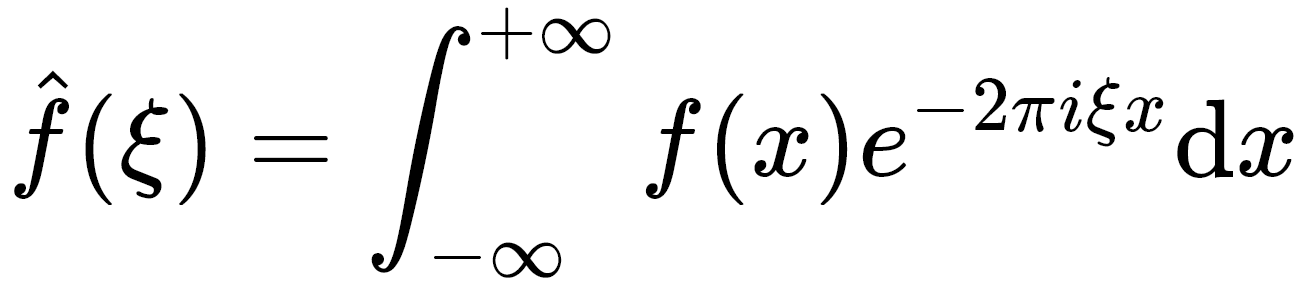
\hat f(\xi) = \int_{-\infty}^\infty f(x)e^{- 2\pi i \xi x}\mathrm{d}x
How to use
Add flutter_math to your pubspec.yaml dependencies
Mobile
Currently only Android platform has been tested. If you encounter any issues with iOS, please file them.
Web
Web support is added in v0.1.6. It is tested for DomCanvas backend. In general it should behave largely the same with mobile. It is expected to break with CanvasKit backend. Check out the Online Demo
API usage (v0.2.0)
The usage is straightforward. Just Math.tex(r'\frac a b'). There is also optional arguments of TexParserSettings settings, which corresponds to Settings in KaTeX and support a subset of its features.
Display-style equations:
Math.tex(r'\frac a b', mathStyle: MathStyle.display) // Default
In-line equations
Math.tex(r'\frac a b', mathStyle: MathStyle.text)
The default size of the equation is obtained from the build context. If you wish to specify the size, you can use textStyle. Note: this parameter will also change how big 1cm/1pt/1inch is rendered on the screen. If you wish to specify the size of those absolute units, use logicalPpi
There is also a selectable variant SelectableMath that creates selectable and copy-able equations on both mobile and web. (EXPERIMENTAL) Users can select part of the equation and obtain the encoded TeX strings. The usage is similar to Flutter's SelectableText.
SelectableMath.tex(r'\frac a b', textStyle: TextStyle(fontSize: 42))
If you would like to display custom styled error message, you should use onErrorFallback parameter. You can also process the errors in this function. But beware this function is called in build function.