Originaler README-Schnappschuss aus dem verknüpften Quell-Repository. Aktuelle Inhalte finden Sie im Repository.
ImageEditor
Image Editor Plugin with simple, easy support for image editing using Paints, Text, Filters, Emoji and Sticker like stories.
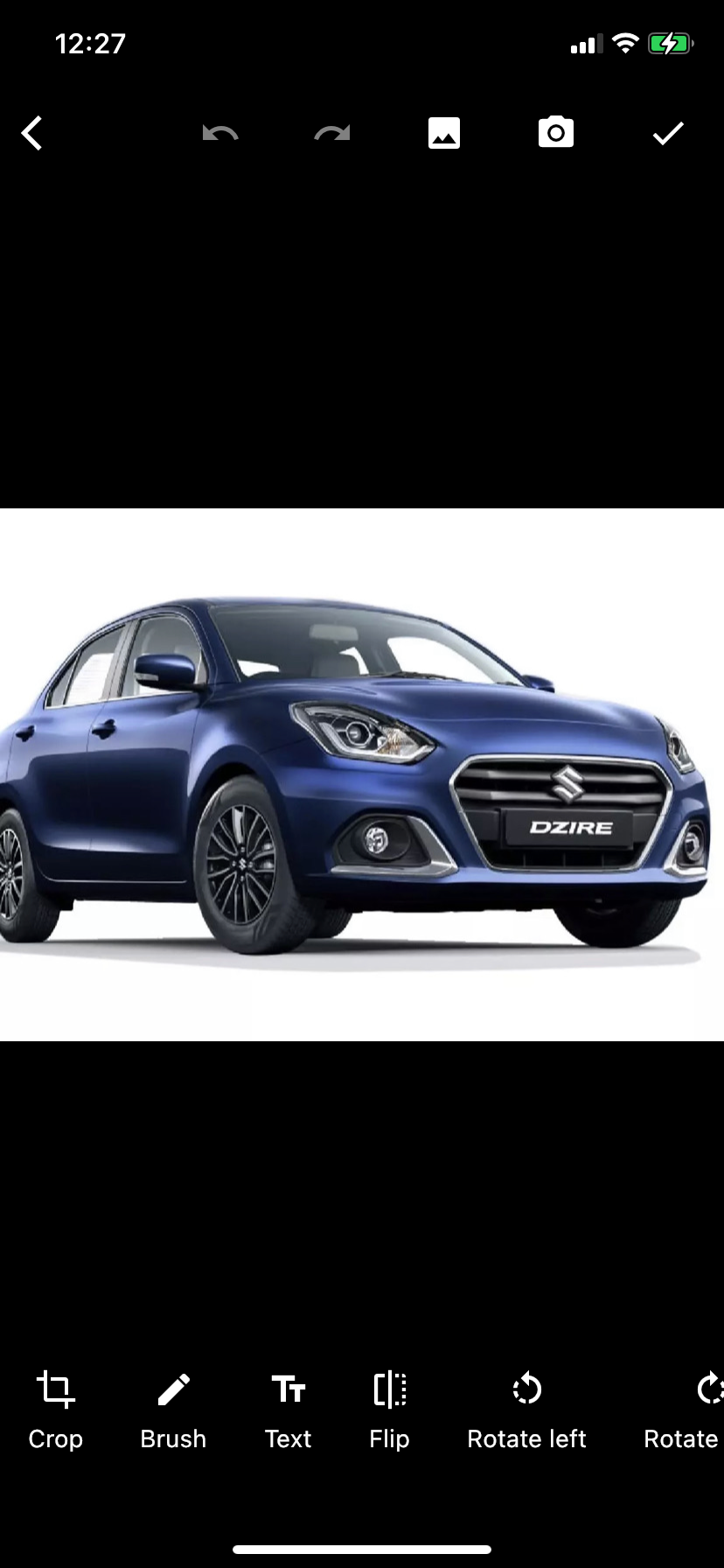
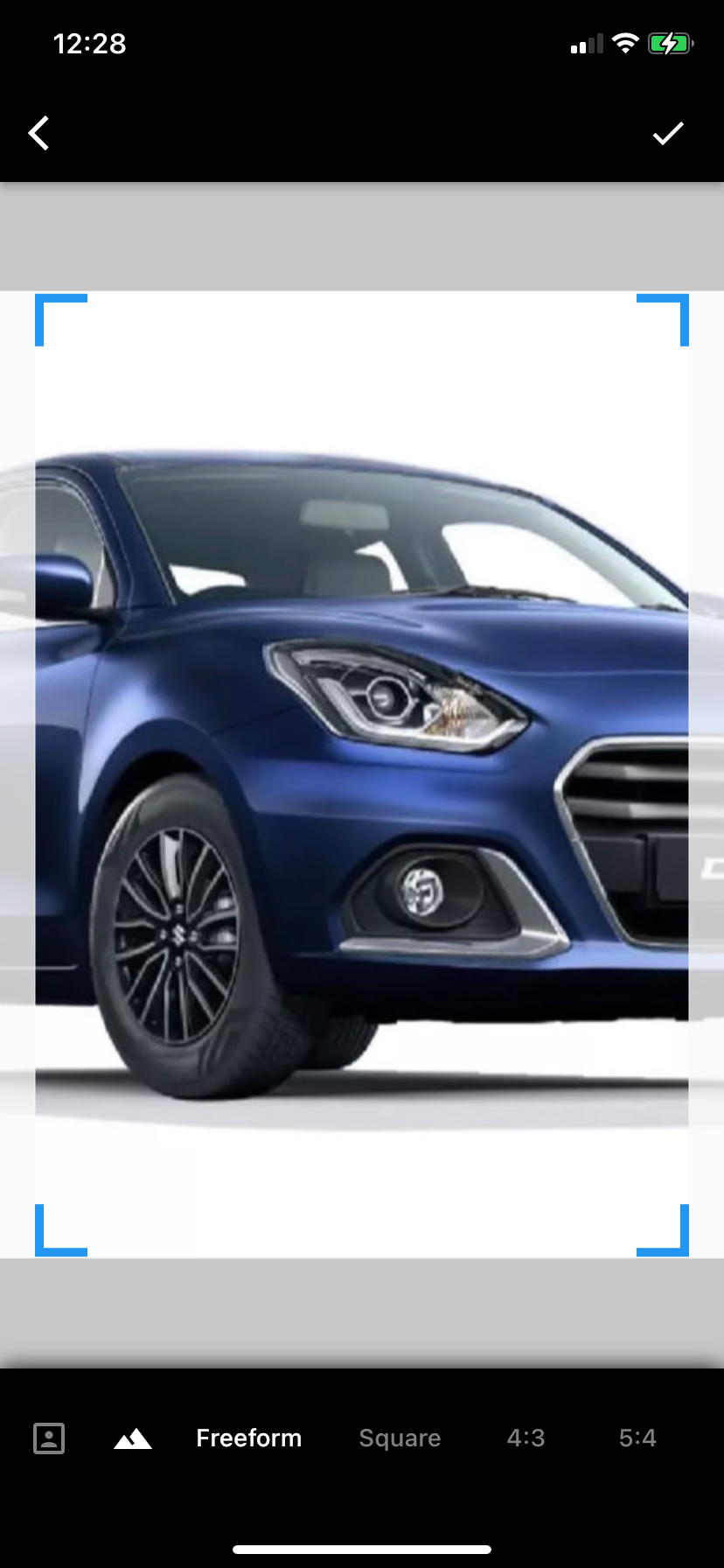
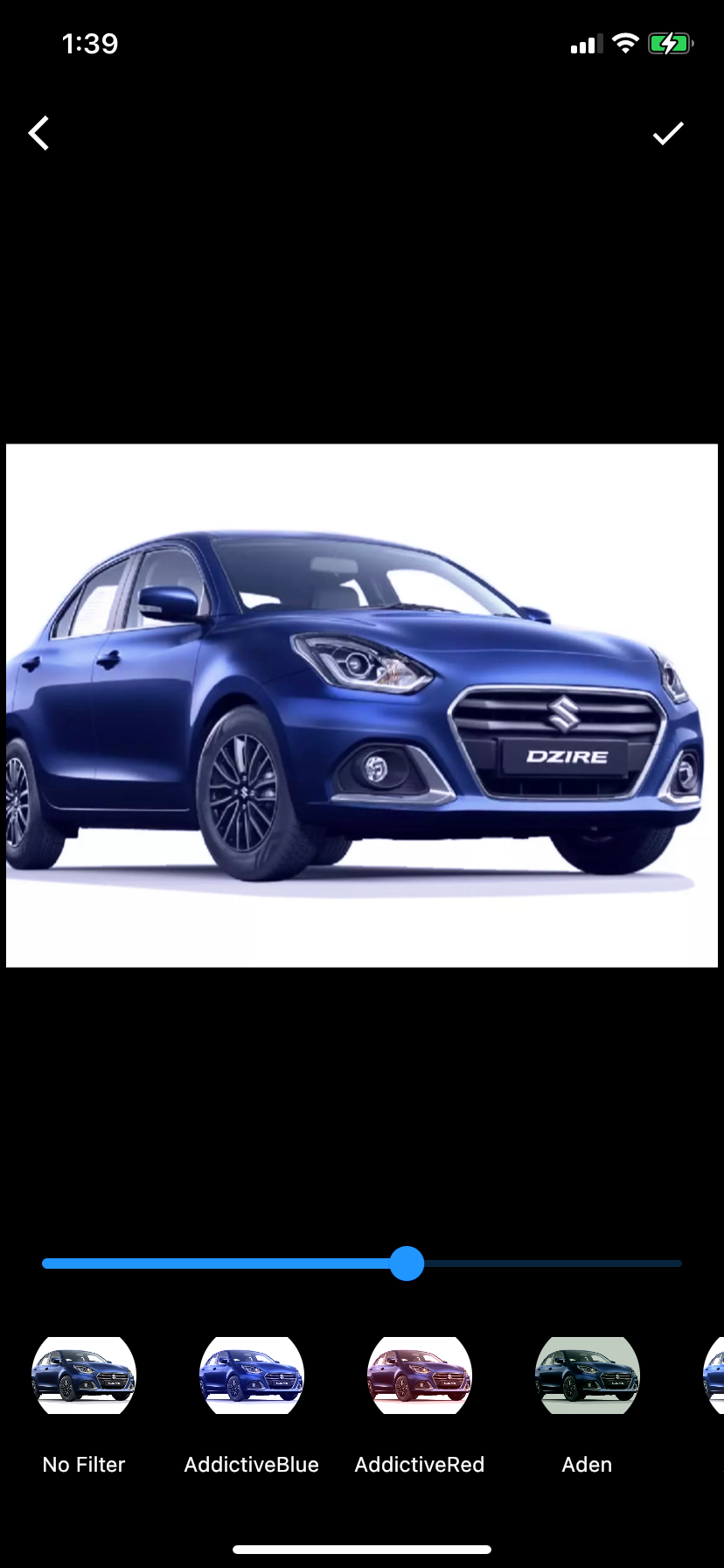
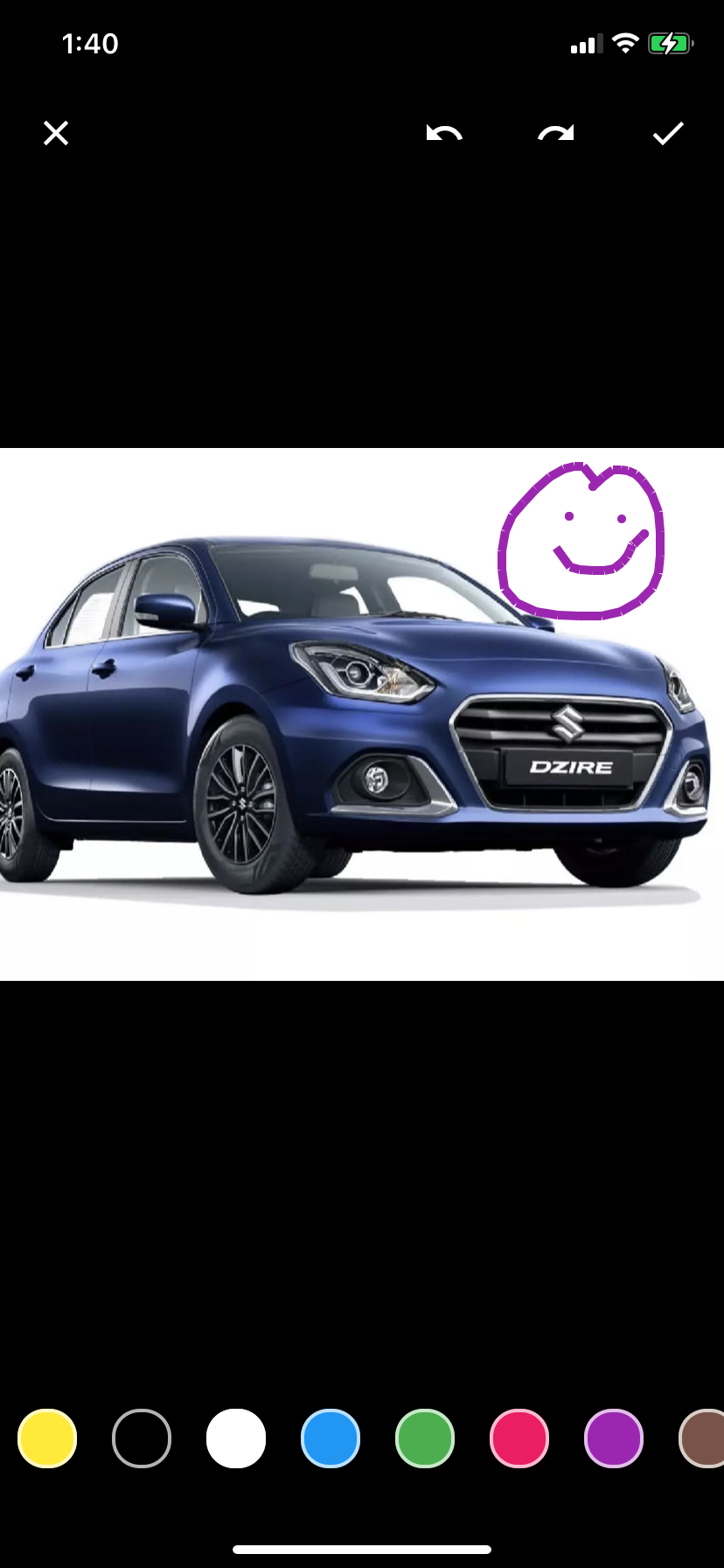
To start with this, we need to simply add the dependencies in the gradle file of our app module like this
Installation
First, add image_editor_plus: as a dependency in your pubspec.yaml file.
Import
import 'package:image_editor_plus/image_editor_plus.dart';
iOS
Add the following keys to your Info.plist file, located in <project root>/ios/Runner/Info.plist:
NSPhotoLibraryUsageDescription - describe why your app needs permission for the photo library. This is called Privacy - Photo Library Usage Description in the visual editor.NSCameraUsageDescription - describe why your app needs access to the camera. This is called Privacy - Camera Usage Description in the visual editor.NSMicrophoneUsageDescription - describe why your app needs access to the microphone, if you intend to record videos. This is called Privacy - Microphone Usage Description in the visual editor.
Or in text format add the key:
<key>NSPhotoLibraryUsageDescription</key>
<string>Used to demonstrate image picker plugin</string>
<key>NSCameraUsageDescription</key>
<string>Used to demonstrate image picker plugin</string>
<key>NSMicrophoneUsageDescription</key>
<string>Used to capture audio for image picker plugin</string>
Android
No configuration required - the plugin should work out of the box.
Example - Language translation
ImageEditor.i18n({
'Remove': 'हटा दीजिये',
'Save': 'सहेजें',
'Slider Filter Color': 'स्लाइडर फिल्टर का रंग',
});
Example - Full Editor
final editedImage = await Navigator.push(
context,
MaterialPageRoute(
builder: (context) => ImageEditor(
image: data,
appBarColor: Colors.blue,
bottomBarColor: Colors.blue,
),
),
);
Example - Image Crop Only
final editedImage = await Navigator.push(
context,
MaterialPageRoute(
builder: (context) => ImageCropper(
image: data,
),
),
);
Example - Image Convert
import 'package:image_editor_plus/utils.dart';
final convertedImage = await ImageUtils.convert(
image: data,
format: 'jpg',
quality: 80,
);
final convertedImage = await ImageUtils.convert(
image: data,
format: 'heic',
quality: 80,
);
final convertedImage = await ImageUtils.convert(
image: data,
format: 'png',
);
final convertedImage = await ImageUtils.convert(
image: data,
format: 'webp',
quality: 80,
);
MIT License
Copyright (c) 2022-2025 hsbijarniya@gmail.com
Permission is hereby granted, free of charge, to any person obtaining a copy
of this software and associated documentation files (the "Software"), to deal
in the Software without restriction, including without limitation the rights
to use, copy, modify, merge, publish, distribute, sublicense, and/or sell
copies of the Software, and to permit persons to whom the Software is
furnished to do so, subject to the following conditions:
The above copyright notice and this permission notice shall be included in all
copies or substantial portions of the Software.
THE SOFTWARE IS PROVIDED "AS IS", WITHOUT WARRANTY OF ANY KIND, EXPRESS OR
IMPLIED, INCLUDING BUT NOT LIMITED TO THE WARRANTIES OF MERCHANTABILITY,
FITNESS FOR A PARTICULAR PURPOSE AND NONINFRINGEMENT. IN NO EVENT SHALL THE
AUTHORS OR COPYRIGHT HOLDERS BE LIABLE FOR ANY CLAIM, DAMAGES OR OTHER
LIABILITY, WHETHER IN AN ACTION OF CONTRACT, TORT OR OTHERWISE, ARISING FROM,
OUT OF OR IN CONNECTION WITH THE SOFTWARE OR THE USE OR OTHER DEALINGS IN THE SOFTWARE.

