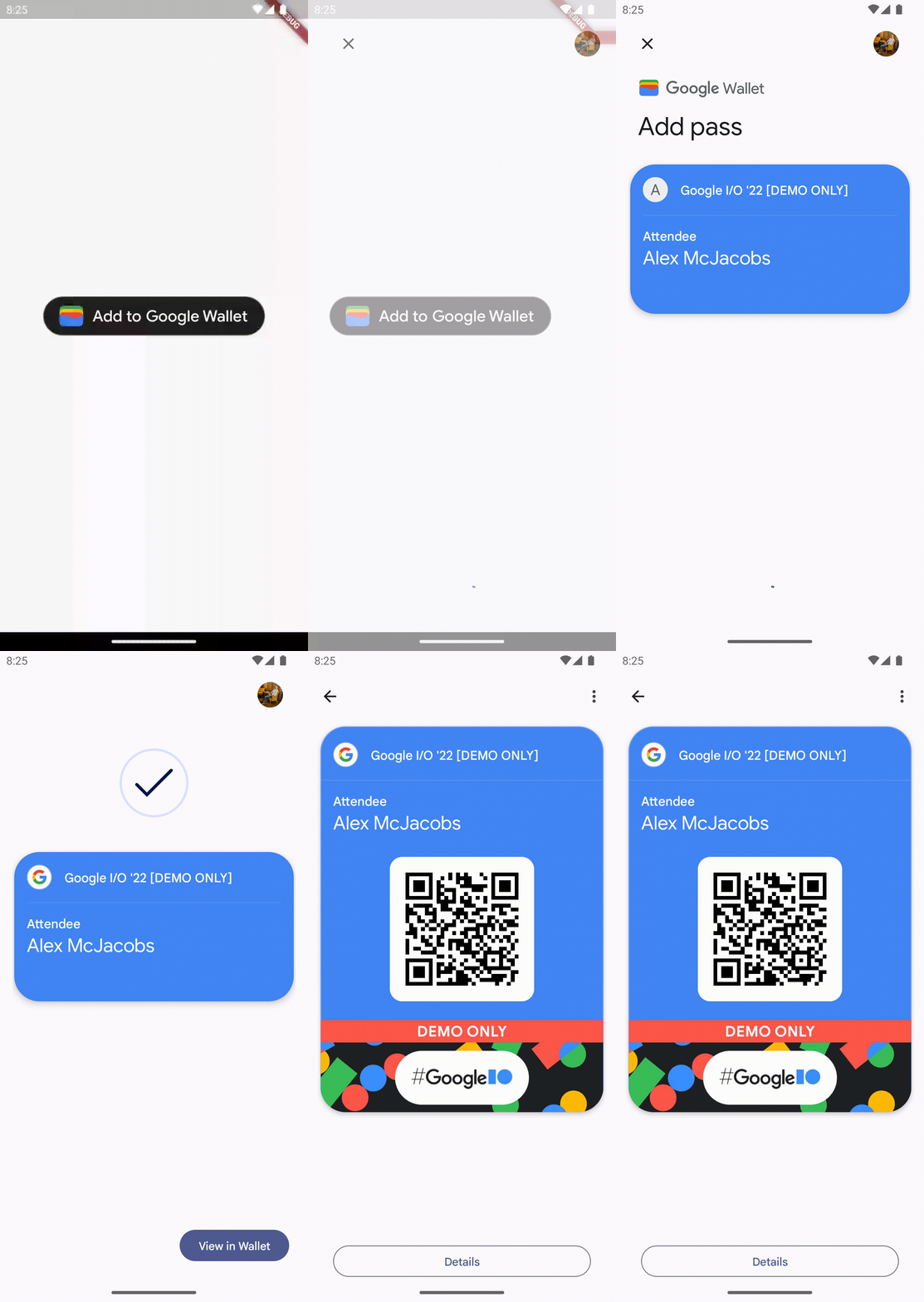
Add To Google Wallet
A Flutter plugin that provides the Add To Google Wallet Button.
Overview
The goal of this plugin is to simplify the implementation of Add To Google Wallet feature.
Prerequisites
Before plugin can be used, make sure to complete all of the prerequisites listed below.
- Sign up for a Google Wallet API Issuer account
- Authorize your app
- Create a Passes Class
- Create a Passes Object
Usage
Installation
To use this plugin, add add_to_google_wallet as a dependency in your pubspec.yaml file.
dependencies:
  add_to_google_wallet: ^0.0.5
or run this command:
flutter pub add add_to_google_wallet
Example usage
import 'package:add_to_google_wallet/widgets/add_to_google_wallet_button.dart';
import 'package:flutter/material.dart';
import 'package:uuid/uuid.dart';

void main() => runApp(const MaterialApp(home: MyApp()));

class MyApp extends StatelessWidget {
  const MyApp({super.key});

  @override
  Widget build(BuildContext context) => Scaffold(
        body: Center(
          child: AddToGoogleWalletButton(
            pass: _examplePass,
            onSuccess: () => _showSnackBar(context, 'Success!'),
            onCanceled: () => _showSnackBar(context, 'Action canceled.'),
            onError: (Object error) => _showSnackBar(context, error.toString()),
            locale: const Locale.fromSubtags(
              languageCode: 'fr',
              countryCode: 'FR',
            ),
          ),
        ),
      );

  void _showSnackBar(BuildContext context, String text) =>
      ScaffoldMessenger.of(context).showSnackBar(SnackBar(content: Text(text)));
}

final String _passId = const Uuid().v4();
const String _passClass = 'example';
const String _issuerId = '3333000000000000000';
const String _issuerEmail = 'example@example.com';

final String _examplePass = """
    {
      "iss": "$_issuerEmail",
      "aud": "google",
      "typ": "savetowallet",
      "origins": [],
      "payload": {
        "genericObjects": [
          {
            "id": "$_issuerId.$_passId",
            "classId": "$_issuerId.$_passClass",
            "genericType": "GENERIC_TYPE_UNSPECIFIED",
            "hexBackgroundColor": "#4285f4",
            "logo": {
              "sourceUri": {
                "uri": "https://storage.googleapis.com/wallet-lab-tools-codelab-artifacts-public/pass_google_logo.jpg"
              }
            },
            "cardTitle": {
              "defaultValue": {
                "language": "en",
                "value": "Google I/O '22 [DEMO ONLY]"
              }
            },
            "subheader": {
              "defaultValue": {
                "language": "en",
                "value": "Attendee"
              }
            },
            "header": {
              "defaultValue": {
                "language": "en",
                "value": "Alex McJacobs"
              }
            },
            "barcode": {
              "type": "QR_CODE",
              "value": "$_passId"
            },
            "heroImage": {
              "sourceUri": {
                "uri": "https://storage.googleapis.com/wallet-lab-tools-codelab-artifacts-public/google-io-hero-demo-only.jpg"
              }
            },
            "textModulesData": [
              {
                "header": "POINTS",
                "body": "1234",
                "id": "points"
              }
            ]
          }
        ]
      }
    }
""";
See the example app for more examples.
Demo