搜索插件、代码仓与 APP 分类

app_feedback 封面
插件详情v0.0.2

app_feedback

一个用于从用户那里获取应用反馈的 Flutter 包。

近 30 天下载
54
喜欢数
20
Pub 分数
60

安装插件

flutter pub add app_feedback

插件介绍

基于插件公开信息、社区数据与项目使用情况整理的选型参考。

一个专为简化移动应用中用户反馈收集流程而设计的 Flutter 包。它提供了一个简单的界面,让用户可以直接从应用内提交反馈,从而提高用户参与度,并帮助开发者高效地获取洞察。该包轻量且可无缝集成到现有的 Flutter 项目中,设置简单。支持自定义反馈表单,并可扩展以包含额外的元数据,如设备信息或截图。非常适合希望通过直接输入来提升用户体验的应用。

适合场景

  • 收集用户建议
  • 报告错误
  • 收集功能请求
  • 提高应用程序的可用性
  • 监控用户满意度
  • 启用应用内反馈循环

主要特点

  • 与 Flutter 的简单集成
  • 可自定义的反馈表单
  • 设备信息支持
  • 轻便且快速
  • 可扩展的设计
  • 轻松配置

适合对象

  • 寻求用户输入的开发者
  • 专注于用户体验的应用程序
  • 初创公司构建MVP
  • 快速迭代的团队
  • 需要低代码反馈工具的项目
  • 拥有活跃用户基础的移动应用

使用建议

  • 无内置后端存储
  • 需要外部服务来管理反馈
  • 无代码限制自定义
  • 不适合企业级分析
  • 不支持离线反馈
  • 依赖第三方托管服务进行数据存储

原始 README

以下为关联源码仓库的 README 原文快照,最新内容请访问源码仓库。

App Feedback

Open Source Love Hits GitHub last commit GitHub code size in bytes GitHub stars GitHub forks

pub package Likes Popularity Pub points

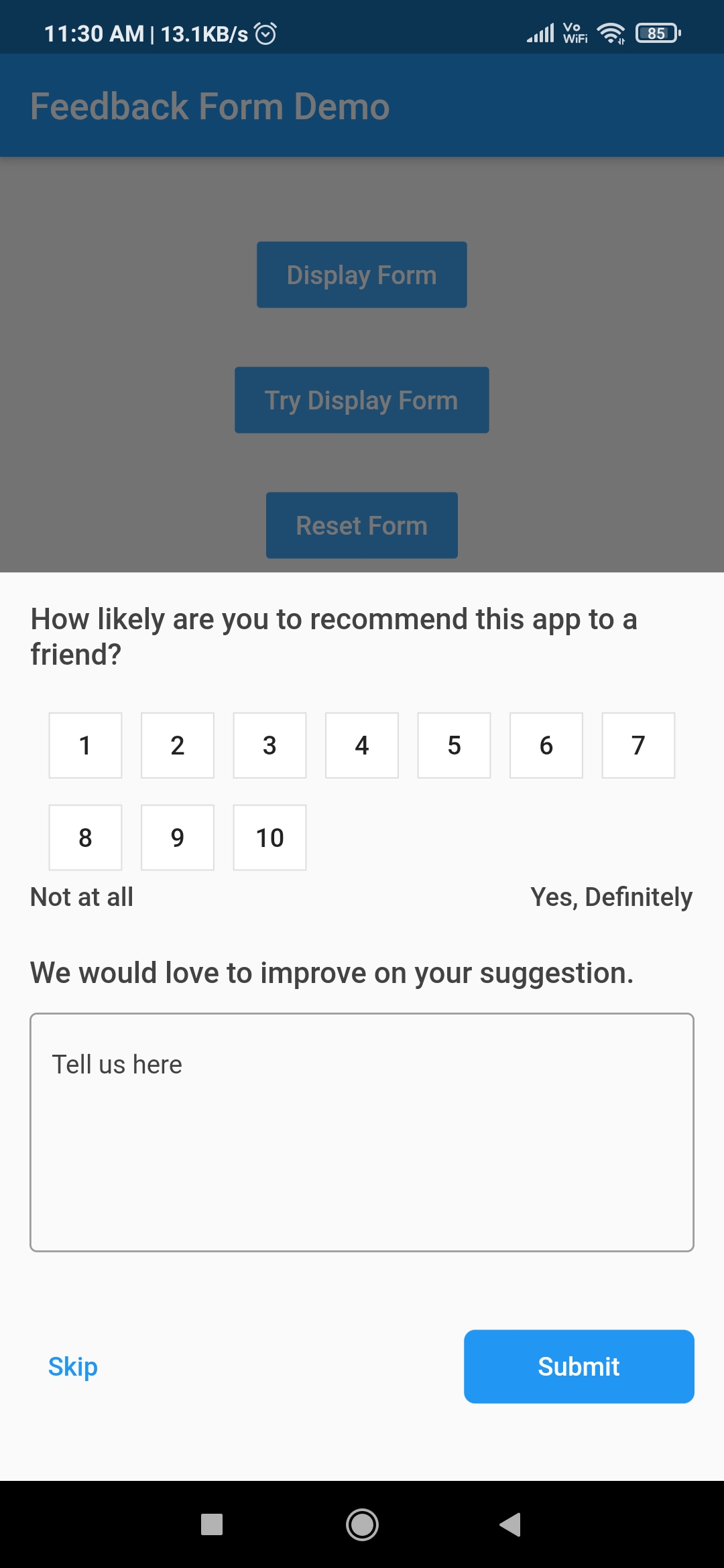
A Flutter package for getting app feedback from users. It provides the utility to display feedback form depending upon the requirement. Feedback form can be displayed instantly at any time or after certain period of time.

Download Demo App GitHub All Releases

How to use this package

1. Add library to pubspec.yml
dependencies:
  app_feedback: ^0.0.2
2. Import library in dart file.
import 'package:app_feedback/app_feedback.dart';
3. Create a instance of AppFeedback
AppFeedback feedbackForm = AppFeedback.instance;
4. Initialize the app feedback (Ony if you want to ask user for his feedback periodically)
 @override
  void initState() {
    /// `duration` is set to 10 seconds for testing purpose.
    /// Change this duration on the basis of how often you want to ask user for his feedback.
    /// For example duration can be 15 days, 1 or 2 month etc.
    feedbackForm.init(FeedbackConfig(duration: Duration(seconds: 10)));
    super.initState();
  }
5. Create a method which will launch the feedback form
 void tryDisplay() {
    feedbackForm.tryDisplay(context, onSubmit: (UserFeedback feedback) {
      print(feedback);
    });
  }
6. Create a button to call tryDisplay method.
TextButton(
    onPressed: tryDisplay,
    child: Text("Try Display Form")
 ),

Note

  1. feedbackForm will only be displayed once provided duration in step 3 has passed.
  2. Once feedbackForm is displayed then it won't be displayed until the next cycle of the duration is completed.
  3. The config data provided in first time initialization of feedbackForm is stored in local cache and other initialization data will be ignored.
7. Clear old configuration

Invoke clearConfig method only if there is a need to clear the old config values otherwise ignore this.

  void clearConfig() async {
    await feedbackForm.clearConfig();
 }

Note

  1. After clearing the configuration it won't be display the feedback form ever until new initialization.
  2. Clear configuration form doesn't mean reset the duration cycle. It just removes the all configuration from the cache.
  3. To reset duration and other configuration do call the feedbackForm.init() method with new config values.
Display instant feedbackForm

If there is a need to display feedbackForm instantly on any time then invoke feedbackForm.display method. By calling this method won't reset the duration cycle provided in above step 3. To invoke below method there is no need to initialize the feedbackForm.

void launchAppFeedback() {
    feedbackForm.display(context,
        option: Option(
          maxRating: 10,
          ratingButtonTheme: RatingButtonThemeData.defaultTheme,
        ), onSubmit: (feedback) {
      print(feedback);
    });
  }
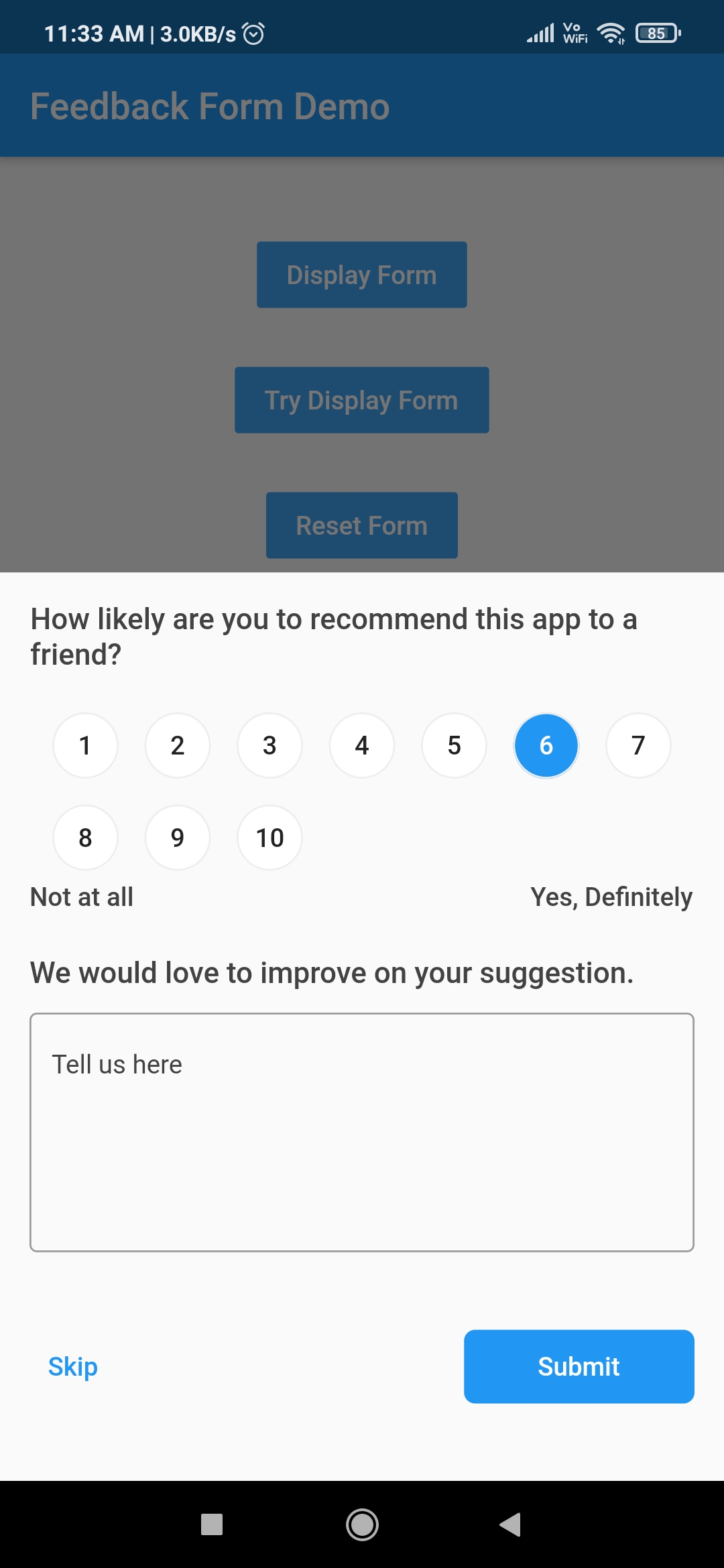
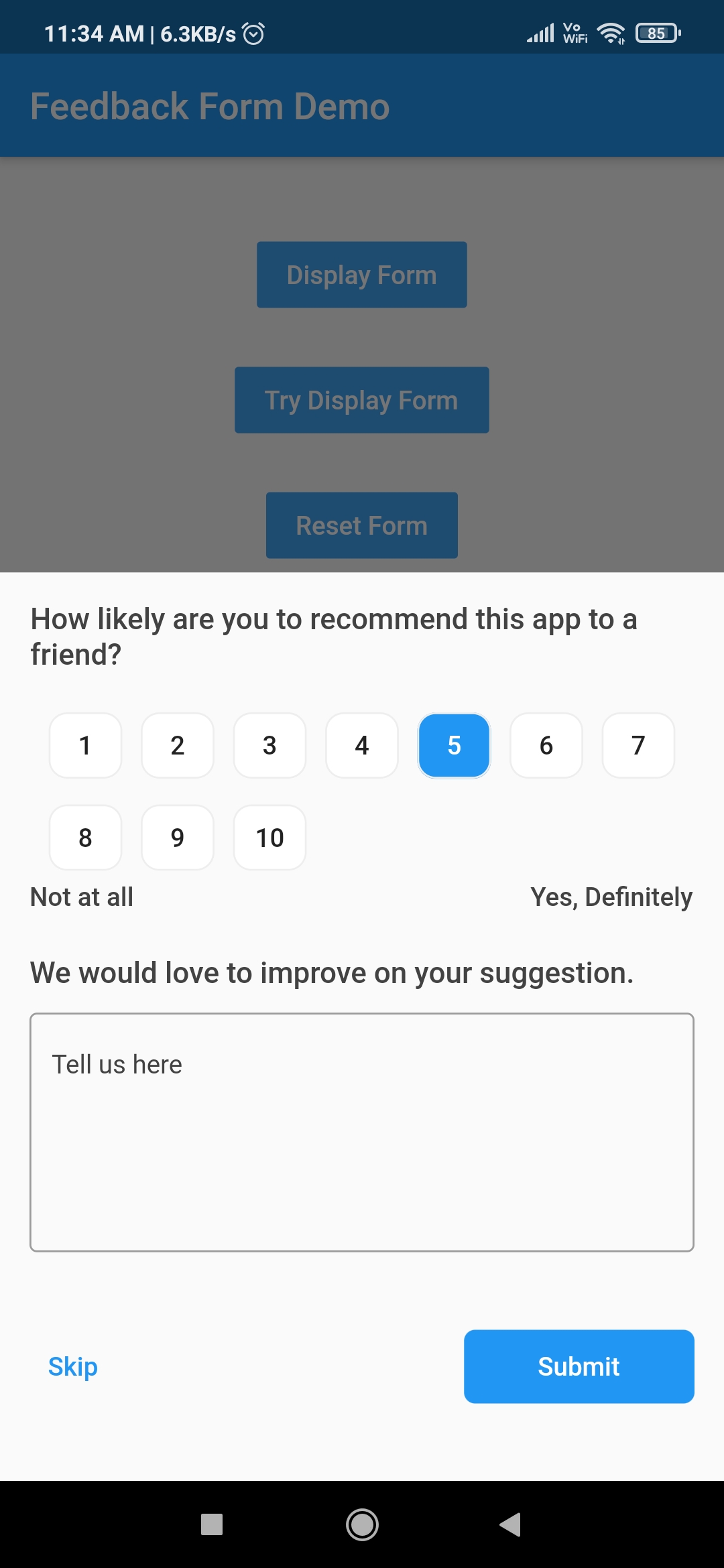
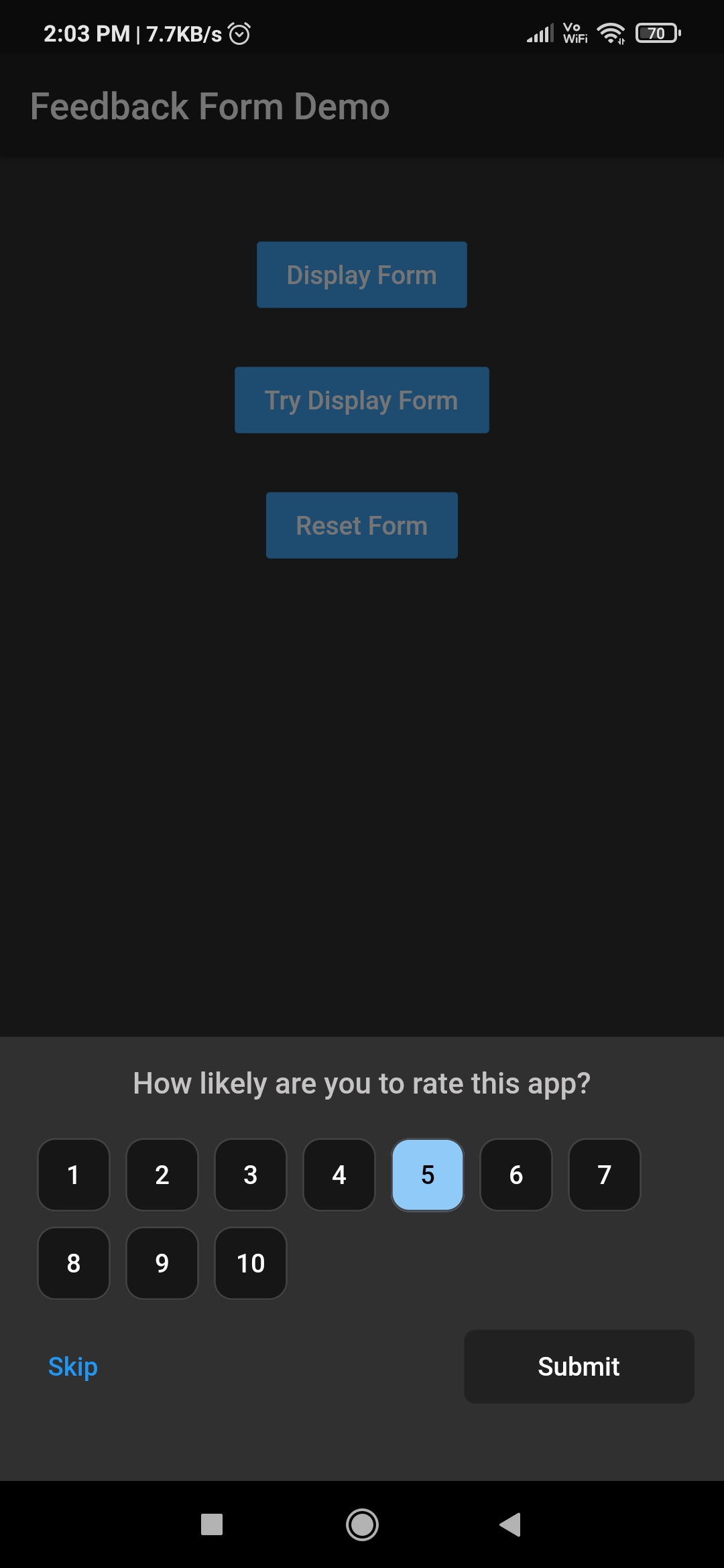
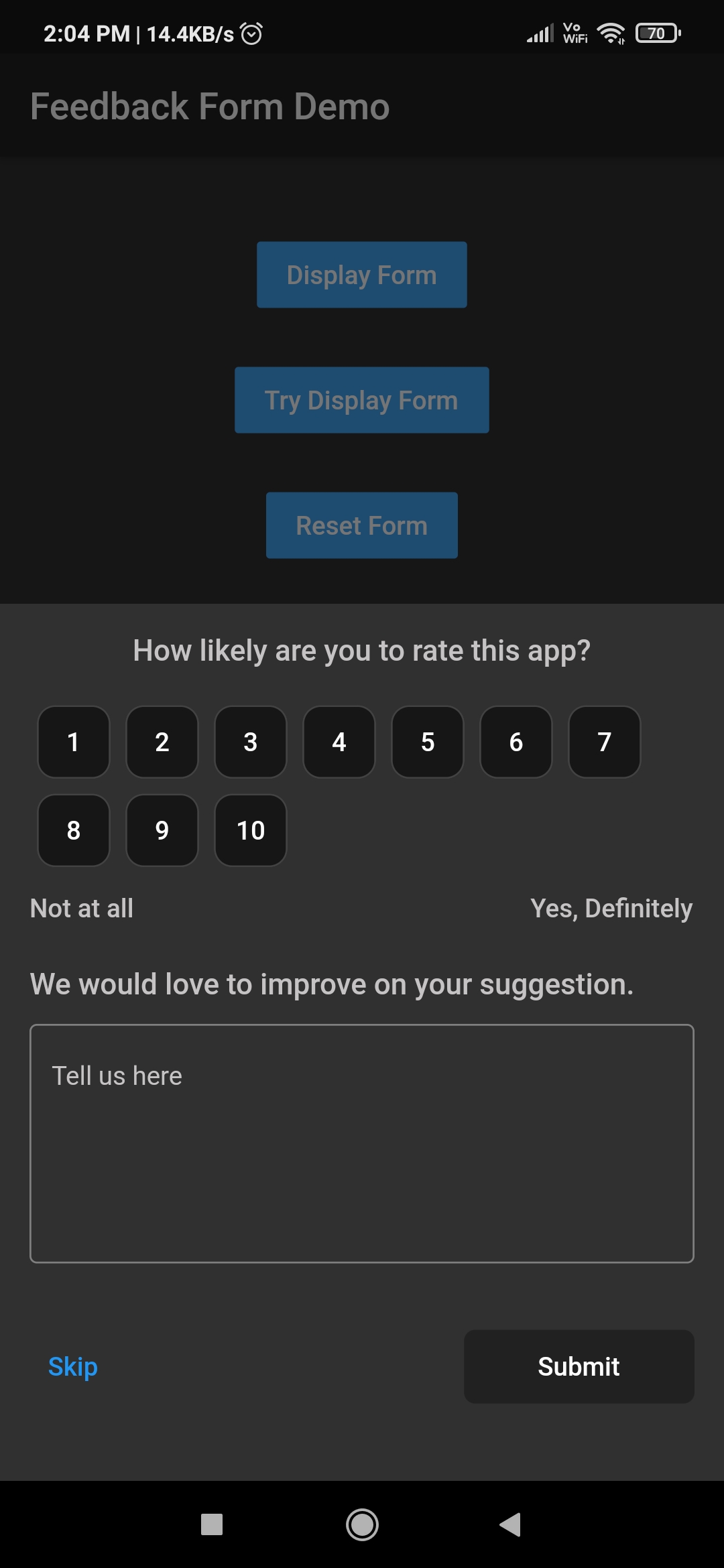
Feedback form Customised Rating button Customised Rating button
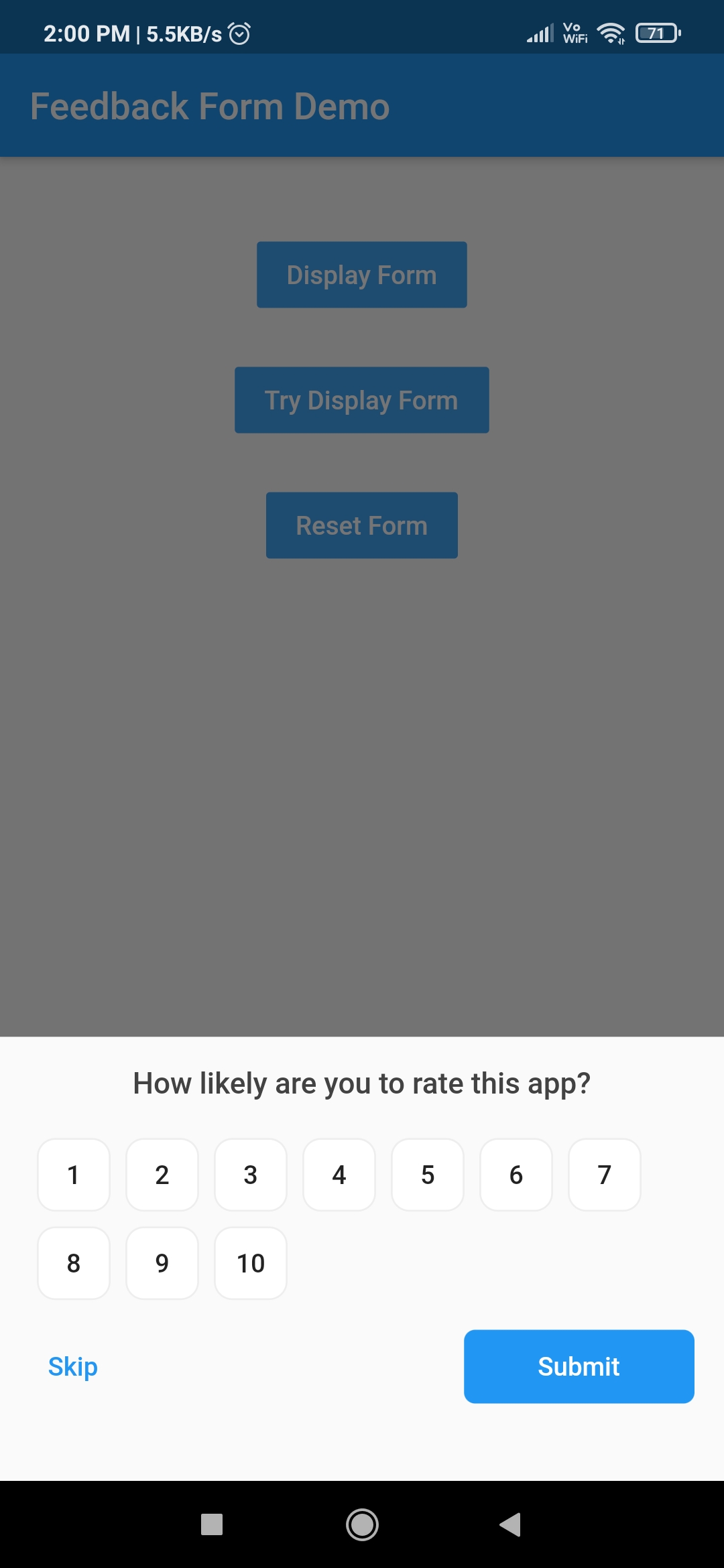
Hidden feedback field Customised feedback form Customised feedback form

Other Flutter packages

Name Stars Pub
Filter List GitHub stars pub package
Empty widget GitHub stars pub package
Add Thumbnail GitHub stars pub package
Country Provider GitHub stars pub package

Pull Requests

I welcome and encourage all pull requests. It usually will take me within 24-48 hours to respond to any issue or request.

Created & Maintained By

Sonu Sharma (Twitter) (Youtube) (Insta) Twitter Follow

If you found this project helpful or you learned something from the source code and want to thank me, consider buying me a cup of :coffee:

Visitors Count

Loading

所属分类

依赖

依赖清单 2 项

源码仓库

使用此插件的项目