搜索插件、代码仓与 APP 分类

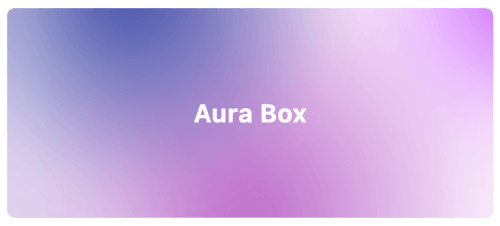
aura_box 封面
插件详情v1.0.2

aura_box

一个结合了多个径向渐变和模糊效果的 Flutter 小部件。

AndroidiOSWebmacOSWindowsLinux
近 30 天下载
395
喜欢数
74
Pub 分数
160

安装插件

flutter pub add aura_box

插件介绍

基于插件公开信息、社区数据与项目使用情况整理的选型参考。

Aura Box 是一个 Flutter 小部件,通过将多个径向渐变与模糊叠加结合,创建出引人注目的背景效果。适用于现代应用程序界面,能够在不带来沉重性能负担的情况下增强视觉深度和优雅感。该小部件支持平滑动画,并可自定义渐变颜色、强度和模糊程度。它可在 Android、iOS、Web、macOS、Windows 和 Linux 等所有主要平台上运行,非常适合跨平台开发。适用于启动画面、登录页面或沉浸式用户界面。

适合场景

  • 启动画面
  • 登录和引导页面
  • 沉浸式仪表板背景
  • 应用主题自定义
  • 动画用户界面转换

主要特点

  • 多个径向渐变
  • 模糊效果集成
  • 跨平台兼容性
  • 可自定义的渐变颜色
  • 平滑动画支持
  • 轻量级性能

适合对象

  • 注重设计的 Flutter 应用
  • 现代的UI/UX实现
  • 移动和Web应用中的背景增强
  • 寻求视觉精致的开发者
  • 创意应用原型

使用建议

  • 可能会影响低端设备的性能
  • 需要仔细选择颜色,以避免视觉混乱
  • 不适合内容密集型布局
  • 最好用作背景,而不是主要的内容容器
  • 开箱即用的交互功能有限

原始 README

以下为关联源码仓库的 README 原文快照,最新内容请访问源码仓库。

Aura Box

style: very good analysis patrol_finders on pub.dev License: MIT

Flutter widget that combines multiple radial gradients and blur effect.

Aura box banner image

Installation

Add this line into the project pubspec.yaml file.

dependencies:
    aura_box: ^1.0.4

Then in your files you can import it:

import 'package:aura_box/aura_box.dart';

Usage

The package exposes two widgets.

  • AuraBox acts as a container which can receive a child, a decoration and a list of AuraSpot.
  • AuraSpot represent the point where the radiant gradients are generated.
AuraBox(
    spots: [
        // Places one blue spot in the center
        AuraSpot(
            color: Colors.blue,
            radius: 100.0,
            alignment: Alignment.center,
            blurRadius: 5.0,
            stops: const [0.0, 0.5],
        ),
        // Places one red spot in the bottom right
        AuraSpot(
            color: Colors.red,
            radius: 150.0,
            alignment: Alignment.bottomRight,
            blurRadius: 10.0,
            stops: const [0.0, 0.7],
        ),
    ],
    decoration: BoxDecoration(
        color: Colors.transparent,
        shape: BoxShape.rectangle,
        borderRadius: BorderRadius.circular(10.0),
    ),
    child: const SizedBox(
        height: 100,
        width: 100,
    ),
)

Alignment

The single spots are positioned inside a stack widget. This gives control over their position using the alignment property.

For further details you can refer to the Alignment class documentation.

Example

An example project is available within the project:

example

所属分类

源码仓库

使用此插件的项目