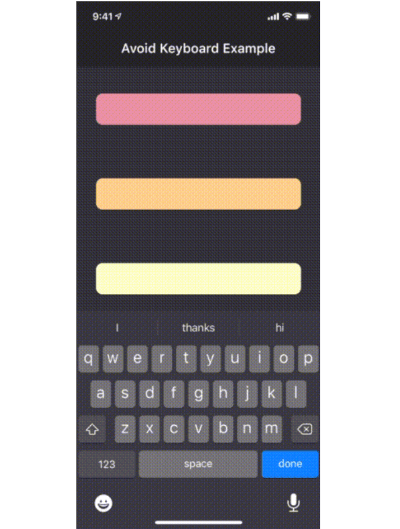
avoid_keyboard 包为 Flutter 应用提供了一种简单的方法来管理键盘避让,允许特定的视图区域在键盘出现时进行调整。与全屏调整不同,它避免了压缩整个 UI,从而保持布局完整性。该包可在 Android、iOS、Web、macOS、Windows 和 Linux 等多个平台上使用。对于表单或输入密集型界面,该包非常适合,因为在用户交互过程中保持视觉上下文至关重要。
适合场景
表单输入项具有动态布局调整
带有消息输入字段的聊天界面
自定义可滚动区域,避免键盘重叠
需要精确键盘处理的移动优先用户界面
带有响应式输入区域的网页和桌面应用程序
主要特点
区域特定的键盘避让
无完整视图压缩
跨平台支持
使用 widget 包装器的最小设置
支持可滚动容器
与现有的滚动视图兼容
适合对象
开发输入密集型应用的开发者
面向多个平台的团队
需要精细控制的UI设计师
具有复杂表单布局的应用程序
需要流畅键盘交互的项目
使用建议
复杂布局可能需要手动定位逻辑
不适用于全屏键盘避让
对高频更新的性能影响
超出基本偏移之外的自定义功能有限
需要在所有目标平台上进行仔细测试
原始 README
以下为关联源码仓库的 README 原文快照,最新内容请访问源码仓库。
avoid_keyboard
The avoid_keyboard package includes a widget (AvoidKeyboard) in which you can wrap your text fields and other input controls, such that they will scroll out of the way when the keyboard pops up. Using this widget has an advantage over using the default Scaffold behavior, in that you can specify exactly which areas of your app will scroll in response to the keyboard, rather than having your entire viewport compressed (which won't work anyway for fixed height columns).
Another advantage, is that AvoidKeyboard will only shift its contents in the case that the keyboard is actually overlapping the focused input control.
Getting Started
To get started, simply wrap the input controls (along with any surrounding portion of the widget tree which should move out of the way):