搜索插件、代码仓与 APP 分类

background_geolocation_firebase 封面
插件详情v1.1.0

background_geolocation_firebase

flutter_background_geolocation 插件的 Firebase 适配器。自动将记录的位置同步到您的 Firestore 数据库。

AndroidiOS
近 30 天下载
80
喜欢数
38
Pub 分数
130

安装插件

flutter pub add background_geolocation_firebase

插件介绍

基于插件公开信息、社区数据与项目使用情况整理的选型参考。

一个适用于 flutter_background_geolocation 插件的 Firebase 适配器,可自动将记录的位置数据同步到 Firestore。专为与后台位置服务无缝协作而设计,支持实时跟踪和在 Firebase 数据库中持久化存储设备位置。非常适合需要持续位置监控的应用程序,例如车队管理、配送追踪或活动日志记录。该包能够高效处理数据同步,确保在 Android 和 iOS 平台上均具备可靠性。

适合场景

  • 实时车队跟踪
  • 配送路线监控
  • 活动和旅程记录
  • 基于位置的分析
  • 用户活动跟踪

主要特点

  • 自动 Firestore 同步
  • 跨平台支持(Android/iOS)
  • 与 flutter_background_geolocation 的无缝集成
  • 可靠的离线到在线数据传输
  • 可配置的上传间隔

适合对象

  • 车队和物流应用
  • 健身和户外追踪应用
  • 现场服务管理
  • 需要持久化位置历史记录的应用程序

使用建议

  • 需要 Firebase Firestore 设置
  • 可能会产生云存储费用
  • 依赖于底层的 background_geolocation 插件
  • 网络连接影响同步时间
  • 后台位置访问所需的权限

原始 README

以下为关联源码仓库的 README 原文快照,最新内容请访问源码仓库。

background_geolocation_firebase


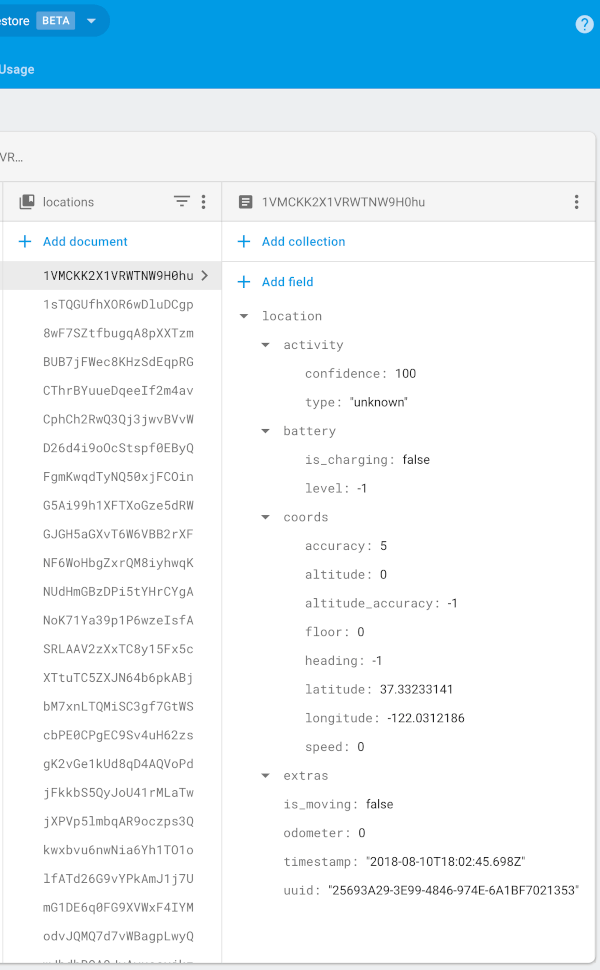
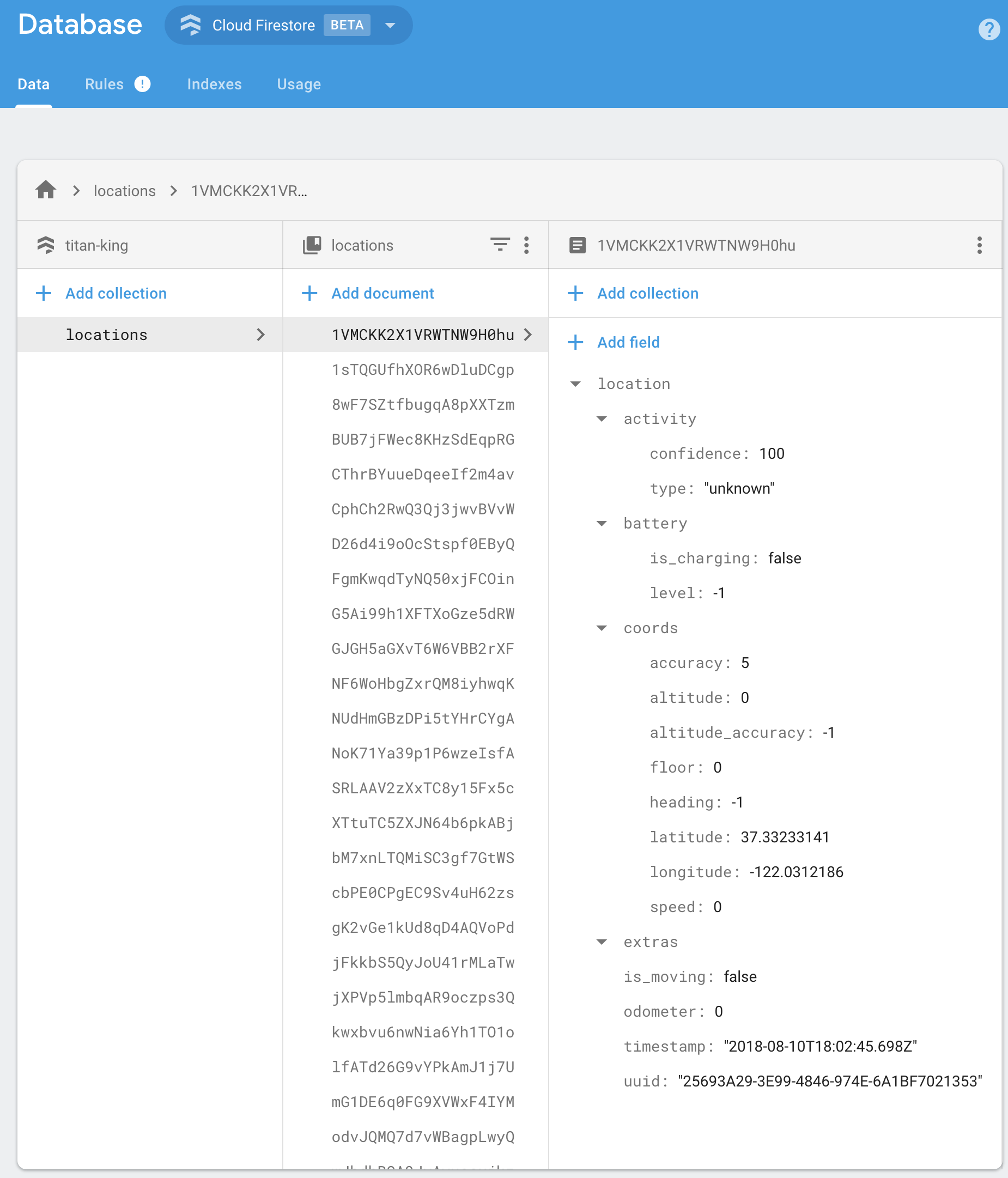
Firebase Proxy for Flutter Background Geolocation. The plugin will automatically post locations to your own Firestore database, overriding the flutter_background_geolocation plugin's SQLite / HTTP services.


The Android module requires purchasing a license. However, it will work for DEBUG builds. It will not work with RELEASE builds without purchasing a license.


Contents

:large_blue_diamond: Installing the Plugin

:open_file_folder: pubspec.yaml:

dependencies:
  background_geolocation_firebase: '^0.1.0'
Or latest from Git:
dependencies:
  background_geolocation_firebase:
    git:
      url: https://github.com/transistorsoft/flutter_background_geolocation_firebase

:large_blue_diamond: Setup Guides

:large_blue_diamond: Example

import 'dart:async';
import 'package:flutter/material.dart';
import 'package:flutter/services.dart';

import 'package:background_geolocation_firebase/background_geolocation_firebase.dart';
import 'package:flutter_background_geolocation/flutter_background_geolocation.dart' as bg;

void main() {
  runApp(new MyApp());
}

class MyApp extends StatefulWidget {
  @override
  _MyAppState createState() => new _MyAppState();
}

class _MyAppState extends State<MyApp> {

  @override
  void initState() {
    super.initState();
    initPlatformState();
  }

  // Platform messages are asynchronous, so we initialize in an async method.
  Future<void> initPlatformState() async {

    // 1.  First configure the Firebase Adapter.
    BackgroundGeolocationFirebase.configure(BackgroundGeolocationFirebaseConfig(
      locationsCollection: "locations",
      geofencesCollection: "geofences",
      updateSingleDocument: false
    ));

    // 2.  Configure BackgroundGeolocation as usual.
    bg.BackgroundGeolocation.onLocation((bg.Location location) {
      print('[location] $location');
    });

    bg.BackgroundGeolocation.ready(bg.Config(
      debug: true,
      logLevel: bg.Config.LOG_LEVEL_VERBOSE,
      stopOnTerminate: false,
      startOnBoot: true
    )).then((bg.State state) {
      if (!state.enabled) {
        bg.BackgroundGeolocation.start();
      }
    });

    // If the widget was removed from the tree while the asynchronous platform
    // message was in flight, we want to discard the reply rather than calling
    // setState to update our non-existent appearance.
    if (!mounted) return;
  }

  @override
  Widget build(BuildContext context) {
    return new MaterialApp(
      home: new Scaffold(
        appBar: new AppBar(
          title: const Text('BGGeo Firebase Example', style: TextStyle(color: Colors.black)),
          backgroundColor: Colors.amberAccent,
          brightness: Brightness.light,

        ),
        body: Text("BGGeo Firebase")
      ),
    );
  }
}

:large_blue_diamond: Firebase Functions

BackgroundGeolocation will post its default "Location Data Schema" to your Firebase app.

{
  "location":{},
  "param1": "param 1",
  "param2": "param 2"
}

You should implement your own Firebase Functions to "massage" the incoming data in your collection as desired. For example:

import * as functions from 'firebase-functions';

exports.createLocation = functions.firestore
  .document('locations/{locationId}')
  .onCreate((snap, context) => {
    const record = snap.data();

    const location = record.location;

    console.log('[data] - ', record);

    return snap.ref.set({
      uuid: location.uuid,
      timestamp: location.timestamp,
      is_moving: location.is_moving,
      latitude: location.coords.latitude,
      longitude: location.coords.longitude,
      speed: location.coords.speed,
      heading: location.coords.heading,
      altitude: location.coords.altitude,
      event: location.event,
      battery_is_charging: location.battery.is_charging,
      battery_level: location.battery.level,
      activity_type: location.activity.type,
      activity_confidence: location.activity.confidence,
      extras: location.extras
    });
});


exports.createGeofence = functions.firestore
  .document('geofences/{geofenceId}')
  .onCreate((snap, context) => {
    const record = snap.data();

    const location = record.location;

    console.log('[data] - ', record);

    return snap.ref.set({
      uuid: location.uuid,
      identifier: location.geofence.identifier,
      action: location.geofence.action,
      timestamp: location.timestamp,
      latitude: location.coords.latitude,
      longitude: location.coords.longitude,
      extras: location.extras,
    });
});

:large_blue_diamond: Configuration Options

@param {String} locationsCollection [locations]

The collection name to post location events to. Eg:

BackgroundGeolocationFirebase.configure(BackgroundGeolocationFirebaseConfig(
  locationsCollection: '/locations'
));

BackgroundGeolocationFirebase.configure(BackgroundGeolocationFirebaseConfig(
  locationsCollection: '/users/123/locations'
));

BackgroundGeolocationFirebase.configure(BackgroundGeolocationFirebaseConfig(
  locationsCollection: '/users/123/routes/456/locations'
));

@param {String} geofencesCollection [geofences]

The collection name to post geofence events to. Eg:

BackgroundGeolocationFirebase.configure(BackgroundGeolocationFirebaseConfig(
  geofencesCollection: '/geofences'
));

BackgroundGeolocationFirebase.configure(BackgroundGeolocationFirebaseConfig(
  locationsCollection: '/users/123/geofences'
));

BackgroundGeolocationFirebase.configure(BackgroundGeolocationFirebaseConfig(
  locationsCollection: '/users/123/routes/456/geofences'
));

@param {Boolean} updateSingleDocument [false]

If you prefer, you can instruct the plugin to update a single document in Firebase rather than creating a new document for each location / geofence. In this case, you would presumably implement a Firebase Function to deal with updates upon this single document and store the location in some other collection as desired. If this is your use-case, you'll also need to ensure you configure your locationsCollection / geofencesCollection accordingly with an even number of "parts", taking the form /collection_name/document_id, eg:

BackgroundGeolocationFirebase.configure(BackgroundGeolocationFirebaseConfig(
  locationsCollection: '/locations/latest'  // <-- 2 "parts":  even
));

// or
BackgroundGeolocationFirebase.configure(BackgroundGeolocationFirebaseConfig(
  locationsCollection: '/users/123/routes/456/the_location'  // <-- 4 "parts":  even
));

// Don't use an odd number of "parts"
BackgroundGeolocationFirebase.configure(BackgroundGeolocationFirebaseConfig(
  locationsCollection: '/users/123/latest_location'  // <-- 3 "parts": odd!!  No!
));

License

The MIT License (MIT)

Copyright (c) 2018 Chris Scott, Transistor Software

Permission is hereby granted, free of charge, to any person obtaining a copy of this software and associated documentation files (the "Software"), to deal in the Software without restriction, including without limitation the rights to use, copy, modify, merge, publish, distribute, sublicense, and/or sell copies of the Software, and to permit persons to whom the Software is furnished to do so, subject to the following conditions:

The above copyright notice and this permission notice shall be included in all copies or substantial portions of the Software.

THE SOFTWARE IS PROVIDED "AS IS", WITHOUT WARRANTY OF ANY KIND, EXPRESS OR IMPLIED, INCLUDING BUT NOT LIMITED TO THE WARRANTIES OF MERCHANTABILITY, FITNESS FOR A PARTICULAR PURPOSE AND NONINFRINGEMENT. IN NO EVENT SHALL THE AUTHORS OR COPYRIGHT HOLDERS BE LIABLE FOR ANY CLAIM, DAMAGES OR OTHER LIABILITY, WHETHER IN AN ACTION OF CONTRACT, TORT OR OTHERWISE, ARISING FROM, OUT OF OR IN CONNECTION WITH THE SOFTWARE OR THE USE OR OTHER DEALINGS IN THE SOFTWARE.

所属分类

源码仓库

使用此插件的项目

暂无相关数据。