搜索插件、代码仓与 APP 分类

circular_clip_route 封面
插件详情v0.2.0+3

circular_clip_route

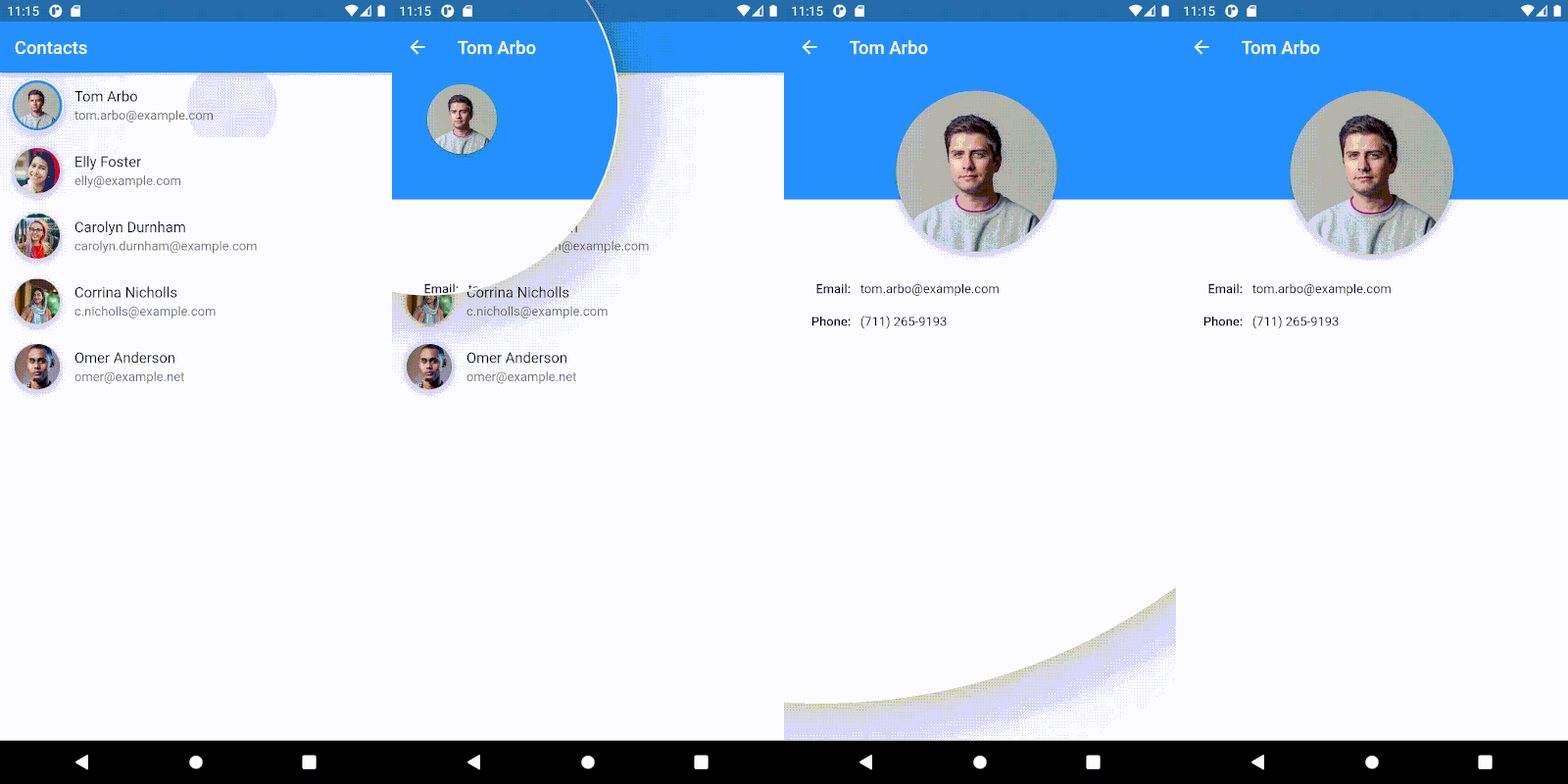
一个页面路由,通过从锚定小部件展开圆形裁剪来显示其页面。

AndroidiOSWebmacOSWindowsLinux
近 30 天下载
20
喜欢数
131
Pub 分数
160

安装插件

flutter pub add circular_clip_route

插件介绍

基于插件公开信息、社区数据与项目使用情况整理的选型参考。

CircularClipRoute 是一个 Flutter 包,通过从指定的锚定小部件开始扩展圆形裁剪来揭示新屏幕,从而实现流畅、动画化的页面过渡。这会产生类似涟漪或缩放动画的视觉效果,提升导航中的用户体验。它非常适合那些希望通过微妙而动态的过渡来改善界面流程和视觉吸引力的应用程序。该路由可在所有主要平台(包括 Android、iOS、Web、macOS、Windows 和 Linux)上使用,确保行为一致。它使用 Dart 编写,可无缝集成到现有的 Flutter 项目中。

适合场景

  • 动画引导屏幕
  • 页面间的交互式导航
  • 状态更改期间的视觉反馈
  • 提升应用启动体验
  • 创建引人入胜的启动画面

主要特点

  • 圆形展开动画
  • 可自定义的锚点控件
  • 跨平台兼容性
  • 平滑的过渡效果
  • 与 Navigator 的轻松集成

适合对象

  • 寻求引人入胜的过渡效果的应用开发者
  • 专注于微交互的设计人员
  • 具有交互式 UI 元素的项目
  • 移动和Web应用
  • 强调视觉叙事的应用

使用建议

  • 可能会影响低端设备的性能
  • 需要仔细放置锚点控件
  • 不适合简单的快速导航
  • 超出基本参数的自定义功能有限
  • 建议谨慎使用,以避免分散注意力

原始 README

以下为关联源码仓库的 README 原文快照,最新内容请访问源码仓库。

pub.dev package page GitHub Stars

A page route, which reveals its page by expanding a circular clip from an anchor widget.


If you're looking for a database solution, check out cbl, another project of mine. It brings Couchbase Lite to standalone Dart and Flutter, with support for:

  • Full-Text Search,
  • Expressive Queries,
  • Data Sync,
  • Change Notifications

and more.


Getting started

To use the CircularClipRoute, provide it the context from which the animation should expand and push it onto the navigation stack. One way to get the right context is to use a Builder, which wraps the widget from which the route should expand:

final navigationTrigger = Builder(
    builder: (context) {
      return IconButton(
          icon: Icon(Icons.favorite),
          onPressed: () {
            Navigator.push(context, CircularClipRoute<void>(
              // This context will be used to determine the location and size of
              // the expanding clip. Here this will resolve to the `IconButton`.
              expandFrom: context,
              builder: (_) => MyRoute(),
            ));
          }
      );
    }
);

Also, take a look at the API docs for customizing the animation.

Example

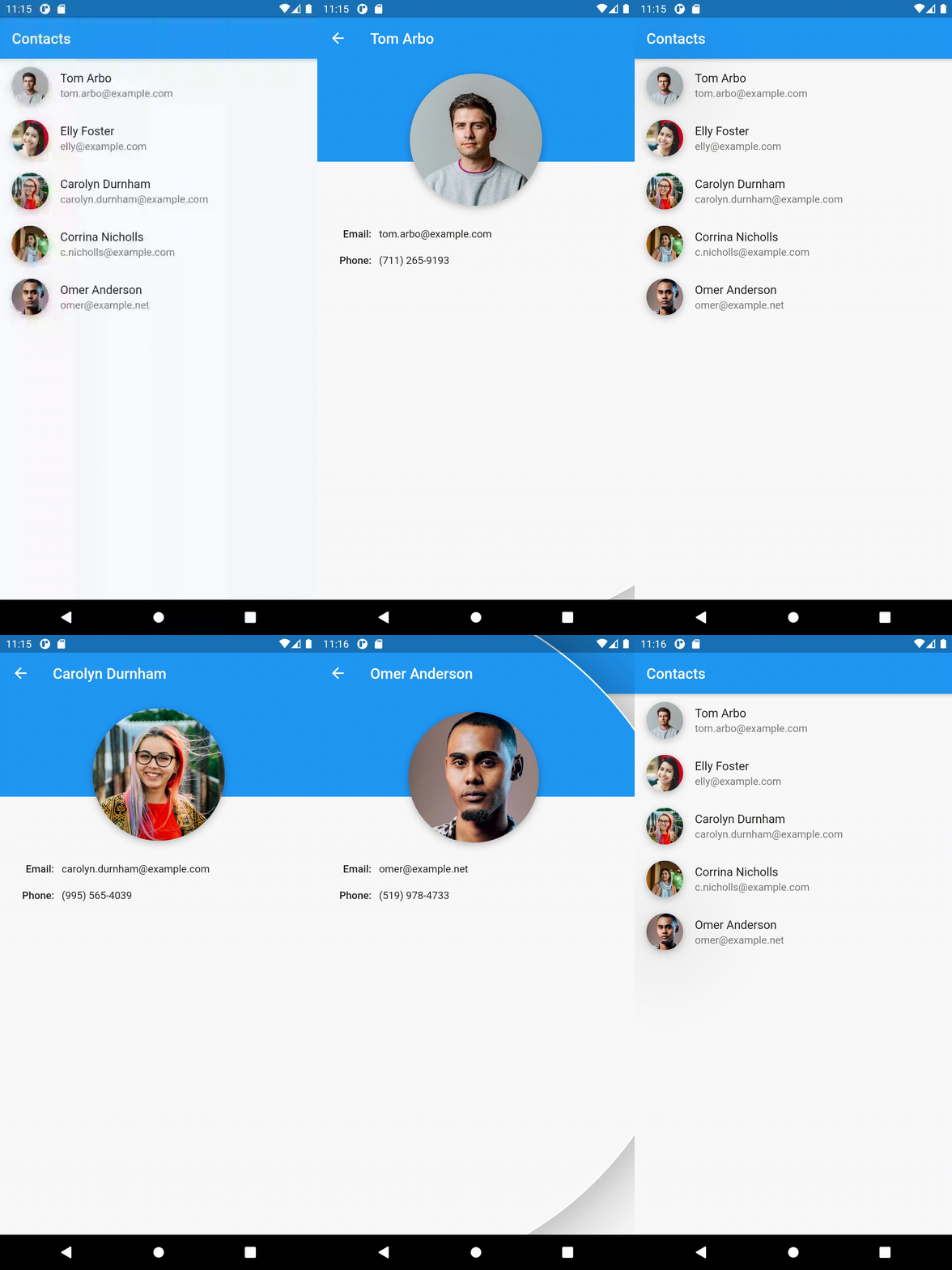
The example implements the demo at the top.

References

Inspired by this shot.

This drawing visualizes the geometry involved in creating the route transition:

Illustration of the geometry of the transition

The Anchored Custom Routes article explains how to implement routes, that are anchored to a widget, generally.


Gabriel Terwesten • GitHub @blaugold • Twitter @GTerwesten • Medium @gabriel.terwesten

所属分类

源码仓库

使用此插件的项目

暂无相关数据。