搜索插件、代码仓与 APP 分类

插件详情v0.0.2

colorify

一个简单的 Flutter 包,可根据给定的动态种子生成确定性的随机颜色。

AndroidiOSWebmacOSWindowsLinux
近 30 天下载
46
喜欢数
1
Pub 分数
160

安装插件

flutter pub add colorify

插件介绍

基于插件公开信息、社区数据与项目使用情况整理的选型参考。

Colorify 是一个轻量级的 Flutter 包,它根据动态种子输入生成确定性的随机颜色。这确保了在使用相同种子时多次调用的颜色输出保持一致,非常适合需要可重现配色方案的应用程序。该包支持所有主要平台,包括 Android、iOS、Web、macOS、Windows 和 Linux。该包易于集成,适用于可视化、UI 组件或数据标记等场景,其中需要独特但可预测的颜色。

适合场景

  • 为数据可视化生成一致的颜色
  • 为用户资料分配唯一颜色
  • 使用可重复使用的调色板创建主题化UI元素
  • 在列表或图表中对项目进行颜色编码
  • 使用基于种子的随机性设计动态主题

主要特点

  • 从种子生成确定性颜色
  • 支持动态种子类型
  • 跨平台兼容性
  • 简单的 API,设置简单
  • 无外部依赖

适合对象

  • 需要可重现颜色方案的开发者
  • UI/UX 设计师与动态主题协作
  • 需要唯一且一致着色的应用程序
  • 具有数据可视化需求的项目
  • 原型设计交互界面

使用建议

  • 种子必须保持一致,以获得相同的颜色输出
  • 不适合用于加密或安全敏感的颜色生成
  • 仅限颜色生成——无法进行高级调色板操作
  • 性能影响可以忽略不计,但取决于使用频率
  • 不支持颜色混合或渐变

原始 README

以下为关联源码仓库的 README 原文快照,最新内容请访问源码仓库。

Colorify

An extremely simple Flutter package that deterministically converts arbitrary dynamic input into a Color. Published mainly for personal use to avoid reinventing the wheel in my projects.

Usage

Basic Example
import 'package:colorify/colorify.dart' as c;
import 'package:flutter/material.dart';

void main() {
  final input = 'example-seed';
  final color = c.colorify(input);
  print(color); // Outputs a Color object deterministically derived from 'example-seed'.
}
Customizing Color Type

You can specify the type of colors generated by using the ColorType enum:

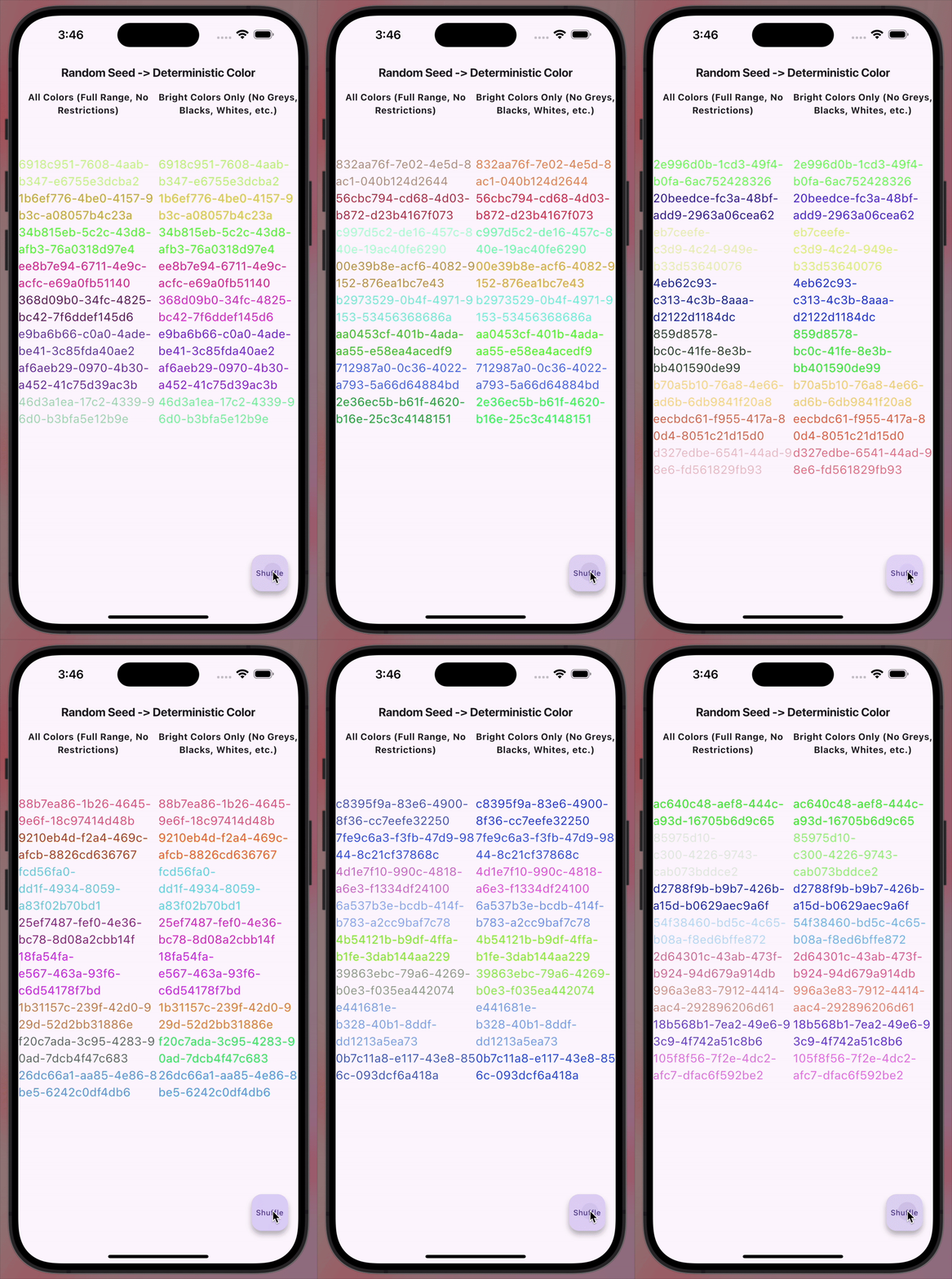
  • ColorType.all: Generates colors from the full spectrum.
  • ColorType.brights: Generates bright and vibrant colors.

Example:

import 'package:colorify/colorify.dart' as c;
import 'package:flutter/material.dart';

void main() {
  final input = 'example-seed';

  // Generate a color from the full spectrum
  final allColors = c.colorify(input, colorType: c.ColorType.all);

  // Generate a bright color
  final brightColor = c.colorify(input, colorType: c.ColorType.brights);
}

所属分类

依赖

依赖清单 1 项

源码仓库

使用此插件的项目

暂无相关数据。