flutter_richtext_composer

A Flutter package for composing RichText in a i18n friendly way.
Getting Started
Import the library with
import 'package:flutter_richtext_composer/flutter_richtext_composer.dart';
Example
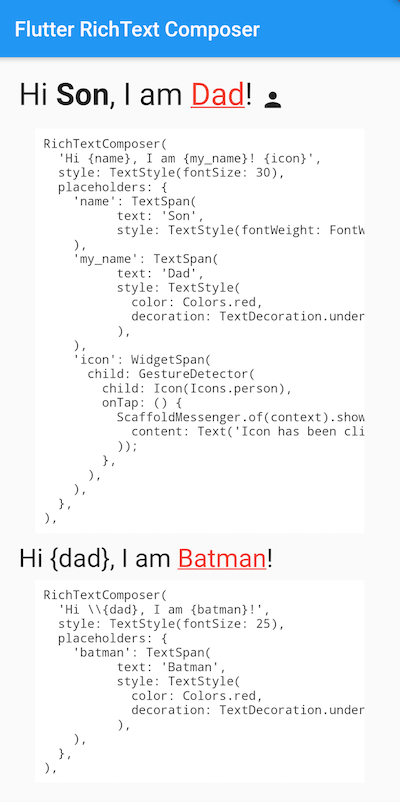
Then you can start composing RichText like this:
RichTextComposer(
  'Hi {name}, I am {my_name}! {icon}',
  style: TextStyle(fontSize: 30),
  placeholders: {
    'name': TextSpan(
          text: 'Son',
          style: TextStyle(fontWeight: FontWeight.bold),
    ),
    'my_name': TextSpan(
          text: 'Dad',
          style: TextStyle(
            color: Colors.red,
            decoration: TextDecoration.underline,
          ),
    ),
    'icon': WidgetSpan(
      child: GestureDetector(
        child: Icon(Icons.person),
        onTap: () {
          ScaffoldMessenger.of(context).showSnackBar(SnackBar(
            content: Text('Icon has been clicked'),
          ));
        },
      ),
    ),
  },
),
To escape the placeholder, prefix with \, e.g \{placeholder}:
RichTextComposer(
  'Hi \\{dad}, I am {batman}!',
  style: TextStyle(fontSize: 25),
  placeholders: {
    'batman': TextSpan(
          text: 'Batman',
          style: TextStyle(
            color: Colors.red,
            decoration: TextDecoration.underline,
          ),
    ),
  },
),