搜索插件、代码仓与 APP 分类

插件详情v1.0.2

flutter_shazam_kit

一个插件,可帮助您通过设备的麦克风检测歌曲。

AndroidiOS
近 30 天下载
43
喜欢数
29
Pub 分数
140

安装插件

flutter pub add flutter_shazam_kit

插件介绍

基于插件公开信息、社区数据与项目使用情况整理的选型参考。

flutter_shazam_kit 是一个 Flutter 插件,通过利用设备的麦克风实时识别歌曲。它将 Shazam 强大的音乐检测技术集成到 Flutter 应用中,使用户能够发现周围播放的音乐。该插件支持 Android 和 iOS 平台,为开发音乐发现功能的应用程序提供无缝体验。通过 pub add 进行最少配置,即可使用简单 API 启动歌曲检测并获取曲目名称、艺术家和专辑等元数据。非常适合专注于音乐探索或社交分享的应用。

适合场景

  • 实时音乐发现
  • 集成类似 Shazam 的功能
  • 社交媒体音乐标签
  • 基于音频的搜索功能
  • 实时活动音乐识别

主要特点

  • 实时歌曲检测
  • 支持 Android 和 iOS
  • 与 pub add 的简单集成
  • 获取歌曲元数据
  • 使用设备麦克风

适合对象

  • 音乐发现应用
  • 社交媒体平台
  • 事件应用
  • 音频识别工具
  • 开发者原型设计

使用建议

  • 需要麦克风权限
  • 依赖互联网连接
  • 仅限于Shazam的数据库
  • 背景检测可能受到限制
  • 准确性取决于音频质量

原始 README

以下为关联源码仓库的 README 原文快照,最新内容请访问源码仓库。

Flutter Shazam Kit

Version Publisher Points LINCENSE

A plugin that helps you detect songs through your device's microphone

Note:

  • This plugin depends on Apple's ShazamKit, requires IOS 15 or higher, and requires Android API level 23 (Android 6.0) or higher.
  • In the early versions of this plugin, I only use ShazamCatalog, it was the default catalog used as library for music detection and I plan to implement CustomCatalog in the future.

Configuration

Android configuration
  1. Add android.permission.RECORD_AUDIO permission and android.permission.INTERNET permission to your AndroidManifest.xml.
<uses-permission android:name="android.permission.RECORD_AUDIO" />

<uses-permission android:name="android.permission.INTERNET"/>
  1. Go to this Download Page and download the latest version of ShazamKit for Android, once you have downloaded it, create a new folder called libs inside your android’s app folder and place the .aar file inside that libs folder.

Your android project’s structure should look like this:

Untitled

  1. Inside your app-level build.gradle, change minSdkVersion to 23 and sync your project again.
minSdkVersion 23
  1. In order to use ShazamCatalog on Android, you need to have an Apple Developer Token to access ShazamKit service provided by Apple, please follow this link for more details.

    If you don’t know how to do that, please follow those steps below:

    1/ Create a media identifier

    • Go to Certificates, Identifiers & Profiles, click Identifiers in the sidebar.
    • On the top left, click the add button (+), select Media IDs, then click Continue.
    • Enter description and identifier for the Media ID, then enable ShazamKit and click Continue.

    Untitled

    • Click Register and you should see new Media ID in identifier list.

    2/ Create a private key (.p8)

    • Go to Certificates, Identifiers & Profiles, click Keys in the sidebar.
    • On the top left, click the add button (+), then enter your key name.
    • Enable Media Services (MusicKit, ShazamKit) checkbox, the click Configure button on the right.

    Untitled

    • Select the Media ID you created earlier and click Save.

    Untitled

    • Click Continue and then click Register.
    • Download the private key (.p8 file) and remember your Key ID.

    Untitled

    3/ Generate a Developer Token

    • Please refer to this link to learn how to generate a developer token.

    • Due to apple policy, Developer Token can only be valid for up to 6 months. So you should have a remote place to store and refresh your Developer Token once it is generated, you can either use a Backend Server or an alternative solution like Firebase Remote Config or something similar to store, generate and refresh your Developer Token.

    • For testing purposes you can use the following Node JS snippet or you can use my repository to create it.

      Note: This code snippet use the famous jsonwebtoken library so you need to install this library first before using this code snippet.

    "use strict";
    const fs = require("fs");
    const jwt = require("jsonwebtoken");
    
    const privateKey = fs.readFileSync("<YOUR_P8_FILE_NAME>.p8").toString();
    const teamId = "<YOUR_TEAM_ID>";
    const keyId = "<YOUR_KEY_ID>";
    const jwtToken = jwt.sign({}, privateKey, {
        algorithm: "ES256",
        issuer: teamId,
        expiresIn: "180d", // due to apple policy, developer key can only valid for 180 days
        header: {
            alg: "ES256",
            kid: keyId,
            typ: "JWT"
        }
    });
    
    console.log(jwtToken);
    
IOS configuration
  1. Add Privacy - Microphone Usage Description permission to your Info.plist.
<key>NSMicrophoneUsageDescription</key>
<string>Need microphone access for detecting musics</string>
  1. Update your Podfile global IOS platform to IOS 15.0
# Uncomment this line to define a global platform for your project
platform :ios, '15.0'
  1. Register new App ID
    • Go to Certificates, Identifiers & Profiles, click Identifiers in the sidebar.
    • On the top left, click the add button (+), select App IDs, then click Continue.
    • Select App type for this identifier, then click Continue.
    • Fill out description and Bundle ID (must be your App Bundle ID), switch to App Services tab and enable ShazamKit service, the click Continue.
    • Click Register button to register new App ID**.**
    • You should see your new App ID in Identifier list.

How to use

Initialize

Initialization configuration

final _flutterShazamKitPlugin = FlutterShazamKit();

@override
  void initState() {
    super.initState();
    _flutterShazamKitPlugin
        .configureShazamKitSession(developerToken: developerToken);
  }

@override
  void dispose() {
    super.dispose();
    _flutterShazamKitPlugin.endSession();
  }

Listen for the matching event

_flutterShazamKitPlugin.onMatchResultDiscovered((result) {
        if (result is Matched) {
          print(result.mediaItems)
        } else if (result is NoMatch) {
          // do something in no match case
        }
});

Listen for detecting state changed

_flutterShazamKitPlugin.onDetectStateChanged((state) {
        print(state)
});

Listen for errors

_flutterShazamKitPlugin.onError((error) {
        print(error.message);
});
Detect by microphone

Starting to detect by microphone

_flutterShazamKitPlugin.startDetectingByMicrophone();

End detect

_flutterShazamKitPlugin.endDetecting();

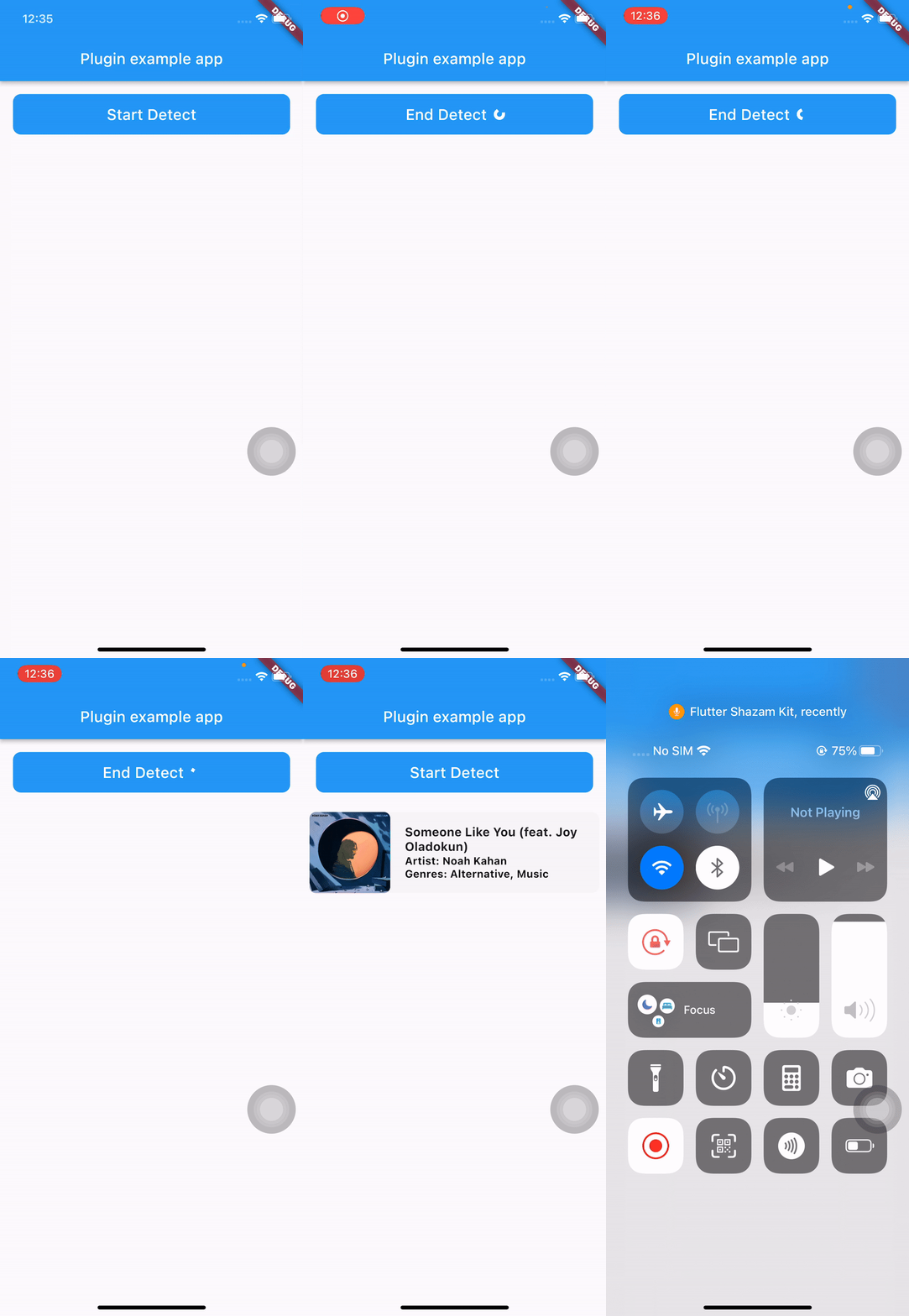
See the main.dart in the example folder for a complete example.

所属分类

依赖

依赖清单 1 项

  • plugin_platform_interface^2.0.2

源码仓库

使用此插件的项目

暂无相关数据。