Flutter Wordpress
pub.dev
This library uses WordPress REST API V2 to provide a way for your application to interact with your WordPress website.
Tutorial - by Ritesh Sharma
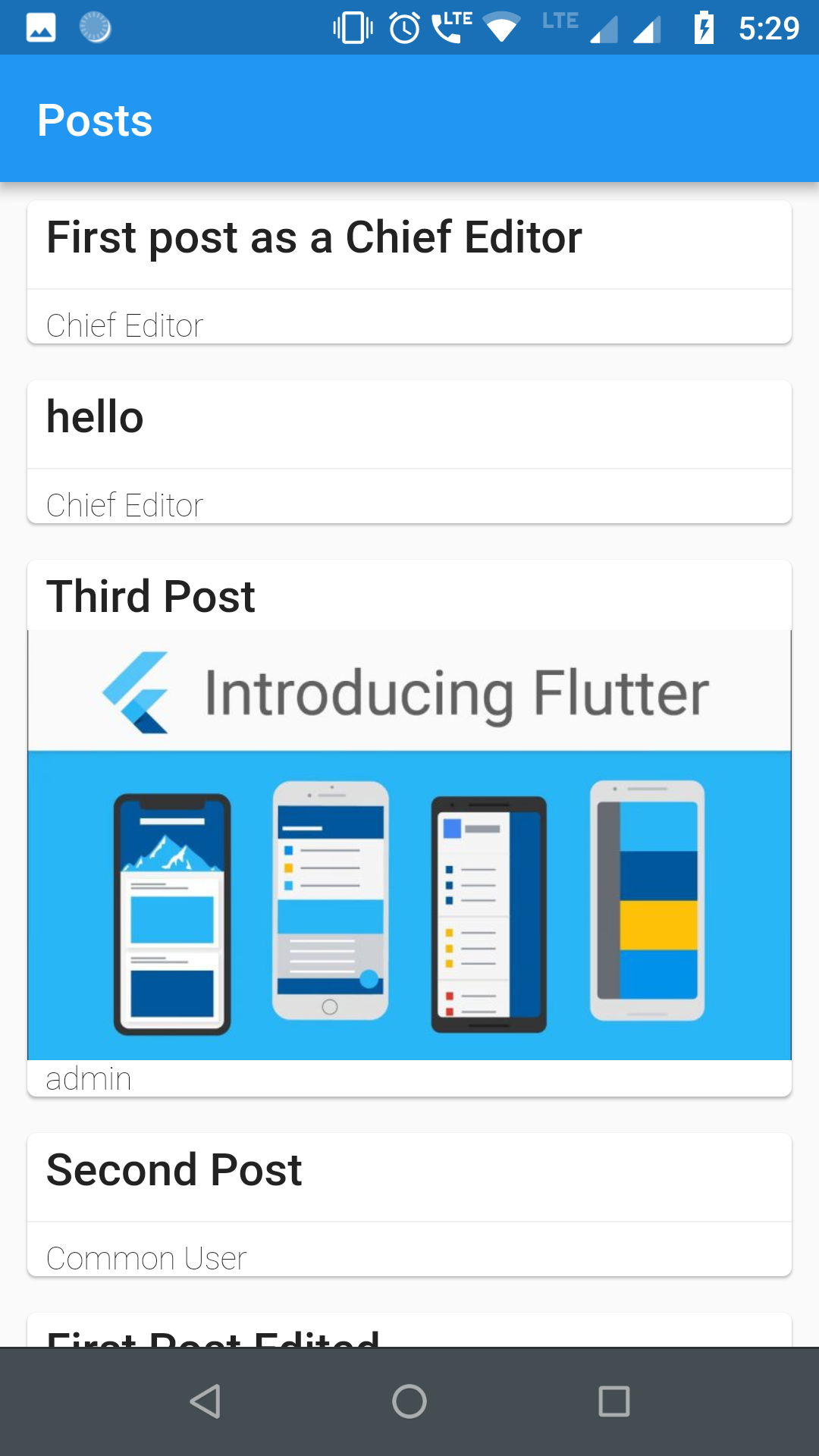
Screenshots
Requirements
For authentication and usage of administrator level REST APIs, you need to use either of the two popular authentication plugins in your WordPress site:
Application Passwords JWT Authentication for WP REST API (recommended)
Getting Started
1. Import library
First:
Find your pubspec.yaml in the root of your project and add flutter_wordpress: ^0.2.0 under dependencies:
Second:
import 'package:flutter_wordpress/flutter_wordpress.dart' as wp;
2. Instantiate WordPress class
wp.WordPress wordPress;
wordPress = wp.WordPress (
baseUrl: 'http://localhost' ,
authenticator: wp.WordPressAuthenticator .JWT,
adminName: '' ,
adminKey: '' ,
);
3. Authenticate User
Future <wp.User > response = wordPress.authenticateUser (
username: 'ChiefEditor' ,
password: 'chiefeditor@123' ,
);
response.then ((user) {
createPost (user);
}).catchError ((err) {
print ('Failed to fetch user: $err ' );
});
4. Fetch Posts
Future <List <wp.Post >> posts = wordPress.fetchPosts (
postParams: wp.ParamsPostList (
context: wp.WordPressContext .view,
pageNum: 1 ,
perPage: 20 ,
order: wp.Order .desc,
orderBy: wp.PostOrderBy .date,
),
fetchAuthor: true ,
fetchFeaturedMedia: true ,
fetchComments: true ,
postType: 'post'
);
5. Fetch Users
Future <List <wp.User >> users = wordPress.fetchUsers (
params: wp.ParamsUserList (
context: wp.WordPressContext .view,
pageNum: 1 ,
perPage: 30 ,
order: wp.Order .asc,
orderBy: wp.UsersOrderBy .name,
roles: ['subscriber' ],
),
);
6. Fetch Comments
Future <List <wp.Comment >> comments = wordPress.fetchComments (
params: wp.ParamsCommentList (
context: wp.WordPressContext .view,
pageNum: 1 ,
perPage: 30 ,
includePostIDs: [1 ],
),
);
7. Create User
Future <void > createUser ({@required String email, @required String username, @required String password, @required List <String > roles}) async {
await widget.wordPress.createUser (
user: wp.User (
email: email,
password: password,
username: username,
roles: roles
)
).then ((p) {
print ('User created successfully ${p} ' );
}).catchError ((err) {
print ('Failed to create user: $err ' );
});
}
8. Create Post
void createPost ({@required wp.User user}) {
final post = widget.wordPress.createPost (
post: new wp.Post (
title: 'First post as a Chief Editor' ,
content: 'Blah! blah! blah!' ,
excerpt: 'Discussion about blah!' ,
authorID: user.id,
commentStatus: wp.PostCommentStatus .open,
pingStatus: wp.PostPingStatus .closed,
status: wp.PostPageStatus .publish,
format: wp.PostFormat .standard,
sticky: true ,
),
);
post.then ((p) {
print ('Post created successfully with ID: ${p.id} ' );
}).catchError ((err) {
print ('Failed to create post: $err ' );
});
}
9. create Comment
void createComment ({@required int userId, @required int postId}) {
final comment = widget.wordPress.createComment (
comment: new wp.Comment (
author: userId,
post: postId,
content: "First!" ,
parent: 0 ,
),
);
comment.then ((c) {
print ('Comment successfully posted with ID: ${c.id} ' );
}).catchError ((err) {
print ('Failed to comment: $err ' );
});
}
10. Update Comment
Future <void > updateComment ({@required int id, @required int postId, @required wp.User user}) async {
await widget.wordPress.updateComment (
comment: new wp.Comment (
content: "Comment Updated2!" ,
author: user.id,
post: postId,
),
id: id,
).then ((c) {
print ('Comment updated successfully "$c "' );
}).catchError ((err) {
print ('Failed to update Comment: $err ' );
});
}
11. Update Post
Future <void > updatePost ({@required int id, @required int userId}) async {
await widget.wordPress.updatePost (
post: new wp.Post (
title: 'First post as a Chief Editor' ,
content: 'Blah! blah! blah!' ,
excerpt: 'Discussion about blah!' ,
authorID: userId,
commentStatus: wp.PostCommentStatus .open,
pingStatus: wp.PostPingStatus .closed,
status: wp.PostPageStatus .publish,
format: wp.PostFormat .standard,
sticky: true ,
),
id: id,
).then ((p) {
print ('Post updated successfully with ID ${p} ' );
}).catchError ((err) {
print ('Failed to update post: $err ' );
});
}
12. Update User
Future <void > updateUser ({@required int id, @required String username, @required String email}) async {
await widget.wordPress.updateUser (
user: new wp.User (
description: "This is description for this user" ,
username: username,
id: id,
email: email
),
id: id,
).then ((u) {
print ('User updated successfully $u ' );
}).catchError ((err) {
print ('Failed to update User: $err ' );
});
}
13. Delete Comment
Future <void > deleteComment ({@required int id}) async {
await widget.wordPress.deleteComment (id: id).then ((c) {
print ('Comment Deleted successfully: $c ' );
}).catchError ((err) {
print ('Failed to Delete comment: $err ' );
});
}
14. Delete Post
Future <void > deletePost ({@required int id}) async {
await widget.wordPress.deletePost (id: id).then ((p) {
print ('Post Deleted successfully: $p ' );
}).catchError ((err) {
print ('Failed to Delete post: $err ' );
});
}
15. Delete User
Future <void > deleteUser ({@required int id, @required int reassign}) async {
await widget.wordPress.deleteUser (id: id, reassign: reassign).then ((u) {
print ('User Deleted successfully: $u ' );
}).catchError ((err) {
print ('Failed to Delete user: $err ' );
});
}
16. Upload Media
uploadMedia (File image) async {
var media = await wordPress.uploadMedia (image).then ((m) {
print ('Media uploaded successfully: $m ' );
}).catchError ((err) {
print ('Failed to upload Media: $err ' );
});
int mediaID = media['id' ];
}
Future Work
Implementing OAuth 2.0 authentication.
Contributors