搜索插件、代码仓与 APP 分类

gallery_image_viewer 封面
插件详情v1.2.0

gallery_image_viewer

一个简单的图像查看器,支持捏合缩放、多图浏览、画廊图片以及内置全屏对话框支持。

AndroidiOSWebmacOSWindowsLinux
近 30 天下载
726
喜欢数
32
Pub 分数
150

安装插件

flutter pub add gallery_image_viewer

插件介绍

基于插件公开信息、社区数据与项目使用情况整理的选型参考。

一个 Flutter 包,提供直观的图像查看器,支持双指缩放、多图导航和画廊式浏览。它包含内置的全屏对话框功能,非常适合在跨平台环境中以无缝、用户友好的方式显示图像。设计简洁且性能出色,可轻松集成到需要强大图像查看功能的应用中,无需进行大量自定义实现。该包支持所有主要平台,包括 Android、iOS、Web、macOS、Windows 和 Linux。

适合场景

  • 显示图像画廊
  • 查看高分辨率图像并放大
  • 全屏图片浏览
  • 在照片应用中集成图像查看器
  • 增强媒体密集型应用中的用户体验

主要特点

  • 缩放手势支持
  • 多图像导航
  • 内置全屏对话框
  • 跨平台兼容性
  • 简单集成,设置最少
  • 画廊式图片浏览

适合对象

  • 照片分享应用
  • 电子商务产品图片查看器
  • 旅行或投资组合应用
  • 教育或文档应用
  • 需要交互式图像探索的应用程序

使用建议

  • 需要正确的图像资源管理
  • 可能需要额外的样式来定制UI
  • 性能取决于图像大小和数量
  • 仅限图像内容
  • 不适用于视频播放

原始 README

以下为关联源码仓库的 README 原文快照,最新内容请访问源码仓库。

GalleryImageViewer

An easy way to display images in a full-screen dialog, including pinch & zoom.

Pub Tests license

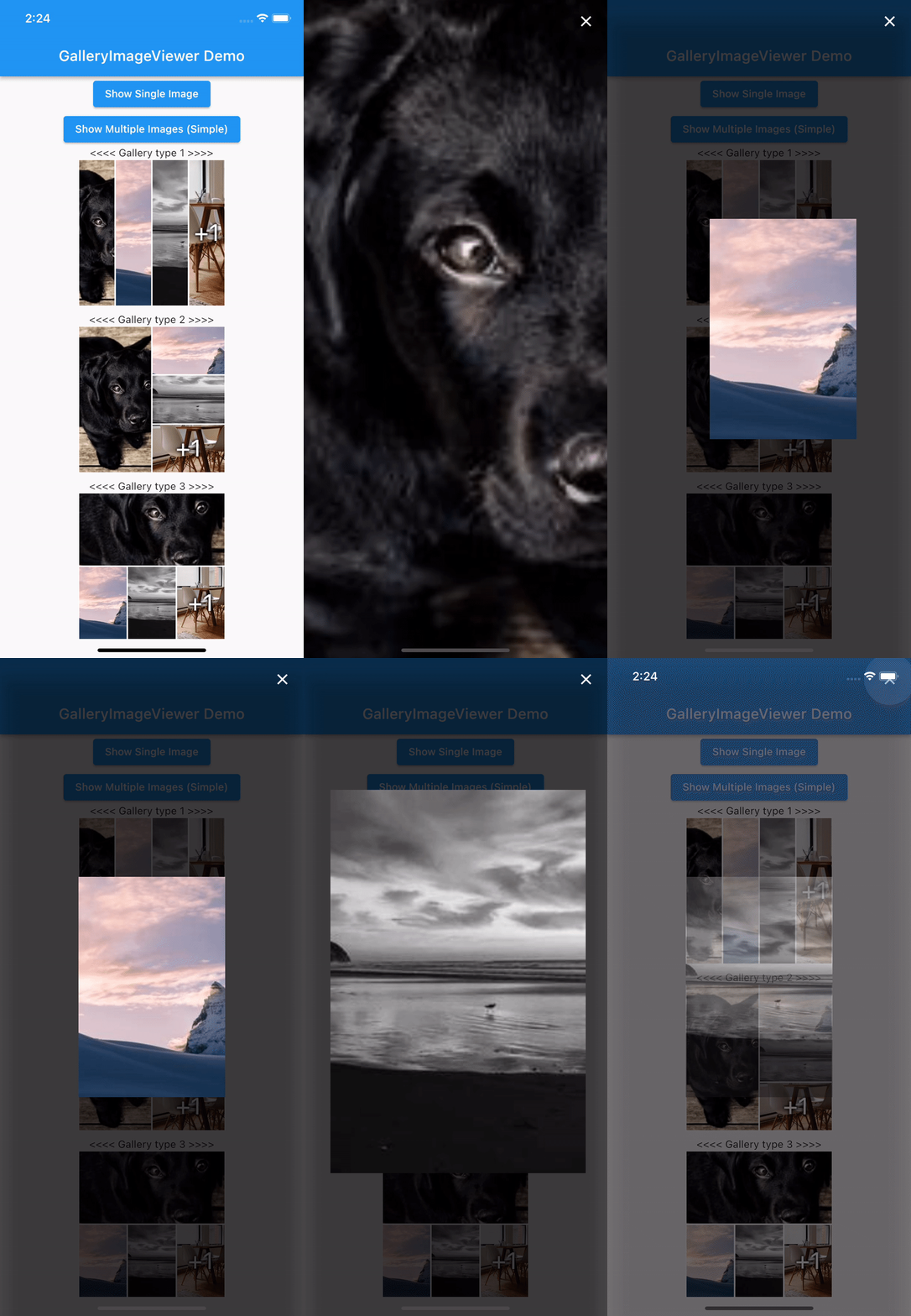
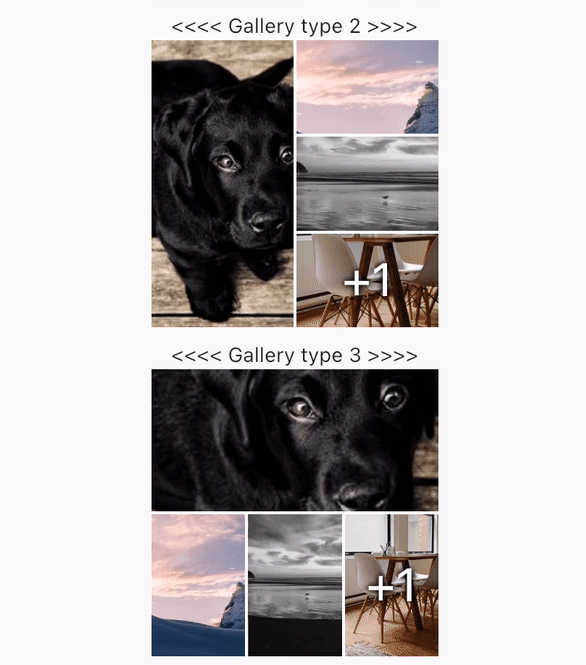
Easy Image Viewer Demo

Features

  • Show a single image or a swipeable list of images
  • Use pinch & zoom to zoom in and out of images
  • Optionally allow "swipe down to dismiss" by passing in swipeDismissible: true
  • No dependencies besides Flutter
  • Callbacks for onPageChanged and onViewerDismissed

Usage

Show a Gallery image:

final List<ImageProvider> _imageProviders = [
    Image.network("https://picsum.photos/id/237/200/300").image,
    Image.network("https://picsum.photos/seed/picsum/200/300").image,
    Image.network("https://picsum.photos/200/300?grayscale").image,
    Image.network("https://picsum.photos/200/300").image,
    Image.network("https://picsum.photos/200/300?grayscale").image
  ];
GalleryImageView(
  listImage: _imageProviders,
  width: 200,
  height: 200,
  imageDecoration: BoxDecoration(border: Border.all(color: Colors.white)),
),

Show a single image:

final imageProvider = Image.network("https://picsum.photos/id/1001/5616/3744").image;
showImageViewer(context, imageProvider, onViewerDismissed: () {
  print("dismissed");
});

Show a bunch of images:

MultiImageProvider multiImageProvider = MultiImageProvider([
  Image.network("https://picsum.photos/id/1001/5616/3744").image,
  Image.network("https://picsum.photos/id/1003/1181/1772").image,
  Image.network("https://picsum.photos/id/1004/5616/3744").image,
  Image.network("https://picsum.photos/id/1005/5760/3840").image
]);

showImageViewerPager(context, multiImageProvider, onPageChanged: (page) {
  print("page changed to $page");
}, onViewerDismissed: (page) {
  print("dismissed while on page $page");
});

Usually you'll want to implement your own EasyImageProvider. Suppose you have a list of Products, each of which has an imagePath property with the path to a local image file. You could create an EasyImageProvider that takes a list of Products like this:

class ProductsImageProvider extends EasyImageProvider {

  final List<Product> products;
  final int initialIndex;

  ProductsImageProvider({ required this.products, this.initialIndex = 0 });

  @override
  ImageProvider<Object> imageBuilder(BuildContext context, int index) {
    String? localImagePath = products[index].imagePath;
    File? imageFile;

    if (localImagePath != null) {
      imageFile = File(localImagePath);
    }

    ImageProvider imageProvider = imageFile != null ? FileImage(imageFile) : AssetImage("assets/images/product_placeholder.jpg") as ImageProvider;

    return imageProvider;
  }

  @override
  int get imageCount => products.length;
}

You could then use it like this:

ProductsImageProvider productsImageProvider = ProductsImageProvider(products: products);

showImageViewerPager(context, productsImageProvider, onPageChanged: (page) {
  print("page changed to $page");
}, onViewerDismissed: (page) {
  print("dismissed while on page $page");
});

Credits

GalleryImageViewer is custom from EasyImageViewer. EasyImageViewer is a project by TSG, a full-service digital agency taking software from concept to launch. Our powerhouse team of designers and engineers build iOS, Android, and web apps across many industries.

所属分类

源码仓库

使用此插件的项目

暂无相关数据。