搜索插件、代码仓与 APP 分类

in_app_idle_detector 封面
插件详情v0.0.1

in_app_idle_detector

一个跨平台的 Flutter 插件,用于检测用户不活动(空闲)状态。

AndroidiOSWebmacOSWindowsLinux
近 30 天下载
174
喜欢数
6
Pub 分数
150

安装插件

flutter pub add in_app_idle_detector

插件介绍

基于插件公开信息、社区数据与项目使用情况整理的选型参考。

in_app_idle_detector 包是一个跨平台的 Flutter 插件,可在 Android、iOS、Web、macOS、Windows 和 Linux 上检测用户不活动(空闲状态)。它会监控用户的触摸、鼠标移动和键盘输入等交互行为,以确定用户在指定时间段内是否处于不活动状态。这使开发者能够触发屏幕超时、会话过期或自动登出等功能。该插件轻量且可无缝集成到现有的 Flutter 应用中,无需更改原生代码。

适合场景

  • 自动会话超时
  • 用户活动跟踪
  • 空闲屏幕锁定
  • 防止未经授权的访问
  • 无操作后自动登出

主要特点

  • 跨平台支持
  • 实时空闲检测
  • 可配置的空闲时长
  • 无需原生代码
  • 简单的 API 集成

适合对象

  • 安全敏感的应用
  • 基于时间的会话管理
  • 自助服务终端或公共终端应用程序
  • 需要用户参与度监控的应用程序

使用建议

  • 在长时间运行的应用中可能会轻微消耗电池
  • 某些平台需要权限
  • 行为可能在不同平台间略有差异
  • 不适合高精度计时需求

原始 README

以下为关联源码仓库的 README 原文快照,最新内容请访问源码仓库。

Pub Version License Platform

💤 in_app_idle_detector

A lightweight Flutter plugin that detects user inactivity (idle state) across all platforms: Android, iOS, Web, Windows, macOS, and Linux.

Perfect for banking apps, secure dashboards, or any app that needs to react when the user goes idle.


✨ Features

  • 🔄 Detect inactivity after custom timeout
  • 👨‍💻 Keyboard, mouse, touch & app lifecycle supported
  • 🖥️ Cross-platform (Android, iOS, Web, Desktop)
  • ⏱️ Remaining time tracking
  • 🛠️ Lightweight – no native code
  • 🔐 Ideal for auto logout, lock screen, and productivity

📦 Installation

dependencies:
  in_app_idle_detector: ^0.0.1

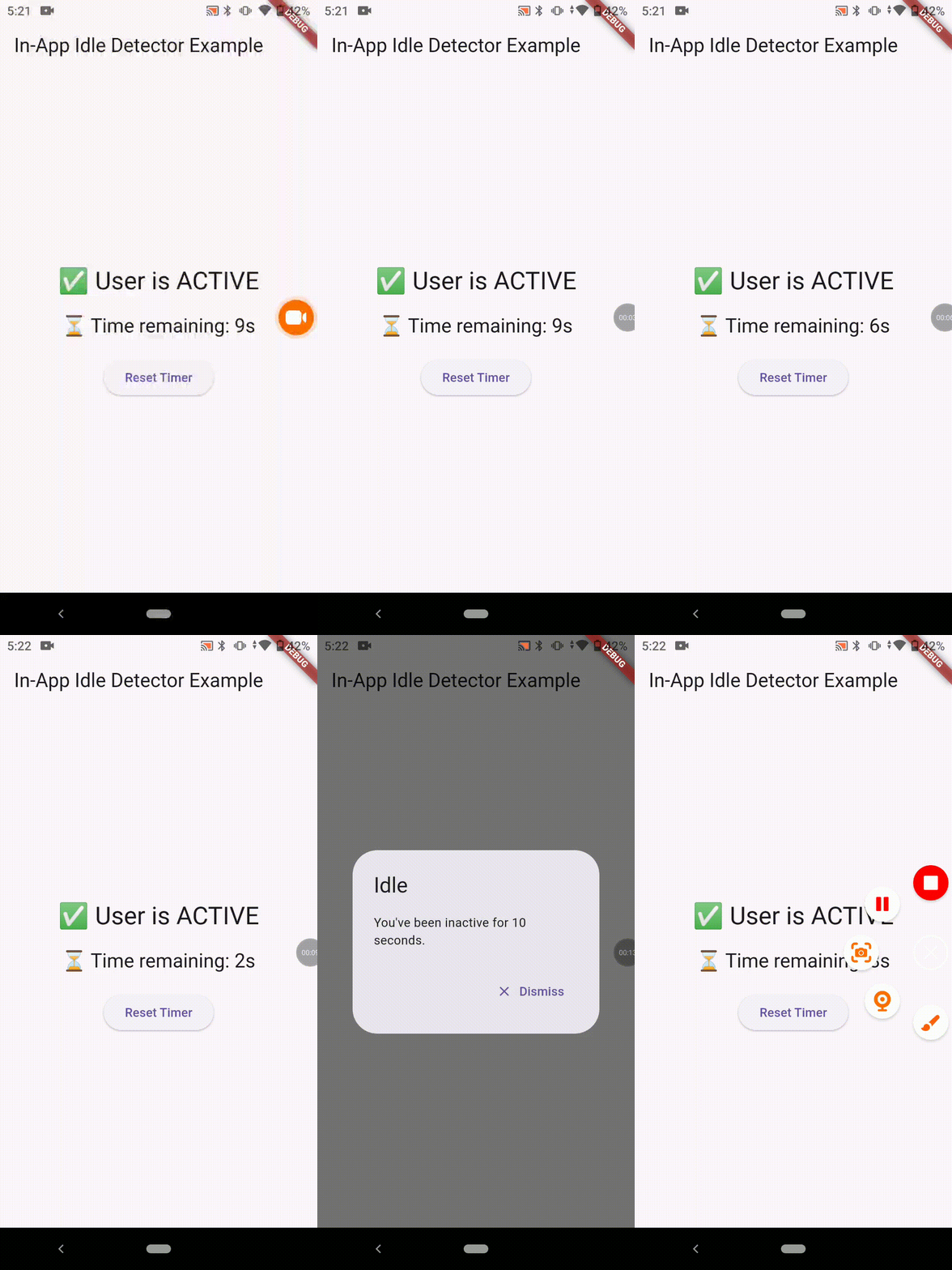
Working Demo

DEMO DEMO DEMO DEMO

🧑‍💻 Usage

  1. Initialize the plugin (e.g. inside main())
void main() {
  runApp(MyApp());

  InAppIdleDetector.initialize(
    timeout: Duration(seconds: 10), // Set your own duration
    onIdle: () {
      // Called when user goes idle
      print("User is idle");
    },
    onActive: () {
      // Called when user becomes active again
      print("User is active");
    },
  );
}
  1. Show a dialog or take action on idle
showDialog(
  context: navigatorKey.currentContext!,
  builder: (_) => AlertDialog(
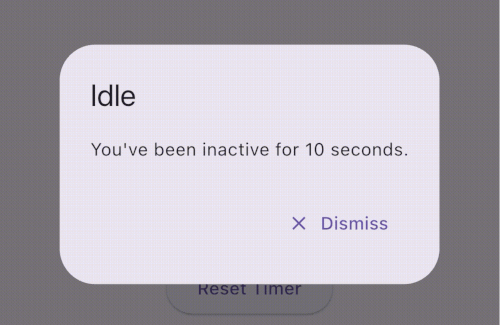
    title: Text("Idle Warning"),
    content: Text("You've been inactive for 10 seconds."),
    actions: [
      TextButton(
        onPressed: () {
          Navigator.of(navigatorKey.currentContext!).pop();
        },
        child: Text("Dismiss"),
      ),
    ],
  ),
);
  1. Extra API (Pause / Resume / Reset)
InAppIdleDetector.pause();  // Stop tracking temporarily
InAppIdleDetector.resume(); // Resume tracking
InAppIdleDetector.reset();  // Manually reset idle timer
  1. Get Remaining Time
final timeLeft = InAppIdleDetector.remainingTime;
final idleStatus = InAppIdleDetector.isIdle;

✅ Use Cases

🔒 Auto-logout after inactivity (e.g., in banking apps)

🔐 Lock screen on desktops after idle

⏱️ Countdown timers for session expiration

📉 Inactivity analytics and user behavior tracking

🧪 Platform Support

Platform Supported
✅ Android Yes
✅ iOS Yes
✅ Web Yes
✅ Windows Yes
✅ macOS Yes
✅ Linux Yes

📚 API Summary

Method Description initialize(...) Starts the idle detection system reset() Resets the timer (e.g. after activity) pause() Temporarily disables tracking resume() Resumes tracking isIdle Returns true if currently idle remainingTime Returns Duration until next idle trigger

💡 Tips

Always use navigatorKey.currentContext for dialogs to ensure it works from anywhere. You can build a visual countdown using remainingTime and a Timer.periodic.

Support the Project

If you find this plugin helpful, consider supporting its development:

Your support is greatly appreciated!

Bugs/Requests

Feel free to open an issue if you encounter any problems or think that the plugin is missing some feature.

sheth02parth1299@gmail.com

🙌 Author

Created by Parth Sheth 🧠 Contributions, stars, and feedback are welcome!

所属分类

依赖

依赖清单 2 项

  • plugin_platform_interface^2.0.2
  • web^1.0.0

源码仓库

使用此插件的项目

暂无相关数据。