搜索插件、代码仓与 APP 分类

m3_carousel 封面
插件详情v2.1.5

m3_carousel

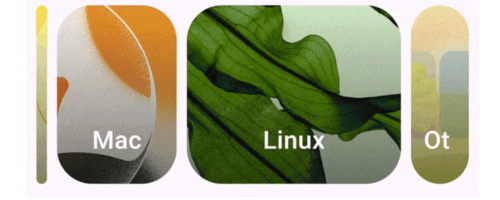
Material Design 3 轮播图(https://m3.material.io/components/carousel/overview)的 Flutter 实现。

AndroidiOSWebmacOSWindowsLinux
近 30 天下载
940
喜欢数
45
Pub 分数
160

安装插件

flutter pub add m3_carousel

插件介绍

基于插件公开信息、社区数据与项目使用情况整理的选型参考。

一个 Flutter 包,实现了 Material Design 3 轮播图,提供了一种现代、互动且视觉上吸引人的水平滚动布局内容展示方式。受官方 M3 指南启发,支持流畅动画、响应式设计以及跨所有主要平台的直观用户交互。该轮播图非常适合展示带有深度和动态效果的图片、卡片或产品列表。它可无缝集成到 Flutter 应用中,并遵循 Material Design 3 原则,确保一致性和可访问性。

适合场景

  • 显示图像画廊
  • 展示产品亮点
  • 展示精选内容
  • 创建交互式入门屏幕
  • 构建基于卡片的动态界面

主要特点

  • 符合 Material Design 3
  • 平滑的水平滚动
  • 深度和动态效果
  • 响应式布局
  • 平台无关的支持
  • 可自定义物品外观

适合对象

  • 需要现代 UI 组件的应用程序
  • 遵循 M3 指南的设计人员
  • 开发媒体丰富的界面的开发者
  • 跨平台移动和网页应用
  • 强调视觉吸引力的项目

使用建议

  • 可能需要对大型数据集进行性能调优
  • 非 M3 样式定制有限
  • 最适合中等大小的内容列表
  • 需要对小屏幕上的触摸手势进行仔细处理
  • 未针对垂直轮播图优化

原始 README

以下为关联源码仓库的 README 原文快照,最新内容请访问源码仓库。

M3_Carousel

A flutter implementation of the Material Design 3 carousel. Built on the CarouselView.

Feature Highlights

  • Hero carousel with support for "left", "center" and "right" alignments.

  • Contained carousel. Extended view inclusive.

  • Uncontained carousel.

  • Horizontal or vertical scrolling via axis.

Installing

In your pubspec.yaml

dependencies:
  m3_carousel: ^2.1.4 # requires Dart => ^3.12.0, Flutter >=3.38.0

Usage

import "package:m3_carousel/m3_carousel.dart";

M3Carousel(
    type: CarouselType.hero,
    heroAlignment: HeroAlignment.center,
    axis: Axis.horizontal,
    onTap: (int tapIndex) => log(tapIndex.toString()),
    children: List<Widget>.generate(10, (int index) {
        return ColoredBox(
            color: Colors.primaries[index % Colors.primaries.length]
                .withValues(alpha: 0.8),
            child: const SizedBox.expand(),
        );
    }),
),

See example/lib/main.dart for complete examples.

Reference

Use of CarouselView is govern by the Flutter Authors LICENSE

License

MIT license

所属分类

依赖

依赖清单 3 项

源码仓库

使用此插件的项目

暂无相关数据。