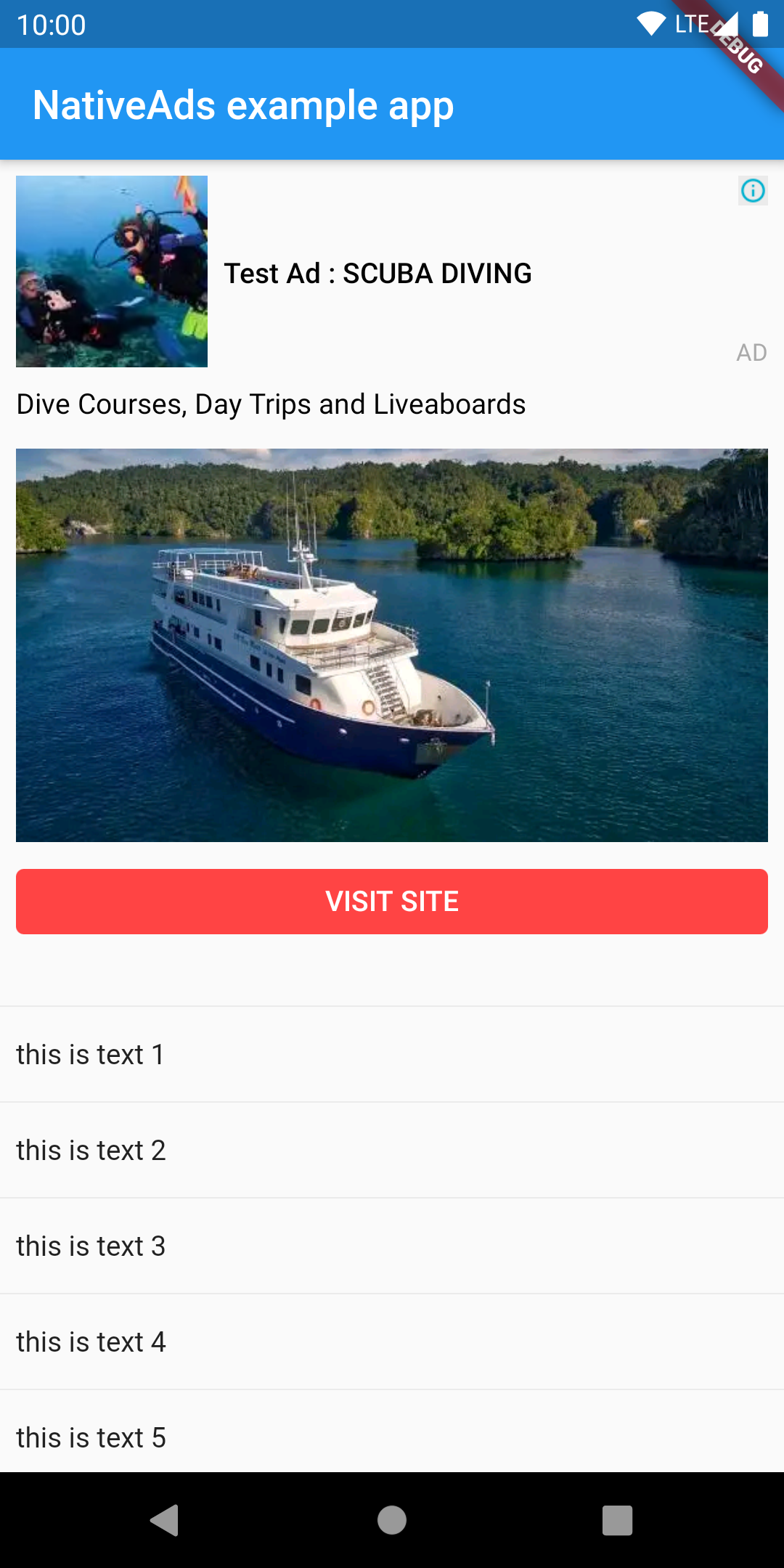
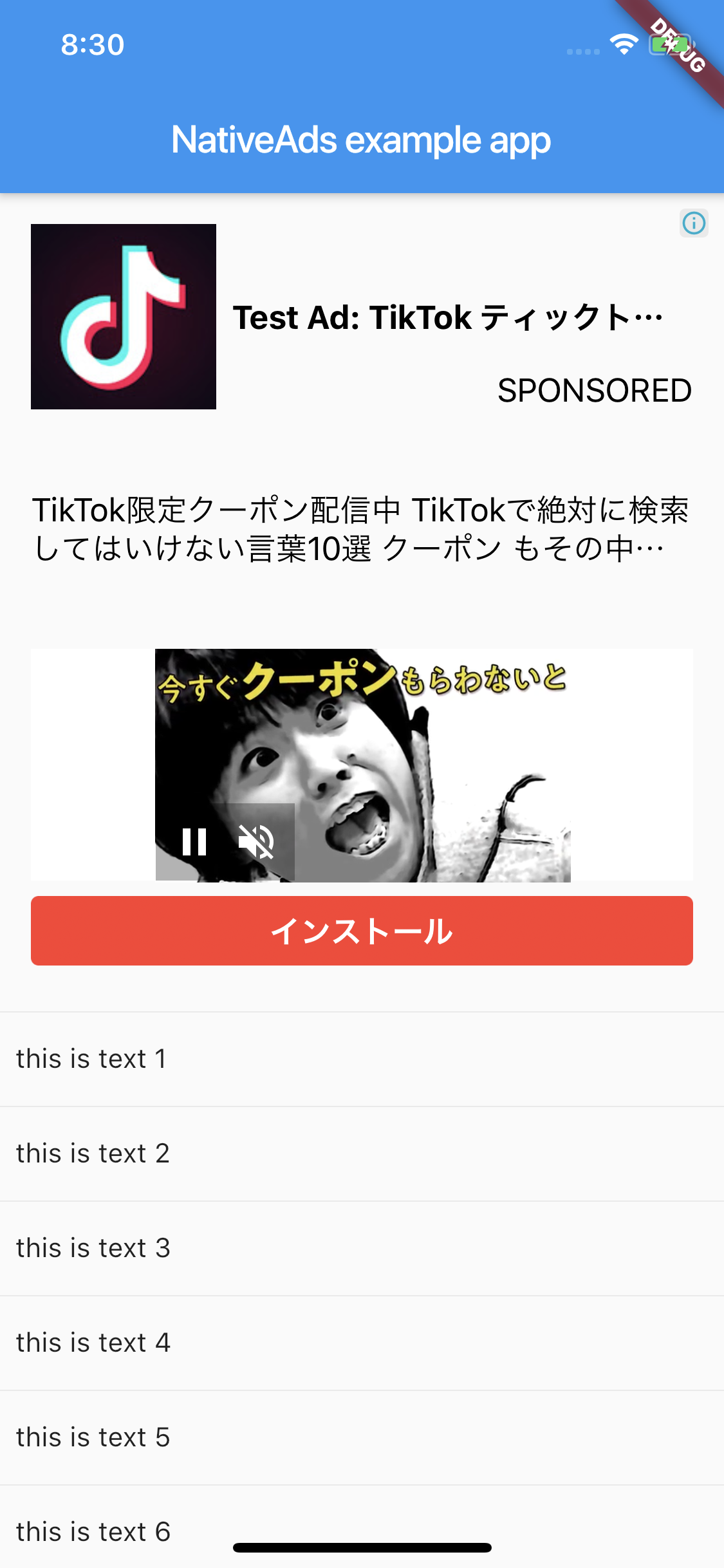
flutter_native_ads
Flutter plugin for AdMob Native Ads. Compatible with Android and iOS using PlatformView.
Getting Started
Android
AdMob 17 requires the App ID to be included in the AndroidManifest.xml. Failure
to do so will result in a crash on launch of your app. The line should look like:
<meta-data
android:name ="com.google.android.gms.ads.APPLICATION_ID"
android:value ="[ADMOB_APP_ID]" />
where [ADMOB_APP_ID] is your App ID. You must pass the same value when you
initialize the plugin in your Dart code.
iOS
Admob 7.42.0 requires the App ID to be included in Info.plist. Failure to do so will result in a crash on launch of your app. The lines should look like:
<key > GADApplicationIdentifier</key >
<string > [ADMOB_APP_ID]</string >
where [ADMOB_APP_ID] is your App ID. You must pass the same value when you initialize the plugin in your Dart code.
And PlatformView
<key > io.flutter.embedded_views_preview</key >
<true />
Layout
This plugin supported custom layout. You need to create a layout file.
Android
You can use anything if the parent is a ViewGroup.
The example uses ConstraintLayout.
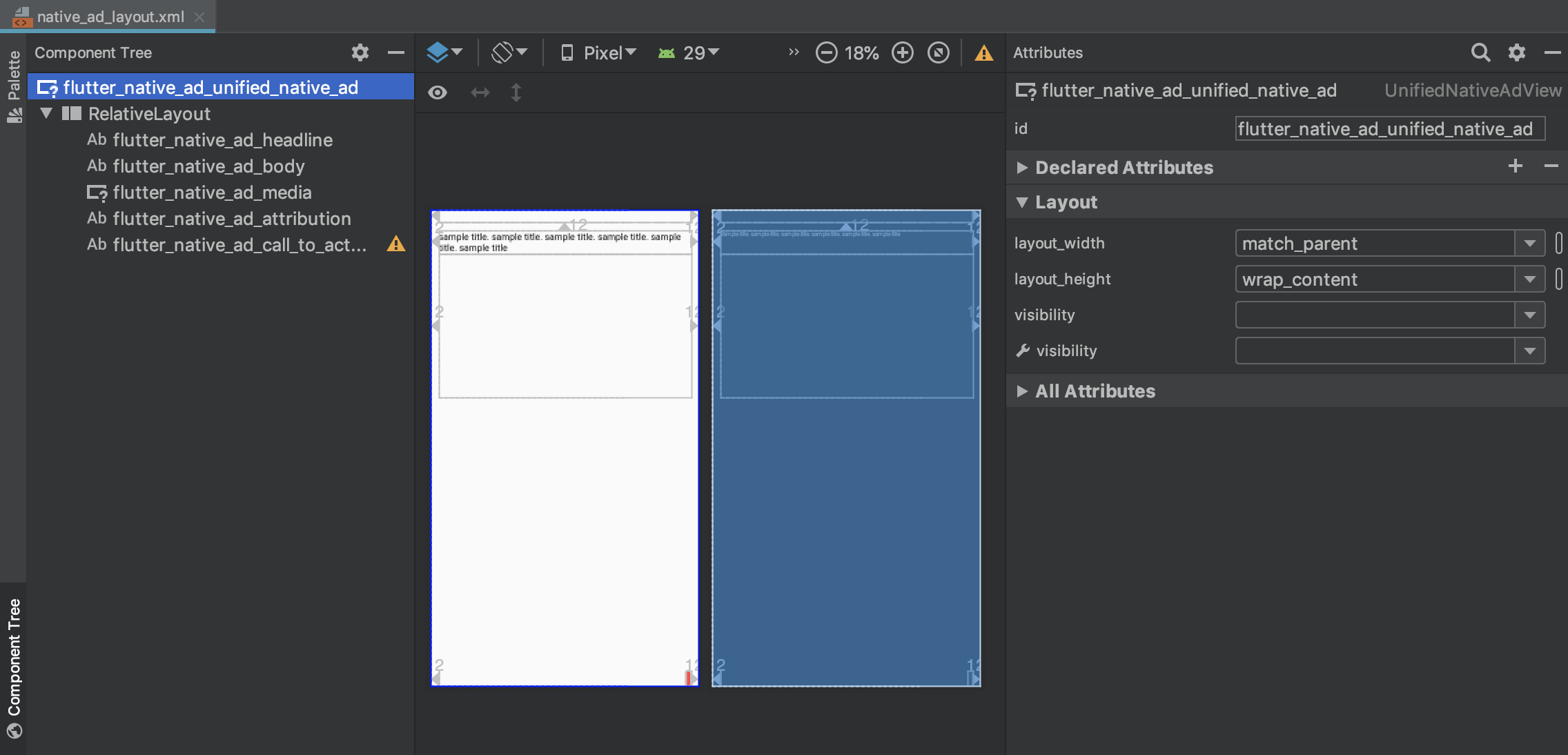
Use com.google.android.gms.ads.formats.UnifiedNativeAdView
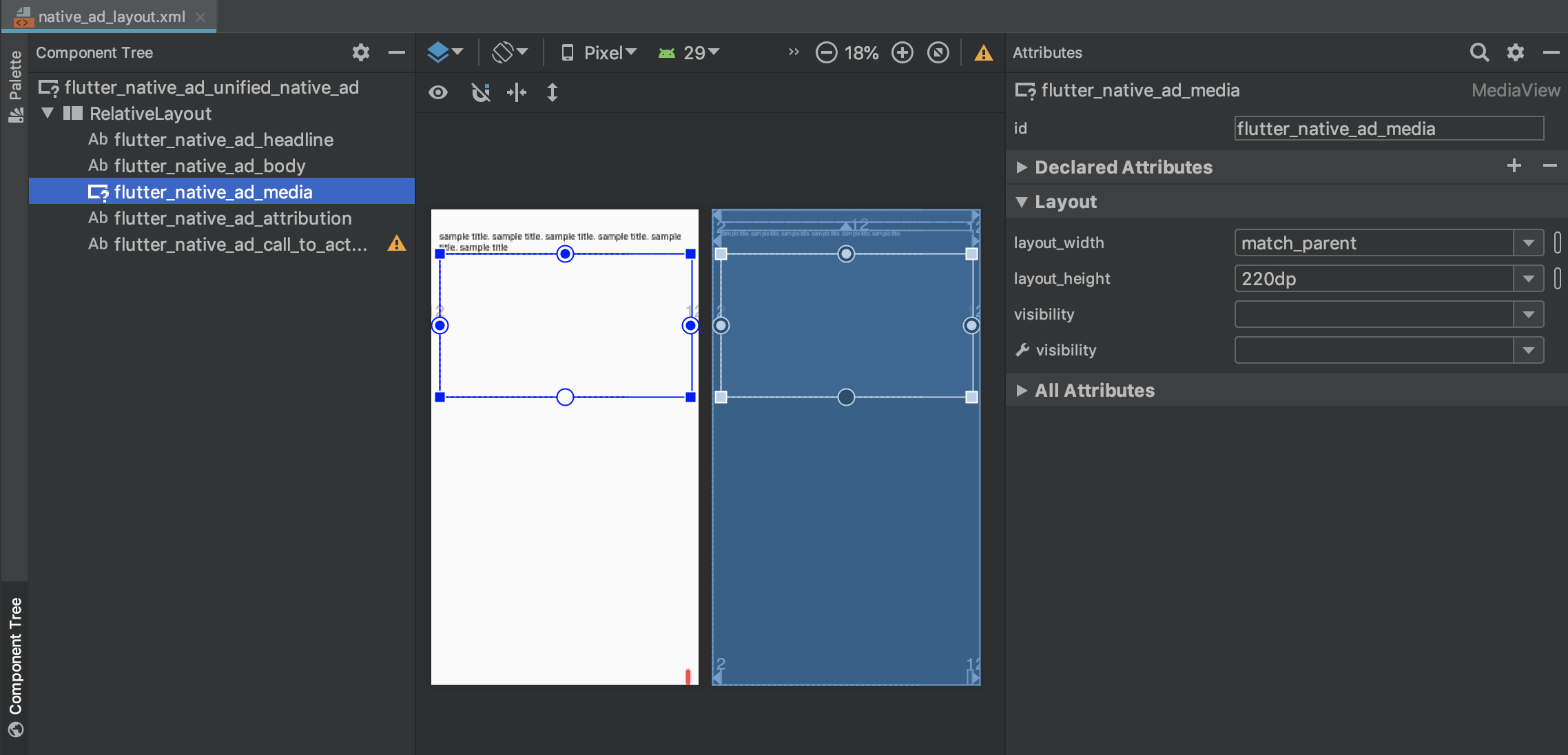
Use com.google.android.gms.ads.formats.MediaView
<?xml version="1.0" encoding="utf-8" ?>
<com.google.android.gms.ads.formats.UnifiedNativeAdView
xmlns:android ="http://schemas.android.com/apk/res/android"
xmlns:tools ="http://schemas.android.com/tools"
android:id ="@+id/flutter_native_ad_unified_native_ad"
...
<!-- ViewGroup -- >
<androidx.constraintlayout.widget.ConstraintLayout
android:id ="@+id/relativeLayout"
android:layout_width ="match_parent"
android:layout_height ="match_parent" >
...
<com.google.android.gms.ads.formats.MediaView
android:id ="@+id/flutter_native_ad_media"
...
example
iOS
Please set GADUnifiedNativeAdView for the parent.
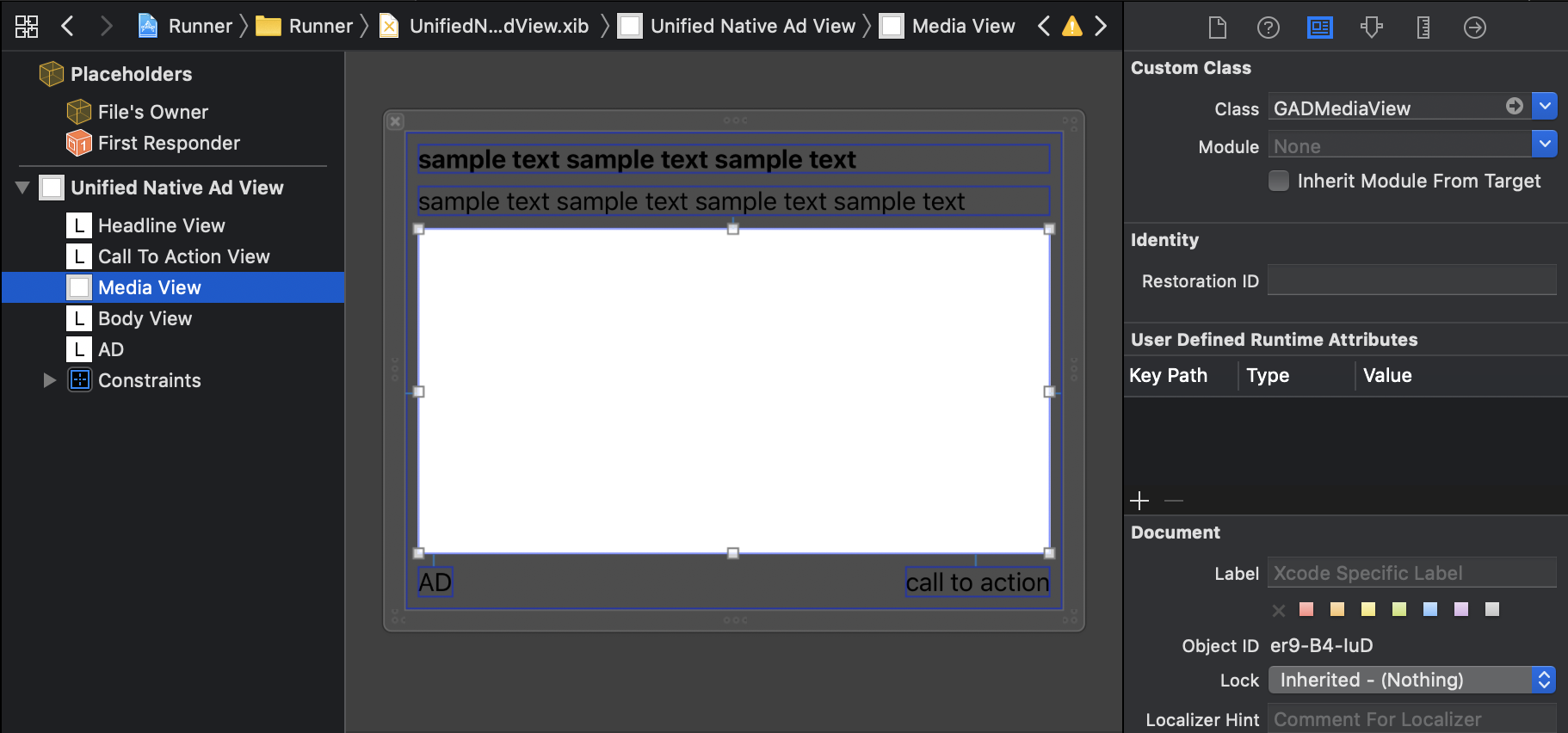
Please set GADMediaView to MediaView.
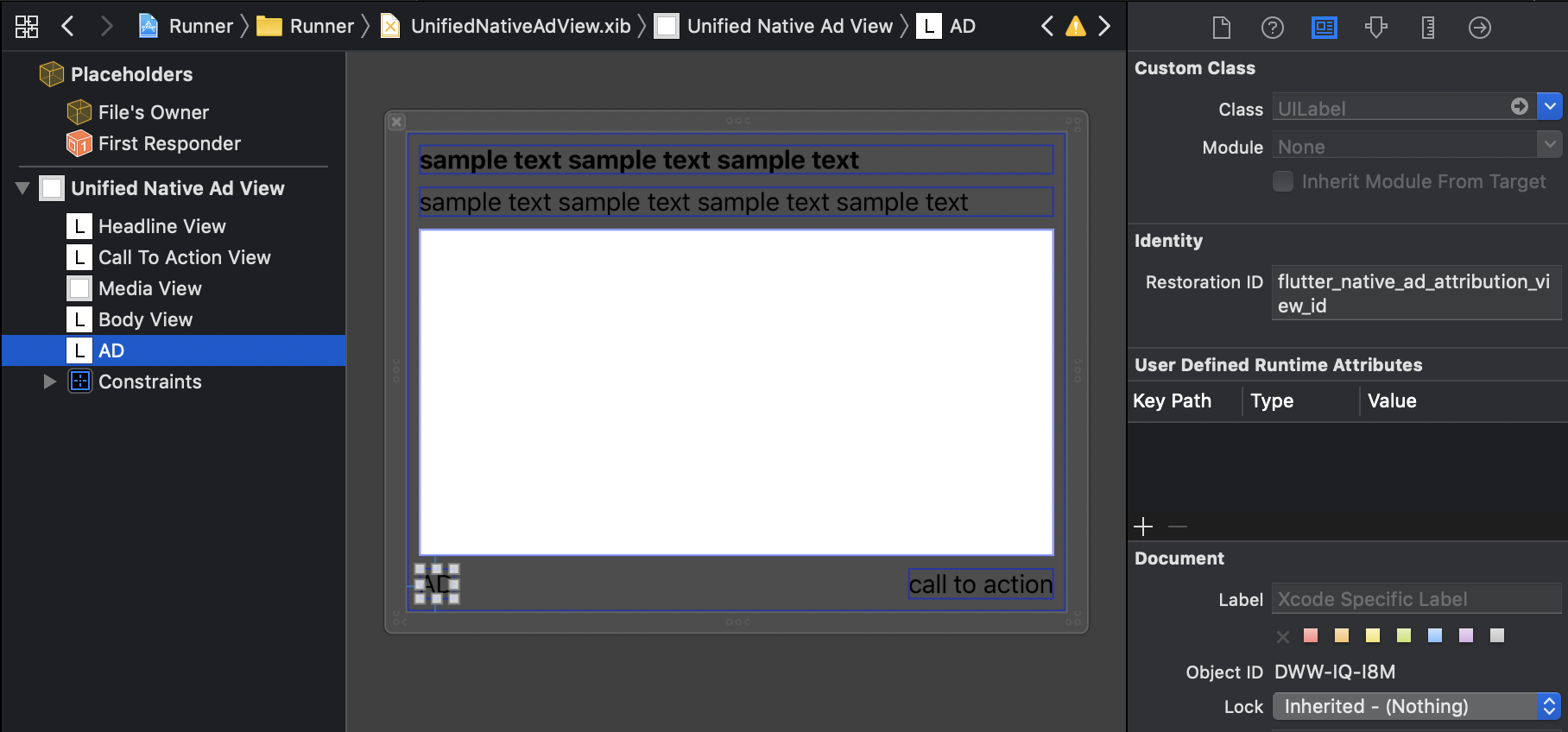
Please set Restoration ID for View that displays attribution
example
Mapping Native Ads to Layout
Need to mapping the view
Android
Mapping by view id
View
ID
UnifiedNativeAdView
flutter_native_ad_unified_native_ad
Headline
flutter_native_ad_headline
Body
flutter_native_ad_body
Call To Action
flutter_native_ad_call_to_action
Attribution
flutter_native_ad_attribution
MediaView
flutter_native_ad_media
Icon
flutter_naitve_ad_icon
Star rating
flutter_naitve_ad_star
Store
flutter_naitve_ad_store
Price
flutter_naitve_ad_price
Advertiser
flutter_naitve_ad_advertiser
iOS
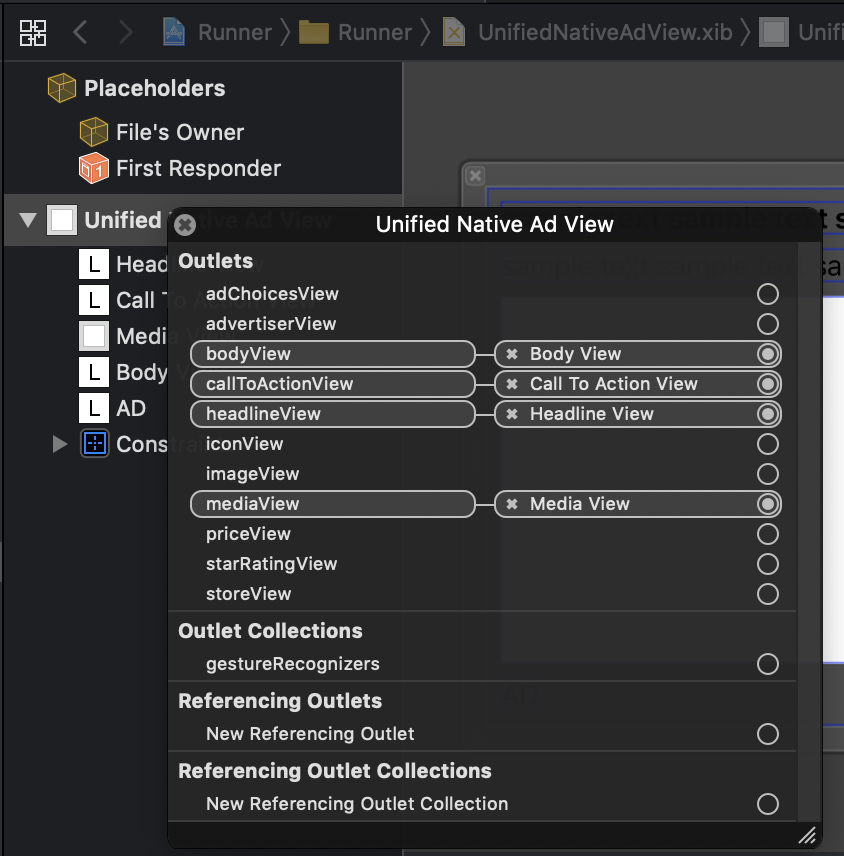
Mapping by Outlet
Usage
import 'package:flutter/material.dart' ;
import 'package:native_ads/native_ad_param.dart' ;
import 'package:native_ads/native_ad_view.dart' ;
import 'package:native_ads/native_ads.dart' ;
void main () {
WidgetsFlutterBinding .ensureInitialized ();
NativeAds .initialize ();
runApp (MyApp ());
}
class MyApp extends StatelessWidget @override
Widget build (BuildContext context) {
return MaterialApp (
home: Scaffold (
appBar: AppBar (
title: const Text ('NativeAds example app' ),
),
body: Center (
child: ListView .separated (
itemBuilder: (context, index) {
if (index % 10 == 0 ) {
return Padding (
padding: const EdgeInsets .all (8.0 ),
child: SizedBox (
width: double .infinity,
height: 320 ,
child: NativeAdView (
onParentViewCreated: (_) {
},
androidParam: AndroidParam ()
..placementId = "ca-app-pub-3940256099942544/2247696110"
..packageName = "{{YOUR_ANDROID_APP_PACKAGE_NAME}}"
..layoutName = "{{YOUR_CREATED_LAYOUT_FILE_NAME}}"
..attributionText = "AD"
..testDevices = ["{{YOUR_TEST_DEVICE_IDS}}" ],
iosParam: IOSParam ()
..placementId = "ca-app-pub-3940256099942544/3986624511"
..bundleId = "{{YOUR_IOS_APP_BUNDLE_ID}}"
..layoutName = "{{YOUR_CREATED_LAYOUT_FILE_NAME}}"
..attributionText = "SPONSORED"
..testDevices = ["{{YOUR_TEST_DEVICE_IDS}}" ],
onAdImpression: () => print ("onAdImpression!!!" ),
onAdClicked: () => print ("onAdClicked!!!" ),
onAdFailedToLoad: (Map <String , dynamic > error) => print ("onAdFailedToLoad!!! $error " ),
),
),
);
} else {
return Padding (
padding: const EdgeInsets .all (8.0 ),
child: Text (
"this is text $index " ,
style: Theme .of (context).textTheme.body1,
),
);
}
},
itemCount: 50 ,
separatorBuilder: (context, _) => const Divider (),
),
),
),
);
}
}
Supported native ads fields
Headline(Required)
Body(Required)
Call To Action(Required)
Ad Attribution(Required)
Media
Icon
Star rating
Store
Price
Advertiser
Event callback
Receive callbacks for some events by passing to the NativeAdView constructor
onAdImpression
onAdClicked
onAdFailedToLoad
onAdLeftApplication
onAdLoaded
Reference
Mobile Ads SDK Release Notes
Limitations
This is just an initial version of the plugin. There are still some
limitations: