搜索插件、代码仓与 APP 分类

pick_color 封面
插件详情v0.0.4

pick_color

一个 Flutter 包,可让您通过简单触摸从图像中提取颜色和十六进制代码。

AndroidiOSWebmacOSWindowsLinux
近 30 天下载
35
喜欢数
29
Pub 分数
140

安装插件

flutter pub add pick_color

插件介绍

基于插件公开信息、社区数据与项目使用情况整理的选型参考。

Pick Color 是一个 Flutter 包,允许用户通过简单的触摸交互从图像中提取主导颜色及其十六进制代码。它利用图像处理技术分析像素数据,并返回准确的颜色表示,非常适合设计工具、主题生成器或需要动态颜色提取的应用程序。该包支持 Android、iOS、Web、macOS、Windows 和 Linux 等多个平台,确保广泛的兼容性。通过 pub add 进行最少的设置,开发者可以轻松将颜色选择功能集成到其应用程序中。

适合场景

  • 设计工具颜色采样
  • 基于图像的主题生成器
  • 调色板创建
  • 基于图像的UI自定义
  • 互动艺术应用

主要特点

  • 基于触摸的颜色提取
  • 十六进制代码输出
  • 跨平台支持
  • 简单集成
  • 实时色彩分析
  • 图像像素分析

适合对象

  • UI/UX 设计师
  • 移动应用开发者
  • 创意应用构建器
  • 颜色主题生成器
  • 原型设计工具

使用建议

  • 需要图像输入以提取颜色
  • 性能可能因大图像而异
  • 每张图片限于主色调
  • 无颜色历史持久化
  • 依赖于平台特定的图像渲染

原始 README

以下为关联源码仓库的 README 原文快照,最新内容请访问源码仓库。

Pick_Color

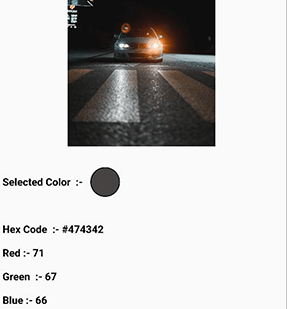
Pick_Color allows you to sample specific colors from an image and obtain their hex color code by just dragging over the image area.

pick_color

Add Dependency

pick_color : any

Usage

 Image image = Image.asset("assets/b.jpg");
 ColorPicker(
    child: image, # Your Image widget
    onChanged: (response) {
        String hexcode = response.hexCode;
        // Get Selected Color
        Color color = response.selectionColor;
        // Get Red Channel Color
        int redValue = response.redScale;
        // Get Blue Channel Color
        int blueValue = response.blueScale;
        // Get Green Channel Color
        int greenValue = response.greenScale;  
                  
});    

That's all it takes 😃

Feel Free to contribute or file an issue happy coding.

所属分类

依赖

依赖清单 1 项

源码仓库

使用此插件的项目

暂无相关数据。