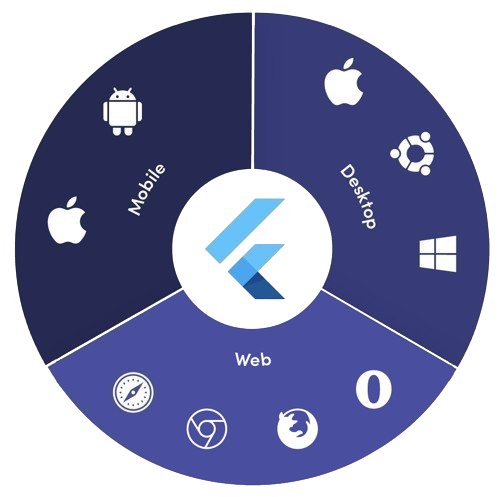
platform_detail 是一个轻量级的 Dart 包,可简化获取全面平台特定信息的过程。它提供了一个统一且易于使用的接口,用于识别当前操作系统、设备类型、架构以及其他运行时细节,支持 Android、iOS、macOS、Windows 和 Linux 等多个平台。专为需要可靠平台检测而无需冗余代码的开发者设计,该库将底层平台检查抽象为简洁、易读的方法。此库非常适合基于环境或设备特性的条件逻辑。
适合场景
基于平台的条件 UI 渲染
设备特定功能开关
跨平台调试工具
运行时环境探测
优化每个设备的性能
测试平台特定行为
主要特点
支持 Android、iOS、macOS、Windows 和 Linux
用于平台和设备检测的简单 API
返回详细的系统信息
轻量级,无外部依赖
跨平台的一致性接口
通过 pub add 轻松集成
适合对象
跨平台 Flutter 应用
需要平台感知逻辑的应用程序
寻求最小化设置的开发者
调试和诊断工具
面向多个桌面和移动平台的应用
使用建议
不支持网页平台
仅限运行时平台信息
无实时平台变更检测
依赖原生平台 API
某些平台可能需要权限处理
不适用于复杂的设备指纹识别
原始 README
以下为关联源码仓库的 README 原文快照,最新内容请访问源码仓库。
Platform Detail
About
Platform Detail is a lightweight and developer-friendly Flutter package that makes platform detection easier, more complete, and cross-platform.
It provides a unified and consistent API for checking the platform your app is running on — including web, something that native Flutter classes like TargetPlatform and Platform from dart:io don't currently support.
⚠️ Flutter’s native Platform and TargetPlatform do not provide support for detecting web, which can be a limitation in universal apps.
✅ platform_detail addresses this limitation by introducing a simple and intuitive API that includes web detection out of the box.
✅ Why Use This Package?
✅ Unified API across all platforms (including web).
✅ Clear separation between platform type and platform group.
✅ Static API with simple access from PlatformDetail.
✅ No need to manually check kIsWeb or rely on partial solutions.
If you only rely on TargetPlatform, you’ll miss web support.
voidmain() {
// Native TargetPlatform doesn't detect web:if (defaultTargetPlatform == TargetPlatform.android) {
// OK for Android
} elseif (kIsWeb) {
// Web has to be checked manually
}
}
With PlatformDetail, the check is unified:
voidmain() {
if (PlatformDetail.isWeb) {
print('Web detected ✔️');
}
}
🔎 Group-based Detection
Check whether the current platform belongs to a broader category:
voidmain() {
if (PlatformDetail.isMobile) {
print('Mobile platform');
}
if (PlatformDetail.isDesktop) {
print('Desktop platform');
}
if (PlatformDetail.isDesktopOrWeb) {
print('Desktop or Web platform');
}
}
voidmain() {
if (PlatformDetail.isIOS) print('iOS');
if (PlatformDetail.isAndroid) print('Android');
if (PlatformDetail.isFuchsia) print('Fuchsia');
if (PlatformDetail.isWindows) print('Windows');
if (PlatformDetail.isLinux) print('Linux');
if (PlatformDetail.isMacOS) print('macOS');
if (PlatformDetail.isWeb) print('Web');
}
Or create different cases through the enum with a switch:
ℹ️ No configuration is required for most platforms.
For macOS, you must add the following entry to both DebugProfile.entitlements and ReleaseProfile.entitlements files:
If you need more detailed information about the device and operating system it is running on.
voidmain() async {
final descriptionDevice = awaitPlatformDetail.deviceInfo();
}
Or maybe you need an information string about the device info:
voidmain() async {
final descriptionDevice = awaitPlatformDetail.deviceInfoDetails();
}
This will return something like this:
Android: Android 9 (SDK 28), Xiaomi Redmi Note 7
iOS: iOS 13.1, iPhone 11 Pro Max iPhone
Web: Google Chrome (115.0.5790.170)
Linux: Fedora 17 (Beefy Miracle)
Windows: Windows 10 Home (1903)
MacOS: macOS 13.5, MacBook Pro
Get compact environment details
If you need a typed and lightweight payload with platform, model and locale, use environmentDetails():
voidmain() async {
final details = awaitPlatformDetail.environmentDetails();
print(details.platformType); // PlatformType.androidprint(details.platform); // android 14print(details.deviceModel); // Google Pixel 8print(details.locale); // en-US
}
This returns an EnvironmentDetails object with these fields:
platformType: PlatformType
platform: String
deviceModel: String
locale: String
The example app includes a section that renders these values on screen.
Get app version and build number
If you need app package metadata, you can use versionDetails():
voidmain() async {
final details = awaitPlatformDetail.versionDetails();
print(details.appName); // My Appprint(details.packageName); // com.example.my_appprint(details.version); // 5.4.0print(details.buildNumber); // 12
}
This returns a VersionDetails object with these fields:
appName: String
packageName: String
version: String
buildNumber: String
Light/Dark Mode
You can detect too if the device is configured in light or dark mode:
voidmain() {
if (PlatformDetail.isLightMode) {
print('The current platform is configured with light mode');
}
if (PlatformDetail.isDarkMode) {
print('The current platform is configured with dark mode');
}
}
voidmain() {
if (PlatformDetail.theme == DeviceTheme.light) {
print('The current device is configured in light mode');
}
if (PlatformDetail.theme == DeviceTheme.dark) {
print('The current device is configured in dark mode');
}
}