搜索插件、代码仓与 APP 分类

positioned_scroll_observer 封面
插件详情v2.2.3

positioned_scroll_observer

一个优雅的滚动观察器,支持大多数滚动视图,可以在不破坏当前组件的情况下跳转/动画到指定索引。

AndroidiOSWebmacOSWindowsLinux
近 30 天下载
2060
喜欢数
28
Pub 分数
160

安装插件

flutter pub add positioned_scroll_observer

插件介绍

基于插件公开信息、社区数据与项目使用情况整理的选型参考。

PositionedScrollObserver 是一个专为 Flutter 设计的包,旨在优雅地观察和管理各种可滚动小部件中的滚动位置。它能够在不破坏现有小部件状态的情况下,实现平滑跳转或动画到滚动视图中的特定索引。适用于列表、网格和自定义可滚动组件,在导航过程中保持 UI 一致性。该包支持所有主要平台,并与 Flutter 的滚动系统无缝集成。

适合场景

  • 通过编程方式滚动到特定列表项
  • 在动态内容更新期间保持滚动状态
  • 在长列表中创建基于索引的导航
  • 在滚动视图中实现平滑的动画跳跃
  • 同步多个可滚动组件

主要特点

  • 支持所有标准滚动视图
  • 在滚动跳跃期间保留小部件状态
  • 平滑的动画索引过渡
  • 跨平台兼容性
  • 最小化样板代码集成
  • 与自定义滚动控制器配合使用

适合对象

  • 开发复杂可滚动界面的开发者
  • 需要基于索引的导航的应用程序
  • 具有动态或频繁更新列表的项目
  • 注重流畅用户体验的团队
  • Flutter 应用程序针对多个平台

使用建议

  • 需要兼容的滚动视图设置
  • 可能需要为嵌套的滚动视图添加额外逻辑
  • 最好与稳定的滚动控制器引用一起使用
  • 不适用于不可滚动的控件
  • 性能影响取决于滚动视图的复杂性

原始 README

以下为关联源码仓库的 README 原文快照,最新内容请访问源码仓库。

pub package GitHub Repo stars

Features

  1. Using jumpToIndex and animateToIndex to scroll to the specific index

  2. Jumping/animating to the position by specifying a ratio in a scroll view. See how to align the render object. That would be very useful if you want to quickly jump to the top, middle or end of a list/grid.

  3. Using PositionRetainedScrollPhysics to retain the old offset to avoid scrolling when adding new items into the top of ListView. See retain old scroll offset.

  4. Check if the specific index is visible on the screen. See check visibility.

  5. Check which items are visible in the viewport. See get visible items

  6. Check the visible ratio of the observed RenderObject in a viewport. See how to use it in a GroupList

  7. No breaking for your current sliver widgets, e.g., ListView/GridView, SliverList/SliverGrid/SliverAppBar, just wrapping your item widgets using ObserverProxy. Supported:

  • [x] ListView
  • [x] GridView
  • [x] CustomScrollView
  • [x] SingleChildScrollView
  • [x] ListWheelScrollView
  • [ ] NestedScrollView (waiting testing)

Getting started

  1. First, creating and binding the observer to all items. (See box scroll observer and sliver scroll observer)

  2. then, using the observer like:

    _observer.jumpToIndex(
        index,
        position: _controller.position,
    );
    
    _observer.animateToIndex(
        index,
        position: _controller.position,
        duration: const Duration(milliseconds: 200),
        curve: Curves.fastLinearToSlowEaseIn,
    );
    
Usage for scroll views that do not rely on RenderSliver, e.g., SingleChildScrollView and ListWheelScrollView
  1. create a BoxScrollObserver for observing the box with multi children.

      final ScrollController _controller = ScrollController();
      late final _observer = ScrollObserver.boxMulti(
        axis: _axis,
        itemCount: 30,
      );
    
  2. bind the observer to the box's children. (Using ObserverProxy to wrap each item).

    SingleChildScrollView(
      controller: _controller,
      scrollDirection: _axis,
      child: Column(
        children: [
          for (int i = 0; i < 30; i++)
            ObserverProxy(
              observer: _observer,
              child: DecoratedBox(
                decoration: BoxDecoration(border: Border.all()),
                child: SizedBox(
                  height: 100,
                  width: 100,
                  child: Center(
                    child: Text("Column item $i"),
                  ),
                ),
              ),
            ),
          ],
        ),
      );
    
Usage for slivers widgets.
  1. create a SliverScrollObserver for observing the sliver with multi children.

      final ScrollController _controller = ScrollController();
      late final _observer = ScrollObserver.sliverMulti(itemCount: 30);
    
  2. bind the observer to each item for the sliver.

        ListView.builder(
          controller: _controller,
          itemBuilder: (context, index) => ObserverProxy(
            observer: _observer,
            child: ListTile(
              key: ValueKey<int>(index),
              leading: const CircleAvatar(
                child: Text("L"),
              ),
              title: Text("Positioned List Example $index"),
            ),
          ),
          itemCount: _itemCount,
        );
    

For ListView.custom and GridView.custom, you could also use PositionedChildListDelegate and PositionedChildBuilderDelegate for wrapping items in ObserverProxy conveniently

Usage

For observing slivers:
  1. observing a sliver with single child, using ScrollObserver.sliverSingle to create.
  2. observing a sliver with multi children, using ScrollObserver.sliverMulti to create.
For observing other scroll views that have no sliver descendants.
  1. observing a box with single child, using ScrollObserver.boxSingle to create. (rare cases and need more testing)
  2. observing a box with multi children, using ScrollObserver.boxMulti to create.
Checking index is visible on the screen
get visible items

More details, see API reference.

Using PositionRetainedScrollPhysics for retaining the old scroll offset
ListView.builder(
  controller: _controller,
  reverse: true,
  physics: const PositionRetainedScrollPhysics(),
  itemBuilder: (context, index) => _items[index],
  itemCount: _itemCount,
);
Jump/animate to a ratio position in a viewport
_observer.showInViewport(
  _controller.position,
  alignment: 0.5,
);

By setting different alignment, you could jump/animate to the position according to the ratio: alignment.

  1. for alignment = 0.0, it would align the render object' leading to the leading of the viewport's main axis extent.
  2. for alignment = 0.5, it would align the render object's center to the center of the viewport;s main axis extent.
  3. for alignment = 1.0, it would align the render object's trailing to the trailing of the viewport's main axis extent.

you could also specify alignment as the number between [0, 1]

Pay attention
  • The item widget/builder must be wrapped using ObserverProxy
  • All observers would normalizeIndex to ensure the index is in a valid range determined by itemCount of observers, so developers should also update observers' itemCount when the scroll views' item count changes.
  • Items that have the same RenderObject observed by an observer should share the same observer instance, instead of creating different observers for each item.
  • When using ScrollObserver.boxMulti, axis is required so that the observer could estimate the scroll offset along the correct main axis.

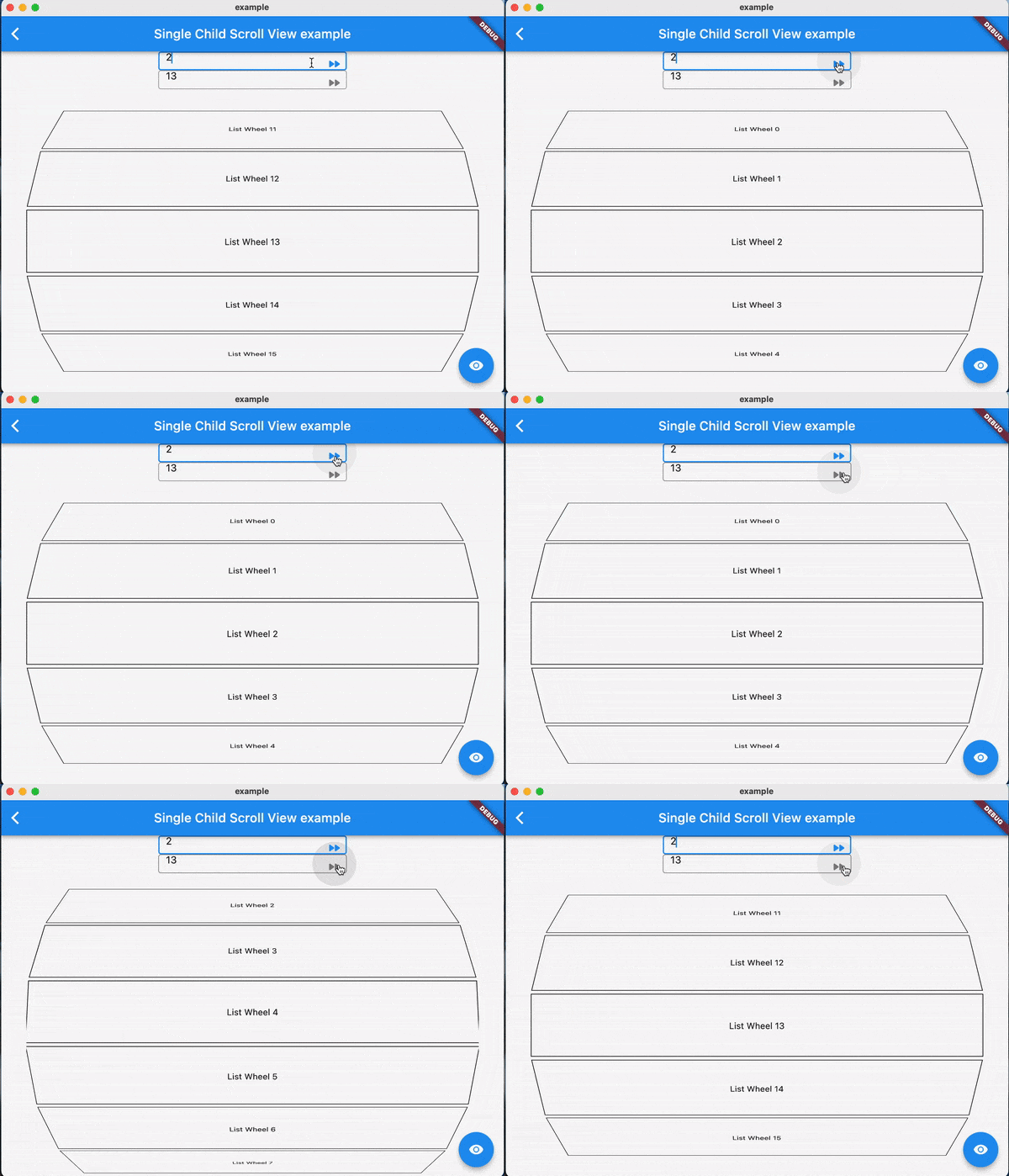
Examples:

FAQ

TODO

Contributions

Feel free to contribute to this project.

If you find a bug or want a feature, but don't know how to fix/implement it, please fill an issue.

If you fixed a bug or implemented a feature, please send a pull request

所属分类

源码仓库

使用此插件的项目

暂无相关数据。