搜索插件、代码仓与 APP 分类

address_search_field 封面
插件详情v5.0.3

address_search_field

一个地址搜索字段,可通过参考信息帮助自动补全地址。可用于获取两点之间的路线。

近 30 天下载
293
喜欢数
95
Pub 分数
60

安装插件

flutter pub add address_search_field

插件介绍

基于插件公开信息、社区数据与项目使用情况整理的选型参考。

一个 Flutter 包,提供使用引用的地址搜索字段和自动完成功能。它使用户能够快速输入和选择地址,非常适合需要基于位置的服务的应用程序,例如计算两点之间的方向。该包可无缝集成到表单和地图中,通过减少手动输入错误来提升用户体验。专为寻求轻量级解决方案以在位置感知应用程序中实现地址输入的开发者设计。

适合场景

  • 在地图上查找位置
  • 计算目的地之间的路线
  • 通过地址建议增强表单输入
  • 构建配送或拼车应用
  • 在旅行应用中集成地理位置

主要特点

  • 自动完成地址输入
  • 基于引用的地址查找
  • 轻量且易于集成
  • 支持基于位置的路由
  • 用于地址选择的简单 API

适合对象

  • 开发导航应用的开发者
  • 需要地址输入表单的应用
  • 位置感知的移动应用
  • 旅行和物流平台
  • 地图集成的用户界面

使用建议

  • 需要互联网连接进行地址查找
  • 受限于参考源支持的区域
  • 可能需要额外配置以进行自定义样式
  • 依赖外部地理编码服务
  • 不适用于离线地址解析

原始 README

以下为关联源码仓库的 README 原文快照,最新内容请访问源码仓库。

Address Search Field

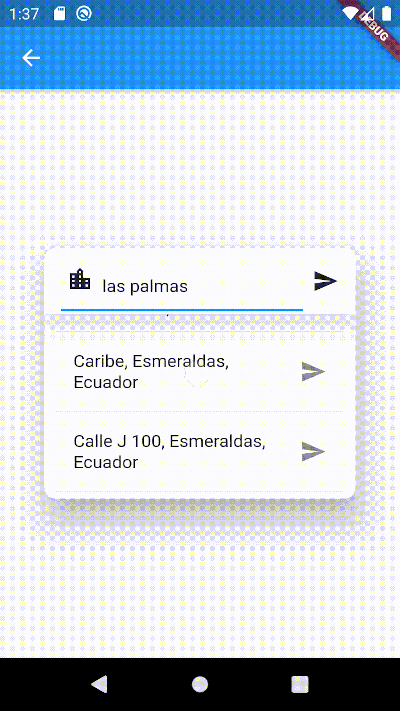
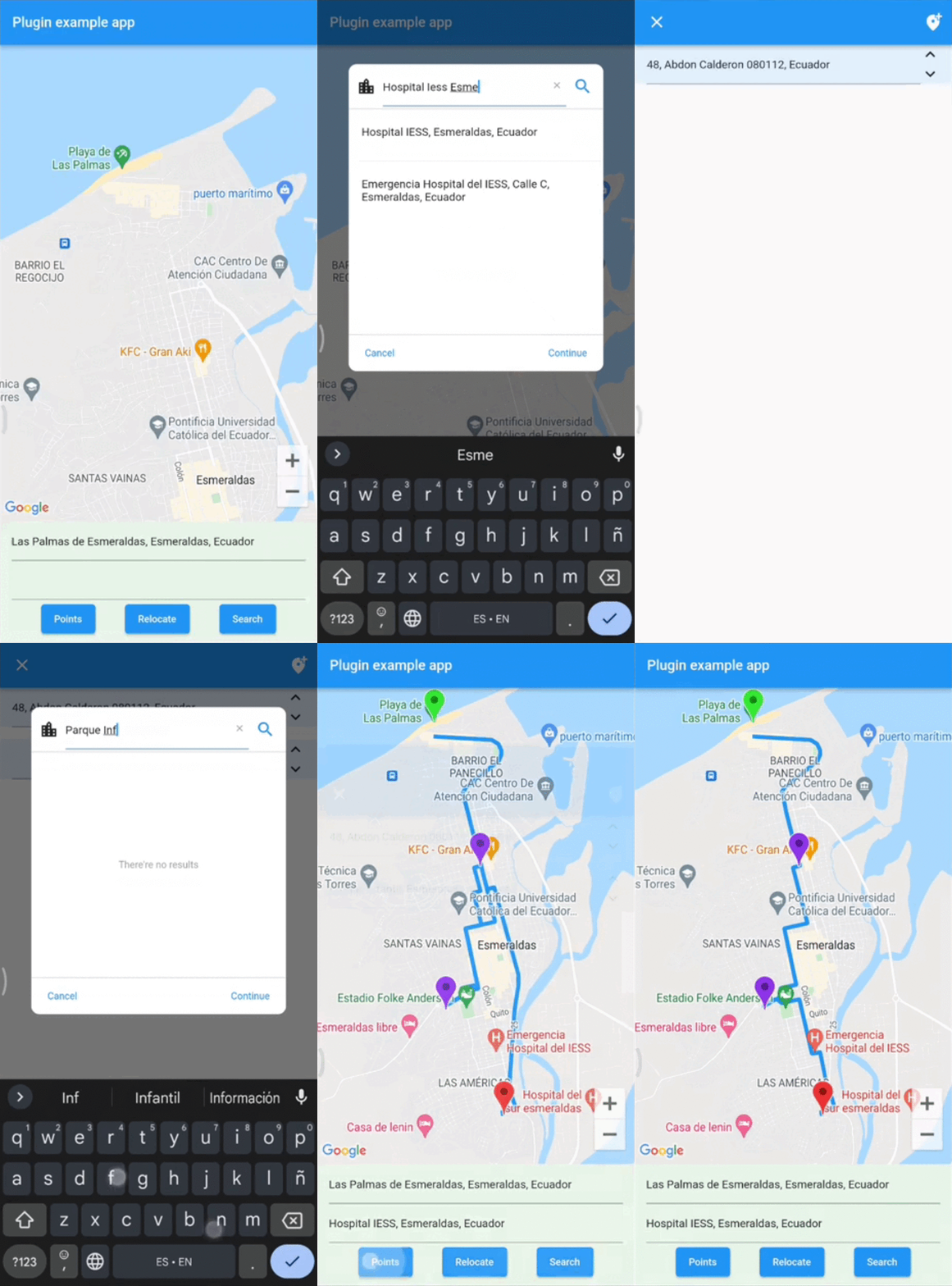
Widget builders to create 'address search widgets' which helps to autocomplete an address using a reference. They can be used to get Directions beetwen two places with optional waypoints. These widgets are made to be showed by onTap in a TextField with the showDialog function. It uses Dio, Google Maps for Flutter, Flutter Riverpod plugins. (This last plugin is to use extended objects that can be usable with GoogleMap Widget).

Getting Started

To use this plugin, add address_search_field as a dependency in your pubspec.yaml file. For example:

dependencies:
  address_search_field: ^5.0.3

Permissions

Android

On Android you'll need to add the internet permission to your Android Manifest file (located under android/app/src/main). To do so add next lines as direct child of the manifest> tag:

<uses-permission android:name="android.permission.INTERNET"/>

Usage

Import the package:

import 'package:address_search_field/address_search_field.dart';

GeoMethods

GeoMethods(
  googleApiKey: String,
  language: String,
  countryCode: String?,
  countryCodes: List<String>?,
  country: String?,
  city: String?,
  mode: DirectionsMode?,
  units: DirectionsUnits?,
);
  • This object makes calls to Google APIs using the parameters set. It can do requests to Google places, geocode and directions APIs Get API key.
  • Language support list here.
  • List of countries here. Example:
final geoMethods = GeoMethods(
  googleApiKey: 'GOOGLE_API_KEY',
  language: 'en',
  countryCode: 'us',
  countryCodes: ['us', 'es', 'co'],
  country: 'United States',
  city: 'New York',
);

// It will search in unite states, espain and colombia. It just can filter up to 5 countries.
geoMethods.autocompletePlace(query: 'place streets or reference');

geoMethods.geoLocatePlace(
    coords: Coords(0.10, 0.10,)
);

geoMethods.getPlaceGeometry(
    reference: 'place streets',
    placeId: 'ajFDN3662fNsa4hhs42FAjeb5n',
);

// It needs a specific region, it will search in unite states.
geoMethods.getDirections(
    origin: Address(coords: Coords(0.10, 0.10)), 
    destination: Address(coords: Coords(0.10, 0.10))
);

AddressSearchBuilder

This widget can search addresses and permits you to work with them using an Address object.

Example:

GeoMethods geoMethods;
TextEditingController controller;
Address destinationAddress;

TextField(
  controller: controller,
  onTap: () => showDialog(
    context,
    builder: (BuildContext context) => AddressSearchDialog(
      geoMethods: geoMethods,
      controller: controller,
      onDone: (Address address) => destinationAddress = address,
    )
  ),
);

AddressSearchDialog.custom provides you a widget builder with the parameters and methods to create your own AddressSearchDialog and work with the addresses information.

Example:

GeoMethods geoMethods;
TextEditingController controller;
Address destinationAddress;

TextField(
  controller: controller,
  onTap: () => showDialog(
    context,
    builder: (BuildContext context) {
      return AddressSearchDialog.custom(
        geoMethods: geoMethods,
        builder: (
          BuildContext context,
          AsyncSnapshot<List<Address>> snapshot,
          Future<void> Function() searchAddress,
          Future<Address> Function(Address address) getGeometry,
          void Function() dismiss,
        ) {
          return MyCustomWidget(
            snapshot: snapshot,
            searchAddress: searchAddress,
            getGeometry: getGeometry,
            dismiss: dismiss,
            controller: controller,
            address: destinationAddress,
          );
        }
      );
    }
  ),
);

AddressLocator

This widget is a simple way to get an address reference in a TextEditingController from coordinates when the AddressSearchDialog is not created into a RouteSearchBox.

Example:

Coords coords;
GeoMethods geoMethods;
TextEditingController controller;
Address initialAddress;

// using coordinates you can get an address reference to be predefined in the widget and save all the address data in a variable.
AddressLocator(
  coords: coords,
  geoMethods: geoMethods,
  controller: controller,
  child: TextField(
    controller: controller,
    onTap: () => showDialog(
      context: context,
      builder: (BuildContext context) => AddressSearchDialog(
        controller: controller,
        geoMethods: geoMethods,
        onDone: (Address address) => initialAddress = address;,
      ),
    ),
  ),
);

RouteSearchBox

This widget helps you to works using a provider from flutter_riverpod. It permits you to work with AddressSearchDialog to search an origin Address, destination Address and optionally waypoints in a List<Address>. This widget is used to get directions from the addresses gotten by an AddressSearchDialog. provider.findRoute() function permits to set an address as origin or destination from a coordinates parameter. A completed example of how to use this widget could be found here.

Example:

final routeProvider =
    ChangeNotifierProvider<RouteNotifier>((ref) => RouteNotifier());

GeoMethods geoMethods;
TextEditingController originCtrl;
TextEditingController destCtrl;
Coords initialCoords;

RouteSearchBox(
  provider: routeProvider,
  geoMethods: geoMethods,
  originController: originCtrl,
  destinationController: destCtrl,
  locationSetters: [
    LocationSetter(
      coords: initialCoords,
      addressId: AddressId.origin,
    ),
  ],
  child: Column(
    children: [
      TextField(
        controller: originCtrl,
        onTap: () => showDialog(
          context: context,
          builder:(context) => 
              AddressSearchDialog.withProvider(
            provider: routeProvider,
            addressId: AddressId.origin,
          ),
        ),
      ),
      TextField(
        controller: destCtrl,
        onTap: () => showDialog(
          context: context,
          builder:(context) => 
              AddressSearchDialog.withProvider(
            provider: routeProvider,
            addressId: AddressId.destination,
          ),
        ),
      ),
      Consumer(
        builder: (BuildContext context, WidgetRef ref, Widget? _) {
          return ElevatedButton(
            child: const Text('Search'),
            onPressed: () async {
              final route = await ref.read(routeProvider).findRoute();
            },
          );
        },
      ),
    ],
  )
);

License

MIT License

Contact

You can contact me if you have problems or ideas. Hablo español e inglés.

josluna1098@gmail.com

所属分类

依赖

依赖清单 3 项

源码仓库

使用此插件的项目

暂无相关数据。