搜索插件、代码仓与 APP 分类

arrow_path 封面
插件详情v3.1.0

arrow_path

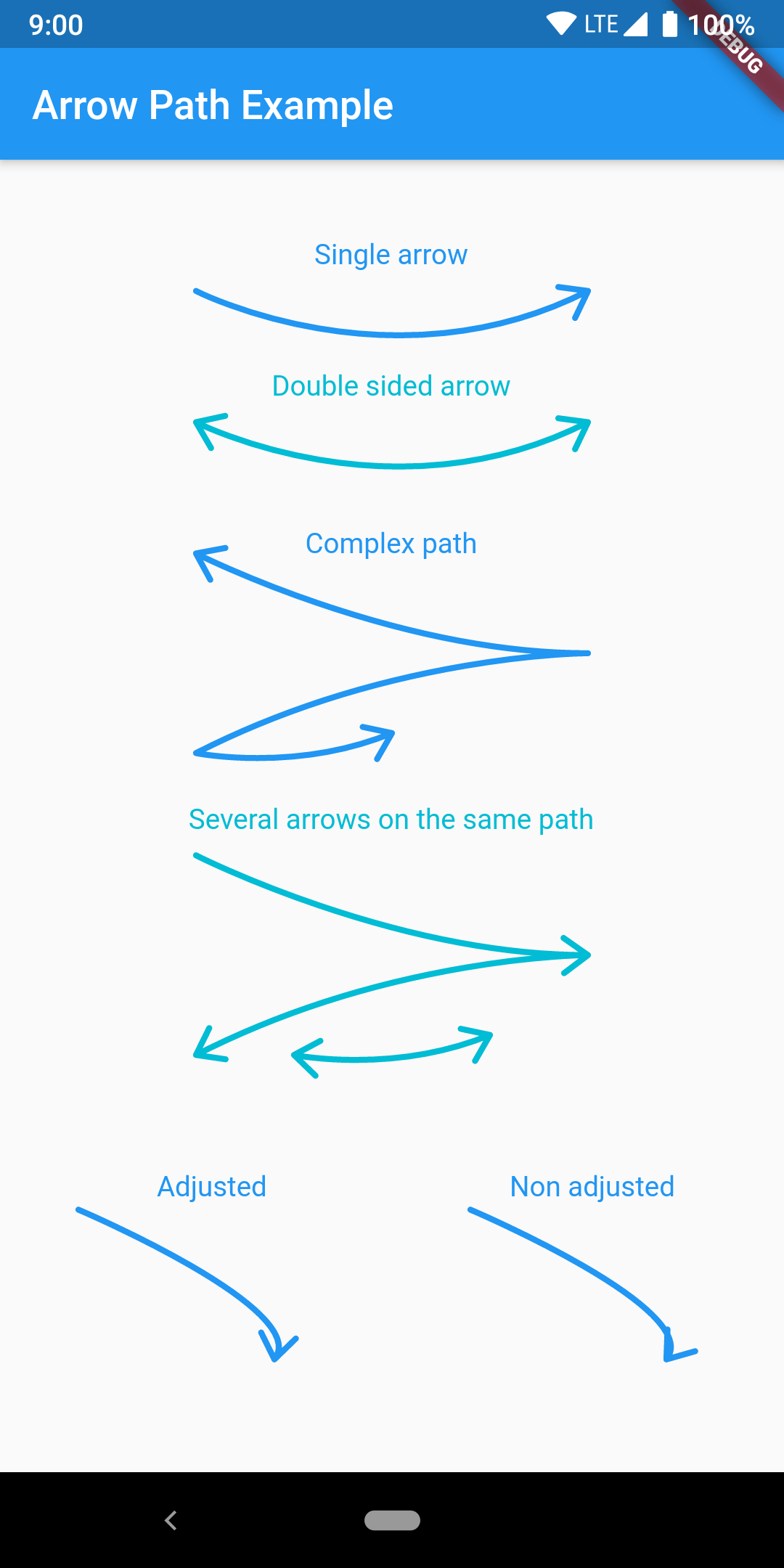
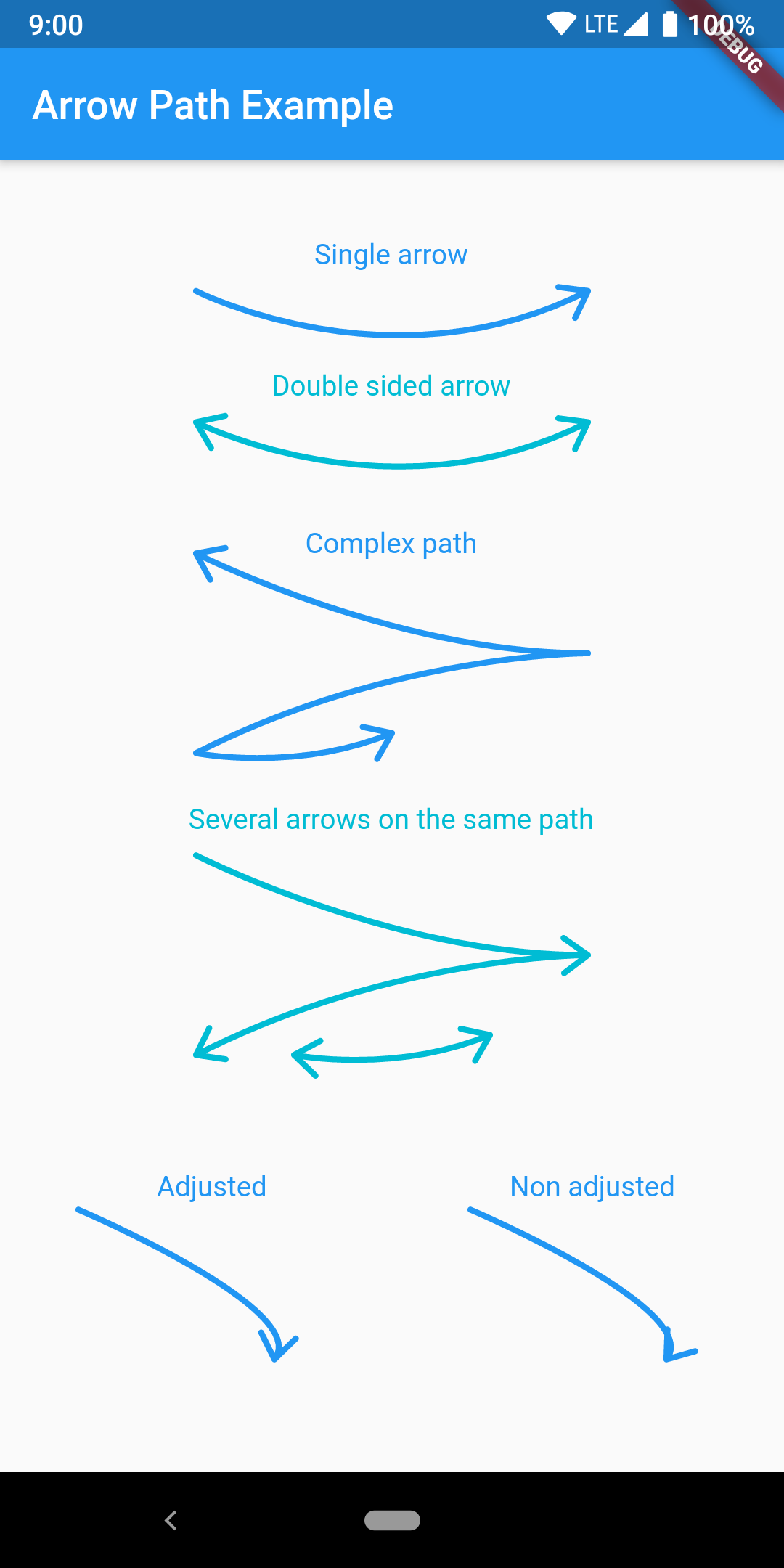
轻松使用 Path 对象绘制箭头。路径可以组合,以便将箭头添加到任何曲线,并一次性绘制所有内容。

AndroidiOSWebmacOSWindowsLinux
近 30 天下载
3700
喜欢数
50
Pub 分数
160

安装插件

flutter pub add arrow_path

插件介绍

基于插件公开信息、社区数据与项目使用情况整理的选型参考。

ArrowPath 是一个 Flutter 包,可简化使用 Path 对象绘制箭头。它使开发者能够轻松地为任何曲线或路径添加箭头,支持组合多个箭头以实现复杂设计。该包非常适合可视化方向流、图表或交互式 UI 元素。支持所有主要平台——Android、iOS、Web、macOS、Windows 和 Linux,确保渲染一致性。ArrowPath 以性能和灵活性为核心构建,可无缝集成到现有的绘图工作流程中。

适合场景

  • 创建方向流图
  • 可视化用户界面中的数据路径
  • 设计基于箭头的交互式界面
  • 通过方向指示器增强图表
  • 构建自定义绘图工具

主要特点

  • 向任意 Path 轻松添加箭头
  • 对复合箭头路径的支持
  • 跨平台兼容性
  • 高性能渲染
  • 与 Canvas 的简单集成
  • 灵活的自定义选项

适合对象

  • UI 设计师使用动态路径
  • 开发绘图工具的开发者
  • 带有视觉引导的教育类应用程序
  • 数据可视化应用
  • 交互式绘图功能

使用建议

  • 需要熟悉 Flutter 的 Path 和 Canvas
  • 可能需要额外的逻辑来动态定位箭头
  • 未针对极高频率的更新进行优化
  • 仅限静态箭头样式,不支持动画

原始 README

以下为关联源码仓库的 README 原文快照,最新内容请访问源码仓库。

pub package pub points

Flutter arrow_path package

Draw arrows with Path objects easily. Paths can be composited to add arrows to any curve and draw all at once.

The arrow is drawn using the direction of the tangent to the curve at the end of the curve. It features an adjustment parameter to also look at the tangent just before the end of the segment and rotate the tip of the arrow based on the angle difference to improve the look of the arrow when the curvature at the end is high.

Getting Started

Have a look at the example app to get started.

Migration from [3.0.0] to [3.1.0]

ArrowPath.make() is now deprecated, use ArrowPath.addTip() instead.

If you are not using the isDoubleSided argument of ArrowPath.make() then you can safely replace it by ArrowPath.addTip() without any other change.

If you are using the isDoubleSided argument of ArrowPath.make() then change yor code like this:

Before:

  Path path = Path();
  path.relativeLineTo(100, 100);
  path = ArrowPath.make(path, isDoubleSided: true);

After:

  Path path = Path();
  path.relativeLineTo(100, 100);
  path = ArrowPath.addTip(path);
  path = ArrowPath.addTip(path, isBackward: true);

所属分类

源码仓库

使用此插件的项目