Audio Manager 是一个专为 Android、iOS 和 Web 平台设计的 Flutter 插件,旨在实现无缝的音乐播放。它提供强大的音频处理功能,并内置对媒体通知的支持,使用户可以直接从系统的通知栏控制播放。该包简化了背景音频、曲目元数据显示以及音乐应用中的播放控制的集成。专注于跨平台一致性,确保无论设备如何,都能提供流畅的用户体验。非常适合开发以音频为中心的应用程序,如音乐播放器或播客听众。
适合场景
音乐播放器开发
播客应用集成
背景音频播放
媒体通知管理
跨平台音频控制
主要特点
内置媒体通知
跨平台支持(Android、iOS、Web)
背景音频播放
跟踪元数据处理
用于播放控制的简单 API
适合对象
开发音乐应用的开发者
需要后台音频的应用
需要系统通知的项目
跨平台音频解决方案
播客或音频流媒体应用
使用建议
需要平台特定的配置
通知设计的自定义选项有限
依赖外部音频源
某些平台可能需要额外的权限
Web 支持的功能可能比移动设备上的功能有限
原始 README
以下为关联源码仓库的 README 原文快照,最新内容请访问源码仓库。
audio_manager
A Flutter plugin for music playback, notification handling, lock-screen controls, and desktop system media controls.
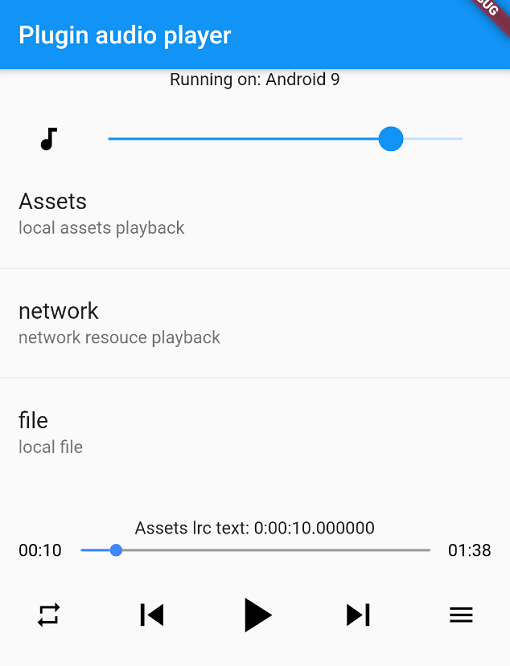
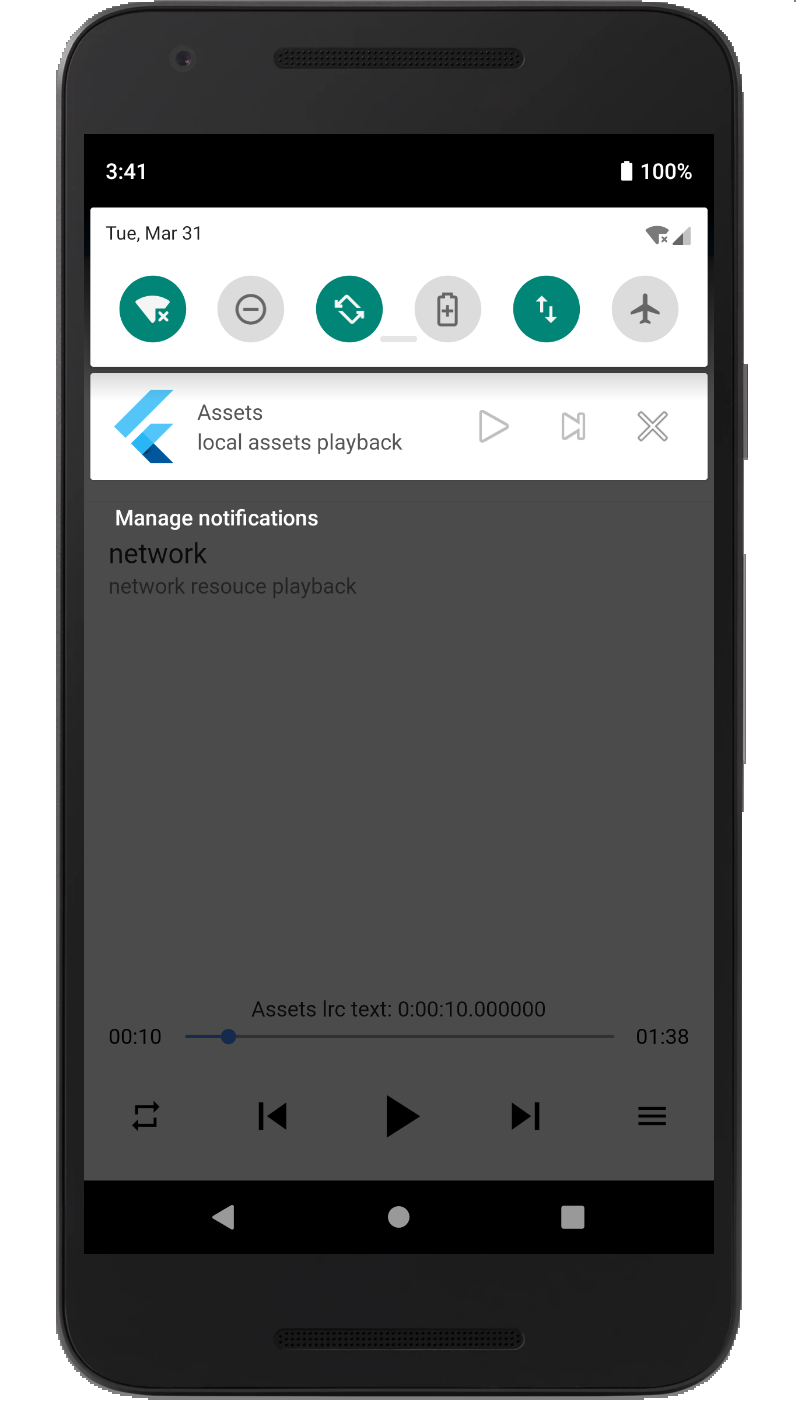
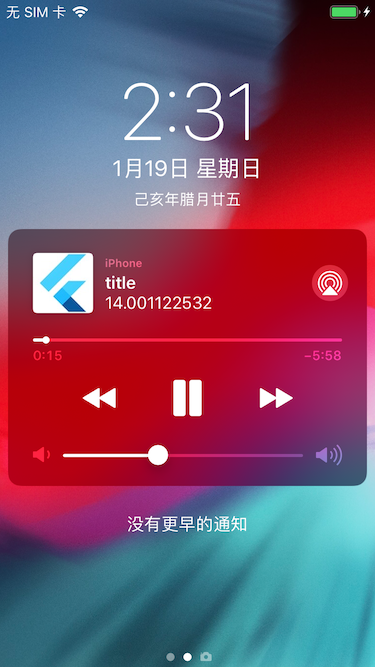
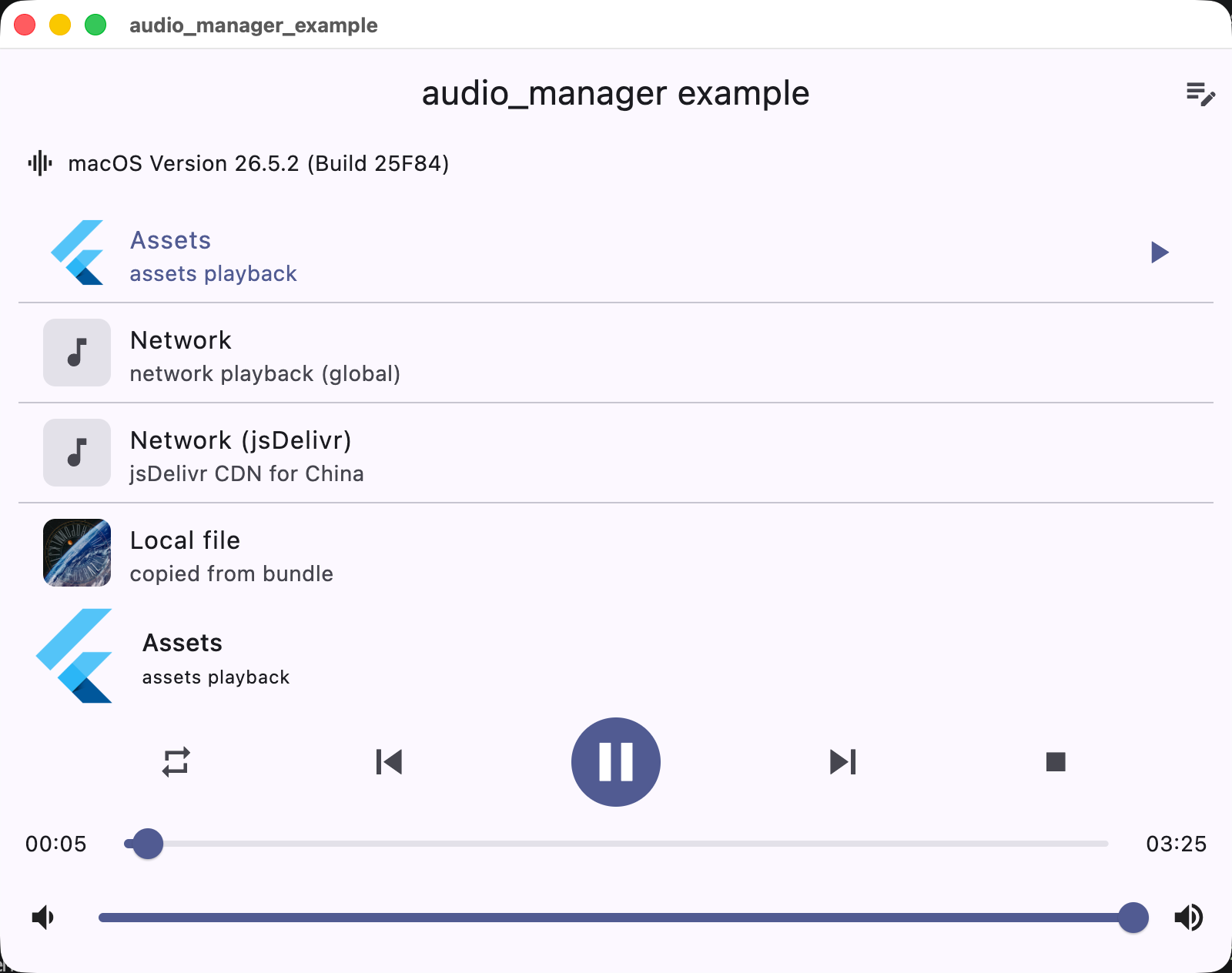
Screenshots
Android
iOS
macOS
Supported platforms
Platform
Playback / integration
iOS
AVPlayer + lock screen / Control Center
Android
MediaPlayer + MediaSession notification
macOS
AVPlayer + Now Playing / Control Center
Windows
Windows.Media.Playback + SMTC
Linux
GStreamer + MPRIS
Web
HTMLAudioElement
Installation
Add the dependency to pubspec.yaml:
dependencies:audio_manager:^1.0.0
iOS
The plugin supports both CocoaPods and Swift Package Manager (SPM) on iOS. Flutter 3.24+ integrates it via SPM automatically; otherwise it falls back to CocoaPods.
Add the following permissions in the info.plist file
⚠️ Some methods are invalid in the simulator, please use the real machine
⚠️ Only add UIBackgroundModes -> audio when your app really keeps playing audio in the background. If the app does not provide background audio, App Store review may reject it with guideline 2.5.4.
Android
Since Android9.0 (API 28), the application disables HTTP plaintext requests by default. To allow requests, add android:usesCleartextTraffic="true" in AndroidManifest.xml
⚠️ Android minimum supported version 23 (app/build.gradle -> minSdkVersion: 23)
⚠️ Compile against Android SDK 34 or newer when targeting Android 12+ apps. The plugin now requires explicit PendingIntent flags, a media playback foreground service type, and Android 13+ receiver export flags.
⚠️ Android notification and lock-screen controls use MediaSession / MediaStyle. Custom notification icons and full custom layouts are not exposed by the public API.
Desktop (macOS / Windows / Linux)
Desktop playback integrates with the system media controls: macOS Now Playing / Control Center, Windows SMTC (taskbar media flyout), and Linux MPRIS.
macOS: to stream network audio, add the com.apple.security.network.client entitlement to the app's entitlements files (DebugProfile.entitlements / Release.entitlements):